Amazon keywords decide whether your listing shows up when a shopper types into the search bar. Pick them from guesswork and you write a title for words nobody searches. Pick them from real Amazon search data and every character of your title, bullets and backend field works toward a query people actually use.
This guide covers how Amazon keyword research works, what separates a useful amazon keyword tool from a list generator, and how eight tools compare.
Key Takeaways (TL;DR)
- Amazon is where most US product searches begin. In a Jungle Scout survey, 57% of US consumers started online shopping searches on Amazon, against 42% who started on a search engine.
- Google keyword data is a weak proxy. Search terms on Amazon carry purchase intent and different phrasing, so use a tool built on Amazon's own search data.
- Pick the tool by the job. If you need product research, sourcing or PPC, a full suite like Helium 10 or Jungle Scout earns its price. If your listings already exist and need to rank better, you're paying for 20+ tools to use two or three.
- Amazon SEO Ranking is the focused option: six keyword tools, a listing audit with a published 12-criteria rubric, flat pricing, and a top plan at $189/month against $250–$399 for comparable top tiers elsewhere.
- Check coverage for the marketplaces you sell in. Amazon SEO Ranking audits listings on 20 Amazon marketplaces, and its live keyword volume covers 16; the deeper keyword tools cover 4 (US, Egypt, Saudi Arabia, UAE). Helium 10 and Jungle Scout cover more keyword marketplaces.
- Keywords only help once they're placed. Title, bullets and the 249-byte backend search terms field each have rules Amazon enforces.
Amazon Keywords: at a Glance
| Topic | What matters |
|---|---|
| Data source | Amazon on-platform search volume beats Google estimates for product listings |
| Core metrics | Monthly search volume, competition, what competitors already rank for |
| Must-have features | Volume checker, keyword expansion, ranked keywords per ASIN, keyword gap |
| Often overlooked | Whether the tool shows how your live listing uses those keywords, and how it scores |
| Where keywords go | Title, Item Highlights, bullets, description, backend search terms (249 bytes) |
| Free keyword options | Amazon autocomplete, Brand Analytics (brand-registered sellers) |
| Free listing check | Amazon SEO Ranking free tier: 3 audits/month with AI rewrites, no card |
| Best fit for suites | Sellers who also need product research, sourcing or PPC |
| Best fit for focused tools | Sellers and agencies improving listings that already exist |
What Are Amazon Keywords and Why They Differ From Google
Amazon keywords are the words and phrases shoppers type into Amazon's search bar to find a product. Amazon's search engine matches those queries against the text in your listing, then ranks results using signals like sales history, conversion and relevance.
That last point matters. Amazon search engine keywords behave differently from Google queries.
On Google, someone types "how to clean a cast iron pan". On Amazon, the same person types "cast iron cleaner chain mail". The first is a question. The second is a product spec with a buying decision attached.
Three practical differences follow from that:
- Phrasing is shorter and attribute-heavy. Shoppers add size, material, color and quantity ("stainless steel water bottle 32 oz").
- Volume numbers don't transfer. A term with 50,000 Google searches can have a fraction of that on Amazon, or the reverse.
- Intent is already commercial, so a mid-volume keyword on Amazon can outsell a high-volume one if it matches your product exactly.
This is why keyword research for amazon products needs an Amazon data source. A generic SEO tool gives you Google's view of demand, which is the wrong marketplace.
How Amazon Keyword Research Works, Step by Step
Here's the process most top-ranking sellers follow. For each step, we note the Amazon SEO Ranking tool that handles it, so you can see where research connects to the listing itself.
Step 1: Start with seed keywords
Write down the 3–5 phrases a buyer would use for your product. Type each into Amazon's search bar and note the autocomplete suggestions. This is the free starting point for any amazon keyword search, and it shows real phrasing.
Step 2: Expand with a keyword finder
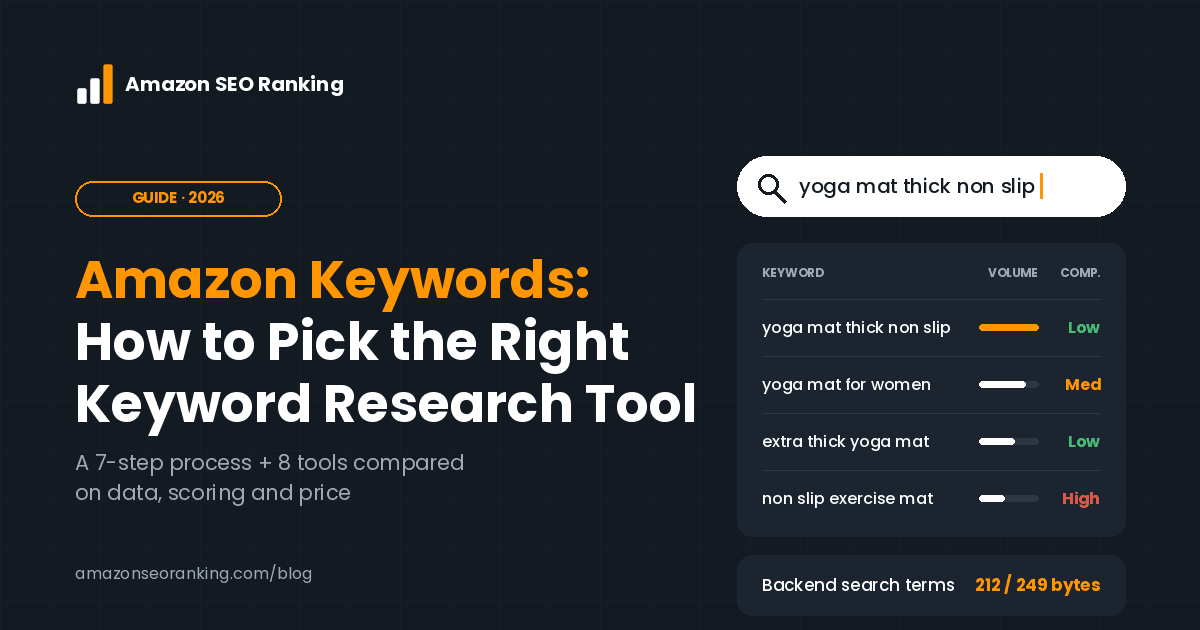
Run each seed through an amazon keyword finder to pull related phrases. A good expansion tool returns long-tail variants ("yoga mat thick non slip for women") you wouldn't have guessed. In Amazon SEO Ranking, that's the Keyword ideas tool.
Step 3: Check search volume
Volume filters out phrases nobody searches. Paste your expanded list into a volume checker and remove anything with negligible monthly searches unless it's a near-perfect product match.
Step 4: Score competition
High volume with page one full of listings holding 10,000+ reviews is a hard fight for a new product. Look for a competition score whose inputs you can check. Amazon SEO Ranking's Search volume tool computes one from top-listing review counts and the density of Amazon's Choice and Best Seller badges.
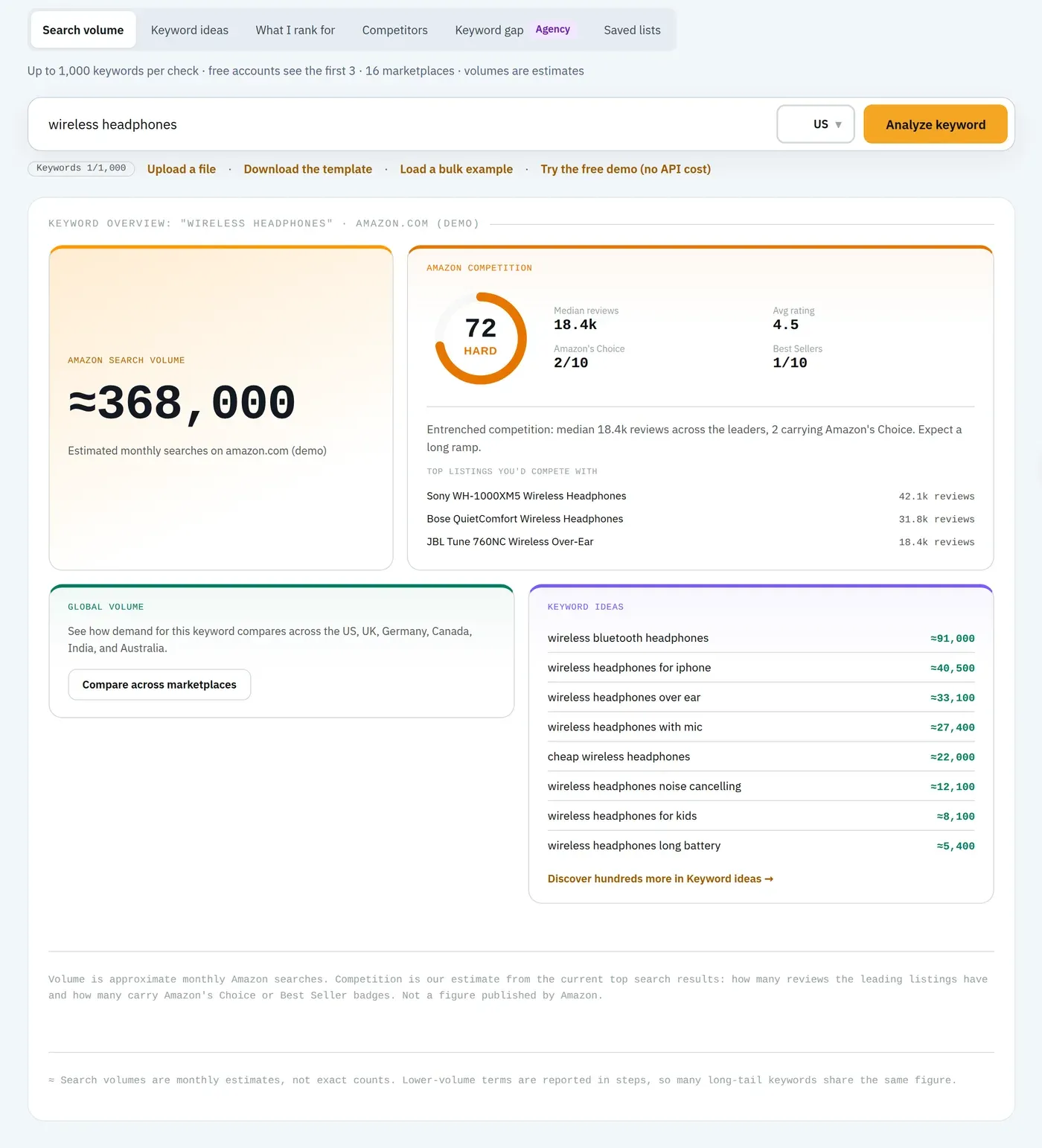
Step 5: See what competitors already rank for
Enter a competitor's ASIN to see which keywords it ranks for. Those queries are already proven to convert. Amazon SEO Ranking's "What I rank for" tool does this, and Competitor Comparison runs the same 12-criteria audit on your listing and theirs side by side, so you see where their copy outscores yours.
Step 6: Find the keyword gap
Compare several competitor ASINs at once. Keywords that three rivals rank for and you don't are your most direct gaps. This is the Keyword gap tool.
Step 7: Map keywords to listing fields
Assign your highest-value keyword to the title, secondary terms to bullets, and leftover synonyms and misspellings to backend search terms. Don't repeat the same word across fields; Amazon indexes it once. Amazon SEO Ranking's AI rewriter drafts all of these fields from your audit, writes backend terms that never repeat visible keywords, and the Backend Search Terms Checker confirms you're under 249 bytes.
Step 8: Save and re-check monthly
Search volume shifts with seasons. Saved lists keep monthly volume-history snapshots, and on Pro, score history and alerts flag when a listing's audit score drops.
What to Look For in an Amazon Keyword Tool
Every amazon keyword tools roundup lists features. Fewer explain which features change your results. These are the questions worth asking before you pay.
Does the tool use real Amazon search data? Some keyword tools for amazon scrape autocomplete and estimate volume; others use on-platform search data. The second is more useful when you're deciding between two title phrasings.
Does it cover the marketplaces you actually sell in? Check two numbers separately: marketplaces with live keyword volume, and marketplaces where the tool can check your listing. A seller on amazon.com and amazon.ae needs different coverage than a seller on amazon.de and amazon.co.jp. Amazon SEO Ranking audits listings on 20 marketplaces and has keyword volume for 16 (the deeper keyword tools cover 4: US, Egypt, Saudi Arabia, UAE). If your core markets are in Europe or Japan, a suite with wider keyword coverage is the better fit for research.
Can you see how its scores are calculated? A listing score of 67 means little unless you know what's in it. If you report scores to a client or a boss, an unpublished formula is hard to defend. Amazon SEO Ranking publishes its 12-criteria rubric with every criterion weighted equally. Helium 10, Jungle Scout, AMZScout and ZonGuru don't publish theirs, and SellerApp doesn't publish its weights.
Does it connect keywords to your live listing? Keyword lists sit unused in spreadsheets. The more useful amazon seo keyword tool pulls your current listing at run time, shows which criteria it fails, and writes the fix for that specific failure.
Does the price scale with your catalog? Some tools raise price with SKU count. ZonGuru reaches $159/month at 101–1,000 SKUs. Amazon SEO Ranking's plans are flat regardless of catalog size.
Can you test it on your own ASIN for free? Most suites ask for a card or a paid plan first. A free tier lets you judge a tool's scoring on a listing you know before paying.
Are you paying for tools you won't use? If you already know what you sell and don't run PPC through your research tool, a 20+ tool suite may cost more than the two or three features you open.
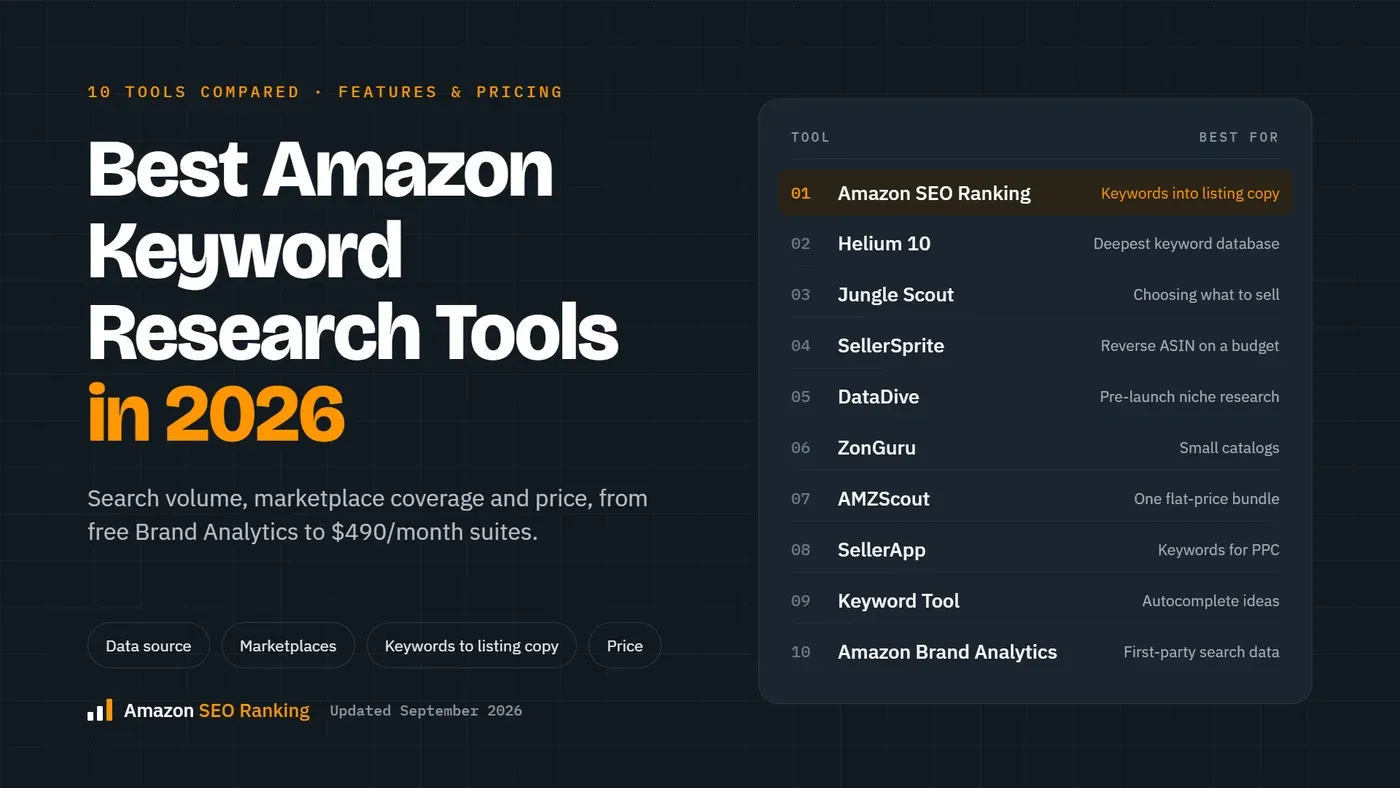
The 8 Best Amazon Keyword Research Tools Compared
The target question here is simple: what's the best tool for doing Amazon keyword research? The answer splits by the job you're hiring the tool for.
1. Amazon SEO Ranking – best for turning keywords into listing fixes
Amazon SEO Ranking is an amazon seller keyword tool built around one job: making an existing listing rank better. The keyword research suite has six tools:
- Search volume, for one keyword or many at once, plus a competition score computed from top-listing review counts and Amazon's Choice and Best Seller density
- Keyword ideas for related-keyword expansion
- What I rank for, to see what any ASIN already ranks for
- Competitors and Keyword gap, which intersects multiple ASINs to find terms rivals rank for and you don't
- Saved lists, with monthly volume-history snapshots
The keyword data feeds into the listing work. Every audit pulls the live listing at run time and scores it 0–100 against a published 12-criteria rubric covering title, bullets, images, reviews, stock and AI-readiness for Amazon's Rufus and COSMO. The AI rewriter then fixes what failed: a compliant title, Item Highlights, five bullets, a description and backend search terms, in any of 12 languages.
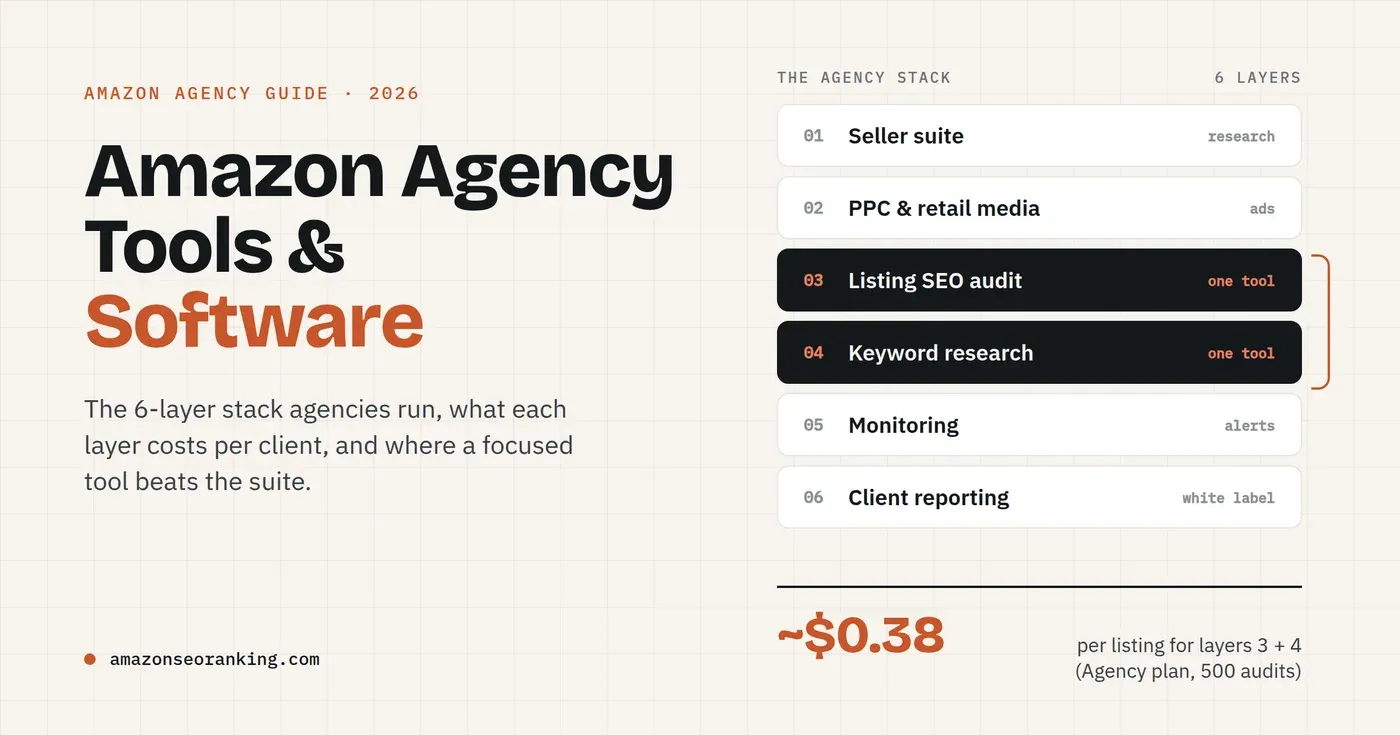
For agencies, Bulk Optimization runs the audit and rewrite across up to 500 ASINs per run, with white-label PDF reports and API access. At 500 listings a month, the Agency plan works out to about $0.38 per listing, against the $50+ per listing agencies typically bill for manual optimization.
Where it falls short: the deeper keyword tools cover 4 marketplaces (US, Egypt, Saudi Arabia, UAE), though search volume covers 16. If you need keyword volume for amazon.de or amazon.co.jp, Helium 10 or Jungle Scout will serve you better today. There's no product research, sourcing or PPC management.
Pricing: Free (3 audits/month with AI rewrites, no card; keyword volume not included). Pro $79/month with 100 audits and 2,000 keyword volume lookups. Agency $189/month with 500 audits, 10,000 lookups, API access and white-label reports. Paid plans start with a 7-day free trial. See Amazon SEO Ranking pricing.
2. Helium 10 – best for sellers who want a full suite
Helium 10 bundles 20+ tools across research, listings, PPC and operations. Its Cerebro and Magnet keyword tools reach far more marketplaces than Amazon SEO Ranking's keyword suite, and Adtomic handles PPC.
The trade-off is cost and scope. Its free plan is limited to a few tools. Platinum costs $129/month ($99 billed annually) against Amazon SEO Ranking Pro at $79, and Diamond costs $359/month ($279 billed annually) against Agency at $189: 39% and 47% less month to month, 33% and 43% less billed annually. Its Listing Analyzer doesn't publish how scores are calculated. Our full breakdown is in Amazon SEO Ranking vs Helium 10.
3. Jungle Scout – best for choosing what to sell
Jungle Scout is strongest before you list: the Product Database, supplier database, category benchmarking and Buy Box analysis. Its Cobalt tier offers keyword coverage across up to 19 marketplaces.
The $49/month Starter plan is research-only with thin listing tools. AI Assist refines copy but doesn't grade it against a fixed standard. The top published tier runs $399/month, more than double Amazon SEO Ranking's $189 Agency plan. Read the side-by-side in Amazon SEO Ranking vs Jungle Scout.
4. SellerApp – best for sellers who also want managed services
SellerApp is the closest like-for-like option to Amazon SEO Ranking. It offers keyword research across 18+ marketplaces, a structured Listing Quality Index, a public API and white-label reports. It also sells PPC automation and done-for-you services, which we don't.
Its index weights aren't published. Published tiers are $99 and $250/month (regular rate), 20–24% above Amazon SEO Ranking's $79 and $189, and its advertised 50% discount applies only to the first 3 months. More in Amazon SEO Ranking vs SellerApp.
5. ZonGuru – best for small catalogs that need operations tools
ZonGuru pairs listing tools with order management, automated review requests, email sequences and inventory tracking. At low SKU counts, its entry pricing undercuts most tools here.
Its Listing Optimizer scores keyword placement only, not images, reviews, stock or AI-readiness, and the formula isn't published. Pricing scales with active SKUs, reaching $159/month at 101–1,000 SKUs. There's a 7-day trial rather than a free tier. Compare in Amazon SEO Ranking vs ZonGuru.
6. AMZScout – best for budget product research
AMZScout is a product research and sourcing toolkit, with an Alibaba-connected sourcing flow and an AI Listing Builder. Annual plans work out to roughly $33–$50/month, and a lifetime license costs $1,599.99, cheaper than monthly Amazon SEO Ranking if you commit upfront.
It has no listing-scoring rubric, so it generates content without grading what's live. There's no free tier; payment comes first, with a 10-day money-back guarantee. Details in Amazon SEO Ranking vs AMZScout.
7. Keyword Tool io (Amazon) – best for quick long-tail ideas
Keyword Tool io's amazon mode generates keyword suggestions from Amazon autocomplete. It's a fast way to collect long-tail phrasing for a seed term. It isn't an Amazon seller suite, so it doesn't audit listings or show what a competitor's ASIN ranks for.
8. Amazon Brand Analytics – best free data for brand-registered sellers
If you're enrolled in Amazon Brand Registry, Brand Analytics in Seller Central shows search term data straight from Amazon at no extra cost. It's limited to registered brands and doesn't expand keywords or score competition, so most sellers pair it with a keyword search tool for amazon.
Comparison table
This table covers the five suites and Amazon SEO Ranking. Keyword Tool io and Brand Analytics are single-purpose options, covered above.
| Amazon SEO Ranking | Helium 10 | Jungle Scout | SellerApp | ZonGuru | AMZScout | |
|---|---|---|---|---|---|---|
| Published scoring rubric | ✓ (12 criteria) | ✗ | ✗ | ✗ (weights unpublished) | ✗ (keyword placement only) | ✗ (no rubric) |
| AI fixes tied to the failed criterion | ✓ | Partial | Partial | Partial | ✗ | ✗ |
| Free tier, no card | ✓ | Limited free plan | ✗ | ✓ (freemium) | ✗ | ✗ |
| Entry paid price | $79/mo | $129/mo ($99 annual) | $49/mo (research-only) | $99/mo | $49/mo | $49.99/mo |
| Top published tier | $189/mo | $359/mo ($279 annual) | $399/mo | $250/mo | $159/mo | – |
| Price scales with SKU count | No (flat) | – | – | – | Yes | – |
| Listing audit marketplaces | 20 | – | – | – | – | – |
| Keyword research marketplaces | 16 (volume); 4 (deeper tools) | Wider | Up to 19 | 18+ | – | Wider |
| Product research / sourcing | ✗ | ✓ | ✓ | ✓ | ✓ | ✓ |
| PPC management | ✗ | ✓ | Partial | ✓ | ✗ | ✗ |
| API + white-label reports | ✓ (Agency) | Partial | ✗ | ✓ | ✗ | ✗ |
So which is best? If you need product research, sourcing or PPC in the same login, or keyword volume for Europe or Japan, choose Helium 10 or Jungle Scout. If your listings already exist and your job is ranking them better, Amazon SEO Ranking costs 20–53% less at comparable tiers, shows you exactly how it scores, and turns keyword data into ready-to-paste copy. That holds most strongly for sellers in the US, Egypt, Saudi Arabia and the UAE, where its keyword volume is live.
Where to Put Keywords on Amazon
Finding keywords in amazon data is half the work. Placement follows Amazon's content rules, and Amazon enforces them.
Title
Your highest-volume, most relevant keyword goes near the front. Amazon SEO Ranking's rewriter targets 60–75 characters in a Brand + Product + key attribute order, which keeps titles readable on mobile. Skip promotional words like "best seller" and don't write in ALL CAPS.
Item Highlights and bullet points
Item Highlights give you up to 125 characters for your strongest secondary terms. Use more keywords inside benefit-led bullets with sentence-case headers; ALL CAPS bullet headers are one of the content rules Amazon enforces. Five bullets gives you room for five different keyword clusters.
Description and A+ Content
Work in long-tail phrases and use cases here. Keep it written for a shopper, since conversion is a ranking signal too.
Backend search terms
This field is invisible to shoppers and capped at 249 bytes. Put synonyms, alternate spellings and terms that didn't fit elsewhere. Don't repeat words from your title, and remember that some characters use more than one byte, so a 249-character entry can exceed the limit. Because no shopper or outside audit can see this field, it's easy to get wrong without noticing.
AI shopping assistants
Amazon's AI shopping features, including Rufus and the COSMO knowledge graph behind them, draw on listing content. Clear attribute data and plain-language use cases ("fits a 15-inch laptop") help your listing surface in those answers, which is why Amazon SEO Ranking scores AI-readiness as one of its seven audit categories.
Common Amazon Keyword Research Mistakes
Using Google volume for Amazon listings. The two datasets diverge. A term that looks huge in a Google tool can be tiny on Amazon.
Chasing the single biggest keyword. A new listing with 12 reviews won't outrank page-one products holding thousands. Target the mid-volume phrase you can win first.
Stuffing the title. Repeating "dog bed dog bed large dog bed" hurts readability and click-through. Amazon indexes a word once.
Checking only your home marketplace. A listing tuned for amazon.com isn't tuned for amazon.de or amazon.co.jp. Shoppers search in their own language, with different terms, and the same listing can score differently per marketplace. Amazon SEO Ranking audits all 20 marketplaces it supports and rewrites copy in 12 languages.
Researching once. Seasonal terms rise and fall. A monthly check on saved lists catches the shift before your ranking drops.
Wasting the backend field. Many sellers leave it half-empty or fill it with words already in the title.
Buying a suite for two features. If keywords and listing copy are all you use, check what you're paying for the other 18 tools.
Everything You Need to Know About Amazon Keywords
| Question | Short answer |
|---|---|
| What are Amazon keywords? | The search terms shoppers type into Amazon's search bar |
| Why not use Google keyword tools? | Amazon queries are shorter, more attribute-based and have different volumes |
| Where do most US shoppers start product searches? | Amazon, at 57% vs 42% for search engines (Jungle Scout, Q2 2023) |
| Key research steps | Seeds, expansion, volume, competition, competitor keywords, gap, mapping, monthly re-check |
| Questions to ask a tool | Real Amazon data? Your marketplaces? Published scoring? Linked to your live listing? Flat pricing? Free test? |
| Best for full suites | Helium 10, Jungle Scout |
| Best for managed services | SellerApp |
| Best for listing fixes tied to keywords | Amazon SEO Ranking ($79–$189/mo, flat) |
| Free keyword options | Amazon autocomplete, Brand Analytics |
| Free listing audit | Amazon SEO Ranking, 3 audits/month |
| Backend search terms limit | 249 bytes |
| Title keyword placement | Primary keyword near the front; 60–75 characters reads well on mobile |
| Biggest mistake | Researching once and never updating for seasonality |
Try Amazon SEO Ranking
Most keyword tools stop at a spreadsheet. Amazon SEO Ranking connects the research to the listing it's meant to fix.
- A score you can check. The 12-criteria audit publishes every criterion and pulls your live listing every time, so you see why it lost points and can show a client the same reasoning.
- Fixes for the exact failure. The AI rewriter targets the criteria your listing failed and returns a title, bullets and backend terms ready to paste into Seller Central.
- A lower bill than the suites. $79 and $189 a month, flat regardless of catalog size, against $250–$399 at the top tiers of the big suites.
It's built for sellers and agencies whose listings already exist and need to rank better, and for sellers checking how one listing performs across several Amazon marketplaces. If you also need product research or PPC in one tool, a larger suite is the better buy, and we say so in each comparison.
Run a free audit on one of your ASINs to see which of the 12 criteria it fails, with rewritten copy, in about 20 seconds. Keyword volume research starts on Pro, with a 7-day free trial.
Run free auditFAQ
What is the best tool for Amazon keyword research?
The best tool for Amazon keyword research depends on whether you also need product research and PPC. Helium 10 and Jungle Scout suit sellers who want a full suite and keyword data across many marketplaces, with top tiers at $359 (or $279 billed annually) and $399 a month. Amazon SEO Ranking suits sellers improving existing listings, pairing six keyword tools with a published 12-criteria audit at $79–$189 a month. Its keyword volume covers the US, Egypt, Saudi Arabia and the UAE.
How do I find keywords for Amazon for free?
You can find keywords for Amazon for free using the search bar's autocomplete suggestions and the related searches on results pages. Brand-registered sellers also get search term data in Amazon Brand Analytics at no extra cost. Reverse-engineering competitor titles and bullets gives more free ideas. Free methods show phrasing but not reliable search volume, which is what paid tools add.
How many keywords should an Amazon listing target?
An Amazon listing should target one primary keyword in the title and roughly 5–15 secondary keywords across bullets, description and backend search terms. Place the primary term near the front of a 60–75 character title. Give each of the five bullets its own keyword cluster. Use the 249-byte backend field for synonyms and spellings not used elsewhere.
Do backend search terms still matter on Amazon?
Backend search terms still matter on Amazon because they're read by search while staying invisible to shoppers. The field is capped at 249 bytes. Repeating title words there wastes space, since Amazon indexes each word once. A byte checker helps because some characters count as more than one byte.
Is Amazon keyword research different from Google keyword research?
Amazon keyword research is different from Google keyword research because Amazon queries carry buying intent and use shorter, attribute-heavy phrasing. A shopper types "insulated water bottle 32 oz" rather than a question. In a 2023 Jungle Scout survey, 57% of US consumers started product searches on Amazon versus 42% on search engines. That's why sellers use tools built on Amazon search data.
How do I check search volume for Amazon keywords?
You check search volume for Amazon keywords with a tool that uses Amazon on-platform search data, such as Helium 10, Jungle Scout, SellerApp or Amazon SEO Ranking's Search volume tool. Amazon SEO Ranking's Pro plan includes 2,000 volume lookups a month across 16 marketplaces. Helium 10 and Jungle Scout cover more marketplaces. Google volume tools are not reliable for Amazon demand.
How often should I update my Amazon keywords?
You should update your Amazon keywords at least once a month and before major seasonal peaks like Prime Day and Q4. Search volume for seasonal terms can rise or fall sharply within weeks. Saved keyword lists with monthly volume snapshots make the change visible. Re-audit the listing after edits to confirm the new terms landed in the right fields.
Is a paid Amazon keyword tool worth it for a small seller?
A paid Amazon keyword tool is worth it for a small seller once they manage more than a handful of listings or update copy regularly. Amazon SEO Ranking Pro costs $79 a month for 100 audits, about $0.79 per listing, while agencies typically bill $50+ per listing for manual work. Sellers with one or two products can start with free keyword methods and 3 free audits a month. Every paid plan starts with a 7-day free trial and a 14-day money-back guarantee.
Paste your ASIN and see every failed criterion fixed in about 20 seconds.
Run free audit