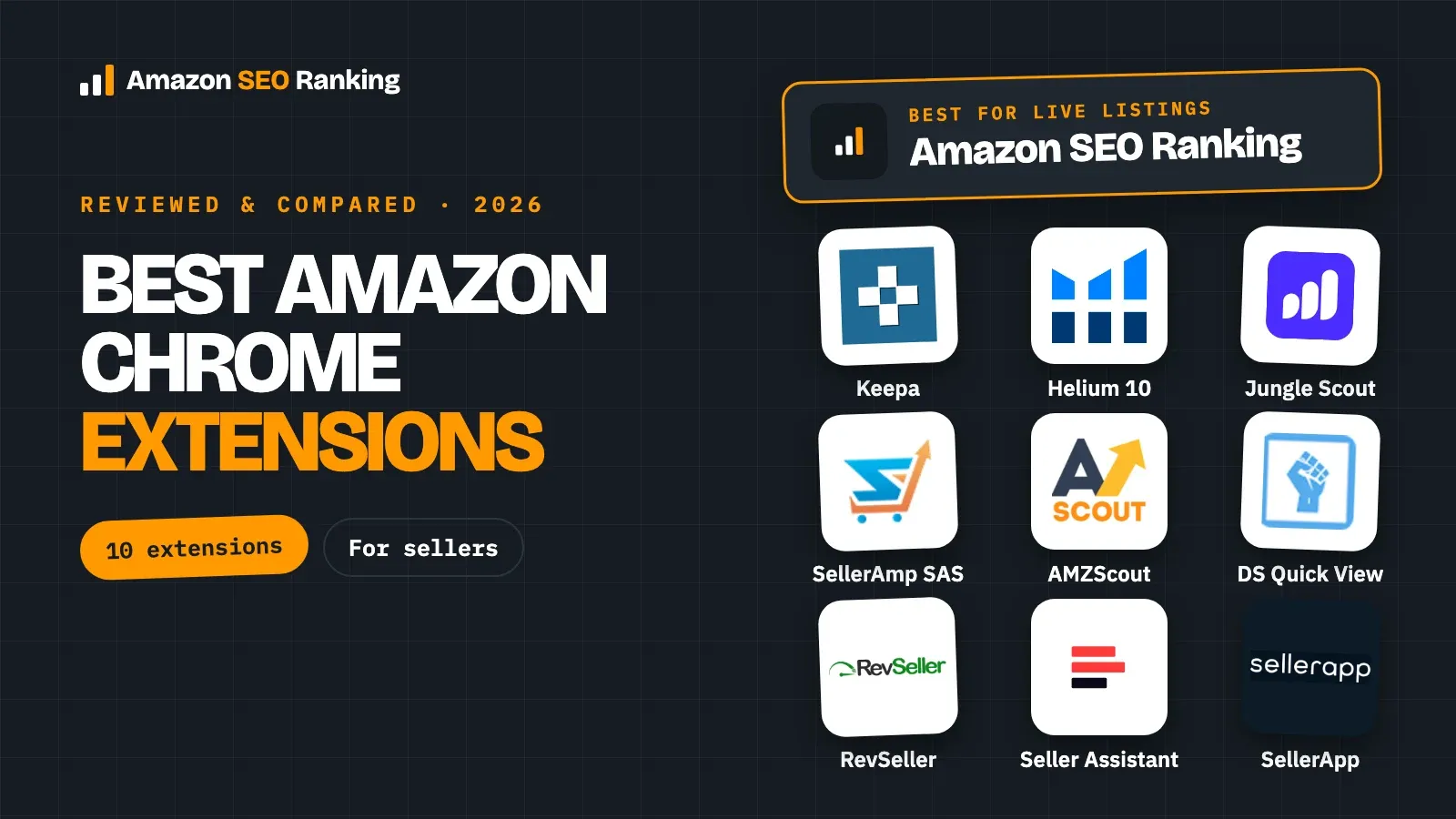
The best Amazon Chrome extension depends on the question you're asking on the page in front of you. For a seller whose listings are live and not ranking, it's Amazon SEO Ranking, which audits any Amazon product page against 12 published criteria and shows the first fix in a popup. Keepa's free charts cover price history with no account, Helium 10 and Jungle Scout lead for product research, and SellerAmp SAS is the standard for arbitrage and wholesale sourcing.
Amazon SEO Ranking is our product, so read our verdict with that in mind. Our extension is also in early access and installs manually, which we cover in its review. The other nine reviews use each vendor's published plans and features as of November 2026, and each one says what that extension does that ours doesn't.
Most "best Chrome extension Amazon sellers can install" lists rank a price tracker against a profit calculator against a research suite, as if they did the same job. They don't. This guide sorts the 10 extensions by the question each one answers, so you can install two or three that cover your workflow and skip the rest.
Key Takeaways (TL;DR)
- The best overall Amazon Chrome extension for live listings: Amazon SEO Ranking. It scores the product page you have open against 12 published criteria in 23 Amazon storefronts, and the full report rewrites what fails with AI, checked in code for Amazon's limits and claims.
- Why you need one: you can't see by eye where a listing loses points. Amazon now caps titles at 75 characters and rewrites the ones that break the rule, and a listing that passes on amazon.com can fail on amazon.de. An extension answers that on the page, without copying ASINs between tabs.
- Who it's for: private label sellers fixing live listings, product researchers validating a niche, arbitrage and wholesale sourcers checking profit, agencies reviewing client and competitor listings, and sellers on a zero budget.
- How to choose: name the job first (price history, research, sourcing or listing quality), then check what works free after install and which marketplaces it covers. Read the permission prompt before you click Add.
- Expected price: Amazon SEO Ranking's extension works with a free account (3 audits a month, no card), with Pro at $79/mo and Agency at $249/mo. Across the market, extensions run from free (Keepa's charts, DS Amazon Quick View, SellerApp's calculator) to $359/mo for Helium 10 Diamond.
Top Amazon Chrome Extensions in 2026 at a Glance
Prices are the vendors' published monthly rates in November 2026 unless marked. Several are cheaper on annual billing, and several extensions are free to install but need a paid plan for full data.
| Company | Best For | Key Features | Pricing |
|---|---|---|---|
| Amazon SEO Ranking | Auditing a live listing on its product page | 12-criteria score in a popup, weakest categories, first fix, full report with AI rewrite, 23 storefronts | Free account (3 audits/mo), Pro $79/mo, Agency $249/mo |
| Keepa | Price and sales rank history | Price history charts on Amazon pages, price-drop alerts, Buy Box and rank history on Pro | Free charts; Keepa Pro €29/mo or €290/yr |
| Helium 10 | Private label product and keyword research | Xray sales and revenue estimates, Xray Keywords, profitability calculator, supplier finder | Limited free plan; Platinum $129/mo, Diamond $359/mo |
| Jungle Scout | Fast product validation for new sellers | Sales and revenue estimates, Opportunity Score, Product Tracker, FBA calculator | Starter $49/mo, Growth Accelerator $79/mo, Brand Owner + CI $149/mo |
| SellerAmp SAS | Online arbitrage and wholesale sourcing | Eligibility and IP alerts, profit and ROI calculator, offers and stock, mobile app | $19.95, $29.95 or $49.95/mo; 14-day free trial |
| AMZScout PRO Extension | Guided product research on a budget | Sales estimates, FBA fees, sales and rank history, niche score, AI assistant | Limited free searches, then $59.99/mo or $399.99/yr |
| DS Amazon Quick View | Free rank and seller data on search pages | BSR and seller info on search and Best Sellers pages; Extended adds all Amazon domains and Keepa graphs | Free on amazon.com; Extended $25 one-time |
| RevSeller | Simple profit and ROI math on the product page | FBA fee, margin and ROI estimates, FBA vs MFN profit, variation viewer | $19.99/mo or $99.99/yr; 30-day free trial |
| Seller Assistant | Wholesale sourcing teams | FBA and FBM calculator, restriction and IP checks, stock checker, Google Sheets export | Pro $29.99/mo, Business $79.99/mo (14-day trial) |
| SellerApp | A free profit calculator and review export | FBA and FBM profit, margin and ROI on product pages, review download | Free extension; SellerApp plans from $99/mo |
What Are Amazon Chrome Extensions?
An Amazon Chrome extension is a small add-on for the Chrome browser that reads the Amazon page you're on and adds data or actions to it. Some draw a chart under the price, some add a sales estimate to every search result, and some open a popup with a score or a profit calculation for the ASIN in the address bar.
Seller extensions fall into four groups by the question they answer. History trackers (Keepa, The Camelizer) show how price and sales rank moved over time. Research overlays (Helium 10, Jungle Scout, AMZScout, DS Amazon Quick View) estimate demand and competition for products in a search. Sourcing calculators (SellerAmp SAS, RevSeller, Seller Assistant, SellerApp's calculator) work out fees, profit and whether you're allowed to sell the item. Listing checkers (Amazon SEO Ranking) score the copy, images, reviews and fulfillment of the listing on the page against a set of rules.
Most extensions are a front end to a web app. The extension shows a summary, and the full data, history and exports sit behind an account with the vendor. That's why "free to install" and "free to use" are two different claims, and it's the first thing to check in any listing on the Chrome Web Store.
Why Do Amazon Sellers Need a Chrome Extension?
Most listings lose rank in ways nobody can see by looking at the page. Since July, Amazon caps titles at 75 characters in every category except media, and its AI rewrites titles that break the rule. Long bullets get cut off on phones, a pack count in the title can disagree with the spec table, and a listing written for amazon.com can fail on amazon.de. Research overlays don't check any of it.
An extension that audits the page answers the question where you're already looking. An Amazon SEO Ranking audit reads the live page, checks length rules in code and lists every failed criterion with the points it costs, in up to about 20 seconds. Without it, every check means copying the ASIN into another tab, and on a weekly review of 50 client listings that loop takes longer than the analysis.
The competition sits on those pages. Third-party sellers accounted for 60% of paid units sold on Amazon in Q1 2026, according to Marketplace Pulse, and each of those units sits on a listing someone had to source, price or write. Sellers who check their own pages and their rivals' find the lost points first.
Extensions carry a cost too. They run inside the browser where you're signed in to Seller Central, and Chrome extensions are a common attack route: in October, BleepingComputer reported 319 Chrome extensions with 13.4 million installs that hijacked users' searches. That's a reason to install the few you need from vendors you can identify, and to check what each one sends.
Who Needs an Amazon Seller Chrome Extension?
Five groups get the most from Amazon extensions, and each needs a different one installed first.
Private Label Sellers With Live Listings
Once a private label product launches, the extension question changes from "should I sell this?" to "why isn't this ranking?" The listing ranks on page two, Amazon cut the title in July, or a rival moved ahead and nobody can say what changed. Research overlays show the rival's sales estimate; they don't show what's wrong with your copy.
Amazon SEO Ranking's extension runs the same 12-criteria audit as the website on any Amazon product page, yours or a competitor's. The popup shows the score out of 100, the weakest categories and the one fix to make first. The full report adds the checklist, score history and "Rewrite the weak parts", which rewrites the fields that failed from the listing's own spec table, in the marketplace's language.
Sellers in Several Amazon Storefronts
A listing optimized for amazon.com isn't optimized for amazon.de or amazon.co.jp. Each storefront needs copy in its own language, under the 75-character title limit and a byte cap on backend keywords (249 bytes on amazon.com), and the same ASIN can score differently in each one. Many extensions don't follow you there: DS Amazon Quick View's free version stops at amazon.com, Keepa covers 10 Amazon sites and AMZScout 14.
Amazon SEO Ranking's extension audits listings in 23 Amazon storefronts, including Poland, Turkey, the UAE, Saudi Arabia, Egypt, South Africa, India, Japan and Singapore. "Rewrite the weak parts" then writes in that marketplace's language, so an amazon.de listing comes back in German and a Belgian one in French.
Product Researchers and Arbitrage Sourcers
Sellers choosing their next product need demand, competition and margin for every result on a search page. Resellers ask a different question on each ASIN: can I sell this, and does it make money after fees? Neither group is looking at listing quality yet.
Helium 10's Xray and Jungle Scout are built for research, with AMZScout PRO and DS Amazon Quick View as cheaper options. SellerAmp SAS, RevSeller and Seller Assistant cover sourcing, with eligibility, IP risk, fees and ROI in one panel, and Keepa's history chart underneath. Once a private label product launches, the question becomes why the listing isn't ranking, and a listing audit takes over.
Agencies Reviewing Client and Competitor Listings
An agency auditing a prospect's catalog, or checking a client listing after an edit, needs a consistent score it can show the client and the reason behind every lost point. A score that changes between two runs of an unchanged listing is hard to defend in a client call.
Amazon SEO Ranking publishes every criterion and pass rule, and an unchanged listing reuses its last audit, so the same page never gets two different scores. From the extension, an agency can audit a prospect's ASIN in a sales call, then run 500 ASINs in a bulk run on the Agency plan and send a white-label PDF report. At full use, that's about $0.50 per audited listing. It's trusted by eRetail Search specialists at Nestlé and eCommerce SEO services agencies such as Reach AI.
Sellers on a Zero Budget
New sellers often want to know what they can get without a subscription. Several extensions are free to install, but full use is paid, and the free tier shrinks to a handful of lookups.
Keepa's price charts, DS Amazon Quick View on amazon.com and SellerApp's profit calculator are free with no time limit. Amazon SEO Ranking's extension works with a free account, using the free plan's 3 full audits a month with no card, and the website's Character Limit Checker and Backend Keyword Checker need no account at all.
Best Amazon Seller Chrome Extension: In-Depth Reviews
The order follows one question: how much does the extension help a seller get a listing to sell and rank? Extensions lower in the list can still be the right first install if your job is research or sourcing.
1. Amazon SEO Ranking
Overview
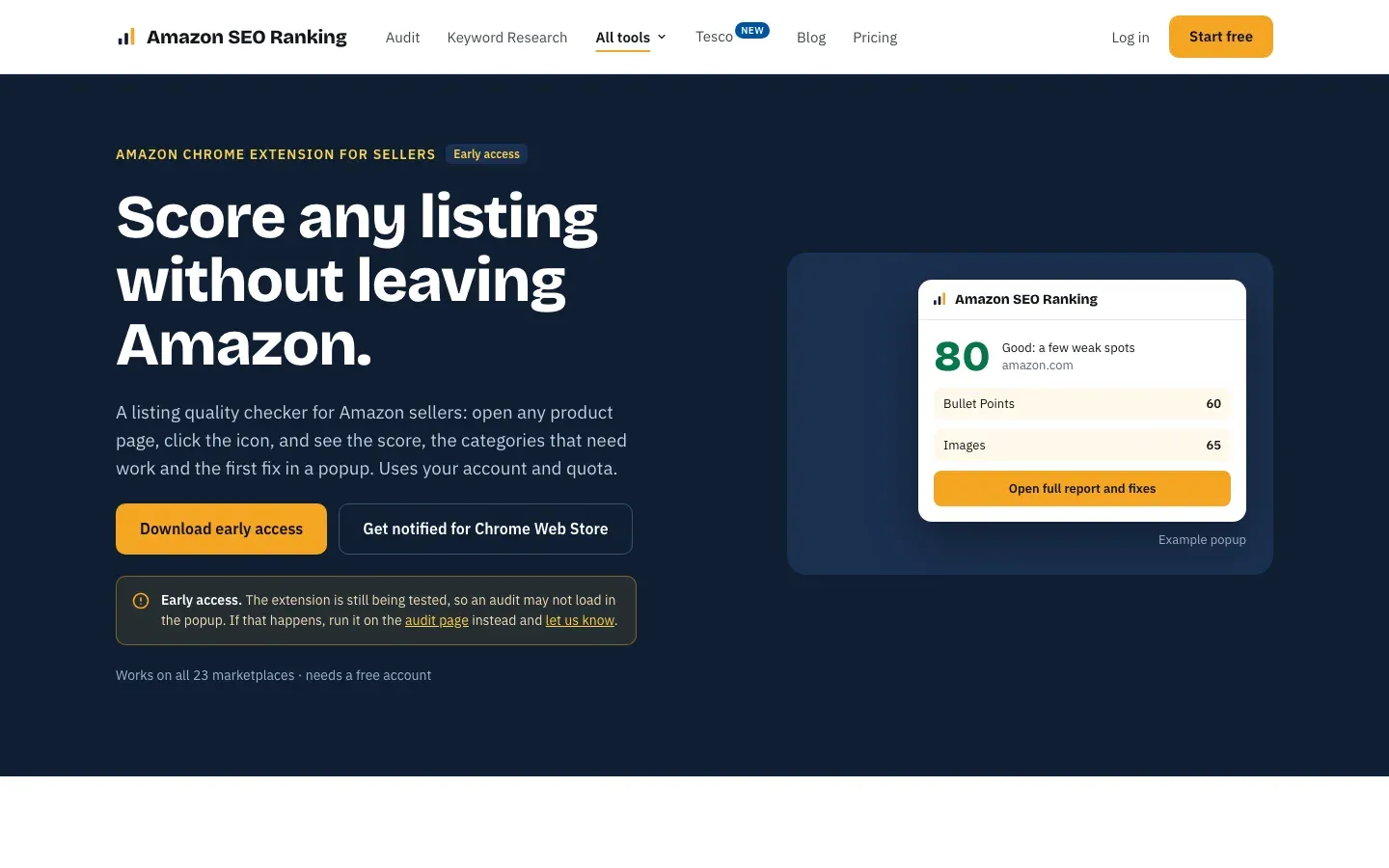
Amazon SEO Ranking is a self-serve tool that audits a live Amazon listing and rewrites what fails. Its Chrome extension runs that audit from any Amazon product page: click the icon and the popup shows the overall score out of 100, the weakest categories and the first fix. The full report on the website, which the popup opens, has the 12-criteria checklist, AI-rewritten copy and score history.
The audit scores the page against 12 equally weighted criteria in seven categories: title and Item Highlights, bullets, AI-readiness for Alexa for Shopping (formerly Rufus) and COSMO, images and video, backend and attributes, reviews, and stock and Prime. It works on 23 Amazon storefronts, uses your normal audit quota, and sends only the ASIN and marketplace of the tab you're on. The extension is in early access and installs manually until its Chrome Web Store listing launches; the extension page has an email signup to hear when it's live.
Ideal For
It fits sellers who already have listings and need them to rank:
- Private label sellers whose live listings don't rank for their main keywords
- Brands checking a competitor's listing against their own
- Agencies auditing prospect and client ASINs during calls
- Sellers selling the same product in several Amazon storefronts
- Teams that want a listing check without granting access to every website
Top Features
These cut the steps between spotting a weak listing and fixing it:
- One-click audit on the product page, with the score, the weakest categories and the first fix, so you know what to change before you leave the page.
- A published 12-criteria method, where every fix shows the points it's worth.
- AI rewrite in the full report, written from the listing's spec table and your brand fact sheet, with length limits counted in code and health claims, unsupported claims and pack-count mismatches flagged.
- Free claim and pack-count checks on every audit, with no AI call: pack sizes that disagree across title, bullets and spec table, health claims ("detox", "weight loss") and product claims the spec table doesn't support, flagged on your listing or a rival's.
- AI-readiness scoring for Alexa for Shopping (formerly Rufus) and COSMO: 2 of the 12 criteria check how Amazon's shopping assistant and semantic search read the listing.
- Competitor Compare in the full report, which audits your listing against up to two rivals and shows the three biggest gaps with the figures behind them (for example, "4 images vs 9 images").
- Draft audits on the website that score new copy against the live listing's images, rating and Prime status before you publish it.
- 23 storefronts and 12 rewrite languages, following the marketplace (an amazon.de listing comes back in German).
- Minimal data use: the extension sends the ASIN and marketplace when you click audit, with no browsing history, analytics or tracking.
Why We Stand Out?
Every other extension in this list helps you decide what to buy or sell. Ours tells you what's wrong with a listing that's already for sale, and the report behind it writes the fix. Research overlays show a rival's estimated sales; our audit shows that the rival has nine images to your four and a title that keeps its main keyword inside 75 characters.
It also checks what the listing says, which no other extension here does. Every audit flags a pack count that disagrees across fields ("8 Packets" in the title, "20 packets" in a bullet), health claims and claims the spec table doesn't support. Two of the 12 criteria score how Alexa for Shopping and COSMO read the page, as well as keywords.
The method is the second difference. Gallery count, rating and Prime come from live data, length rules are enforced in code, and title and bullet quality are graded by AI against published rules. Fixes are ranked by points, so you start with the change worth the most.
Price is the third. The extension works with a free account and the free plan's 3 full audits a month, with no card. Pro at $79 a month covers 100 audits with every fix written, 39% less than Helium 10 Platinum at $129, and Jungle Scout has no free plan at all.
Pros
- Audits any Amazon product page in 23 storefronts
- Published scoring method, with fixes ranked by points
- Full report rewrites what fails, checked in code for limits and claims
- Sends only the ASIN and marketplace, no tracking
- Works with a free account, no credit card
Cons
- Early access: install is manual (Developer mode) until the Chrome Web Store listing goes live, and an audit may not load in the popup, in which case it runs on the website
- No product research, sales estimates, price history or profit calculator
- Not built for resellers listing on other brands' ASINs, who don't control the copy
Pricing
The Free plan includes 3 full audits a month with the AI Copy Rewriter and a keyword preview, in the extension or on the website. Pro is $79/mo or $799/yr, with 100 audits, bulk runs of 100 ASINs, the compliance and image scans and the Claude connector. Agency is $249/mo or $2,490/yr, with 500 audits, bulk runs of 500 ASINs, white-label reports and API access.
Monthly plans start with a 7-day free trial, and every charge has a 14-day money-back guarantee.
Final Verdict
For a seller or agency with live listings, Amazon SEO Ranking is the extension that answers "what should I fix on this page?" in one click, with a method you can read. Pair it with Keepa for price history and, if you research new products, one of the research overlays. See the Amazon Chrome extension for sellers and its install steps, or run the same audit on the website first.
2. Keepa
Overview
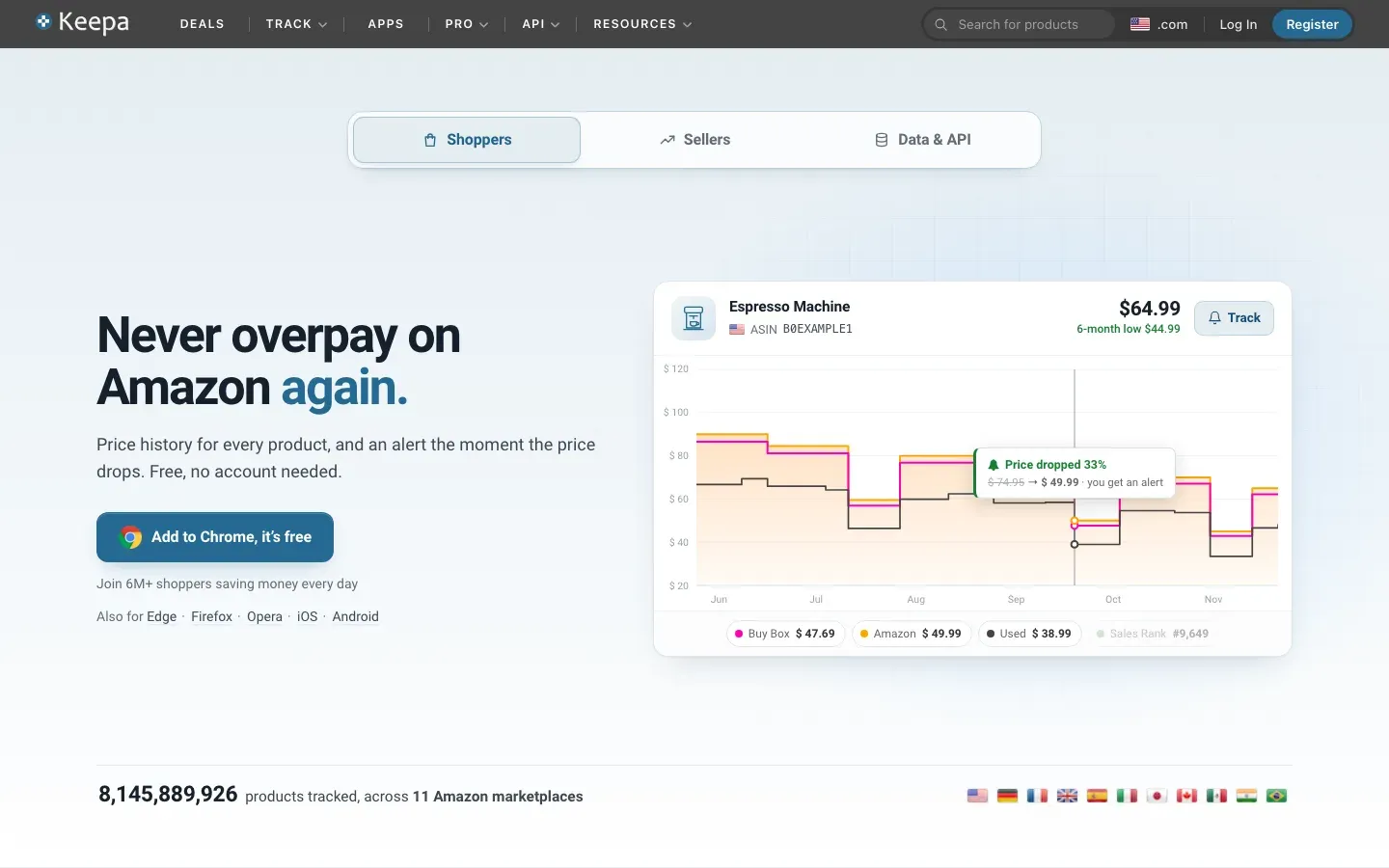
Keepa is a price tracker that draws a price history chart under every Amazon product, on 10 Amazon sites. The free extension covers price charts, price-drop alerts and comparison across marketplaces, with no account needed to start.
Keepa Pro adds the data sellers use most: sales rank history, Buy Box history, offer counts and stock, plus Product Finder for bulk research. Several sourcing extensions, including SellerAmp SAS and DS Amazon Quick View Extended, draw their charts from Keepa.
Ideal For
Keepa suits any seller who prices or sources by history:
- Arbitrage and wholesale sellers checking price stability before buying
- Private label sellers watching a competitor's pricing
- Sellers checking whether a sales rank is steady or a one-off spike
- Anyone who wants a free extension with no account
Top Features
The chart is the product, and the paid data sits on it:
- Price history charts on Amazon product pages
- Price-drop alerts on tracked products
- Sales rank, Buy Box and offer history on Keepa Pro
- Product Finder and data exports on Keepa Pro
Why They Stand Out?
Keepa is one of the smartest first installs for any seller because the free chart answers a question every buying and pricing decision needs: is this price normal? Its data is trusted enough that other seller tools build on it.
The paid plan is cheap next to the research suites, and its history goes back further than most overlays show.
Pros
- Free price history with no account
- Sales rank and Buy Box history on Pro
- Data reused by several sourcing tools
- Low paid price next to research suites
Cons
- Sales rank and Buy Box history need Keepa Pro
- The paid plan is €29/mo, billed in euros
- No keyword research, sales estimate in units or listing checks
- Charts take practice to read
Pricing
The extension and price charts are free. Keepa Pro is €29/mo or €290/yr, with no free trial.
Final Verdict
Keepa is close to mandatory for resellers and useful for every seller as a free price chart. It shows what happened to a listing's price and rank, and leaves the reasons, and the fixes, to other tools.
3. Helium 10
Overview
Helium 10 is the largest all-in-one suite for Amazon sellers, and its Chrome extension is the front end to the research tools. Xray estimates sales, revenue, price and reviews for every product on a search page, and Xray Keywords shows what a product ranks for.
The extension also includes a profitability calculator, an ASIN grabber and a supplier finder, and Xray works on Walmart. It comes with every Helium 10 account, including the limited free plan.
Ideal For
Helium 10 suits sellers who want research and the rest of the suite in one account:
- Private label sellers researching keyword-heavy niches
- Sellers who already use Cerebro and Magnet
- Brands selling on Amazon and Walmart
- Teams that will also use the PPC and operations tools
Top Features
The extension is strongest when the suite stands behind it:
- Xray sales and revenue estimates for a full search page
- Xray Keywords for a product's ranking keywords
- Profitability calculator and supplier finder
- Links into Listing Builder, Cerebro and the PPC tools
Why They Stand Out?
Helium 10 is one of the strongest choices for private label product research from the search page. One click on a results page gives a market-size estimate for the niche, and the keywords flow into the rest of the suite.
For a seller who would otherwise pay separately for research, listings and ads, the suite can cost less in total.
Pros
- Full-page sales and revenue estimates
- Keyword data on the product page
- Works on Amazon and Walmart
- Feeds the wider Helium 10 suite
Cons
- The free plan caps each tool's use, so serious research means Platinum at $129/mo
- Helium 10 no longer sells its Starter plan
- No listing quality score with a published method
- Core plans of the big seller suites run $99 to $129 a month for 20-plus tools, most of which go unused if you only want the extension
Pricing
Helium 10 has a limited free plan. Platinum is $129/mo ($99/mo billed annually) and Diamond is $359/mo ($279/mo billed annually).
Final Verdict
Helium 10's extension suits private label sellers who research products and keywords every week and will use the suite behind it. It answers "is this niche worth entering?" well, and says little about whether your live listing meets Amazon's rules.
4. Jungle Scout
Overview
Jungle Scout's extension is built around one decision: is this product worth selling? On a search page it shows Best Seller Rank, estimated sales and revenue, price history and an Opportunity Score for each result, with a Product Tracker and FBA profit calculator.
It runs on Chrome and Firefox and comes with every Jungle Scout plan. It isn't sold on its own.
Ideal For
Jungle Scout suits sellers early in the product cycle:
- First-time sellers validating a first product
- Private label sellers comparing niches quickly
- Sellers who want a simple, guided interface
- Researchers who export results to a spreadsheet
Top Features
The overlay covers validation with a clean layout:
- Sales and revenue estimates on search pages
- Opportunity Score per product
- Product Tracker for products you're watching
- FBA profit calculator and CSV export
Why They Stand Out?
Jungle Scout is one of the smartest choices for a new seller who wants a fast yes or no on a product idea. The Opportunity Score turns a page of numbers into one reading, which helps before you know what a good BSR looks like.
The interface is among the easiest in this list, and Jungle Scout Academy is included with every plan.
Pros
- Fast product validation on the search page
- Easy for beginners
- Chrome and Firefox
- Academy training included
Cons
- No free plan; the extension needs a paid subscription
- No standalone extension plan
- No listing audit or rewrite
Pricing
Starter is $49/mo ($29/mo billed annually), Growth Accelerator is $79/mo ($49/mo billed annually, or $588/yr) and Brand Owner + CI is $149/mo ($129/mo billed annually). There's no free plan.
Final Verdict
Jungle Scout suits new sellers who want product validation in one click. Once the product is live, it has little to say about why the listing isn't converting.
5. SellerAmp SAS
Overview
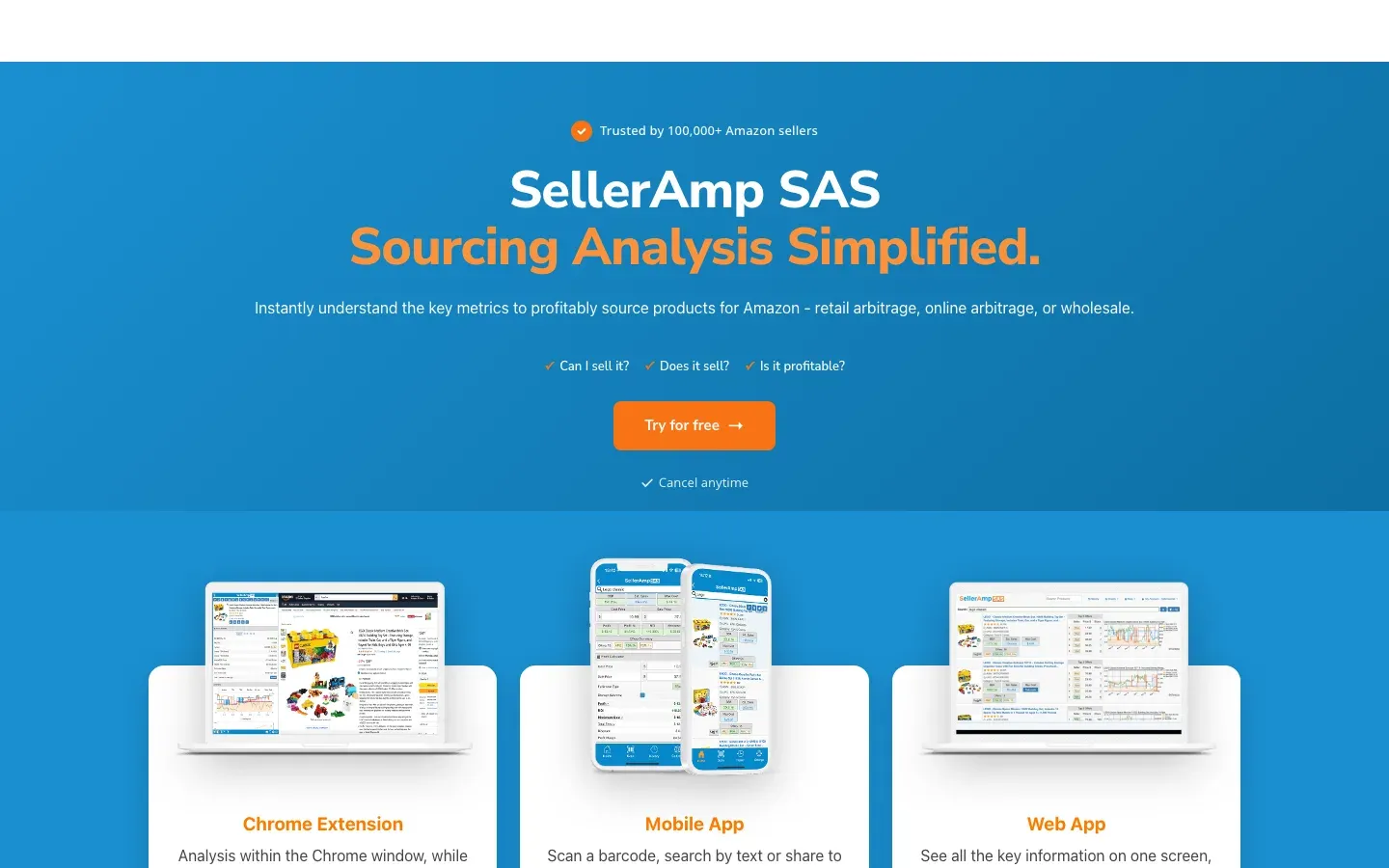
SellerAmp SAS (Sourcing Analysis Simplified) is the sourcing extension many online arbitrage and wholesale sellers build their day around. On any Amazon product page it shows whether you're eligible to sell, IP complaint alerts, current and historic sales rank, estimated sales, competing offers, stock levels and a fee-inclusive profit calculator.
It has web and mobile apps, so the same checks run in a retail store aisle. Its charts use Keepa's data.
Ideal For
SellerAmp suits sellers who list on other brands' ASINs:
- Online arbitrage sellers sourcing from retail sites
- Wholesale sellers checking supplier price lists
- Retail arbitrage sellers scanning in-store
- Virtual assistants working a buy list
Top Features
Every feature answers "can I sell this, and does it pay?":
- Eligibility and IP complaint alerts
- Fee-inclusive profit and ROI calculator
- Sales rank history, offers and stock levels
- Web and mobile apps with the same data
Why They Stand Out?
SellerAmp SAS is one of the strongest choices for arbitrage because it puts eligibility, risk and profit in one panel. Catching a restricted brand before buying saves more money than any estimate.
Its lower tiers are cheap next to the research suites.
Pros
- Eligibility and IP alerts before you buy
- Accurate fee and ROI math
- Mobile app for in-store sourcing
- Low entry price with a 14-day trial
Cons
- No permanent free plan
- Evaluates deals you've found; doesn't discover products
- Little use for private label brands
- No listing or keyword tools
Pricing
Getting Started is $19.95/mo (1,000 lookups), Getting Serious is $29.95/mo (unlimited lookups) and Going Pro is $49.95/mo. Each starts with a 14-day free trial.
Final Verdict
SellerAmp SAS suits arbitrage and wholesale sellers who check deals all day. Private label brands, who own their listing, get little from it.
6. AMZScout PRO Extension
Overview
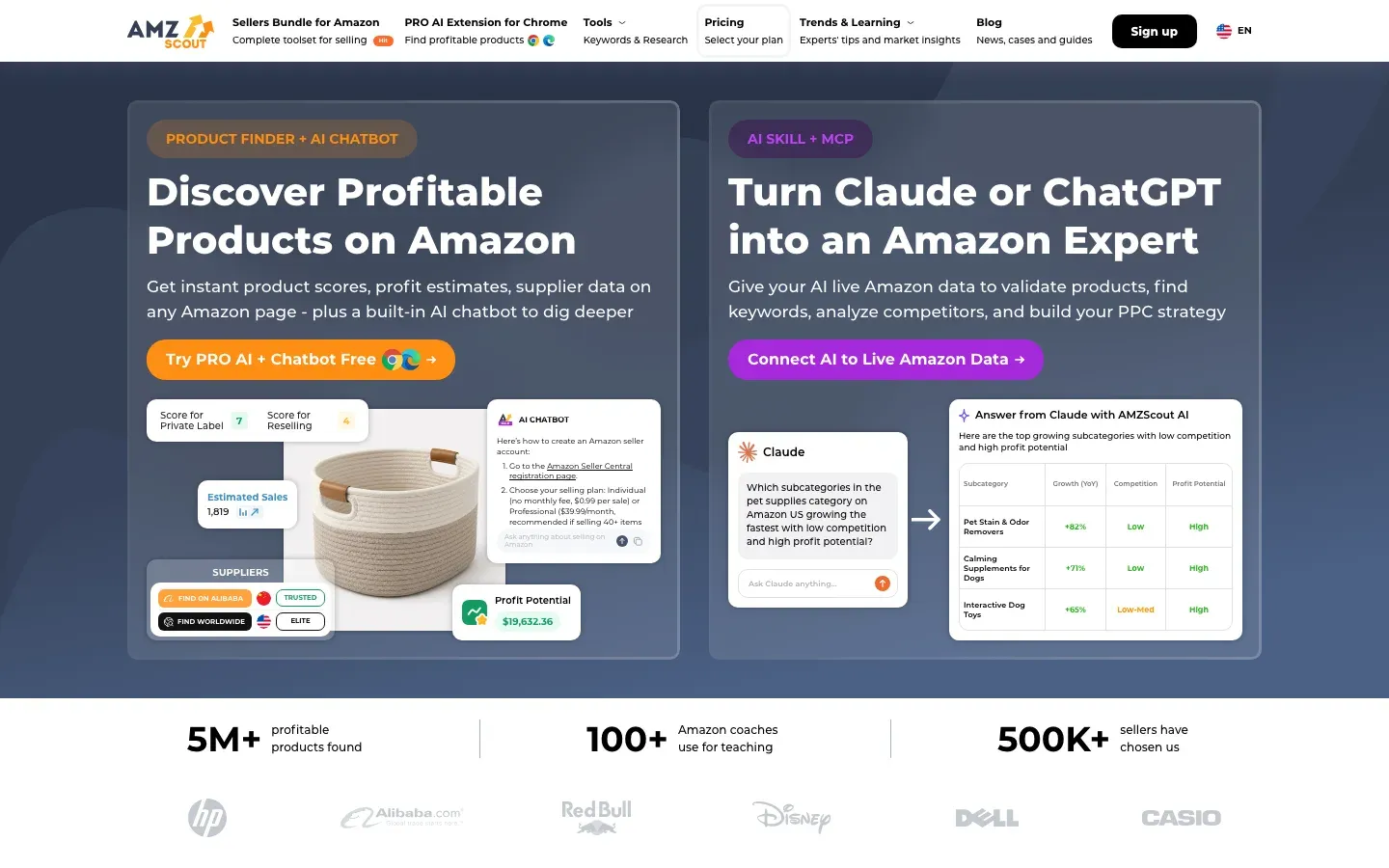
AMZScout PRO is a product research overlay aimed at beginners. On an Amazon search page it shows estimated sales, FBA fees, sales, price and rank history and a niche score for each product, across 14 Amazon marketplaces.
The newer PRO AI version adds an assistant for niche analysis, improvement ideas and keyword discovery.
Ideal For
AMZScout suits budget-conscious sellers starting out:
- New private label sellers comparing product ideas
- Sellers who want a niche score over raw numbers
- Sellers researching outside the US
Top Features
The overlay covers the basics of product research:
- Sales estimates and FBA fees per product
- Sales, price and rank history
- Niche score and AI assistant
- Coverage of 14 marketplaces
Why They Stand Out?
AMZScout PRO is one of the smarter budget choices for product research, with a high Chrome Web Store rating and a guided read on each niche. Its annual plan costs less than a year of the large suites.
Pros
- Beginner-friendly niche scoring
- 14 marketplaces
- Cheap on the annual plan
- Free searches to try it
Cons
- Free use ends after a small number of searches
- Estimates are less trusted in competitive niches
- Listing Quality Score is a single number, not a criteria audit
Pricing
AMZScout lists the PRO Extension at $59.99/mo or $399.99/yr, with a limited number of free searches first.
Final Verdict
AMZScout PRO suits new sellers who want a guided product read at a low annual price. Experienced researchers usually outgrow its depth.
7. DS Amazon Quick View
Overview
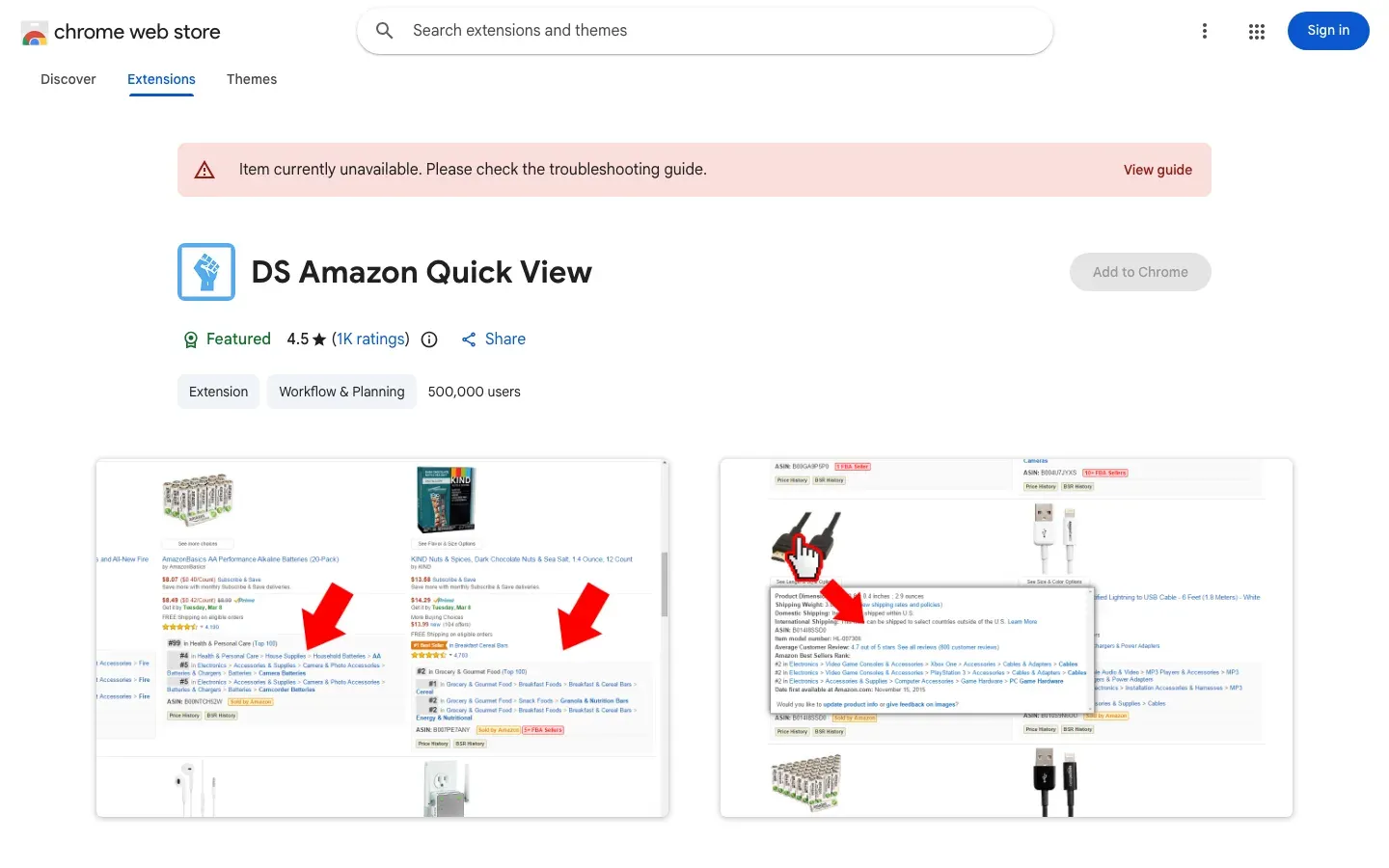
DS Amazon Quick View is a lightweight free extension that adds Best Seller Rank and seller information to Amazon search and Best Sellers pages, with details in a hover popup. The free version works on amazon.com only.
DS Amazon Quick View Extended, a one-time purchase, adds every Amazon domain, price history, an interactive Keepa graph, the lowest FBA price, a flag when an item has no Buy Box, filtering and CSV export.
Ideal For
DS Amazon Quick View suits sellers who want data without a subscription:
- Arbitrage sellers scanning search results fast
- Sellers on a zero budget
- Sellers who already pay for Keepa and want its graph on search pages
- Anyone who prefers a one-time payment
Top Features
The features stay small and fast:
- BSR and seller info on search pages
- Hover popups for product details
- All Amazon domains and Keepa graphs on Extended
- Filtering, sorting and CSV export on Extended
Why They Stand Out?
DS Amazon Quick View is one of the smartest free installs for scanning a page of results without opening each product. Its developer states the Extended version transmits no data anywhere.
A one-time $25 for Extended is cheaper than one month of any paid tool here.
Pros
- Free on amazon.com
- One-time price for Extended
- Fast, simple overlay
- Developer states Extended transmits no data
Cons
- Free version is amazon.com only
- No sales estimates or profit calculation
- BSR history in the Keepa graph needs Keepa Pro
- No listing or keyword tools
Pricing
The standard extension is free on amazon.com. Extended is a $25 one-time fee.
Final Verdict
DS Amazon Quick View suits sellers who want rank and seller data on search pages for free or for one small payment. It's a scanner, not an analysis tool.
8. RevSeller
Overview
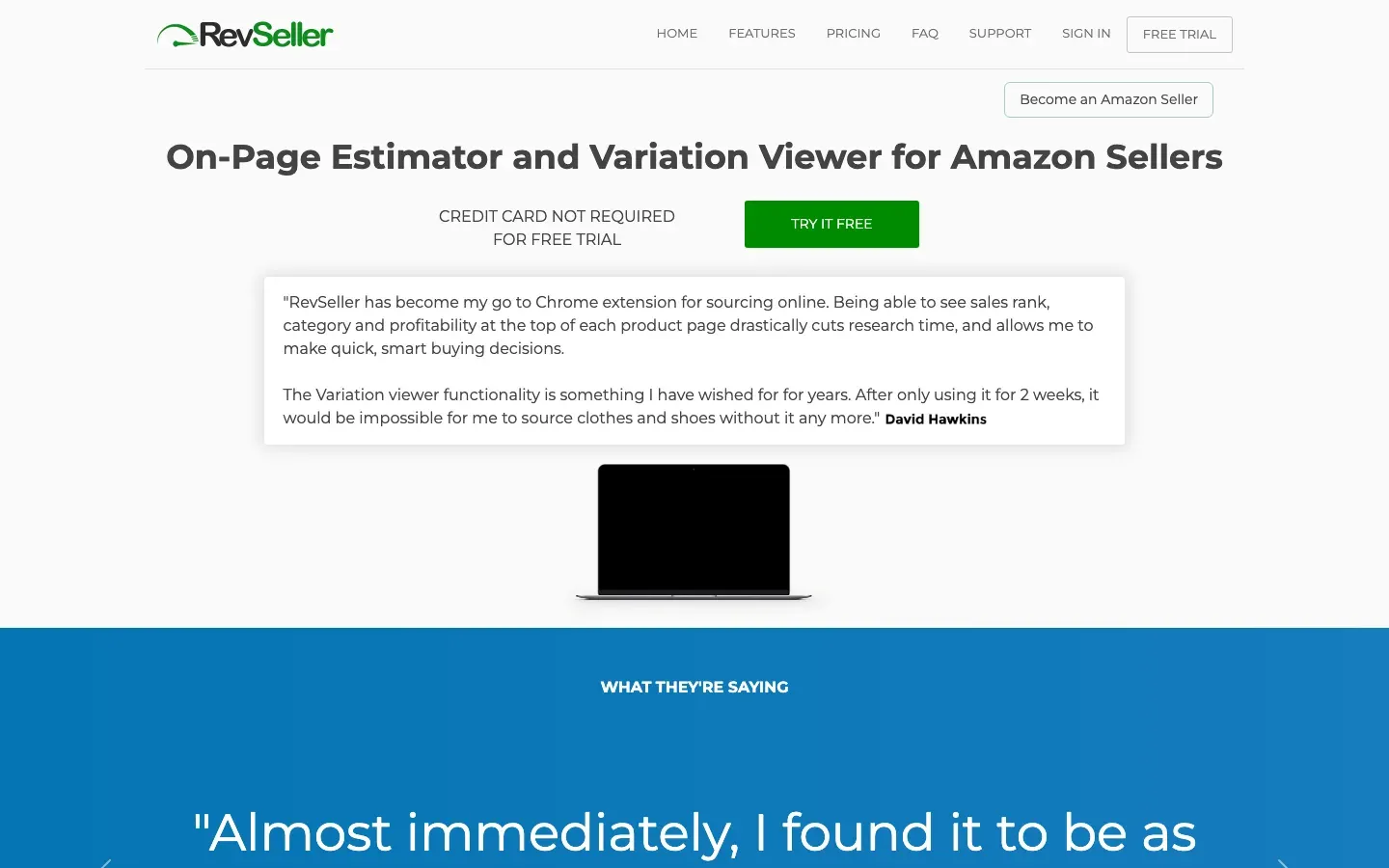
RevSeller is a simple profit calculator for the Amazon product page. It shows FBA fees, margin and ROI from editable cost inputs, compares FBA and merchant-fulfilled net profit side by side, and includes a variation viewer.
It does one job and keeps the panel small.
Ideal For
RevSeller suits sellers who want fast profit math without a research suite:
- Online arbitrage sellers checking margins
- Wholesale sellers comparing FBA and FBM
- Sellers who already use Keepa for history
- Sellers who want a low annual price
Top Features
The calculator covers the numbers that decide a buy:
- FBA fee, margin and ROI estimates
- FBA vs MFN net profit
- Variation viewer
- Rank and category on the product page
Why They Stand Out?
RevSeller is one of the smarter choices for sellers who want profit math on the page and nothing more. Its annual price is low, and the 30-day trial needs no card.
Pros
- Simple, editable profit math
- FBA vs MFN comparison
- Low annual price
- 30-day trial, no card
Cons
- No sales estimates; works only on amazon.com and amazon.ca
- Fewer marketplaces than SellerAmp
- Limited market data
- No listing tools
Pricing
RevSeller is $19.99/mo or $99.99/yr, with a 30-day free trial and no card required.
Final Verdict
RevSeller suits sellers who want a quick ROI check on each product page. Sourcers who sell outside the US and Canada, or want sales estimates and bulk tools, will want SellerAmp SAS or Seller Assistant instead.
9. Seller Assistant
Overview
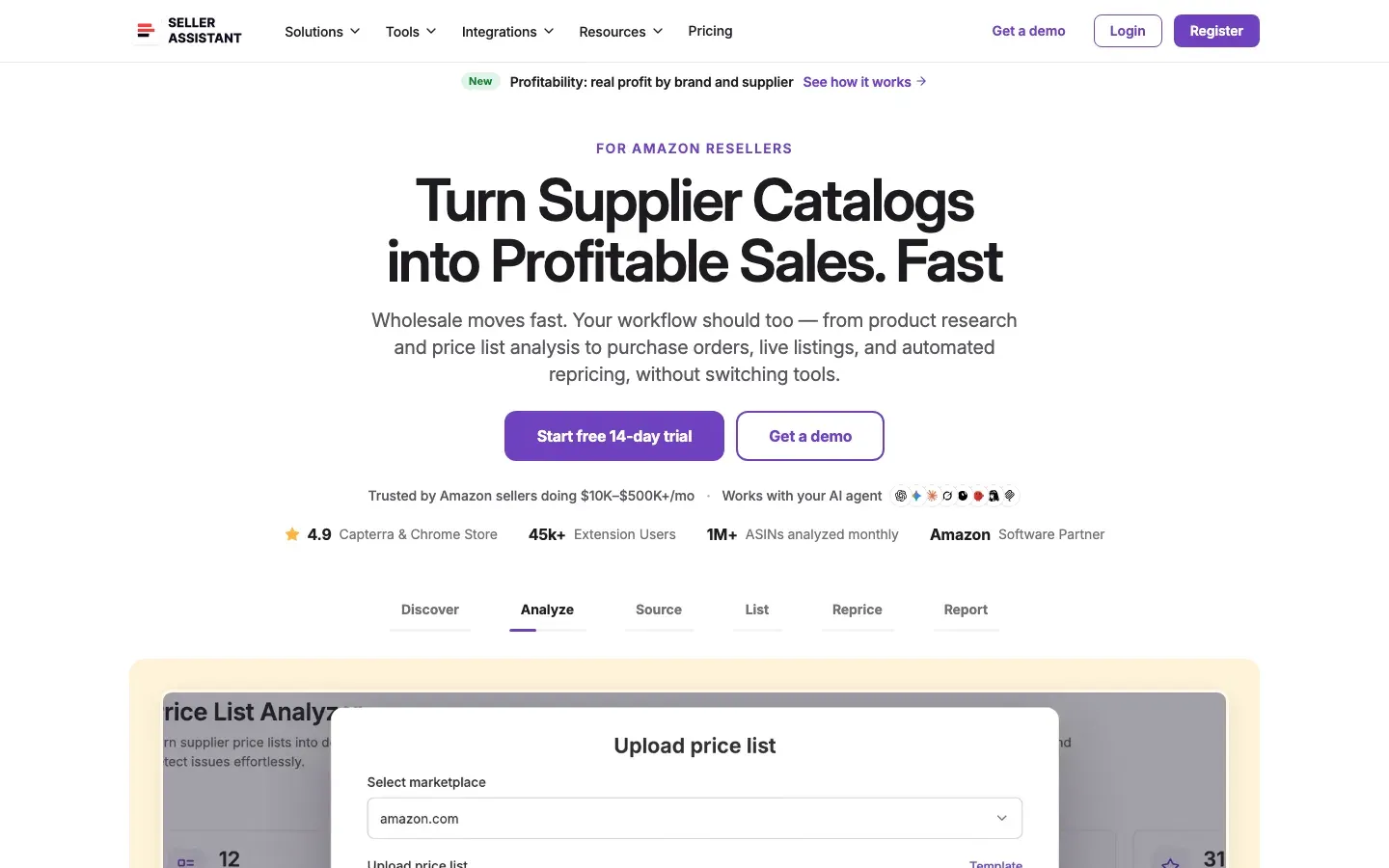
Seller Assistant is a sourcing extension built for wholesale teams. It combines an FBA and FBM calculator, restriction and IP checks, a stock checker, variation data and research on supplier sites, with export to Google Sheets and seats for several users.
The plans also include a Price List Analyzer, a Bulk Restriction Checker, an IP-Alert extension and an MCP server for AI assistants on some tiers.
Ideal For
Seller Assistant suits sourcing teams that work in volume:
- Wholesale sellers analyzing supplier price lists
- Arbitrage teams with virtual assistants
- Sellers who track buys in Google Sheets
- Teams that need several seats
Top Features
The features cover bulk sourcing beyond a single page:
- FBA and FBM profit calculator
- Restriction and IP checks, single and bulk
- Price List Analyzer for supplier files
- Google Sheets export and team seats
Why They Stand Out?
Seller Assistant is one of the strongest choices for wholesale teams that move from a supplier file to a buy list. Bulk restriction checks save hours on large price lists.
Pros
- Bulk restriction and price list tools
- Team seats on every plan
- Google Sheets export
- 14-day trial on Business
Cons
- No free plan
- Dense interface with a learning curve
- Pro has no trial
- No listing tools
Pricing
Pro is $29.99/mo ($299.99/yr), Business $79.99/mo with a 14-day trial, and Business Plus $189.99/mo. Agency plans start at $999.99/mo on an annual contract.
Final Verdict
Seller Assistant suits wholesale teams working through supplier lists. Solo arbitrage sellers may find SellerAmp SAS simpler, and private label brands get little from either.
10. SellerApp
Overview
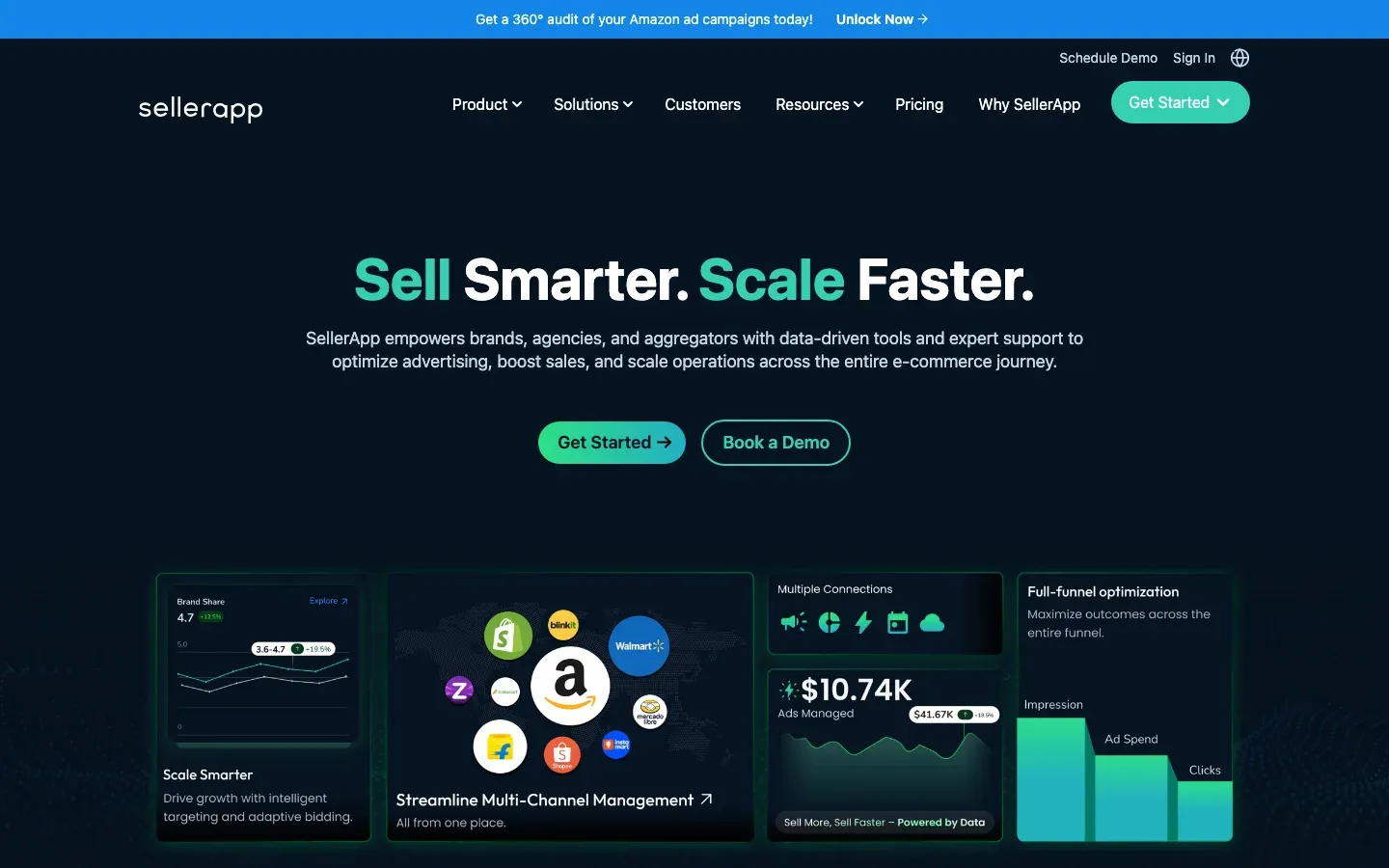
SellerApp is an Amazon growth suite, and its free Chrome extension covers two jobs. The FBA calculator works out net profit, margin and ROI from sale price, cost of goods, shipping and other costs. The Review Extractor pulls a product's reviews and downloads them for analysis.
The extension is free, and the wider SellerApp suite adds keyword tracking and PPC automation on paid plans.
Ideal For
SellerApp's extension suits sellers who want free tools on the product page:
- Sellers checking profit before buying stock
- Private label sellers reading competitor reviews for product ideas
- Sellers on a zero budget
- Existing SellerApp customers
Top Features
The free features are practical:
- FBA and FBM profit, margin and ROI
- Review Extractor with download
- Links into SellerApp's paid suite
Why They Stand Out?
SellerApp's extension is one of the smartest free picks for a seller who wants a profit calculator and competitor review analysis without paying. Downloading a rival's reviews turns their complaints into a list of product fixes.
Pros
- Free with no time limit
- Profit calculator and review tool in one
- Review download for analysis
- Paid suite available if you grow
Cons
- Estimates need a free SellerApp account; deeper tracking is in paid plans
- Listing Quality score uses unpublished weights
- Paid plans start at $99/mo
Pricing
The extension is free. SellerApp's paid plans start at $99/mo (Pro), with Smart at $250/mo.
Final Verdict
SellerApp's extension suits sellers who want free profit math and review mining. For research depth or a listing score you can trace, you'll need another tool.
How to Choose the Best Amazon Chrome Extension
The best Amazon Chrome extension for you passes the seven checks below. Most sellers end up with two or three: one for history, one for their main job and one for listing quality.
1. Name the Question You Ask on the Page
Write down the question you ask most often on an Amazon page. "Is this price normal?" is Keepa. "Is this niche big enough?" is Helium 10 or Jungle Scout. "Can I sell this at a profit?" is SellerAmp SAS or RevSeller. "Why isn't this listing ranking?" is Amazon SEO Ranking.
An extension built for a different question gives you numbers that don't help. A sales estimate won't tell you your title broke the 75-character rule, and a listing audit won't tell you whether a wholesale buy pays.
2. Separate "Free to Install" From "Free to Use"
Almost every extension installs for free. The difference is what works after that: Keepa's charts and DS Amazon Quick View have no time limit, while Helium 10 caps each tool, AMZScout stops after a few searches and Jungle Scout's extension needs a paid plan from the start.
Test the extension on your own products before you pay. Amazon SEO Ranking's extension runs the same full audit as the paid plans, with the free plan's 3 audits a month and no card, so you can judge the scoring on your own ASIN.
3. Check Every Marketplace You Sell In
Coverage varies widely. DS Amazon Quick View's free version works only on amazon.com, Keepa covers 10 Amazon sites and AMZScout covers 14.
Amazon SEO Ranking's audit runs on 23 Amazon storefronts, including Poland, Turkey, the UAE, Saudi Arabia, Egypt, South Africa, India, Japan and Singapore. The same ASIN can score differently on amazon.com and amazon.de, so audit each storefront separately.
4. Read the Permission Prompt and the Privacy Section
Chrome shows a warning when an extension asks for access. Google's help page explains that access to your data on all the websites you visit lets an extension read and change data on every page, which is more than an Amazon tool needs. Every Chrome Web Store listing also has a Privacy section where the developer declares what it collects.
Amazon SEO Ranking's extension sends the ASIN and marketplace of the tab you audit, and nothing else: no browsing history, analytics or tracking. Because it's in early access and installs outside the Chrome Web Store, download it only from amazonseoranking.com/extension.
5. Ask Where the Numbers Come From
Sales estimates are modelled, and two extensions can show different numbers for the same ASIN. Several sourcing tools also draw their charts from Keepa, so you may be paying twice for the same data.
A listing audit is different, because it reads the page as Amazon shows it. Amazon SEO Ranking takes gallery count, rating and Prime from live data, counts length rules in code and publishes the rule behind every criterion. A criterion Amazon's data can't confirm, such as Prime outside the US, is marked "Not verified" and left out of the score rather than failed.
6. Check What You Can Do After the Popup
An extension shows a summary. What matters is the next step: an export, a tracked product, a buy list or a fix.
Amazon SEO Ranking's popup opens the full report, where "Rewrite the weak parts" rewrites the fields that failed and a draft audit scores the new copy before it goes live. On Pro and Agency, the same audit is available inside Claude through the Claude connector, and every table copies straight into Google Sheets or Excel.
7. Check Whether It Reads What the Listing Says
Most extensions read numbers: price, rank, fees, estimated sales. None of those tell you that a title says "8 Packets" while a bullet says "20 packets", or that a bullet claims "detox" on a fruit snack. Those mismatches bring "not as described" returns and get listings suppressed.
Open a listing you know has a problem and see whether the extension catches it. Amazon SEO Ranking's audit flags pack-count mismatches, health claims and unsupported product claims on every run, for free and without an AI call, and the Pro compliance scan adds medical claims, guarantees and banned formatting. Keep the rest of the install list short: one extension per question, with unused ones turned off.
Everything You Need to Know About Amazon Chrome Extensions
The ratings are our judgment for Amazon seller work, based on the published features and prices above. "Marketplace Coverage" rates how many Amazon storefronts the extension works in.
| Company | Pros | Cons | Ease of Use | Integrations | Support | Affordability | Marketplace Coverage |
|---|---|---|---|---|---|---|---|
| Amazon SEO Ranking | Published 12-criteria audit; AI rewrite in full report; ASIN-only data | Early access, manual install; no research or profit tools; no use for resellers | ⭐⭐⭐⭐ | ⭐⭐⭐⭐ | ⭐⭐⭐⭐ | ⭐⭐⭐⭐⭐ | ⭐⭐⭐⭐⭐ |
| Keepa | Free price history; Buy Box and rank on Pro; trusted data | Rank history paid; €29/mo; charts take practice | ⭐⭐⭐ | ⭐⭐⭐⭐ | ⭐⭐⭐ | ⭐⭐⭐⭐⭐ | ⭐⭐⭐⭐ |
| Helium 10 | Full-page estimates; keyword data; Walmart support | Capped free plan; $129/mo entry; no published listing score | ⭐⭐⭐ | ⭐⭐⭐⭐⭐ | ⭐⭐⭐⭐ | ⭐⭐ | ⭐⭐⭐⭐ |
| Jungle Scout | Fast validation; beginner-friendly; Academy | No free plan; no standalone plan; no listing checks | ⭐⭐⭐⭐⭐ | ⭐⭐⭐ | ⭐⭐⭐⭐ | ⭐⭐⭐ | ⭐⭐⭐ |
| SellerAmp SAS | Eligibility and IP alerts; accurate ROI; mobile app | No free plan; no discovery; little private label use | ⭐⭐⭐⭐ | ⭐⭐⭐⭐ | ⭐⭐⭐⭐ | ⭐⭐⭐⭐ | ⭐⭐⭐ |
| AMZScout PRO | Niche score; 14 marketplaces; cheap annual | Few free searches; shallower data; single-number listing score | ⭐⭐⭐⭐ | ⭐⭐⭐ | ⭐⭐⭐ | ⭐⭐⭐⭐ | ⭐⭐⭐⭐ |
| DS Amazon Quick View | Free; one-time Extended; Extended sends no data | Free on amazon.com only; no estimates; no profit math | ⭐⭐⭐⭐⭐ | ⭐⭐ | ⭐⭐ | ⭐⭐⭐⭐⭐ | ⭐⭐ |
| RevSeller | Simple ROI math; FBA vs MFN; 30-day trial | US and Canada only; no sales estimates; limited data | ⭐⭐⭐⭐⭐ | ⭐⭐ | ⭐⭐⭐ | ⭐⭐⭐⭐⭐ | ⭐⭐ |
| Seller Assistant | Bulk restriction checks; team seats; Sheets export | No free plan; dense interface; no trial on Pro | ⭐⭐⭐ | ⭐⭐⭐⭐⭐ | ⭐⭐⭐⭐ | ⭐⭐⭐ | ⭐⭐⭐ |
| SellerApp | Free calculator; review export; paid suite behind it | Estimates need an account; unpublished score weights; paid suite from $99/mo | ⭐⭐⭐⭐ | ⭐⭐⭐ | ⭐⭐⭐ | ⭐⭐⭐⭐⭐ | ⭐⭐⭐ |
Audit Any Amazon Listing From Your Browser, Free
If your listings are live and not ranking where they should, add a listing check to the extensions you already use. Amazon SEO Ranking scores any Amazon product page against 12 published criteria from a one-click popup, ranks each fix by the points it's worth, and opens a full report that rewrites the weak fields from your product's own facts.
Every rewrite is checked in code for Amazon's length limits, pack counts and unsupported claims, and you can score it as a draft before Amazon sees it. It's trusted by eRetail Search specialists at Nestlé and eCommerce SEO services agencies such as Reach AI. Agencies get bulk runs of up to 500 ASINs and white-label reports, at about $0.50 per listing. From November 23 to 30, a year of Pro is $348 and a year of Agency is $799.
The free plan includes 3 full audits a month, and no credit card is required. Run a free Amazon listing audit on your weakest ASIN, or compare Pro and Agency plans if you audit more than a few listings a month.
FAQ
What is the best Amazon Chrome extension in 2026?
The best Amazon Chrome extension in 2026 for sellers with live listings is Amazon SEO Ranking, because it audits any product page against 12 published criteria in 23 storefronts and links to an AI rewrite of what fails. For product research, Helium 10's Xray and Jungle Scout are stronger, and for arbitrage sourcing, SellerAmp SAS leads. Keepa's free charts cover price history with no account. Amazon SEO Ranking's extension works with a free account and 3 audits a month.
What should I consider when choosing an Amazon Chrome extension?
When choosing the right Amazon Chrome extension, consider the question you ask most on an Amazon page first: price history, niche size, profit or listing quality. Then check what works for free after install, since many extensions cap free use at a few lookups. Confirm it covers every marketplace you sell in, from amazon.com only to 23 storefronts. Read the permission prompt and the Privacy section before you click Add.
How does Amazon SEO Ranking differ from similar alternatives?
Amazon SEO Ranking differs from other Amazon Chrome extensions by scoring the listing itself rather than estimating sales or profit. Its audit uses 12 published criteria, ranks fixes by points and links to a full report that rewrites failed fields, checked in code for limits and claims. Helium 10, Jungle Scout and SellerAmp SAS cover product research and sourcing, which Amazon SEO Ranking doesn't offer. Pro costs $79/mo against $129/mo for Helium 10 Platinum.
How do I get started with Amazon SEO Ranking?
You get started with Amazon SEO Ranking by creating a free account and running an audit on the website, or by installing the extension from amazonseoranking.com/extension. During early access, you unzip the download, open chrome://extensions, turn on Developer mode and choose Load unpacked. Sign in on the website once in that browser, then click the icon on any Amazon product page. The free plan includes 3 audits a month with no card.
How easy is it to switch to Amazon SEO Ranking?
Switching to Amazon SEO Ranking is easy because it doesn't replace your research or sourcing extension; it adds a listing check alongside them. There's no Seller Central connection to set up, since the audit reads the public product page by ASIN. You can paste target keywords from your current keyword tool into the rewrite. Monthly paid plans start with a 7-day free trial.
Is the Amazon SEO Ranking extension safe outside the Chrome Web Store?
The Amazon SEO Ranking extension is safe to install outside the Chrome Web Store when you download it from amazonseoranking.com/extension, the only place it's published. When you click audit, it sends the ASIN and marketplace of the tab you're on, with no browsing history, analytics or tracking. It uses the same sign-in and audit quota as the website, with no separate login. A Chrome Web Store listing is planned, and if you'd rather wait for it, the same audit runs on the website now at no extra cost.
What is the best free Amazon Chrome extension for sellers?
The best free Amazon Chrome extension for sellers is Keepa for price history, since its charts work with no account and no time limit. DS Amazon Quick View is free on amazon.com for rank and seller data on search pages, and SellerApp's extension is a free profit calculator and review tool. Amazon SEO Ranking's extension runs full listing audits with a free account, 3 a month with no card. Helium 10 has a free plan, but each tool is capped.
What is the best Amazon FBA Chrome extension?
The best Amazon FBA Chrome extension for resellers is SellerAmp SAS, which checks eligibility, IP risk, fees and ROI on any product page from $19.95/mo. For private label FBA sellers, Helium 10 or Jungle Scout fits product research, and Amazon SEO Ranking fits fixing a live listing, with Pro at $79/mo. Either pairs well with Keepa's free price history.
Score any live listing against 12 published criteria and rewrite what fails. Three free audits a month, no card required.
Run free audit