The best Amazon search terms tool does three jobs on the hidden backend field: it counts bytes against the marketplace limit, removes words your title and bullets already cover, and fills the space left with phrases shoppers search for. Most tools sold for backend keywords do one of those jobs, and few check the line you are about to paste.
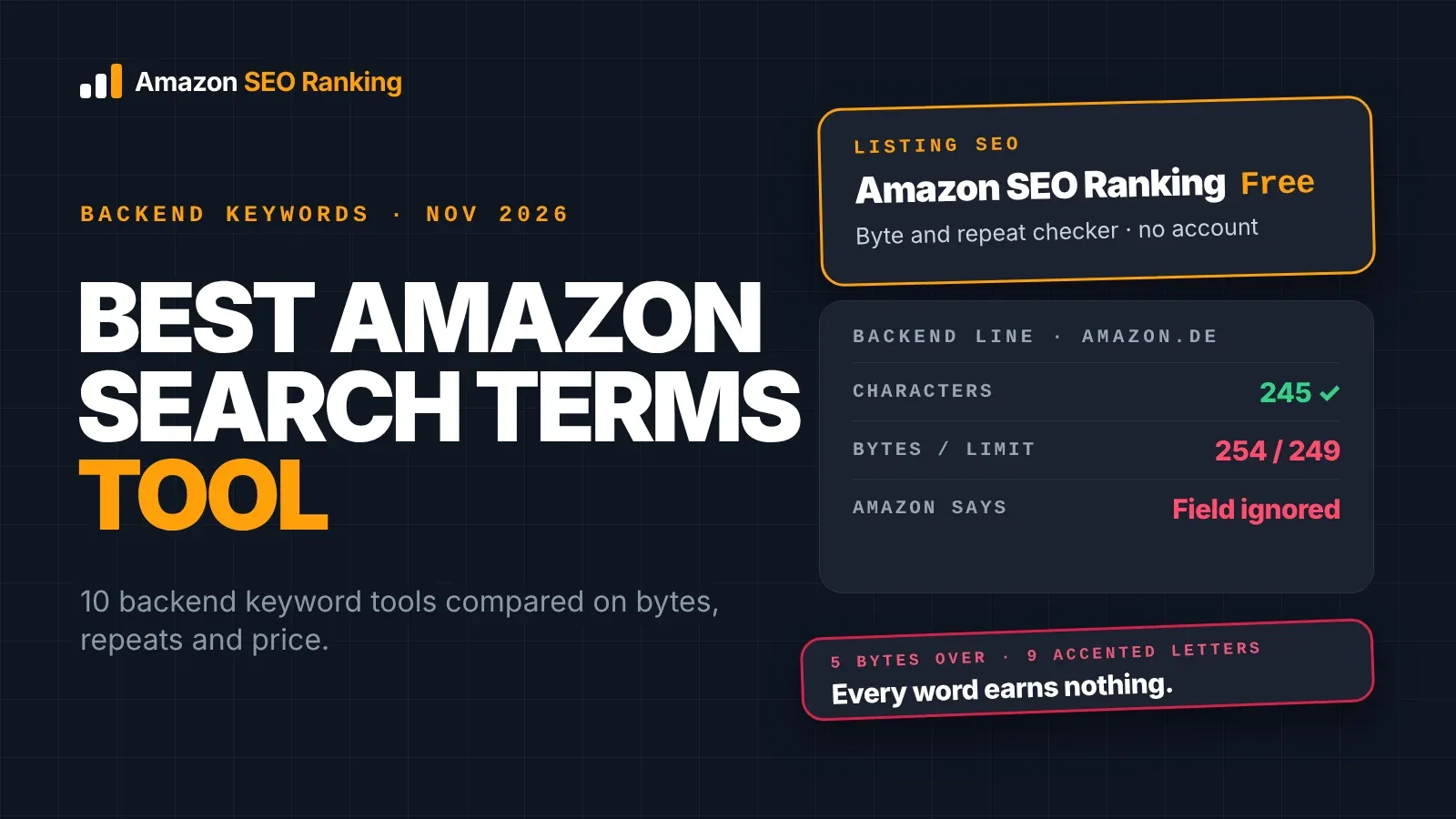
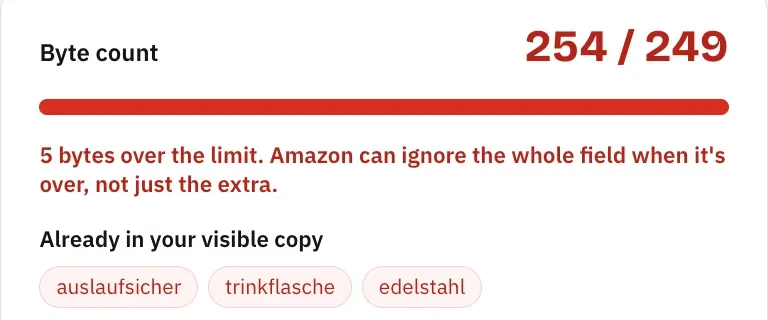
We tested that gap on 12 November 2026 with a backend line for a fictional amazon.de water bottle. It was 245 characters long, so any character counter passed it. In bytes it was 254, five over the limit, because nine German letters (ä, ö, ü, ß) take two bytes each. Amazon ignores the whole field when it goes over, so all 24 words would have earned nothing.
For sellers fixing live listings, we think the best pick is Amazon SEO Ranking: its free Backend Keyword Checker counts bytes and flags repeats with no account, Pro ranks new candidates by search volume, and the AI rewriter writes a backend line in the marketplace's language that never repeats the visible copy. Helium 10 has the deepest keyword-processing toolset, Viral Launch and ZonGuru move unused keywords into the backend field in one click, and Keyword Tool Dominator is the cheapest way to count bytes.
Amazon SEO Ranking is our product, so weigh our verdict with that in mind. The other nine reviews use each vendor's published plans and features as of 12 November 2026, and each says what that tool does better than ours.
Key Takeaways (TL;DR)
- The best Amazon search terms tool overall: Amazon SEO Ranking, because the free checker counts bytes and flags repeats, and the rewriter writes a backend line in the marketplace's language, across 23 Amazon storefronts, checked before you see it.
- Why you need one: Amazon ignores a backend field that goes over the limit, and accented letters cost two bytes each. A line can look fine in a character count and still earn zero searches.
- Who it's for: sellers whose listings lost rank, sellers in non-English storefronts, catalogs with hundreds of ASINs, and agencies cleaning up client backends.
- How to choose: check that the tool counts bytes (not characters), compares the line with your live listing, and writes the line in the language of each storefront you sell in.
- Expected price: Amazon SEO Ranking's Backend Keyword Checker is free with no account; Pro is $79/mo and Agency $249/mo, flat at any catalog size. Across the market, backend tools run from free byte counters to $359/mo (Helium 10 Diamond).
Best Amazon Search Terms Tools in 2026 at a Glance
Prices are each vendor's published monthly rate on 12 November 2026 unless marked. Most are cheaper on annual billing.
| Company | Best For | Key Features | Pricing |
|---|---|---|---|
| Amazon SEO Ranking | Checking and rewriting the backend line of a live listing | Free byte and repeat checker, volume-ranked suggestions, AI rewrite in 12 languages, Bulk Optimization | Free checker, Pro $79/mo, Agency $249/mo |
| Helium 10 | Processing huge keyword lists inside one suite | Keyword Processor (formerly Frankenstein), Index Checker, Listing Builder | Free plan, Platinum $129/mo, Diamond $359/mo |
| Jungle Scout | Connected sellers editing listings from Seller Central | Listing Builder with import, Listing Optimization Score | Starter $49/mo, Growth Accelerator $79/mo, Brand Owner + CI $149/mo |
| Data Dive | Experienced sellers building backends from competitor roots | Master Keyword List, Roots view, AI Copywriter | $39, $149 or $490/mo |
| SellerSprite | Budget research with a byte counter in the builder | Listing Builder byte counter, Brand Analytics data | Free plan, paid from about $39/mo |
| Viral Launch | Moving unused keywords into the backend in one click | Listing Builder "Move Unused", Optimization Score | Essentials $69/mo, Pro $99/mo, Pro Plus Ads $199/mo |
| ZonGuru | Small catalogs that want a ranked shortlist | Keywords on Fire, Listing Optimizer bulk-add to backend | Keywords on Fire $19/mo, Seller from $49/mo (annual) |
| SellerApp | Brands checking backend terms next to PPC data | Listing Quality score, Index Checker, Reverse ASIN | Freemium, Pro $99/mo, Smart $250/mo after intro rate |
| Keyword Tool Dominator | Counting bytes for free, one-time pricing | Free Byte Counter, Amazon autocomplete tool | Free (2 searches/day), one-time plans |
| Keyword Tool | Mining misspellings and long-tail autocomplete | Amazon Suggest by marketplace and language | Free (no volume), Pro Basic $89/mo |
What Is an Amazon Search Terms Tool?
An Amazon search terms tool helps you write the hidden Search Terms field of a listing (generic_keywords in flat files). Amazon indexes that field for search, and shoppers never see it. The field holds under 250 bytes in most marketplaces, under 200 in India and under 500 in Japan, according to Amazon staff on the Seller Forums.
Tools in this category fall into three groups. Checkers count bytes and find repeats in a line you paste. Generators suggest candidate words, from autocomplete, a keyword database or competitor rankings. Builders and optimizers sit inside a listing editor and move keywords you haven't used in the title or bullets into the backend field.
A few tools do all three. Most do one well and leave the rest to you, which is why sellers often run a generator, paste the result into a byte counter, and then check repeats by eye.
One claim in this category needs care. Tools sold as an Amazon backend keyword extractor say they reveal a competitor's hidden terms. Amazon doesn't publish backend search terms on the product page, so even the best Amazon backend keyword extractor can't read them. What an extractor does is list the phrases a competitor ranks for that don't appear in its visible copy, and guess that the backend is the source.
Why Do You Need an Amazon Backend Keywords Tool?
The backend field is the one part of a listing that gives no feedback. A title over the limit gets rewritten or flagged, and a missing image shows. A backend line over the byte limit looks saved in Seller Central, and per Amazon staff, Amazon then ignores the whole attribute, so the first 249 bytes don't count either.
The field also matters more in 2026. Amazon now caps titles at 75 characters in most categories, which leaves room for a main keyword and one or two modifiers. Synonyms, spelling variants and other-language terms that used to fit in a 200-character title now have one home left.
Here's what goes wrong without a byte check. This was the line for our fictional Nordwell Trinkflasche Edelstahl 750 ml, Isoliert, Auslaufsicher, Grün (a 69-character title). We ran it through Amazon SEO Ranking's listing copy check from inside Claude, using the Claude connector included on Pro and Agency, on 12 November 2026:
thermosflasche isolierflasche wasserflasche auslaufsicher kohlensäure geeignet spülmaschinenfest büro schule fahrrad wandern trinkflasche kinder sport fitnessstudio doppelwandig vakuum heißgetränke kaltgetränke edelstahl flasche größe 750ml grün
| Check | Result | What it means |
|---|---|---|
| Characters | 245 | Passes any character counter |
| Bytes | 254 (limit 249) | Amazon ignores every word in the field |
| Repeats from the title (compared by hand) | trinkflasche, edelstahl, auslaufsicher, grün | Already indexed from the title |
| Low-value words (compared by hand) | geeignet, größe 750ml | Filler, and 750 is in the title |
The copy check counted the bytes and ran the AI policy scan. We compared the line with the title ourselves, which is the step the free Backend Keyword Checker does when you paste your title and bullets next to the line.
The fix cut the four repeats and the filler, then added an English phrase German shoppers type. The new line is 193 bytes and passes every length check:
thermosflasche isolierflasche wasserflasche kohlensäure spülmaschinenfest büro schule fahrrad wandern kinder sport fitnessstudio doppelwandig vakuum heißgetränke kaltgetränke water bottle
The AI policy scan (Pro and Agency) flagged one low-severity backend issue: "kinder" points the listing at children, which can bring child-safety compliance questions if the bottle isn't sold for kids. Keep it only if that's true of the product.
Demand shows where the bytes earn their place. These are estimated monthly amazon.de searches from Amazon SEO Ranking's Search volume tool, 12 November 2026:
| Search phrase | Est. monthly searches (DE) | Covered by |
|---|---|---|
| wasserflasche | ≈2,131 | Backend |
| thermosflasche | ≈2,094 | Backend |
| water bottle | ≈897 | Backend (added in the fix) |
| isolierflasche | ≈673 | Backend |
| trinkflasche kinder | ≈635 | Title (trinkflasche) + backend (kinder) |
| trinkflasche fahrrad | ≈224 | Title + backend (fahrrad) |
| trinkflasche kohlensäure | ≈74 | Title + backend (kohlensäure) |
The three highest-volume rows sit in the backend alone. In the original line, all three were inside a field Amazon would have thrown away.
Who Needs an Amazon Search Terms Generator?
Four groups get the most from a tool that checks and fills the backend field. If your main job is choosing a product or setting PPC bids, the research suites reviewed below (Helium 10, Jungle Scout, SellerApp) cover sales estimates and ad data that we don't.
Sellers Whose Listings Lost Rank
A listing that used to rank for a synonym and doesn't any more often has a backend problem nobody spotted: a bulk upload overwrote the field, a teammate added words and pushed it over the limit, or a variation never got its own line.
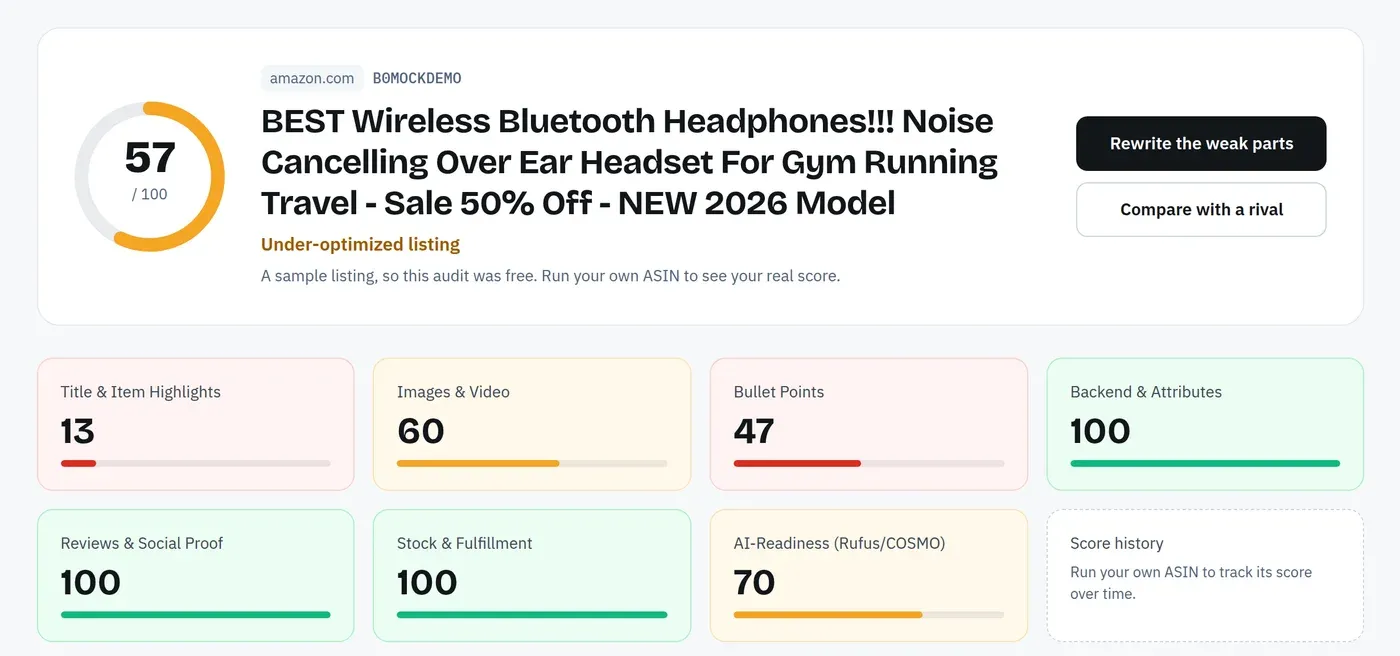
These sellers need a check on the live field before they research anything new. Amazon SEO Ranking's free Backend Keyword Checker takes the pasted line, counts bytes against 249 and lists words already in the title and bullets. For the rest of the listing, a free Amazon listing audit scores the live page against 12 published criteria, so you can see whether the backend is the problem or the title is.
Brands Selling One Product in Several Storefronts
German, French, Spanish, Italian and Polish lines hit the byte limit first, because accented letters take two bytes. Japanese has more room (under 500 bytes) but each character takes three. A team that writes the US line and translates it also misses how local shoppers phrase things.
This is the daily work of brand eCommerce and eRetail search teams, who own one product's listing across several Amazon storefronts. Amazon SEO Ranking audits the same ASIN separately in each of 23 storefronts, and the rewriter writes the backend line in that storefront's language by default (12 languages, French for Belgium), checked against the byte limit before you see it. Search volume covers 16 marketplaces, Germany included, so you can rank local candidates the way we did above.
Catalogs with Hundreds of ASINs
Checking one backend line by hand takes about five minutes. At 300 ASINs that's 25 hours, and variations multiply the work because each child ASIN can hold its own field.
Bulk Optimization runs the audit and rewrite across up to 100 ASINs per run on Pro and 500 on Agency, each with its own marketplace and target keywords. Every row comes back with a backend line written in that marketplace's language, and a Claim Check column flags risky terms.
Agencies Cleaning Up Client Backends
Agencies inherit backend fields full of competitor brand names, ASINs and words like "best". Those terms bring trademark complaints and traffic that doesn't convert, and the client usually doesn't know they're there.
On Pro and Agency, the AI policy scan flags brand names, ASINs and claims in the backend line, and the rewriter removes risky backend terms automatically. Agency adds white-label PDF reports and API access at a flat $249, which works out to about $0.50 per listing at 500 rewrites a month, against the $50 or more agencies typically bill per listing for the same work done by hand.
Best Amazon Search Terms Tools: In-Depth Review & Comparison
The order below reflects how well each tool helps a seller produce a backend line that fits the limit, avoids repeats and targets real searches. A tool further down can still be the right pick if you mainly need keyword discovery, PPC data or a one-time price.
1. Amazon SEO Ranking
Overview
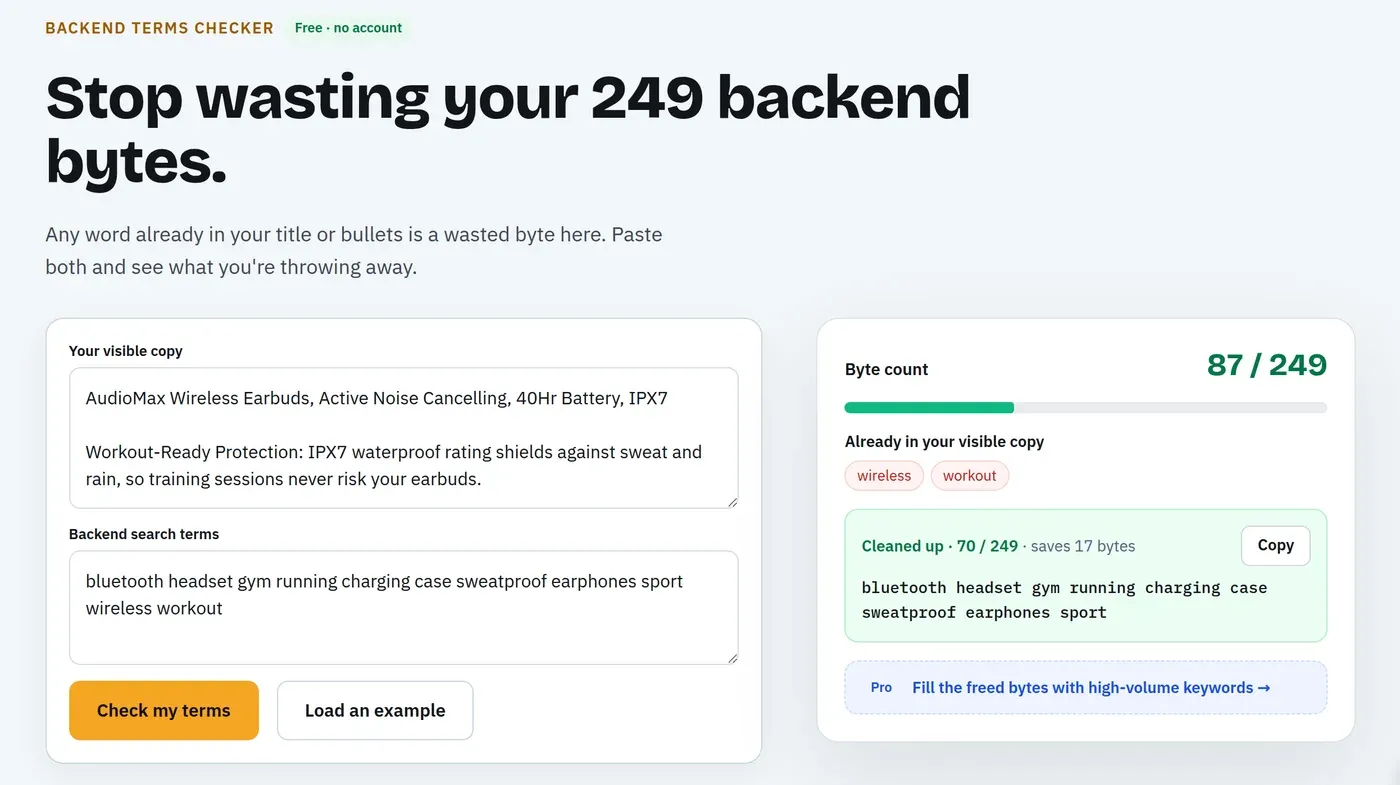
Amazon SEO Ranking is a self-serve Amazon SEO tool built for one job: making a live listing rank better. Its backend tools come in three layers. The free Backend Keyword Checker counts a pasted line in bytes against the 249-byte limit and finds words already used in the title and bullets, with no account. On Pro and Agency, it adds keyword suggestions ranked by real Amazon search volume.
The AI Copy Rewriter then writes the whole listing, backend line included. The line stays under 249 bytes, never repeats a visible keyword, and comes back in the marketplace's language. Every rewrite runs through claim checks that remove risky backend terms before you see it.
Ideal For
The tool fits sellers whose next step is a backend line they can paste:
- Sellers checking an existing backend field for bytes and repeats, for free
- Sellers in German, French, Spanish and other storefronts where bytes and characters differ
- Catalogs that need a checked backend line on hundreds of ASINs
- Agencies cleaning brand names and claims out of client backends
- Teams writing listings inside Claude
Top Features
These save the most time between a messy line and one you can paste:
- Free byte and repeat check with no account
- Backend suggestions ranked by Amazon search volume on Pro and Agency (10 keyword lookups per run)
- Rewriter that writes the backend line with the title, bullets and description, so it can't repeat them, in the language of each of 23 storefronts
- A brand fact sheet of approved facts and banned claims, applied to every rewrite, backend line included
- AI policy scan for brand names, ASINs and claims on Pro and Agency
- Bulk Optimization across up to 500 ASINs per run (Agency) or 100 (Pro)
- A Claude connector whose copy check enforces the 249-byte limit
Why We Stand Out?
Most backend tools stop at one step. Generators hand you a list, counters tell you it's too long, and builders move unused words without checking what they are. Amazon SEO Ranking writes the line from the listing it sits under, so the repeat check has the real title and bullets in front of it, and it counts bytes the way Amazon does.
The rest of the listing gets the same treatment. The audit scores the live page against 12 equally weighted criteria we publish in full, and you can score a rewritten draft before it goes live. That matters for the backend because the field interacts with the title: change the title and the repeat check changes too.
Pros
- Free byte and repeat checker with no account
- Backend line written with the visible copy, so it never repeats it
- Audits and rewrites in 23 storefronts, in each marketplace's language
- Risky backend terms removed and flagged before you paste
- Flat pricing at any catalog size
Cons
- The checker counts against 249 bytes, so India (under 200) and Japan (under 500) sellers must read the number against their own limit
- Search volume covers 16 marketplaces, and keyword ideas run in only 4 (US, Egypt, Saudi Arabia, UAE)
- No product research, sales estimates or PPC bid data
Pricing
The Backend Keyword Checker is free with no account. The Free plan adds 3 full listing audits a month with the AI rewrite and a keyword preview, no credit card. Pro is $79/mo or $799/yr, with backend suggestions, 100 audits and 2,000 keyword lookups. Agency is $249/mo or $2,490/yr, with 500 audits, 10,000 lookups, white-label reports and API access. Enterprise is custom.
Monthly plans start with a 7-day free trial, and every charge has a 14-day money-back guarantee.
Final Verdict
If you want the best Amazon search terms optimizer for live listings, Amazon SEO Ranking covers the check, the candidates and the rewrite in one account, and the first step costs nothing. Sellers who need keyword ideas generated across many European or Asian storefronts should pair it with Helium 10, SellerSprite or Keyword Tool.
2. Helium 10
Overview
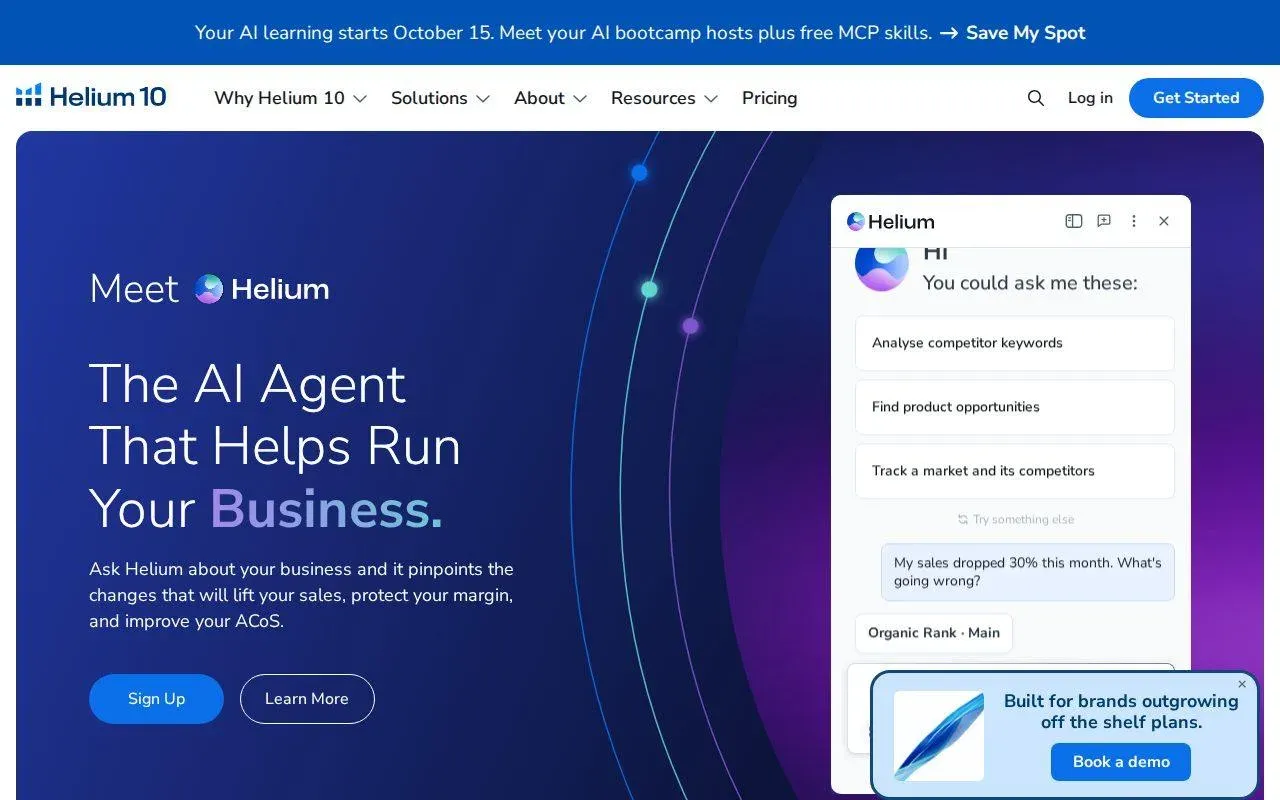
Helium 10 is the largest Amazon seller suite. Its backend workflow runs through three tools. Keyword Processor, renamed from Frankenstein, cleans and de-duplicates large keyword lists. Index Checker tests which words Amazon indexes for an ASIN. Listing Builder tracks keyword use across the title, bullets, description and backend.
Keywords usually start in Cerebro, which merged with Magnet in January 2026, then pass through Keyword Processor before they reach the listing.
Ideal For
Helium 10 fits sellers who want backend work inside one large suite:
- Private label sellers running research, listings and PPC together
- Sellers processing thousands of keywords from several competitors
- Brands that test indexing after every backend change
- Teams that will use most of the 20-plus tools
Top Features
The backend tools connect to the rest of the suite:
- Keyword Processor to strip duplicates and filler from huge lists
- Index Checker to confirm which backend words Amazon has indexed
- Listing Builder with Keyword Root Analysis against up to 20 competitors (Diamond and above)
- Cerebro for seed and reverse ASIN keyword discovery
Why They Stand Out?
Helium 10 is one of the strongest choices for sellers who build backend lines from keyword sets in the thousands. Keyword Processor cleans those lists in one pass, and Index Checker closes the loop by showing which words actually count.
It also covers more keyword marketplaces than our keyword ideas tool.
Pros
- Deepest keyword-processing toolset in this list
- Indexing checks built in
- Root analysis against competitors on Diamond
- A free plan to test the keyword tools
Cons
- Platinum caps Cerebro and Magnet at 100 searches a month, per EcomCrew's report on the 2026 plan changes
- Keyword Root Analysis needs Diamond at $359/mo
- The backend line is your job to assemble across several tools
- You pay for many tools you won't use if you only need the backend field
Pricing
The Free plan allows 2 Cerebro and Magnet uses a day. Platinum is $129/mo, or $99/mo billed annually. Diamond is $359/mo, or $279/mo billed annually. Enterprise is custom.
Final Verdict
Helium 10 suits sellers who want to process large keyword lists and test indexing in one suite. If the backend field is most of what you need, the Diamond price for root analysis and the Platinum search cap make it a hard buy.
3. Jungle Scout
Overview
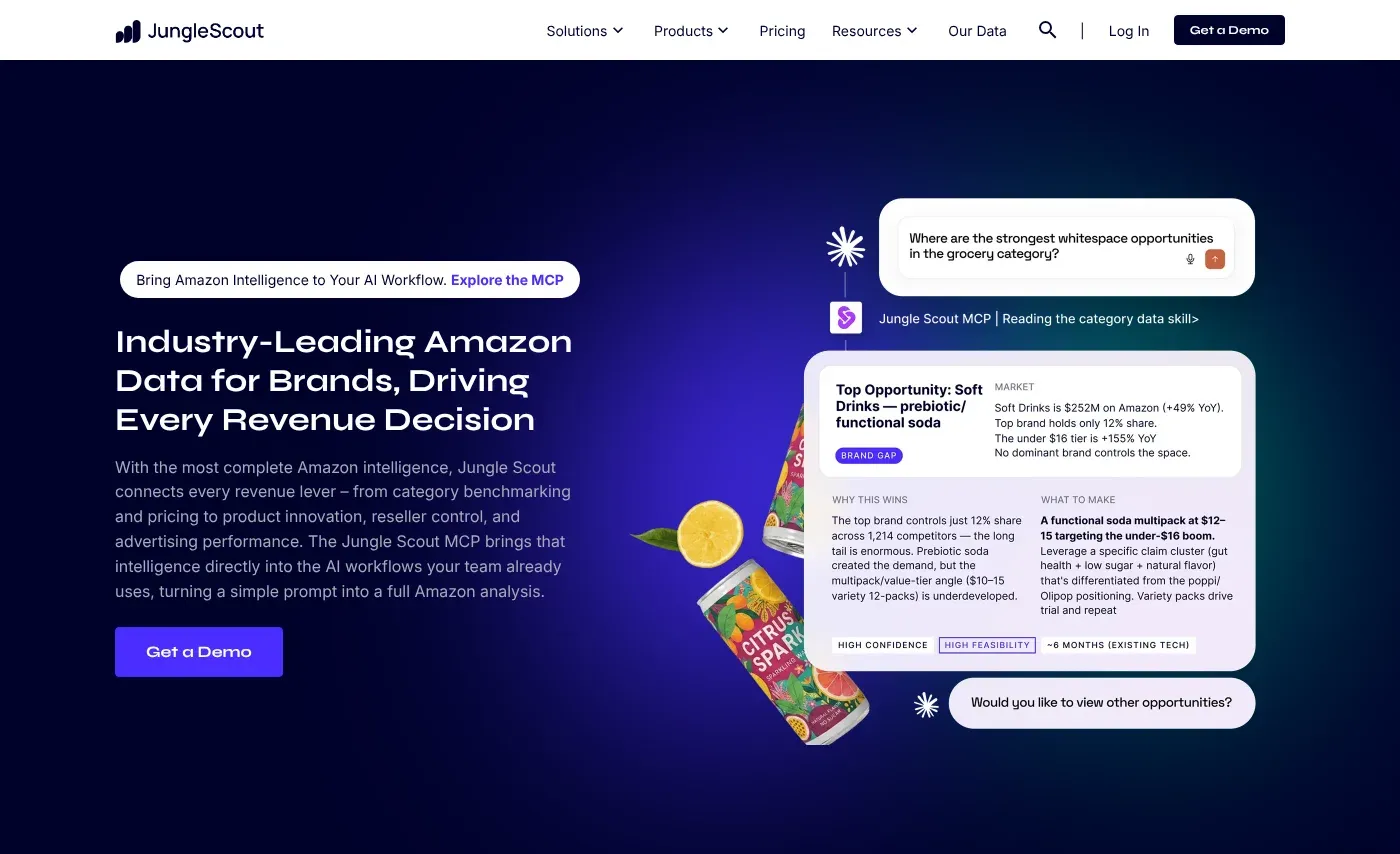
Jungle Scout is best known for product research. Its Listing Builder sits in the Keywords toolset: you import keywords from Keyword Scout, write the listing, and a Listing Optimization Score updates as you edit the title, bullets, description, backend search terms and images.
On Growth Accelerator and Brand Owner plans with Seller Central connected, you can import existing listings into Listing Builder and edit them there.
Ideal For
Jungle Scout fits sellers who want guided listing edits:
- Sellers with Seller Central connected who edit listings in one place
- New sellers who want a score to work toward
- Private label sellers who research products and keywords together
- Beginners who prefer a guided interface
Top Features
The backend sits inside a wider listing editor:
- Listing Builder with keyword import from Keyword Scout
- Listing Optimization Score covering backend search terms
- Import of existing listings from Seller Central
- Keyword usage tracking across fields to avoid repeats
Why They Stand Out?
Jungle Scout is one of the smartest choices for sellers who want one editor for the whole listing, with the backend field scored next to everything else. Importing live listings from Seller Central saves the copy-paste step most tools need.
Keyword data sits next to sales estimates, which helps when the backend decision depends on which sub-niche sells.
Pros
- Imports existing listings from Seller Central
- Score updates as you edit the backend field
- Tracks repeated keywords across fields
- Beginner-friendly interface
Cons
- Its score guidance recommends backend lines of 200 to 249 characters, while Amazon counts bytes, so accented lines need a separate byte check
- No free plan; a 7-day money-back guarantee instead
- Listing import needs Growth Accelerator or above and a connected account
- Extra users cost $49/mo each
Pricing
Starter is $49/mo ($29/mo billed annually). Growth Accelerator is $79/mo ($49/mo billed annually). Brand Owner + CI is $149/mo ($129/mo billed annually). Cobalt is custom.
Final Verdict
Jungle Scout suits connected sellers who want to edit and score the whole listing in one place. Sellers in non-English storefronts should still run the line through a byte counter before saving.
4. Data Dive
Overview
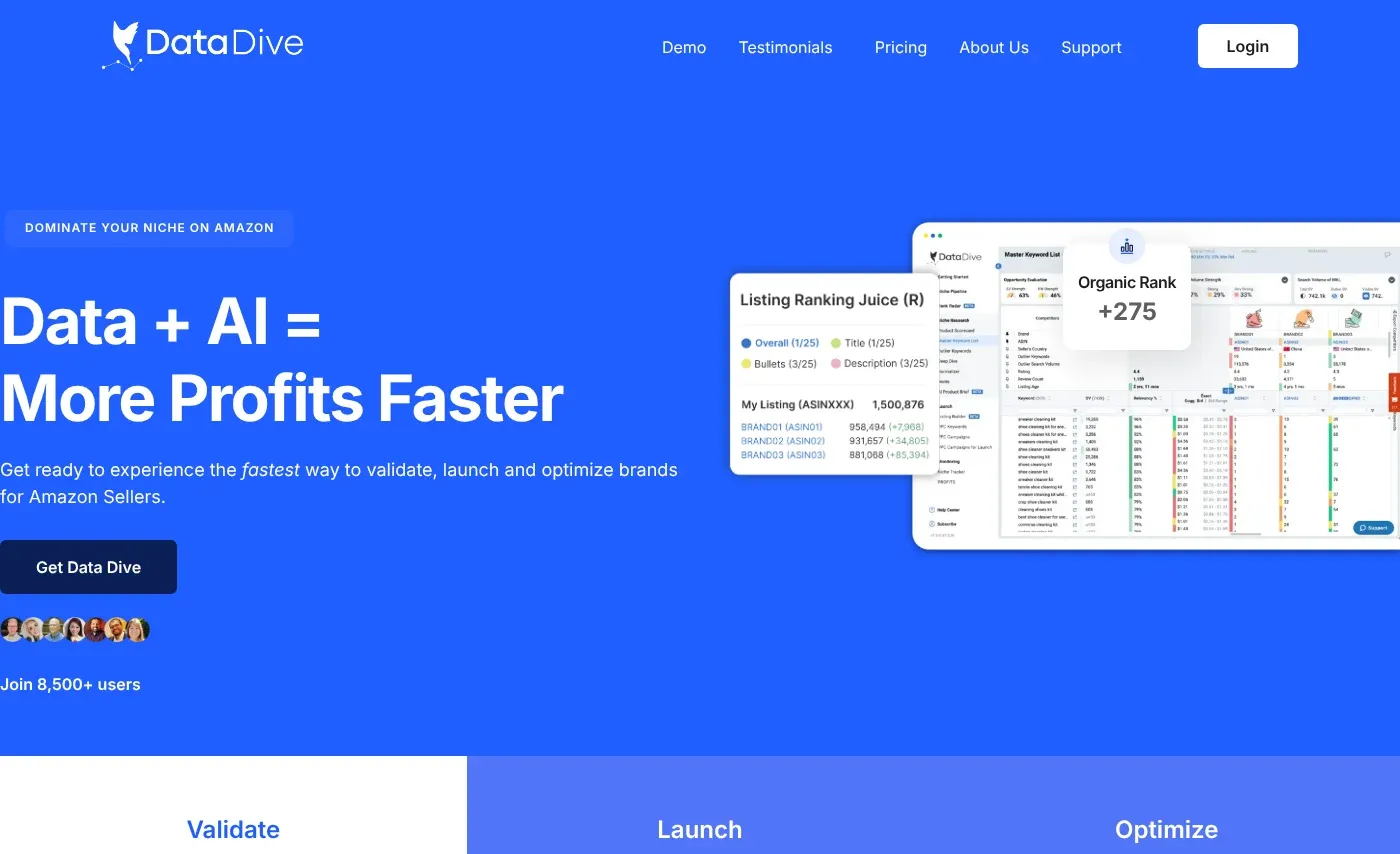
Data Dive is a keyword-first toolkit for experienced private label sellers. A "Dive" pulls the top competitor ASINs in a niche and builds a Master Keyword List from their rankings. Its Roots view shows which word roots your listing already uses and which it misses, and the AI Copywriter writes from the chosen keywords.
Its own quick start guide points the backend at misspellings and translated keywords, the words that don't belong in visible copy.
Ideal For
Data Dive fits sellers who like working through large keyword sets:
- Experienced sellers in competitive niches
- Agencies with a structured keyword process
- Sellers who want keyword data in an AI assistant via MCP
- Teams tracking rank on hundreds of keywords per product
Top Features
Everything starts from competitor rankings:
- Master Keyword List from a niche's top competitors
- Roots usage view to find words missing from the listing
- AI Copywriter that writes from the chosen keywords
- Rank Radar tracking, plus API and MCP on Standard and Enterprise
Why They Stand Out?
Data Dive is one of the smartest choices for sellers who want the backend filled with roots the whole niche ranks for. Working from roots rather than full phrases suits the backend field, where Amazon indexes single words and word order matters little.
Its competitor-based lists also skip many off-topic ideas a seed-based generator returns.
Pros
- Root-level view of what the listing misses
- Keyword lists built from competitors' rankings
- Rank tracking included
- MCP access on higher plans
Cons
- No free plan
- Steeper learning curve than most tools here
- Results depend on picking good competitor ASINs
- Top plan reaches $490/mo
Pricing
Starter is $39/mo ($32/mo annually), Standard $149/mo ($124/mo annually) and Enterprise $490/mo ($408/mo annually).
Final Verdict
Data Dive suits experienced sellers who want backend roots chosen from niche-wide data and will put in the time. For a quick check of one line, it's more process than needed.
5. SellerSprite
Overview
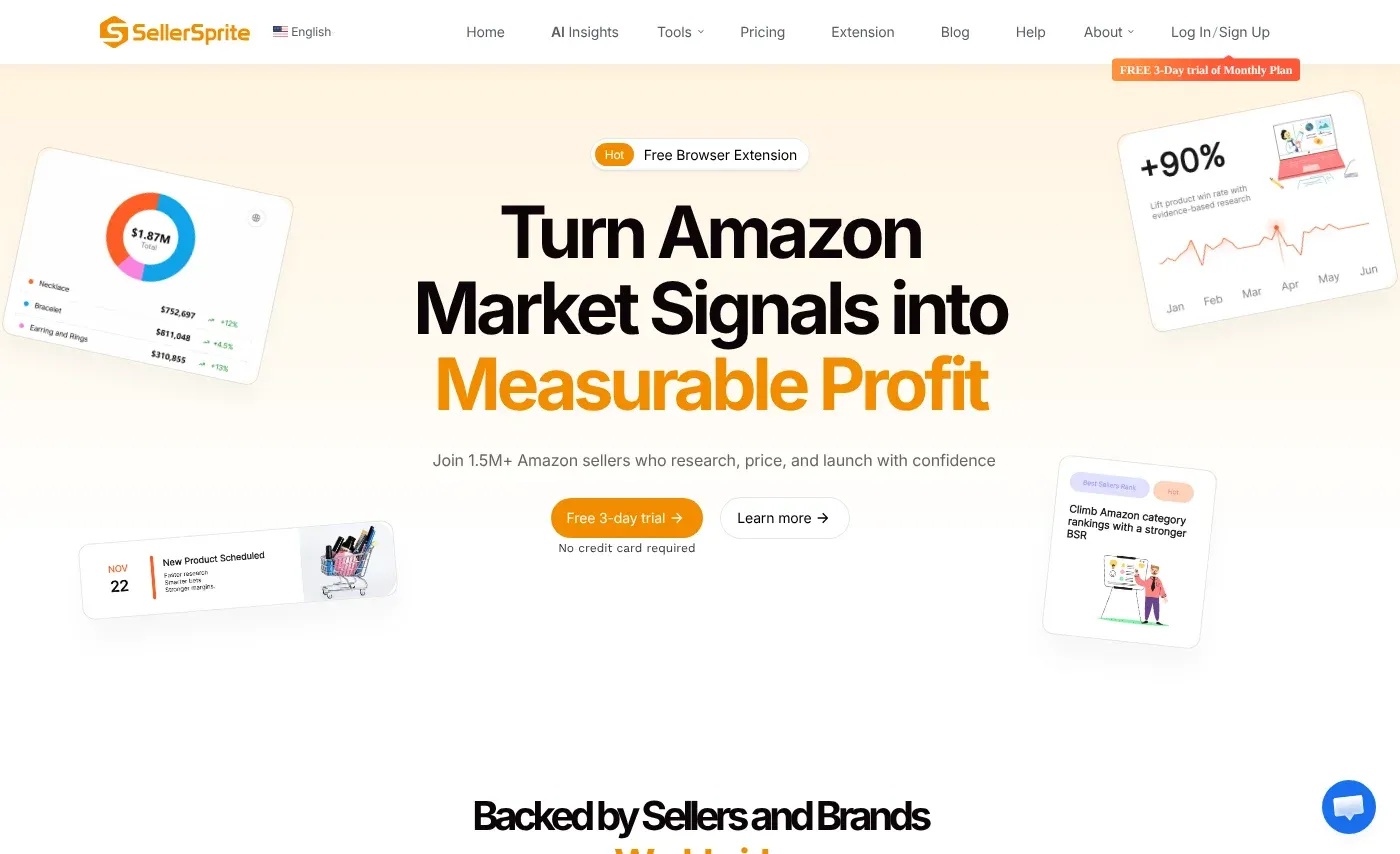
SellerSprite is a keyword and market research tool with low prices. Its Listing Builder includes a backend search terms field with a byte counter, so you watch the count as you edit. Keyword research layers weekly and monthly Brand Analytics data on its own estimates, with a conversion rate per keyword.
Its guidance treats the backend as an allocation step: core keywords go in the title, and only the remaining high-relevance terms go in the backend.
Ideal For
SellerSprite fits budget-conscious sellers:
- Sellers moving off Helium 10 to cut costs
- Researchers who want conversion rate next to volume
- Sellers who want a byte counter inside the builder
- Teams that want MCP access for AI assistants
Top Features
The backend tools ride on its keyword data:
- Listing Builder with a live byte counter on backend search terms
- Keyword Miner with volume, trends and conversion rate
- Reverse lookups on up to 20 ASINs
- Brand Analytics research
Why They Stand Out?
SellerSprite is one of the strongest budget choices for sellers who want research and a byte-aware editor together. Conversion rate helps decide which leftover keyword earns backend space when two have similar volume.
Its free plan makes it easy to test before paying.
Pros
- Byte counter in the builder
- Brand Analytics data and keyword conversion rate
- Free plan and low paid entry
- 20-ASIN reverse lookups
Cons
- The builder writes copy but doesn't audit the live listing
- Plan names and prices vary between its own pages
- API access is sold separately per endpoint
- No Middle East coverage in the web app
Pricing
SellerSprite has a free plan. Paid plans run from about $39 to $189 a month, with discounts on annual billing.
Final Verdict
SellerSprite suits sellers who want cheap keyword data and a builder that counts bytes. Repeats against the live listing are still yours to check.
6. Viral Launch
Overview
Viral Launch is an Amazon seller suite with product research, keyword research and PPC tools. Its Listing Builder comes with any plan that includes Keyword Research. You select keywords, write the visible copy, and the builder shows Used Search Volume and an Optimization Score.
For the backend, a Move Unused button copies up to 250 bytes of keywords you haven't used into the Backend Search Terms section. The builder shows one backend field by default, because Viral Launch's own research found no benefit in the extra fields.
Ideal For
Viral Launch fits sellers who want a fast backend fill:
- Sellers writing a new listing from a keyword bank
- Sellers who want volume captured shown as a number
- Private label sellers using its product research
- Sellers who prefer one backend field to five
Top Features
The backend step is built into the builder:
- Move Unused to fill the backend from the keyword bank
- Optimization Score and Used Search Volume
- Phrase View and Unique View for keyword lists
- Import of an existing listing
Why They Stand Out?
Viral Launch is one of the quickest ways to go from a keyword bank to a filled backend field. Greying out used keywords as you write the title and bullets means the leftovers are, by construction, words the visible copy doesn't hold.
Showing captured search volume gives a simple target to work toward.
Pros
- One-click backend fill from unused keywords
- Used keywords greyed out, which avoids repeats
- Search volume captured shown per field
- Listing import
Cons
- Move Unused fills by what's left, so filler and brand terms in the bank go in too unless you remove them
- It fills up to 250 bytes, while Amazon's limit is under 250
- Pro ($99/mo) is the plan Viral Launch lists with expanded Listing Builder access
- No policy check on backend terms
Pricing
Essentials is $69/mo, Pro $99/mo and Pro Plus Ads $199/mo, with discounts on annual billing.
Final Verdict
Viral Launch suits sellers who want the backend filled from a clean keyword bank in seconds. Clean the bank first, and trim the result to 249 bytes.
7. ZonGuru
Overview
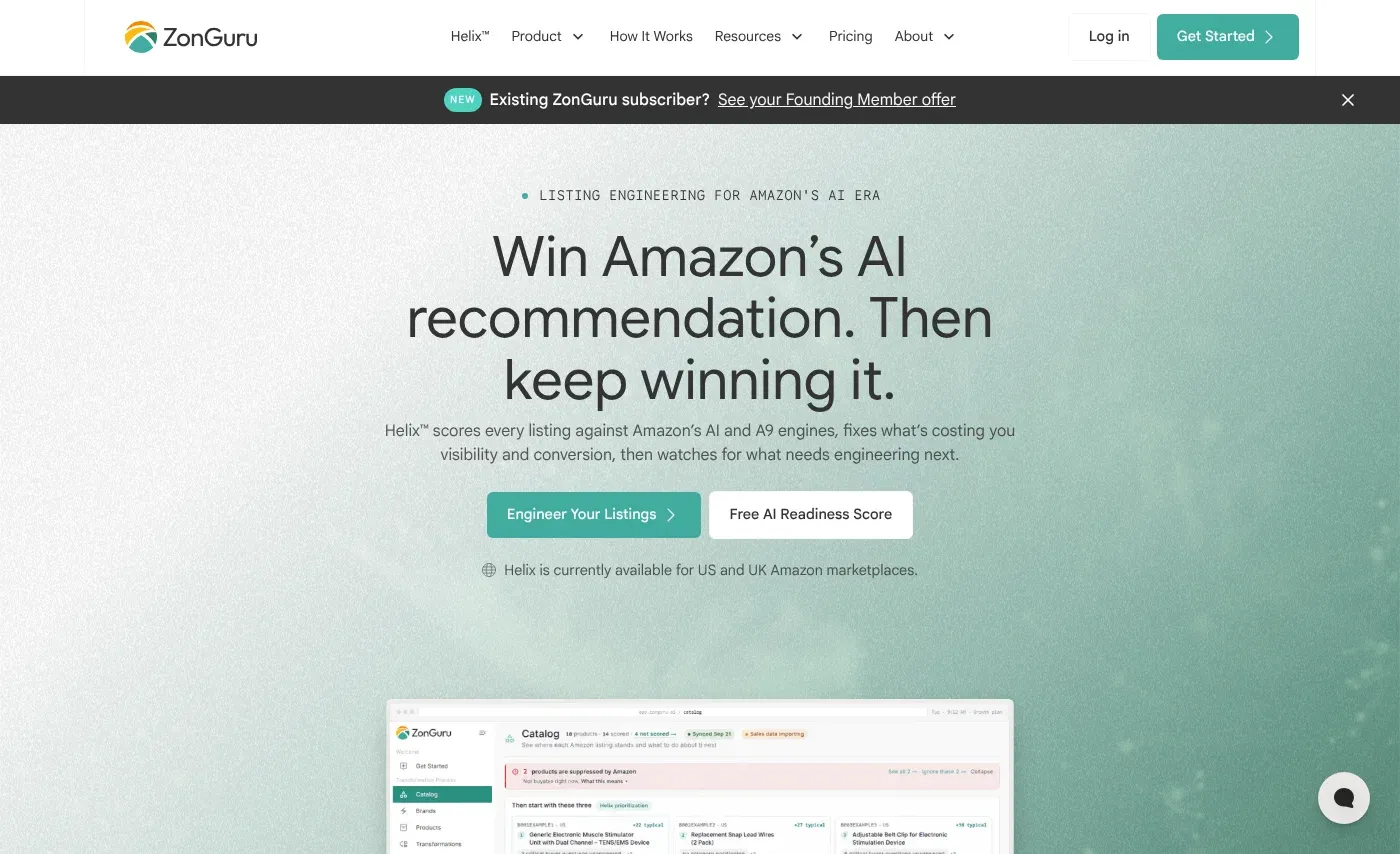
ZonGuru is a toolkit for smaller catalogs. Its keyword tool, Keywords on Fire, ranks keywords with an in-house score, and its Listing Optimizer takes the saved list and shows volume next to each keyword as you write. Remaining keywords can be bulk-added to the backend search terms.
ZonGuru says its volume comes from Amazon's Brand Analytics API.
Ideal For
ZonGuru fits small sellers:
- Private label sellers with up to about 20 SKUs
- Sellers who want a ranked shortlist rather than a raw list
- Sellers on a tight budget who only need keyword research
- Sellers in its 10 supported marketplaces
Top Features
The tools sort keywords for you:
- Keywords on Fire with score-based ranking
- Listing Optimizer with bulk-add of leftovers to the backend
- Optimization score that rises as keywords are used
- Free Keywords on Fire Lite
Why They Stand Out?
ZonGuru is one of the stronger choices for a small seller who wants a ranked list moved into the listing in a few clicks. The bulk-add step saves retyping leftover keywords into the backend field.
The standalone keyword plan keeps the cost low.
Pros
- Standalone keyword plan at $19/mo
- Bulk-add of leftover keywords to the backend
- Free Lite version
- 7-day free trial
Cons
- The keyword score's formula isn't published
- Seller plan price rises with SKU count
- No byte check is described for the bulk-add step
- 10 marketplaces
Pricing
Keywords on Fire on its own is $19/mo. Researcher starts at $29/mo billed annually, and Seller starts at $49/mo billed annually for 1 to 20 SKUs. Enterprise is custom.
Final Verdict
ZonGuru suits small catalogs that want a ranked keyword list placed in the listing cheaply. Check the backend line's byte count yourself after the bulk-add.
8. SellerApp
Overview
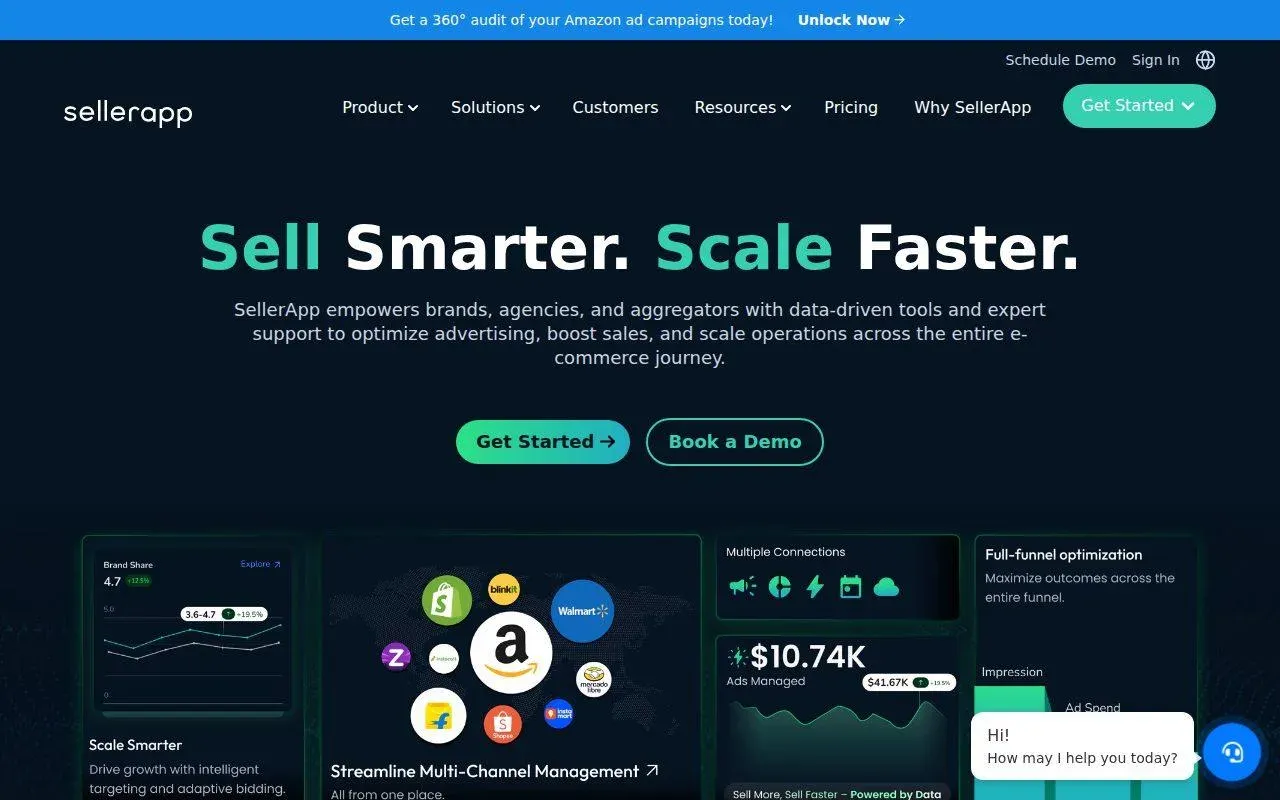
SellerApp is an Amazon growth suite with keyword research, a Listing Quality tool, PPC automation, an API and managed services. Listing Quality gives an optimization score that rates the title, images, bullets and backend keywords, and an index checker shows which keywords a product ranks for.
Its help center also walks through using Reverse ASIN to infer a competitor's likely backend terms by removing everything visible in their listing.
Ideal For
SellerApp fits brands that want backend checks next to ads:
- Brands spending heavily on Amazon PPC
- Sellers who want CPC and conversion rate next to each keyword
- Agencies that need an API and white-label reporting
- Sellers in many marketplaces
Top Features
The backend features sit inside a large suite:
- Listing Quality score that includes backend keywords
- Index checker for ranked and missing keywords
- Reverse ASIN with relevance score and CPC
- Keyword research across 18+ marketplaces
Why They Stand Out?
SellerApp is one of the strongest choices for brands that want backend candidates chosen with ad data in view. A keyword that converts in Sponsored Products is a good backend candidate, and SellerApp keeps both numbers in one account.
Its keyword research covers more marketplaces than our keyword ideas tool.
Pros
- Backend keywords scored inside Listing Quality
- CPC and conversion data next to candidates
- 18+ marketplaces for keyword research
- A freemium plan
Cons
- The Listing Quality weights aren't published
- Smart's $149 rate lasts only three months, then rises to $250/mo
- Pro costs $99/mo, 20% more than Amazon SEO Ranking Pro
- Its backend help article still describes the 2017 limit in characters
Pricing
SellerApp has a Freemium plan. Pro starts at $99/mo. Smart is $149/mo for the first three months, then $250/mo. Custom plans are on quote.
Final Verdict
SellerApp suits brands that want backend work tied to PPC data. If you don't need the ads side, you're paying more for backend checks you can get free.
9. Keyword Tool Dominator
Overview
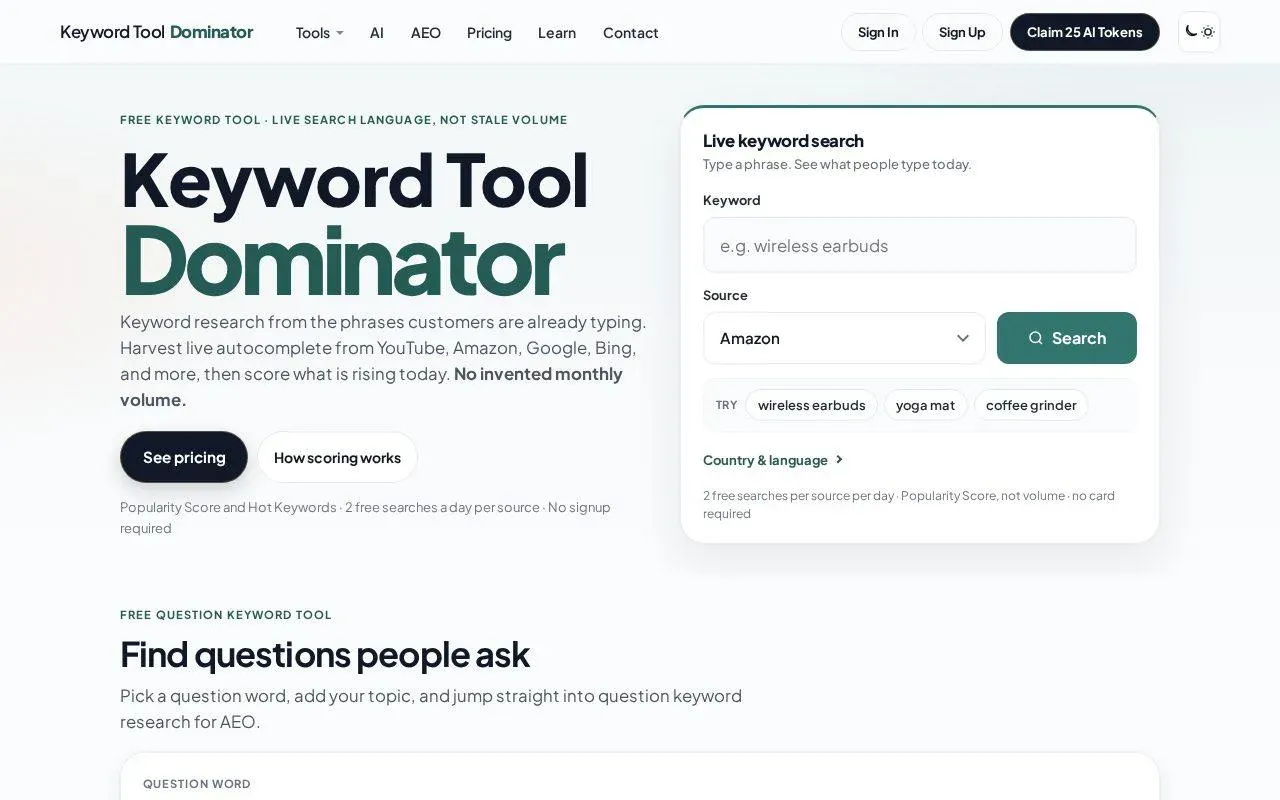
Keyword Tool Dominator is a keyword research tool that collects autocomplete suggestions from Amazon and other sites. For the backend field it offers a free Byte Counter that counts in real time against the 249 to 250-byte limit, and an Amazon keyword tool that surfaces long-tail phrases and misspellings.
It sells one-time plans instead of subscriptions, and every tool has a free option with 2 searches a day.
Ideal For
Keyword Tool Dominator fits sellers on a tight budget:
- Sellers who only need a byte count before saving
- KDP authors filling book keyword fields
- Sellers who dislike monthly subscriptions
- Researchers collecting autocomplete phrases by marketplace
Top Features
The tools are simple and cheap:
- Free Byte Counter for backend lines
- Amazon autocomplete keyword tool by country
- Keyword lists and CSV or Excel export
- One-time pricing
Why They Stand Out?
Keyword Tool Dominator is one of the cheapest ways to stop a line going over the limit. The byte counter is free and needs no setup, which makes it a sensible last check before you paste into Seller Central.
The one-time price suits sellers who research a few times a year.
Pros
- Free byte counter
- One-time pricing with no subscription
- Autocomplete phrases by marketplace
- Free option on every tool
Cons
- No repeat check against your title and bullets
- Autocomplete data, with limited volume insight
- No policy check for brand names or claims
- Free use is capped at 2 searches a day
Pricing
The free option allows 2 searches a day. Paid plans are one-time purchases; third-party listings show editions from $49 to $129.
Final Verdict
Keyword Tool Dominator suits sellers who want a free byte count and cheap autocomplete research. Pair it with a tool that compares the line with your visible copy.
10. Keyword Tool
Overview
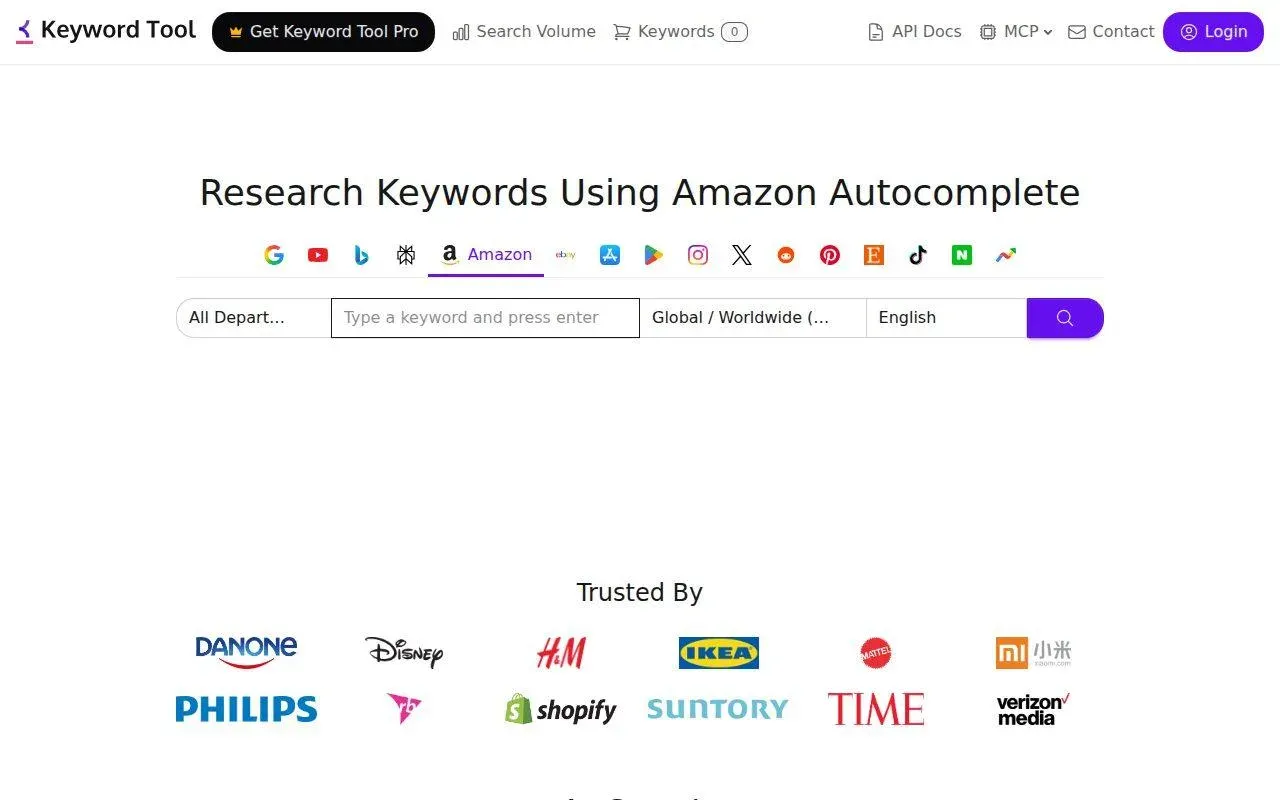
Keyword Tool (keywordtool.io) generates keyword ideas for several search engines, Amazon included. Its Amazon mode expands a seed with the suggestions Amazon's autocomplete shows shoppers, and lets you pick the Amazon domain and language.
For the backend field, that makes it a source of candidates: misspellings, local phrasing and long-tail words that don't belong in visible copy.
Ideal For
Keyword Tool fits sellers who want raw candidates fast:
- Sellers brainstorming backend synonyms and misspellings
- Sellers in non-English storefronts who want local phrasing
- Brands that also research Google or YouTube keywords
- New sellers testing ideas before buying a suite
Top Features
The tool is built around autocomplete:
- Amazon Suggest results by marketplace and language
- Negative keyword filter
- Bulk search volume on Pro plans
- API on the top plan
Why They Stand Out?
Keyword Tool is one of the fastest ways to collect the phrases real shoppers type in a given storefront. The language setting helps for backend lines in German, French or Japanese, where translated English rarely matches local searches.
The free version needs no signup.
Pros
- Free autocomplete ideas with no signup
- Many Amazon storefronts and languages
- Negative keyword filter
- Covers other search engines in one account
Cons
- The free version shows no search volume
- No byte count or repeat check
- No relevance grading or competition data
- Pro Basic costs $89/mo for a keyword-only tool
Pricing
The basic version is free. Pro Basic is $89/mo, Pro Plus $99/mo and Pro Business $199/mo.
Final Verdict
If you want the best Amazon search terms generator for free autocomplete candidates in any storefront, Keyword Tool is a fast place to start. Every line it helps you build still needs a byte and repeat check.
How to Choose the Best Amazon Search Terms Tool
The best search terms optimizer for Amazon depends on which step you get wrong most often. These six checks cover the backend field from start to finish. Run each tool you're testing on the same live listing so the comparison is fair.
1. Make Sure It Counts Bytes
Whichever looks like the best Amazon backend keywords tool on paper, paste a line with accented letters into it. Our German example was 245 characters and 254 bytes, so a tool that counts characters would pass a line Amazon ignores. The free byte checker on our Amazon search terms tool page shows the difference with no account.
Watch the guidance too. Some builders recommend a range in characters, and others fill "up to 250 bytes" when the limit is under 250. Amazon SEO Ranking counts bytes, and SellerSprite and Keyword Tool Dominator describe byte counters in their own tools. Sellers in India and Japan should confirm the tool uses their limit, or read the number against it.
2. Check It Compares the Line with Your Visible Copy
A word already in the title or bullets gains nothing from a second copy in the backend. In our example, four of the 24 words repeated the title, about 17% of the line's bytes.
Builders that grey out used keywords (Viral Launch, Jungle Scout, ZonGuru) prevent repeats while you write. Checkers that take your title and bullets alongside the line (Amazon SEO Ranking's Backend Keyword Checker) find repeats in a line someone else wrote. Pure byte counters and generators don't check at all.
There's a difference between the two approaches. A builder greys out words from your own keyword bank, so it only knows the copy you wrote inside it. Amazon SEO Ranking's rewriter reads the live listing from its ASIN, including its spec table, and writes the backend line together with the new title and bullets, so the line can't repeat them.
3. Rank Candidates by Demand
Freed bytes should go to phrases shoppers type. A generator that returns 300 synonyms without volume leaves you guessing which 30 fit.
Look for search volume in the storefront you sell in. Amazon SEO Ranking's backend suggestions on Pro and Agency are ranked by Amazon search volume, and Helium 10, SellerSprite and Data Dive show volume in their research tools. Autocomplete tools such as Keyword Tool and Keyword Tool Dominator show what shoppers type, with little or no volume.
4. Look for a Policy Check
Competitor brand names, ASINs and claims like "#1" invite trademark complaints and flagged listings. Amazon's search terms guidance, quoted in the same Seller Forums thread linked above, tells sellers not to include brand names, their own or other brands', or other product identifiers.
Few backend tools check for these. Amazon SEO Ranking's AI policy scan on Pro and Agency flags them, and the rewriter removes risky backend terms automatically. Your brand fact sheet goes further: list the claims your legal team has banned once, and every rewrite and bulk run applies it, backend line included. Builders that move "unused" keywords copy whatever is in the bank, brand terms included, so clean the list first. Our guide to Amazon search terms lists what else to keep out.
5. Check It Writes for Every Storefront You Sell In
A backend line is written for one storefront. The US line on amazon.de matches almost nothing German shoppers type, and its umlauts would cost two bytes each if you translated it word for word.
List every Amazon storefront you sell in, then check whether the tool writes and checks the line there, in that language. Amazon SEO Ranking audits and rewrites the same ASIN in each of 23 storefronts, in 12 languages, with the byte check applied to every version. Most builders here work in one language at a time and leave translation to you. If you also need keyword ideas generated across Europe and Japan, Helium 10, SellerSprite and SellerApp cover more storefronts for research.
6. Check It Scores the Line Against Your Live Listing Before You Paste
The backend line depends on the title and bullets around it: change the title and words that were safe in the backend become repeats. A tool should check the line against the listing as it is live today, not against a copy saved in a builder months ago.
Amazon SEO Ranking pulls the live listing on every audit, and its draft audit scores rewritten copy against that live page before anything changes on Amazon, with the byte, repeat and claim checks included. After you save, confirm indexing by hand: search Amazon for your ASIN followed by one backend phrase, and if your product appears, the phrase counts.
Then compare the real cost for your catalog. Helium 10 puts root analysis on Diamond at $359/mo and ZonGuru's Seller plan rises with SKU count, while Amazon SEO Ranking is flat: Agency at $249/mo is 31% less than Diamond. For the visible copy around the backend line, the free Amazon listing character limit checker checks the title, Item Highlights and bullets against Amazon's limits.
Everything You Need to Know About Amazon Search Terms Tools
Ratings are our judgment for backend search terms work, based on the published features and prices above. "Byte & repeat checks" rates how well a tool counts bytes and finds words your visible copy already covers. "Method transparency" rates how much each vendor explains about its data and scores.
| Company | Pros | Cons | Ease of Use | Integrations | Support | Affordability | Byte & Repeat Checks | Method Transparency |
|---|---|---|---|---|---|---|---|---|
| Amazon SEO Ranking | Free byte and repeat check; backend written with the visible copy; 12 languages | 249-byte limit only; keyword ideas in 4 marketplaces; no PPC data | ⭐⭐⭐⭐⭐ | ⭐⭐⭐⭐ | ⭐⭐⭐⭐ | ⭐⭐⭐⭐⭐ | ⭐⭐⭐⭐⭐ | ⭐⭐⭐⭐⭐ |
| Helium 10 | Keyword Processor; Index Checker; root analysis | Root analysis on Diamond; Platinum cap; line built by hand | ⭐⭐⭐ | ⭐⭐⭐⭐⭐ | ⭐⭐⭐⭐ | ⭐⭐ | ⭐⭐⭐⭐ | ⭐⭐⭐ |
| Jungle Scout | Listing import; backend in score; repeat tracking | Character-based guidance; no free plan; paid seats | ⭐⭐⭐⭐⭐ | ⭐⭐⭐⭐ | ⭐⭐⭐⭐ | ⭐⭐⭐⭐ | ⭐⭐⭐ | ⭐⭐⭐ |
| Data Dive | Root-level view; niche-wide lists; MCP | Learning curve; no free plan; up to $490/mo | ⭐⭐ | ⭐⭐⭐⭐ | ⭐⭐⭐ | ⭐⭐⭐ | ⭐⭐⭐⭐ | ⭐⭐⭐ |
| SellerSprite | Byte counter in builder; ABA data; low price | No live-listing audit; inconsistent plan pages | ⭐⭐⭐⭐ | ⭐⭐⭐⭐ | ⭐⭐⭐ | ⭐⭐⭐⭐⭐ | ⭐⭐⭐⭐ | ⭐⭐⭐⭐ |
| Viral Launch | One-click Move Unused; greyed-out keywords; volume captured | Fills to 250 bytes; copies bank as is; Pro at $99 | ⭐⭐⭐⭐ | ⭐⭐⭐ | ⭐⭐⭐ | ⭐⭐⭐ | ⭐⭐⭐ | ⭐⭐⭐ |
| ZonGuru | $19 keyword plan; bulk-add to backend; free Lite | Unpublished score; SKU pricing; no described byte check | ⭐⭐⭐⭐ | ⭐⭐⭐ | ⭐⭐⭐ | ⭐⭐⭐⭐ | ⭐⭐⭐ | ⭐⭐ |
| SellerApp | Backend in Listing Quality; CPC data; 18+ marketplaces | Unpublished weights; Smart price rises; dated backend guide | ⭐⭐⭐ | ⭐⭐⭐⭐ | ⭐⭐⭐⭐ | ⭐⭐⭐ | ⭐⭐⭐ | ⭐⭐⭐ |
| Keyword Tool Dominator | Free byte counter; one-time price; autocomplete | No repeat or policy check; 2 free searches a day | ⭐⭐⭐⭐⭐ | ⭐⭐ | ⭐⭐⭐ | ⭐⭐⭐⭐⭐ | ⭐⭐⭐ | ⭐⭐⭐ |
| Keyword Tool | Free autocomplete; many languages; negative filter | No volume free; no byte or repeat check | ⭐⭐⭐⭐⭐ | ⭐⭐⭐ | ⭐⭐⭐ | ⭐⭐⭐ | ⭐ | ⭐⭐⭐⭐ |
Check Your Backend Line Free with Amazon SEO Ranking
If your backend line hasn't been checked since it went live, start with the free Amazon backend keywords checker: paste the line with your title and bullets, and you'll see the byte count and the words your visible copy already covers, with no account.
When you're ready to fix the listing, the Amazon listing rewriter writes a new backend line with the visible copy, in the language of each of 23 storefronts, checked for bytes, repeats, risky terms and your brand fact sheet before you see it. Score it as a draft against the live listing before you paste it into Seller Central. Amazon SEO Ranking is trusted by eRetail Search specialists at Nestlé and eCommerce SEO services agencies such as Reach AI.
The free plan includes 3 full audits a month with the rewrite, no credit card required. For volume-ranked backend suggestions and Bulk Optimization, start a 7-day free trial of Pro at $79 a month, cancel anytime.
FAQ
What is the best Amazon search terms tool in 2026?
The best Amazon search terms tool in 2026 for sellers fixing live listings is Amazon SEO Ranking, because its free checker counts bytes and flags repeats, and its rewriter writes a backend line that never repeats the visible copy. Helium 10 has the deepest keyword-processing toolset, with Keyword Processor and Index Checker. Viral Launch and ZonGuru move unused keywords into the backend in one click. Keyword Tool Dominator offers the cheapest byte count.
What should I consider when choosing the right Amazon search terms tool for me?
When choosing an Amazon search terms tool, consider whether it counts bytes rather than characters, whether it compares the line with your title and bullets, and whether it ranks candidates by search volume in your storefront. Check that it writes the line in the language of every storefront you sell in, and that it catches brand names, ASINs and claims. Then test it on your own live backend line, since a 245-character German line can still be 254 bytes and fail.
How does Amazon SEO Ranking differ from similar alternatives?
Amazon SEO Ranking differs from similar alternatives by writing the backend line together with the title, bullets and description, so the line can't repeat them, and by checking it for bytes and risky terms before you see it. Most alternatives either generate keywords or count bytes, and leave the repeat check to you. The byte and repeat checker is free with no account, while Pro adds volume-ranked suggestions at $79/mo. Helium 10, Jungle Scout and SellerApp have larger toolsets with product research and PPC tools that Amazon SEO Ranking doesn't offer.
How do I get started with Amazon SEO Ranking?
You get started with Amazon SEO Ranking by opening the free Backend Keyword Checker, pasting your live backend line with your title and bullets, and reading the byte count and repeats. No account is needed for that check. To rewrite the listing, create a free account, which includes 3 audits a month with the AI rewrite and no card. Pro adds backend suggestions ranked by search volume and starts with a 7-day free trial.
How easy is it to switch to Amazon SEO Ranking?
Switching to Amazon SEO Ranking is easy because there's nothing to import: the checker works on any backend line you paste, and the audit reads the live listing from its ASIN. Paste the line your current tool produced and compare the byte count and repeats it finds. On Pro, Bulk Optimization takes an Excel file of up to 100 ASINs per run. Monthly plans start with a 7-day free trial, so you can test before cancelling anything.
Do I need a paid Amazon search terms tool?
You don't need a paid Amazon search terms tool to check a backend line, because byte counting and repeat checks are free in Amazon SEO Ranking's Backend Keyword Checker and Keyword Tool Dominator's byte counter. A paid plan earns its cost when you need search volume to choose replacement terms, a policy scan for brand names and claims, or checked backend lines across many ASINs. Amazon SEO Ranking Pro costs $79/mo with a 7-day free trial.
Can a backend keyword extractor show a competitor's search terms?
A backend keyword extractor can't show a competitor's search terms, because Amazon doesn't publish the backend field on the product page. Extractors list phrases a competitor ranks for that don't appear in its visible copy, and assume the backend is the source. Those phrases can also come from ads, sales history or attributes. Treat the list as research, and check every term against your own product before using it.
Paste your backend line and see the bytes and repeats in seconds. Free, no account.
Check my backend line