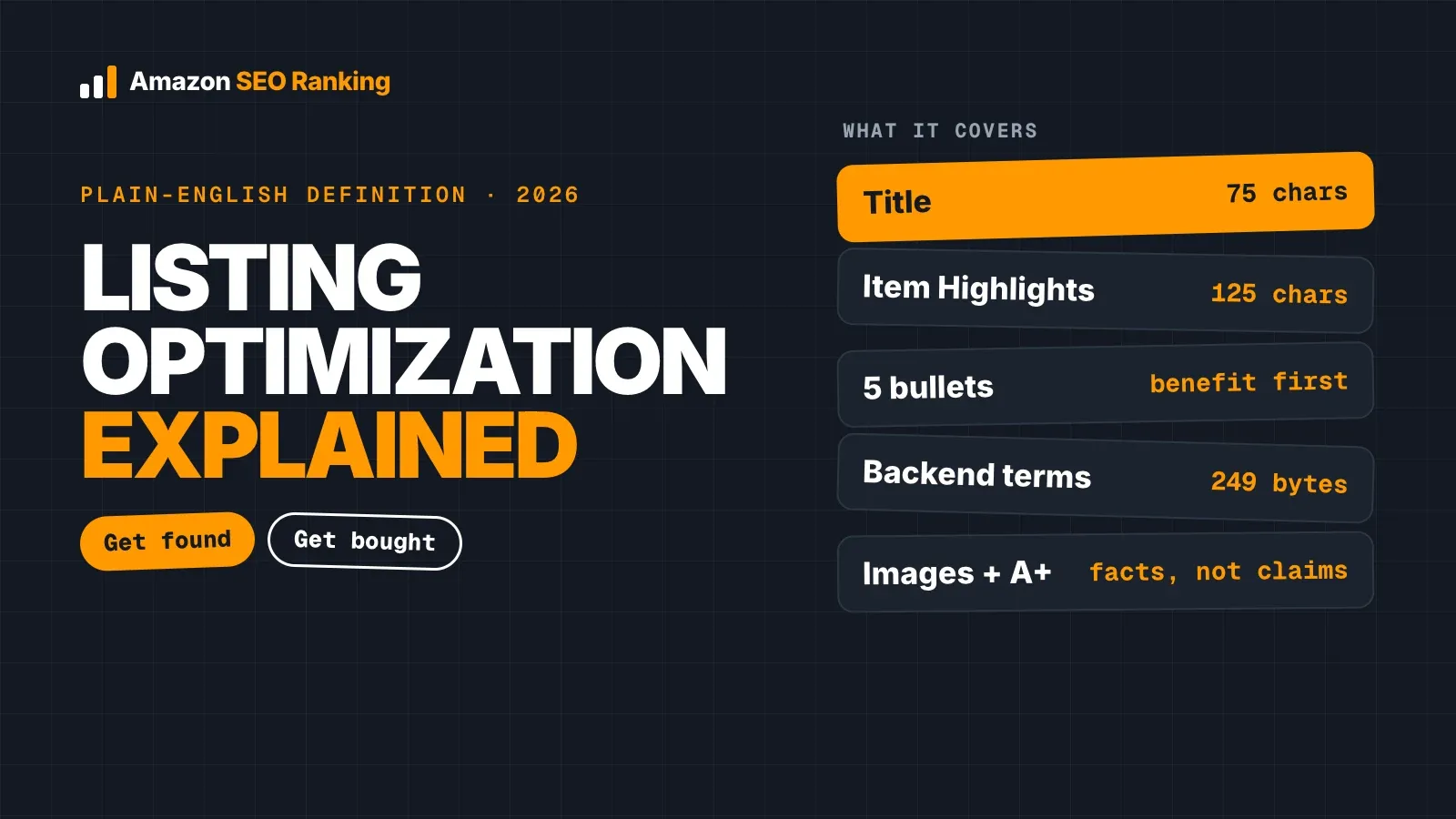
To check your Amazon search terms, open the listing in Seller Central, copy the Search Terms field and run five checks on it: byte count, repeats from your visible copy, prohibited terms, indexing and search demand. The field holds under 250 bytes in most marketplaces, and if you go over, Amazon ignores every word in it.
Shoppers never see this field. Neither does any outside audit of your product page, because Amazon doesn't publish a listing's backend terms. So a mistake here gives no warning: the synonym you thought you'd covered never brings a single impression, and nothing tells you why.
This guide covers where the field lives, the limits in each marketplace, the five checks with a worked example, and what backend keyword extractors and platinum keywords can tell you. It's written for sellers and agencies with live listings who want to know whether their hidden keywords are doing any work.
Key Takeaways (TL;DR)
- Amazon search terms live in one hidden field, Search Terms (generic_keywords in flat files), that Amazon indexes and shoppers never see.
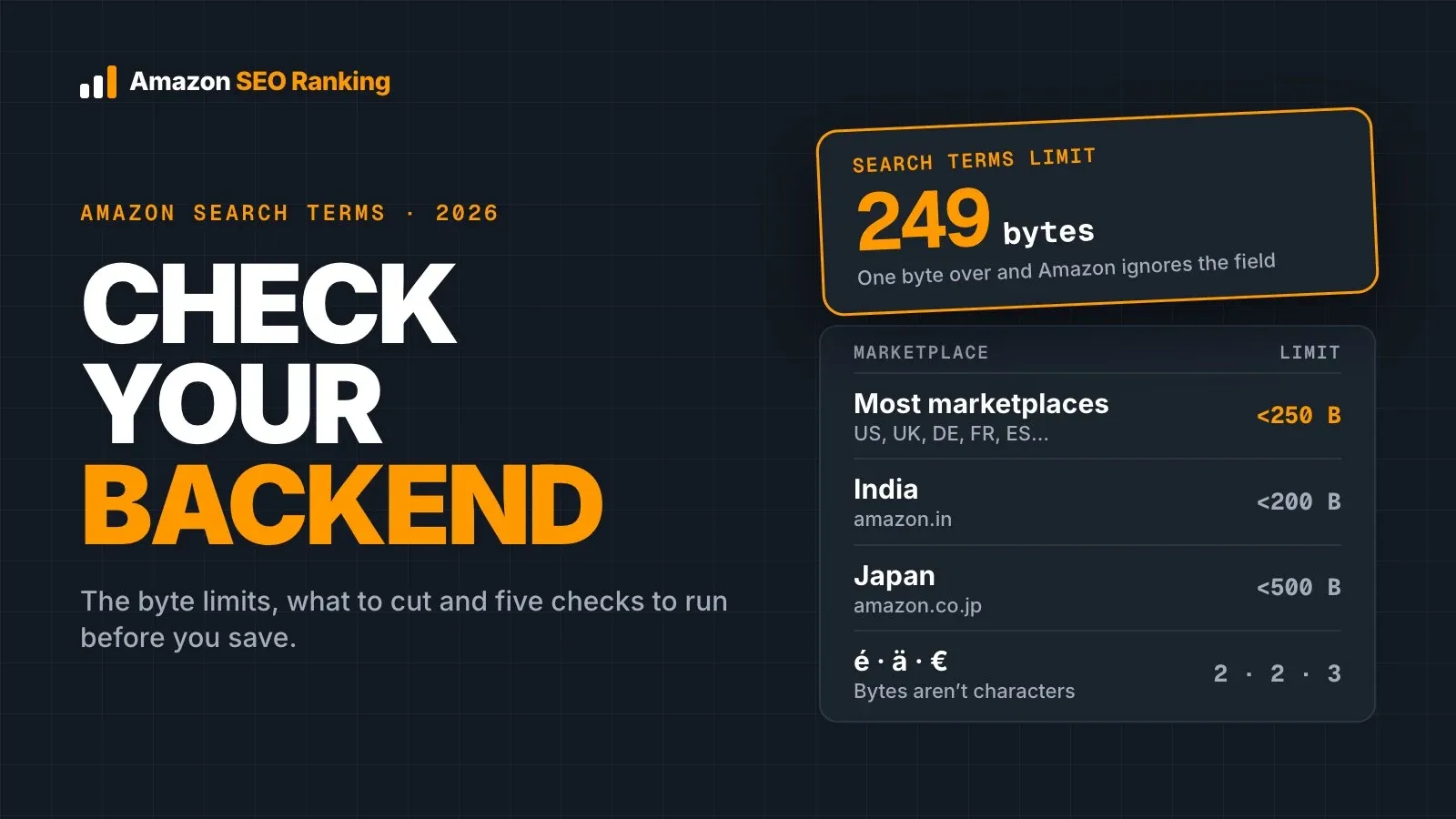
- The limit is under 250 bytes (249 max) in most marketplaces, under 200 in India and under 500 in Japan. Over the limit, Amazon ignores the whole field.
- Bytes and characters differ: é and ä take 2 bytes each, € takes 3.
- A word already in your title, Item Highlights or bullets gains nothing from a second copy in the backend.
- Leave out competitor brand names, ASINs and claims like "#1". They add risk and no relevant traffic.
- A saved keyword counts once Amazon returns your product for a search of your ASIN plus that keyword.
- Platinum keywords are a legacy field. Filling them won't help a standard seller account rank.
Amazon Search Terms: at a Glance
Each check below catches a different failure. Run them in this order, because there's no point testing indexing on a field Amazon is already ignoring for size.
| Check | What you're looking for | Where to run it | What a failure costs you |
|---|---|---|---|
| 1. Copy the live field | The text Amazon actually holds, not the version in your spreadsheet | Seller Central edit page or a flat file export | You audit a draft that never went live |
| 2. Byte count | Under 250 bytes (200 India, 500 Japan) | A byte counter or the free Amazon backend keywords tool | Amazon ignores every word in the field |
| 3. Repeats | Words already in the title, Item Highlights or bullets | Side by side with your visible copy | Bytes spent on matches you already have |
| 4. Prohibited terms | Brand names, ASINs, subjective claims | Manual read, or the AI policy scan on Pro and Agency | Trademark complaints and flagged listings |
| 5. Indexing and demand | Your ASIN shows for each phrase, and shoppers search it | Amazon search bar, Search Query Performance, keyword volume | Bytes held by terms nobody types |
What Amazon Search Terms Are and Where They Live
The phrase covers two different things, and it helps to keep them apart. Shoppers' Amazon search terms are the queries they type into the search bar, which you see in your Sponsored Products search term report and, with Brand Registry, in Brand Analytics. Backend search terms are the words you type into a hidden field on your listing so Amazon can match it to those queries.
This guide is about the second meaning. An Amazon search terms keyword in the backend field works only when it matches what shoppers type, so the first meaning feeds the second: the queries in those reports, the Amazon keywords search terms shoppers actually type, are where your best backend candidates come from.
Where to find the field in Seller Central
Open the listing's edit page in Seller Central and look for the Search Terms attribute. Depending on the view and category, it's labelled Search Terms or Generic Keyword, and in flat files it's the generic_keywords column. Older guides mention five separate search term lines; whatever the layout, the byte limit applies to all the lines combined.
Copy the field from the live listing rather than from your own records. Variations, category templates and bulk uploads can each overwrite the field, and the version in your listing tracker isn't always the one Amazon holds.
Amazon Search Terms Limits by Marketplace
Amazon counts the backend field in bytes, and the ceiling depends on the marketplace. Amazon staff on the Seller Forums put it at under 250 bytes in most marketplaces, under 200 in India and under 500 in Japan, and the limit covers all the keyword lines combined.
| Marketplace | Backend search terms limit | Practical maximum |
|---|---|---|
| Most marketplaces (US, UK, DE, FR, ES, IT, CA and others) | Under 250 bytes | 249 bytes |
| India | Under 200 bytes | 199 bytes |
| Japan | Under 500 bytes | 499 bytes |
Going over is the costliest mistake in this field. Per Amazon staff, a value over the limit means Amazon ignores the whole attribute, so the first 249 bytes don't survive either.
Letters a to z and digits take one byte each. Accented letters such as é, ä and ñ take two, and the euro sign takes three. A German or Spanish line can look short in a character counter and still be over in bytes, which is why sellers in those marketplaces hit the limit first.
How to Check Your Amazon Search Terms in 5 Steps
The five steps below answer the question most sellers start with: how do I check my backend search terms? Each one takes a few minutes per listing. Across a catalog, steps 2 to 4 are the ones worth handing to a tool: Amazon SEO Ranking's Bulk Optimization writes a checked backend line for every ASIN in a file, up to 100 per run on Pro and 500 on Agency.
Step 1: Copy the live field
Paste the live Search Terms value into a plain text file, along with your title, Item Highlights and five bullets. You need the visible copy for step 3, and keeping both in one file means the comparison takes seconds.
If you sell the same ASIN in several marketplaces, copy each one separately. Each marketplace holds its own backend field in its own language, and each has its own limit. A US backend line pasted into amazon.de matches almost nothing German shoppers type, and its umlauts would cost 2 bytes each anyway. Amazon SEO Ranking's rewriter writes backend terms in 12 languages, defaulting to the language of the marketplace you audit.
Step 2: Count bytes, not characters
Run the line through a byte counter. Spreadsheet character counts and Seller Central's own field don't warn you when an accented word pushes you over, and a field at 251 bytes earns nothing at all.
Aim for a line that fits with room left. Reaching exactly 249 bytes isn't a goal in itself, and one more word that nobody searches for adds nothing.
Step 3: Remove words your visible copy already covers
Amazon indexes your title, Item Highlights and bullets on its own. A word that appears there gains nothing from a second copy in the backend, and Amazon's own tips say not to repeat words within the field either.
Check the visible copy first. If your title is over Amazon's 75-character limit, Amazon may rewrite it, which changes which words are already indexed; a free Amazon listing audit flags that before you compare. Then read your backend line word by word against the visible copy and delete every match. Word order inside the field matters far less than which words make it in, so put the freed bytes toward synonyms, spelling variants and other-language terms that appear nowhere else on the page.
Step 4: Strip terms Amazon prohibits
Delete competitor brand names, ASINs and subjective claims such as "best" or "#1". Your own brand name can go too, since it's already in your title. Competitor brands are the most serious of these: they invite trademark complaints and bring clicks from shoppers looking for a different product.
Temporary wording like "new" or "on sale" earns little as well. It describes the listing on one day, and the backend line can sit untouched for a year.
Step 5: Confirm indexing, then check demand
Search Amazon for your ASIN followed by one backend phrase, for example B0XXXXXXXX coffee filter holder. If your product appears, Amazon has indexed that phrase for the listing; if it doesn't, the phrase isn't counting yet. Run the test after every edit and again a few days later.
Indexing tells you a phrase can bring traffic, and search volume tells you whether it will. Check each backend phrase against Amazon search volume and swap any that shoppers don't type for ones they do. Brand-registered sellers can also watch Search Query Performance for impressions on the new phrases over the following weeks.
Worked Example: Checking One Backend Line
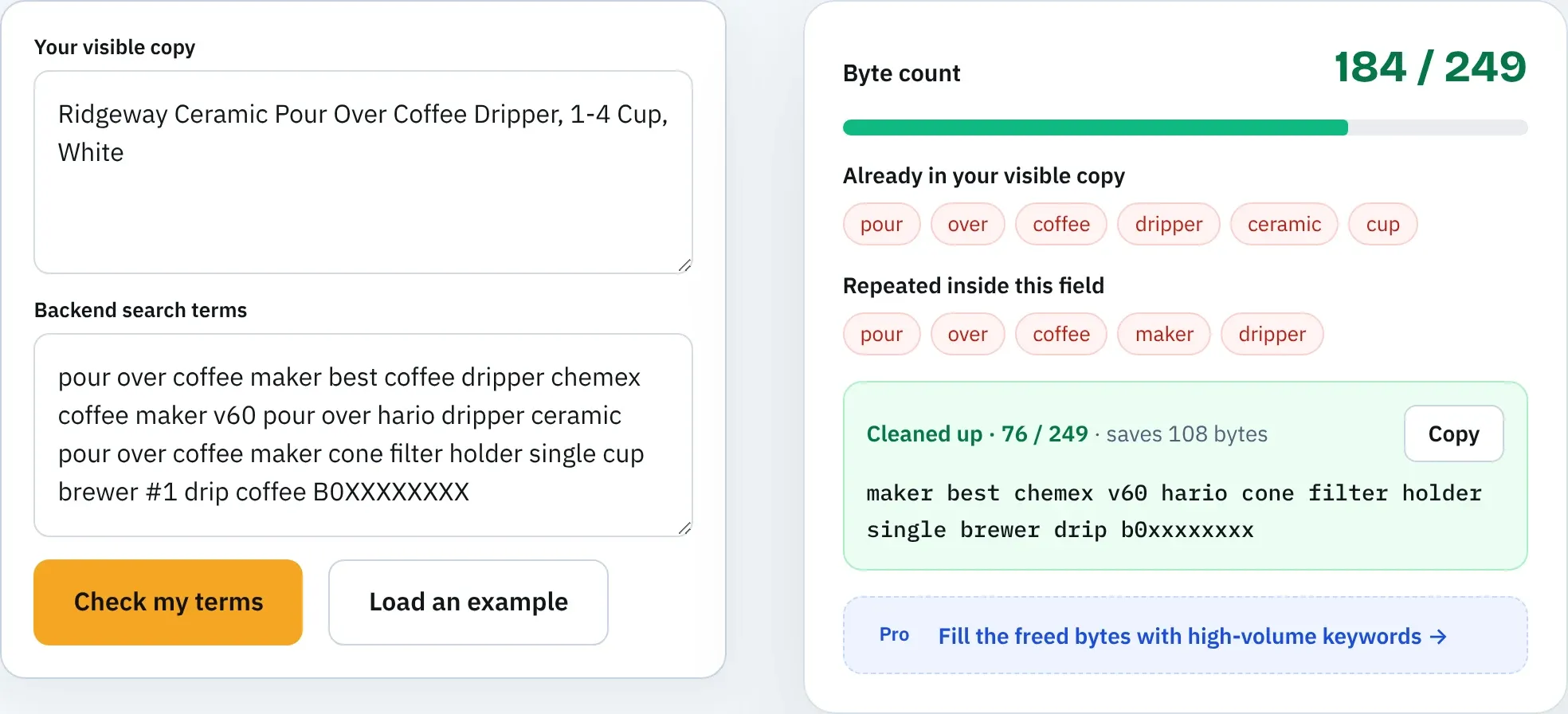
Take a fictional listing: Ridgeway Ceramic Pour Over Coffee Dripper, 1-4 Cup, White (57 characters). Here's a backend line with several common mistakes, run through Amazon SEO Ranking's listing copy check, including the AI policy scan available on Pro and Agency, on 20 October 2026:
pour over coffee maker best coffee dripper chemex coffee maker v60 pour over hario dripper ceramic pour over coffee maker cone filter holder single cup brewer #1 drip coffee B0XXXXXXXX
At 184 bytes it passes the byte check, which is where most sellers stop. The repeat check and the AI policy scan found four problems.
| Problem | Words | Why it fails |
|---|---|---|
| Competitor brands (AI scan: high severity) | chemex, hario | Trademark complaint risk, traffic from shoppers who want another brand |
| ASIN in the field (AI scan: medium) | B0XXXXXXXX | Against Amazon's rules for search terms |
| Unsupported claim (AI scan: low) | #1 | A ranking claim the listing can't back up |
| Repeats from the title | pour, over, coffee, dripper, ceramic, cup | Already indexed from the title, and "pour over coffee maker" appears three times |
The rewrite keeps only words the title doesn't hold, adds a Spanish phrase for US shoppers searching in Spanish, and passes every check, with no flags from the AI scan:
single maker filter holder manual cone drip porcelain brewer cafetera de goteo café hand brew camping office
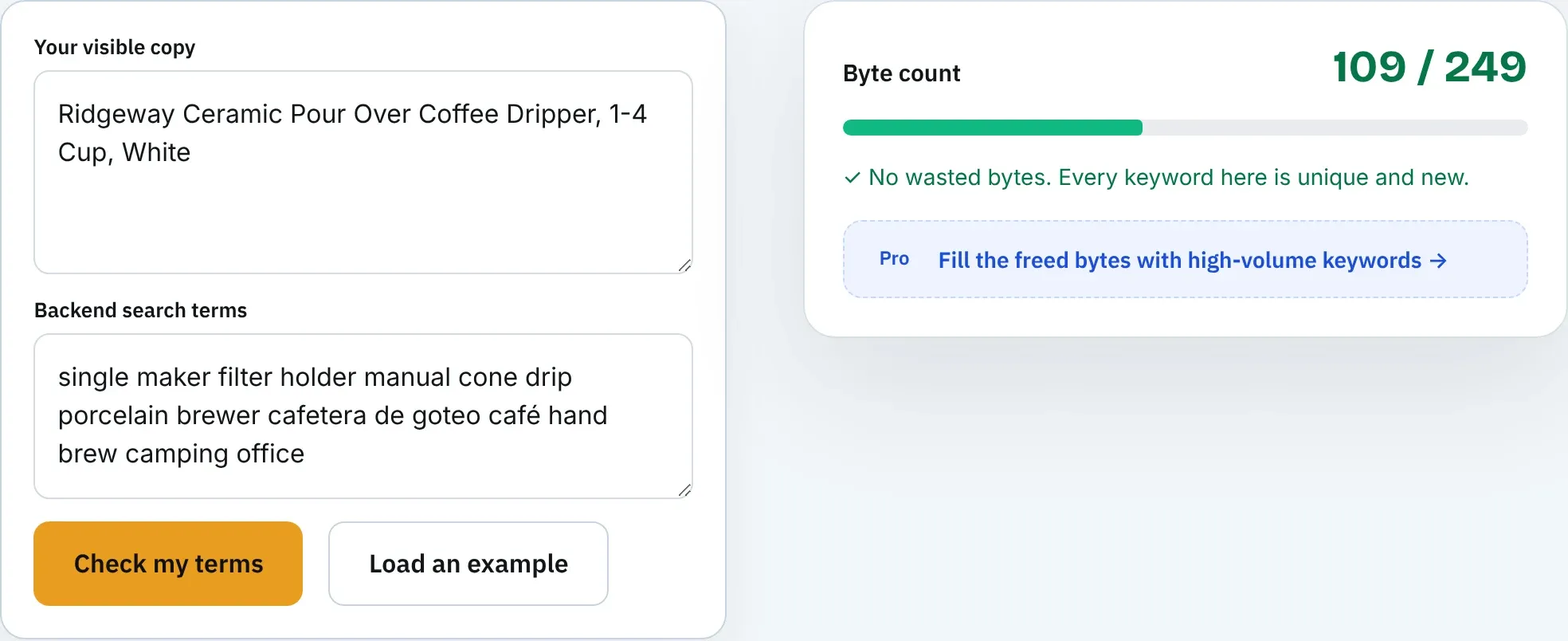
That's 108 characters but 109 bytes, because the é in café takes two. It leaves 140 bytes free for the next round of research. Combined with the title, it covers searches like these (US, estimated monthly Amazon searches from Amazon SEO Ranking's keyword volume tool):
| Search phrase | Est. monthly US searches | Covered by |
|---|---|---|
| pour over coffee | ≈8,789 | Title |
| single cup coffee maker | ≈3,777 | Title (cup, coffee) + backend (single, maker) |
| pour over coffee dripper | ≈1,533 | Title |
| coffee filter holder | ≈1,383 | Title (coffee) + backend (filter, holder) |
| manual coffee maker | ≈187 | Title + backend |
| pour over cone | ≈74 | Title + backend (cone) |
| porcelain coffee dripper | ≈37 | Title + backend (porcelain) |
| cafetera de goteo | ≈37 | Backend |
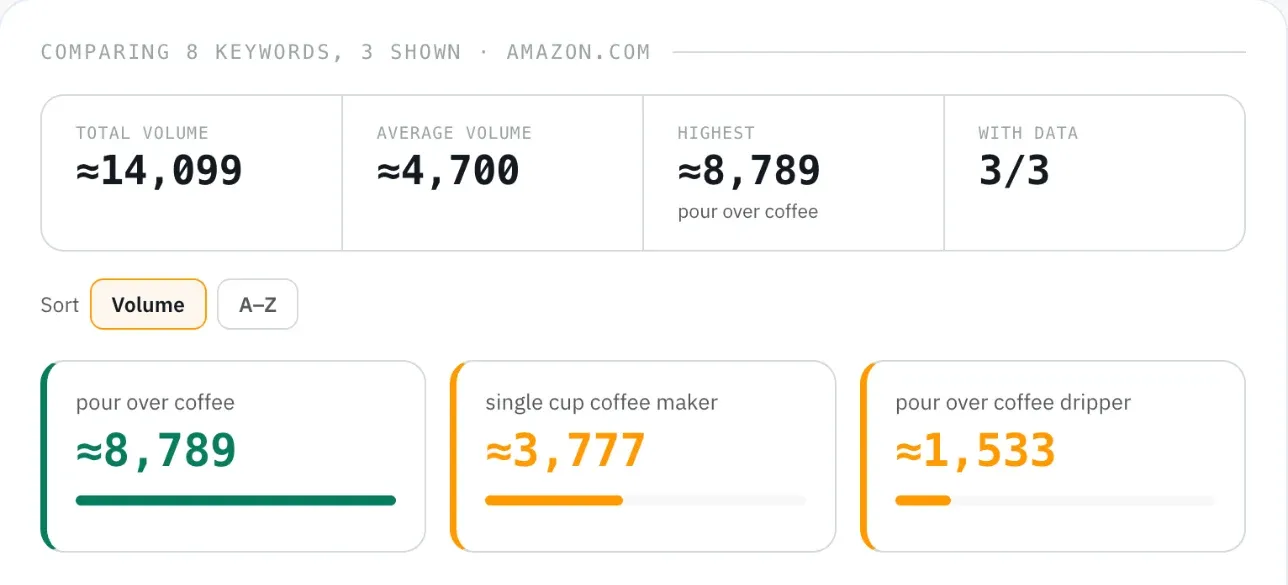
Two things stand out. Phrases like "single cup coffee maker" combine words from the title and the backend, which is why repeats are wasted bytes: Amazon indexes the individual words from each field, so one copy of a word is enough. And the volumes show where the free 140 bytes should go next, toward phrases with demand that neither field covers yet.
Choosing an Amazon Search Terms Tool
You can run all five checks by hand. A tool earns its place when you manage more than a handful of ASINs, or when you edit listings in languages where bytes and characters part ways. An Amazon search terms tool worth using should do four things.
| What to look for | Why it matters | In Amazon SEO Ranking |
|---|---|---|
| Byte count against the marketplace limit | A field over the limit is ignored | Free checker counts against 249 bytes |
| Repeat detection against your visible copy | Repeats waste bytes | Free: paste your title and bullets alongside |
| Prohibited-term flags | Brand names and ASINs can get a listing flagged | AI policy scan on Pro and Agency (it caught every risky term in the example above) |
| Search volume for candidate terms | Bytes should go to phrases shoppers type | Backend keywords ranked by real search volume on Pro and Agency |
Amazon SEO Ranking's free Amazon backend keywords tool covers the first two with no account, and it runs in your browser, so the terms you paste aren't sent anywhere. It's also the one check the main listing audit can't run alone, since Amazon doesn't show backend terms on the public page. Every other part of the listing is scored against 12 published criteria, and the backend field is the one place sellers otherwise get no feedback at all.
The same checker runs automatically on the backend line the AI Amazon listing generator writes for you, and that rewriter never repeats words from the visible copy it produced. If you're comparing it with an all-in-one Amazon backend keywords tool inside a seller suite, those suites' core plans run $99 to $129 a month for 20-plus tools, most of which have nothing to do with the backend field.
What an Amazon backend keyword extractor can show
Several tools sell an Amazon backend keyword extractor that claims to reveal a competitor's hidden terms. Amazon doesn't publish backend search terms on the product page, so no tool reads them directly. What an extractor can do is test which phrases a competitor's ASIN is indexed or ranks for, and list the ones that don't appear anywhere in its visible copy.
That list is useful as research, with one limit: a competitor's backend may hold irrelevant or rule-breaking terms, and copying them copies their mistakes. The ranking data behind an extractor is the valuable part. In Amazon SEO Ranking, What I rank for (Pro) lists the keywords an ASIN ranks for, and Keyword gap (Agency) compares up to 20 ASINs to show phrases competitors rank for that you don't. Both cover the US, Egypt, Saudi Arabia and the UAE, so sellers in other marketplaces should test competitor phrases with the ASIN search from Step 5.
Platinum Keywords on Amazon: Should You Fill Them?
Some Seller Central views still show fields labelled Platinum Keywords. These belong to Amazon's old Platinum Merchant program, and Amazon's current search terms guidance for sellers doesn't mention them.
For a standard seller account, platinum keywords on Amazon won't help a listing rank, so leave them empty and put the effort into the Search Terms field. Some other attributes do feed search and filters, such as target audience, intended use and material. Fill those with accurate values from the dropdowns rather than as a second keyword dump.
Where New Backend Keywords Come From
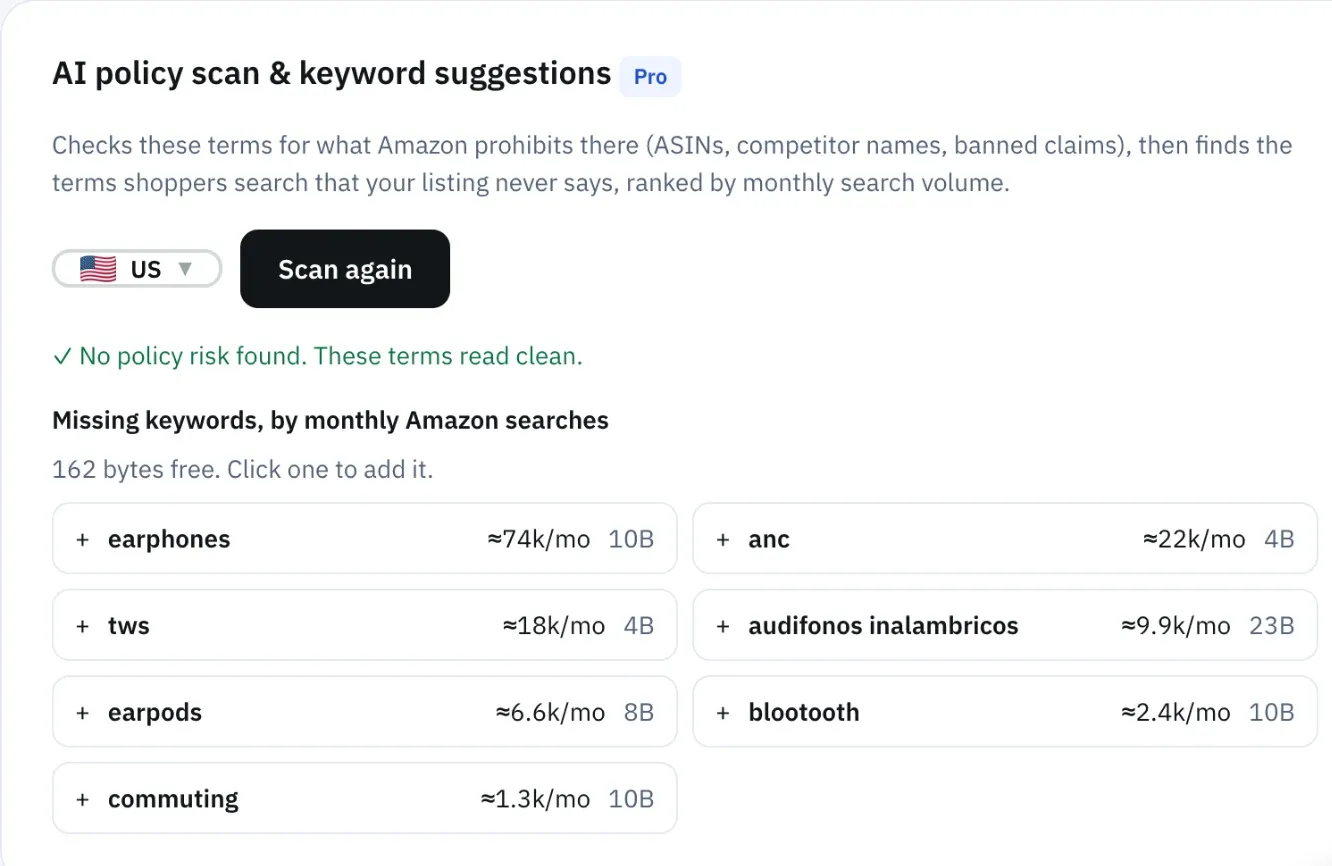
Checking the field only tells you what to cut. To refill the freed bytes, you need phrases shoppers type that your visible copy doesn't hold. These sources are the most reliable, roughly in order:
- Your Sponsored Products search term report: queries that already produced clicks and orders.
- Search Query Performance and Brand Analytics, for Brand Registry sellers.
- Amazon autocomplete, which lists long-tail phrases for free.
- Customer reviews and questions, where buyers name the product in their own words, including the synonyms you didn't think of.
- A keyword research tool with Amazon search volume, to rank the candidates.
Sort the list by relevance first and volume second. A high-volume phrase that describes a different product brings clicks that don't convert. Our guide to building an Amazon keywords list from long-tail searches covers that sorting step in detail.
Then decide where each phrase goes. The title, Item Highlights and bullets take your highest-value phrases in readable form, and the backend takes the synonyms, misspellings and other-language variants. Our map of keywords for Amazon listing fields shows which kind of phrase belongs in which field after the 75-character title rule.
Everything You Need to Know About Amazon Search Terms
Use this table as a checklist when you review a listing or a teammate's backend line.
| Topic | What to know | Rule or number |
|---|---|---|
| What the field is | Hidden keywords Amazon indexes for search | Search Terms, generic_keywords in flat files |
| Two meanings | Shopper queries (reports) vs your backend field | Reports feed the field |
| Limit | Counted in bytes, all lines combined | Under 250 bytes most, 200 India, 500 Japan |
| Over the limit | Amazon ignores the entire field | 0 words count |
| Bytes vs characters | Accented letters and symbols cost more | é = 2 bytes, € = 3 |
| Repeats | Words in title, Item Highlights or bullets are already indexed | Delete every repeat |
| Prohibited | Brand names, ASINs, subjective and temporary claims | Strip before saving |
| Indexing | Search your ASIN plus each phrase | Re-check after every edit |
| Demand | Fill freed bytes with phrases shoppers type | Rank candidates by search volume |
| Extractors | Infer competitor terms from ranking data | Backend terms aren't public |
| Platinum keywords | Legacy field from the Platinum Merchant program | Leave empty |
| Multiple marketplaces | Each has its own field, language and limit | Check each one |
Check Your Amazon Search Terms Free Before You Save
Amazon SEO Ranking audits a live listing against 12 published criteria and rewrites what fails, including a backend search terms line that never repeats your visible keywords. The free backend checker catches over-limit lines and repeats with no account, Pro adds an AI policy scan for brand names, ASINs and claims, and the AI rewrites are tied to the specific criterion each listing fails, so you see why a line changed.
It's built for sellers and agencies with listings already live that need to rank better, especially anyone selling one ASIN across several Amazon storefronts, where each backend field needs its own language and byte count. The audit covers 23 Amazon marketplaces, and agencies can run Bulk Optimization across up to 500 ASINs per run on the Agency plan.
Amazon SEO Ranking holds the #1 Product badge on IndieHunt. The free plan includes 3 full audits a month with no credit card required, and Pro starts at $79 a month with a 7-day free trial and no contract. Run your free Amazon listing audit on the ASIN you checked, or see plans and pricing if you're checking a full catalog.
FAQ
What are Amazon search terms?
Amazon search terms are the hidden keywords in a listing's Search Terms field that Amazon indexes for search and shoppers never see. The same phrase also describes the queries shoppers type, which appear in your Sponsored Products search term report. The backend field holds under 250 bytes in most marketplaces. Use it for synonyms, spelling variants and other-language terms that don't fit your title, Item Highlights or bullets.
How do I check my Amazon backend search terms?
You check your Amazon backend search terms by copying the live Search Terms field from Seller Central and running five checks: byte count, repeats from your visible copy, prohibited terms, indexing and search demand. Count bytes rather than characters, since é takes 2 bytes and € takes 3. Delete any word already in your title or bullets, plus brand names, ASINs and claims like "#1". Then search Amazon for your ASIN plus each phrase to confirm your product appears.
How many characters can Amazon backend search terms have?
Amazon backend search terms can hold under 250 bytes in most marketplaces, under 200 bytes in India and under 500 bytes in Japan. The limit counts bytes, so 249 plain letters fit but a line with accented words fits fewer characters. The limit covers all keyword lines combined. If the field goes over, Amazon ignores every word in it.
Should I repeat keywords from my title in backend search terms?
You should not repeat keywords from your title in backend search terms, because Amazon already indexes every word in the title. A second copy spends bytes and adds no new search match. Amazon indexes individual words from each field, so a title with "coffee dripper" and a backend with "single maker" can match "single cup coffee maker". Spend the backend bytes on words that appear nowhere on the visible page.
Do backend keywords still work on Amazon?
Backend keywords still work on Amazon as an indexing signal: a phrase in the Search Terms field can make your product eligible to show for that query. They don't guarantee a high rank, which depends on relevance, sales and conversion. You can confirm a backend phrase works by searching Amazon for your ASIN plus the phrase. If your product appears, the phrase is indexed.
Can you see a competitor's backend search terms on Amazon?
You cannot see a competitor's backend search terms on Amazon, because Amazon doesn't publish the field on the product page. Backend keyword extractors infer likely terms by testing which phrases a competitor's ASIN ranks or is indexed for. That ranking data is more useful than the raw terms, which may include mistakes. In Amazon SEO Ranking, Keyword gap on the Agency plan compares up to 20 ASINs to show phrases competitors rank for that you don't, in the US, Egypt, Saudi Arabia and the UAE.
Are platinum keywords still used on Amazon?
Platinum keywords are a legacy field from Amazon's Platinum Merchant program and don't help a standard seller account rank. Amazon's current search terms guidance for sellers covers the Search Terms field and doesn't mention platinum keywords. Leave those fields empty. Put the time into the Search Terms field and into accurate category attributes such as material and intended use.
Do I need a paid Amazon search terms tool to check backend keywords?
You don't need a paid Amazon search terms tool to check backend keywords, because the byte count, repeat check and indexing test can all be done by hand or with a free checker. Amazon SEO Ranking's backend keywords tool is free with no account and flags over-limit lines and repeats. A paid plan adds value when you need search volume to choose replacement terms, or an AI policy scan for brand names, ASINs and claims across many listings. Pro costs $79 a month and starts with a 7-day free trial.