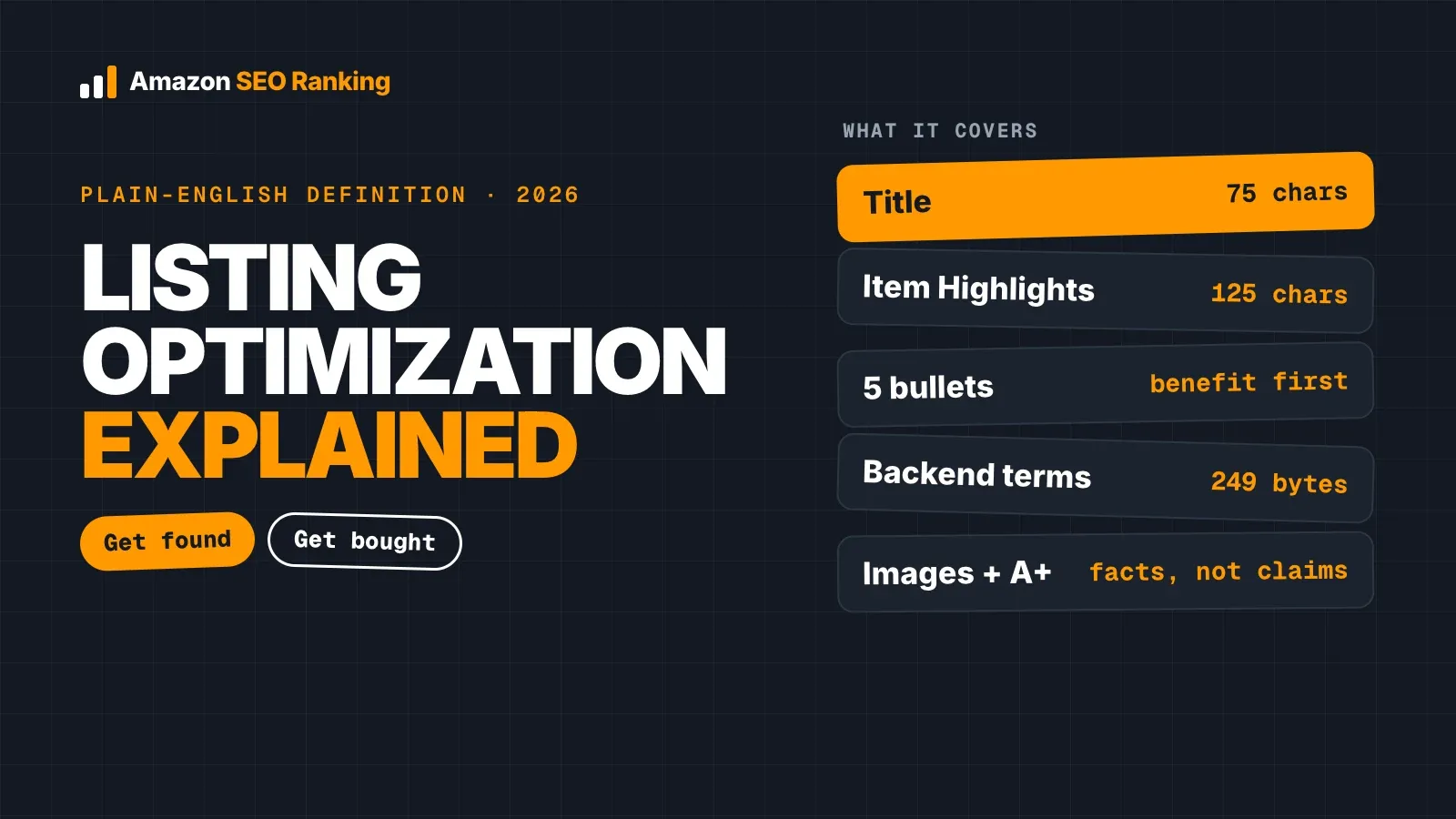
Amazon listing optimization is the work of improving a product detail page so the right shoppers find it in Amazon search and buy once they land on it. In practice, that means choosing the keywords people type, placing them in the title, Item Highlights, bullets and backend search terms within Amazon's limits, and making the images, facts and claims clear enough that a shopper doesn't need to look elsewhere.
It has two jobs that depend on each other. Amazon only shows your listing for a search if the listing is relevant to that search, and it keeps showing it higher if shoppers click and buy. Keywords get you into the results. The rest of the page decides whether you stay there.
This guide explains what Amazon listing optimization covers field by field, how it differs from Amazon SEO, what changed in 2026, a six-step process you can follow, and the things optimization can't fix.
Key Takeaways (TL;DR)
- Definition: Amazon listing optimization is improving a product page's copy, images and data so it ranks for relevant searches and converts the shoppers who see it.
- What it covers: title, Item Highlights, bullet points, description, backend search terms, images, A+ content and product attributes.
- Amazon SEO is one part of it: SEO focuses on being found; listing optimization also covers whether the page convinces a shopper to buy.
- What changed in 2026: since July 27, most titles are capped at 75 characters, a 125-character Item Highlights field holds the rest, and Amazon rewrites long titles with its own AI.
- What it can't fix: price, stock, review count and sales history. A well-written page with no stock still won't rank.
- How to start: audit one live listing against a fixed set of rules, fix the highest-value failures first, and re-check after every edit.
What Is Amazon Listing Optimization: at a Glance
| Question | Short answer |
|---|---|
| What is it? | Improving a product detail page so it ranks for relevant searches and converts shoppers |
| Main goal | More sales from the same organic traffic, and more organic traffic over time |
| Fields involved | Title, Item Highlights, bullets, description, backend search terms, images, A+ content, attributes |
| Title limit (2026) | 75 characters, spaces included, in every category except media |
| Item Highlights | 125 characters, searchable, shown below the title |
| Backend search terms | Hidden from shoppers; up to 249 bytes in most marketplaces |
| Is it the same as Amazon SEO? | SEO is the "be found" half; optimization also covers "be bought" |
| How often | After any edit, rank drop, new competitor on page one or Amazon policy change |
| What it can't fix | Price, stock, reviews, sales history |
| Typical cost | Free (DIY), $50+ per listing (agency), from $0 (tools with a free tier) |
What Is Amazon Listing Optimization?
Amazon listing optimization is a set of edits to a product detail page, made on purpose and checked against data. You decide which searches the product should appear for, write the page so Amazon can match it to those searches, and present the product so a shopper comparing five similar results picks yours.
It applies to new and existing listings. A new listing needs to be optimized before launch so Amazon indexes the right keywords from day one. An existing listing usually needs it because something changed: Amazon's rules, the competitors on page one, the keywords shoppers use, or the product itself.
The two halves: found and bought
The first half is relevance. Amazon reads your title, Item Highlights, bullets, description, backend search terms and attributes to decide which searches your product belongs in. If "8 mm yoga mat" appears nowhere on the page or in the backend, the listing has little chance of ranking for it, however good the mat is.
The second half is conversion. Once the listing shows up, the main image, title, price, rating and delivery promise decide whether a shopper clicks. On the page, the bullets, gallery and A+ content decide whether they buy. Our guide on how Amazon conversion rate affects ranking explains why the two halves feed each other: listings that sell for a search tend to keep ranking for it.
Amazon Listing Optimization vs Amazon SEO
People use the two terms almost interchangeably, and the overlap is large. Amazon SEO is the part that deals with search: keyword research, keyword placement, indexing and backend search terms. Its question is "will Amazon show this listing for this search?"
Listing optimization takes in all of that and adds the parts that affect what shoppers do: image order, the facts in each bullet, A+ modules, claims that match the product, and copy that reads well on a phone. A listing can be perfectly indexed and still sell poorly because the main image is unclear or the bullets bury the size.
| Amazon SEO | Amazon listing optimization | |
|---|---|---|
| Main question | Will Amazon show this listing? | Will shoppers find it and buy it? |
| Fields | Title, Item Highlights, bullets, backend, attributes | All of those, plus images, A+ content, description, claims |
| Success measure | Indexing and organic rank for target keywords | Rank plus click-through and conversion rate |
| Typical work | Keyword research and placement | Keyword work plus copy, images and fact checks |
If you want the search side in depth, our Amazon SEO guide covers how Amazon ranks products and which signals sellers control.
What Amazon Product Listing Optimization Covers
Amazon product listing optimization touches every field a shopper sees and one they don't. Each field has its own rules, and the limits below are current as of November 2026.
| Field | What it does | Rule or limit |
|---|---|---|
| Title | First line of the search result; strongest keyword signal | 75 characters in most categories since July 27, 2026 |
| Item Highlights | Searchable line shown below the title | 125 characters |
| Bullet points | Five key facts and benefits on the page | Up to 255 characters each; about 200 show in full on mobile |
| Description | Longer copy, often replaced by A+ content for brand owners | Up to 2,000 characters |
| Backend search terms | Hidden keywords: synonyms, misspellings, other languages | Up to 249 bytes in most marketplaces; over the limit, the line is ignored |
| Images and video | Main image drives the click; gallery answers questions | 1,000 px or larger on the longest side for zoom |
| A+ content | Branded modules below the fold | Brand Registry required |
| Attributes | Structured data such as size, material and count | Used by filters and by Amazon's AI shopping features |
Title and Item Highlights
The title is where most of the keyword weight sits, and it's the field that changed most this year. A title written for the old 200-character limit has to be split: brand, product type and the most important attribute stay in the title, and the rest moves to Item Highlights. According to Amazon's July 2026 Q&A as reported by SellerEngine, Amazon says both fields are search inputs and neither is prioritized over the other.
Here's a fictional example for a yoga mat:
- Old title (138 characters): PureFlex Yoga Mat Non Slip Extra Thick 8mm TPE Eco Friendly Exercise Mat for Women Men Home Gym Pilates Floor Workouts with Carrying Strap
- New title (56 characters): PureFlex Yoga Mat, 8 mm Thick TPE, Non-Slip, 183 x 61 cm
- Item Highlights (97 characters): Eco-friendly TPE mat for yoga, Pilates and home workouts, with carrying strap and alignment lines
Bullets, description and backend terms
Bullets carry the facts shoppers check before buying: size, material, what's in the box, who it's for, how to clean it. Start each one with a short sentence-case header and keep the key fact inside the first 200 characters so it isn't cut off on mobile. ALL CAPS headers and promotional words like "best" or "guaranteed" break Amazon's style rules.
Backend search terms are the one field no shopper sees, which is why they're easy to get wrong. Use them for synonyms, misspellings and terms in other languages, without repeating words already on the page and without competitor brand names. Our guide to Amazon backend search terms shows what to put in that line and how bytes are counted.
Images, A+ content and attributes
The main image does most of the work in search results, where it sits next to the title, price and rating. The gallery then answers questions the copy can't: scale, texture, what comes in the box. A+ content gives brand owners room for comparison charts and detail that doesn't fit in bullets.
Attributes are often skipped because shoppers rarely see them as a block. They feed the filters on the left of search results ("Material: TPE", "Thickness: 8 mm") and give Amazon's AI shopping tools structured facts to match against a question. A listing missing its material attribute can drop out of a filtered search entirely.
Why Amazon Listing Optimization Matters More in 2026
Three changes in 2026 turned listing optimization from occasional upkeep into regular work.
The first is the title rule. From July 27, 2026, titles in every category except media must be 75 characters or fewer, spaces included, and titles still over the limit are gradually replaced with Amazon's own AI recommendation. A seller who doesn't rewrite the title lets Amazon decide which keywords to keep.
The second is AI-written copy at scale. Amazon says 900,000 sellers have adopted its generative AI listing tools, and general AI assistants write a full listing in seconds. Drafting is faster, but the risk moved to accuracy: an AI rewrite that says "set of 2" on a single-item box reads fine and turns into "not as described" returns. That's why Amazon SEO Ranking checks every AI rewrite against the product's own spec table and flags pack counts that disagree across fields before you paste anything into Seller Central.
The third is how shoppers search. Alexa for Shopping (formerly Rufus) answers questions like "which yoga mat is best for bad knees?" by matching them against the facts a listing states. Pages that say who the product is for, what it's used for and what it's made of give the assistant something to quote. Amazon SEO Ranking scores this directly: 2 of its 12 criteria check whether a listing states those facts for Alexa for Shopping and COSMO. Our Rufus and COSMO SEO guide covers what Amazon has published about how these features read listings.
One listing per storefront
All three changes apply separately in every Amazon storefront you sell in. The same product has its own title, bullets, backend line and language on amazon.com, amazon.de and amazon.co.jp, so a listing that passes in the US can fail in Germany. Checking only your home marketplace leaves the others unchecked.
Amazon SEO Ranking audits and rewrites listings in 23 Amazon storefronts, and each rewrite comes back in that marketplace's language, so the same ASIN can score differently on amazon.com and amazon.de, with the fixes for each.
How to Optimize an Amazon Listing in 6 Steps
The order below puts the cheapest, highest-impact fixes first. Each step assumes the listing is already live; for a new listing, start at step 2.
1. Audit the live listing against fixed rules
Start with what's on Amazon now, in the marketplace you're fixing, not the copy in your spreadsheet. Check every field against the limits in the table above and note which ones fail. Use rules you can see, so you know exactly why a field failed and which fix is worth the most, and you don't rewrite parts that were already working.
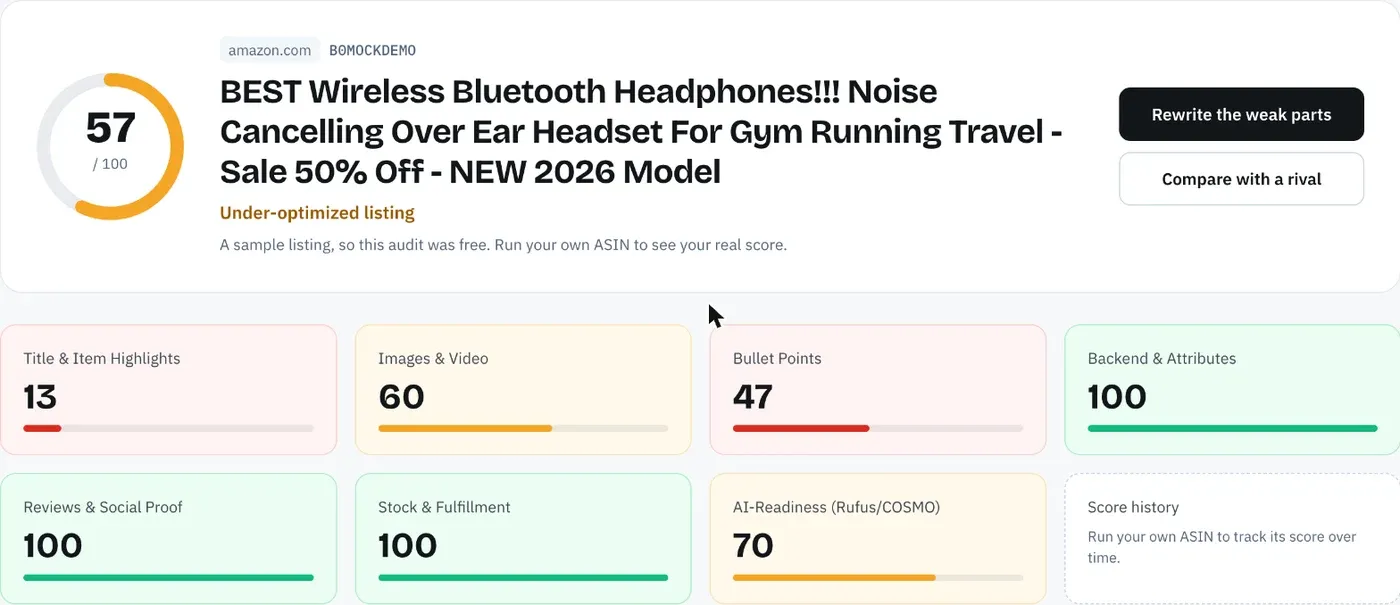
This is the step Amazon SEO Ranking is built for. Its audit pulls the live listing at run time and scores it against 12 published criteria, each worth the same share of the 100 points, so every lost point comes with the rule it broke. Write down the result with a date; you'll need it to tell whether later edits helped. Our step-by-step guide on how to audit an Amazon listing for SEO walks through the checks in order.
2. Research the keywords shoppers use
Find the searches that describe your product and check how often people run them on Amazon, not on Google. Group them into a main keyword for the title, a few secondary ones for Item Highlights and bullets, and long-tail terms and synonyms for the backend.
Filter the list before you use it. Competitor brand names, unrelated products and terms that don't describe your item add nothing and can break Amazon's rules.
3. Rewrite the title and Item Highlights
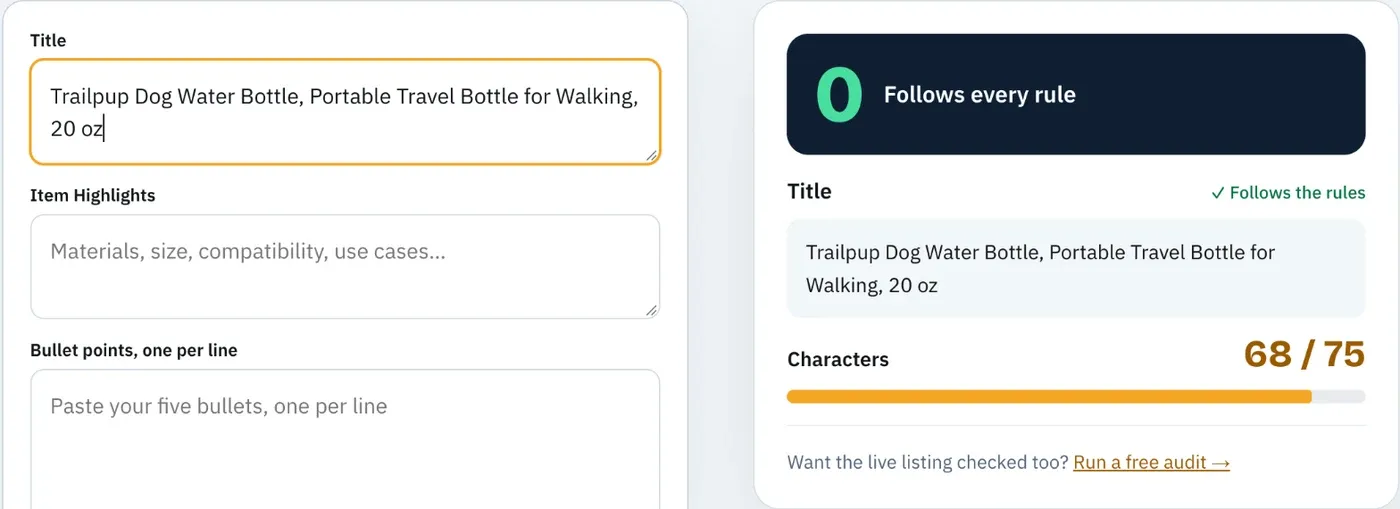
Put the brand, product type and the attribute shoppers filter by most into the 75-character title. Move the next most important keywords and details into the 125-character Item Highlights line. Count characters in a tool rather than by eye, since a title at 76 characters is over the limit.
The free Amazon character limit checker does this with no account, and shows where each field gets cut on mobile.
4. Rewrite the bullets and description from the spec table
Write each bullet around one fact from the product's spec table, with the benefit after it. Check every number, material and count against the product itself. Copy that contradicts the box costs more in returns than it gains in rank.
Use the description, or A+ content if you have Brand Registry, for detail that doesn't fit in five bullets: care instructions, comparisons, use cases.
If you use AI for this step, make it start from the spec table. Amazon SEO Ranking's AI Copy Rewriter targets only the criteria the listing failed, writes from the listing's spec table and your brand fact sheet, and checks every rewrite for length limits, unsupported claims and pack counts that disagree across the title, bullets and description.
5. Fill the backend line and attributes
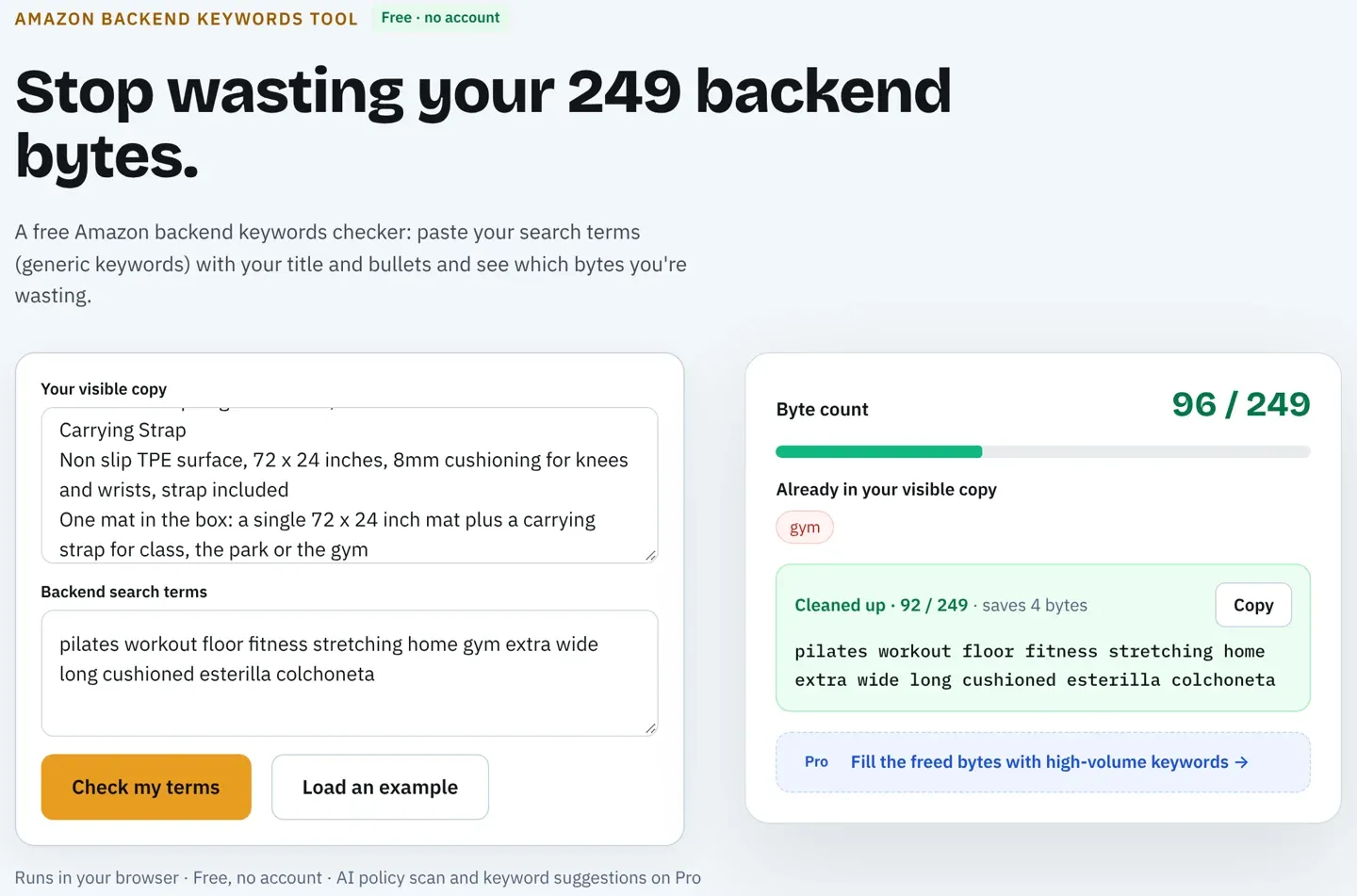
Add the remaining synonyms, misspellings and other-language terms to backend search terms, staying under the byte limit for your marketplace. Count bytes, not characters: accented letters take 2 bytes, so a German or French line fits fewer words.
The free Amazon backend keywords tool counts the line against 249 bytes and flags words you already used in the visible copy, with no account. Then fill every attribute Amazon offers for your category, especially the ones that appear as search filters.
6. Check images, publish, and re-test
Confirm the main image meets Amazon's requirements and the gallery shows scale, contents and close-ups. Before publishing, score the new copy as a draft: Amazon SEO Ranking's draft audit rates it against the live listing's images, rating and Prime status and shows the score before and after. After publishing, search for your main keywords in a private browser window to confirm the listing is indexed, and re-run the audit to make sure nothing broke.
Repeat the audit after any rank drop, new competitor on page one or Amazon rule change, and in every storefront you sell in. A listing optimized once in 2025 was written for a title limit that no longer exists.
What Listing Optimization Can't Fix
Listing optimization controls the page. Amazon's ranking also depends on things the page doesn't control, and it helps to know which is which before blaming the copy.
Price is the most direct. A listing priced well above similar products on page one will lose clicks no matter how it's written. Stock is next: an out-of-stock listing, or one with long delivery times, drops in results. Reviews take time and can't be written into the page. Sales history compounds, so a new listing competes against products with years of sales for the same keyword.
What optimization does is make sure none of these problems is made worse by the page. A listing with a strong price and good reviews can still miss sales because it isn't indexed for the main keyword, or because the title was rewritten by Amazon and lost the size. Fixing the page removes that loss.
An audit should still tell you when the problem isn't the copy. Amazon SEO Ranking's 12 criteria include reviews and stock and fulfillment alongside the copy and images, so a low score from a thin review count or an out-of-stock listing shows up as exactly that, and you don't spend a week rewriting bullets that were fine. Our guide to Amazon Buy Box ranking factors covers the price and fulfillment side.
Who Should Do It: DIY, Agency or Tool
Sellers usually choose among three ways to do the work, and many combine them.
Doing it yourself costs nothing but time. A careful manual check of one listing against all the limits, plus drafting the fixes, takes around an hour. For a handful of ASINs that's manageable; for 200 ASINs in four storefronts, it's 800 listings.
Agencies handle keyword research, copy and images for you, and typically bill $50 or more per listing for a rewrite. The trade-off is cost and turnaround, and you still need a way to check their work.
Tools run the checks in seconds and draft fixes, with a person reviewing the output. Some are full seller suites with product research and PPC; others focus only on listings. Whichever you consider, ask two questions: does the tool show how its score is calculated, and does it audit each storefront you sell in? A score you can't trace to a rule doesn't tell you which fix to make first, and an agency can't explain it to a client.
Amazon SEO Ranking publishes all 12 criteria and pass rules, and audits in 23 storefronts. For agencies, the Agency plan runs Bulk audits and rewrites of up to 500 ASINs with white-label PDF reports, which works out to about $0.50 per listing against the $50 or more a manual rewrite costs. If you're comparing options, our roundup of the best Amazon listing optimization tools sets ten of them side by side, including where each one does better than ours.
Everything You Need to Know About Amazon Listing Optimization
| Topic | What to know | Rule or number |
|---|---|---|
| Definition | Improving a product page so it ranks and converts | Covers copy, images and data |
| SEO vs optimization | SEO is being found; optimization adds being bought | SEO is a subset |
| Title | Brand, product type, key attribute | 75 characters since July 27, 2026 |
| Item Highlights | Searchable line below the title | 125 characters |
| Bullets | One fact per bullet, from the spec table | 255 max; about 200 show on mobile |
| Backend | Synonyms, misspellings, other languages | Up to 249 bytes in most marketplaces |
| Images | Main image drives the click | 1,000 px or larger for zoom |
| Attributes | Feed filters and AI shopping features | Fill every one Amazon offers |
| AI shopping | Alexa for Shopping matches questions to stated facts | Say who, what for, what it's made of |
| AI copy risk | Drafts that contradict the product | Check counts, claims and materials |
| Limits | Price, stock, reviews, sales history | Outside the page's control |
| Frequency | After edits, rank drops, new competitors, rule changes | Re-audit each time |
| Cost | DIY, agency or tool | $0, $50+ per listing, or from $0 |
See How Your Listing Scores, Free
Amazon SEO Ranking audits a live listing against 12 equally weighted criteria in seven categories, and publishes every criterion and pass rule, so you can see why each point was lost and check it yourself. Each AI fix targets a criterion the listing failed and starts from the product's own spec table, and every rewrite is checked in code for Amazon's length limits, unsupported claims and pack counts that disagree across fields. You can score the rewrite as a draft before Amazon sees it, in any of the 23 Amazon storefronts the audit covers.
It's built for sellers with live listings that aren't ranking, brands selling the same product in several storefronts, and agencies that need a score they can explain to a client. It's trusted by eRetail Search specialists at Nestlé and eCommerce SEO services agencies such as Reach AI.
The free plan includes 3 full audits a month with no credit card required. Run a free Amazon listing audit on your weakest ASIN, or compare Pro and Agency plans if you're working on a catalog. Monthly Pro is $79 and starts with a 7-day free trial, and every charge has a 14-day money-back guarantee.
FAQ
What is Amazon listing optimization in simple terms?
Amazon listing optimization, in simple terms, is improving your product page so more of the right shoppers find it and buy it. You choose the keywords people search for, place them in the title, Item Highlights, bullets and backend search terms, and make the images and facts clear. Since July 27, 2026, that work has to fit a 75-character title in most categories. The goal is more sales from the traffic Amazon already sends you, which then helps the listing rank higher.
What are the main parts of Amazon listing optimization?
The main parts of Amazon listing optimization are keyword research, the title and Item Highlights, the bullet points, the description or A+ content, backend search terms, images and product attributes. The title is capped at 75 characters and Item Highlights at 125 in most categories. Bullets can run to 255 characters each, with about 200 visible on mobile. Backend search terms are capped at 249 bytes in most marketplaces, and Amazon ignores the whole line if you go over.
Is Amazon listing optimization the same as Amazon SEO?
Amazon listing optimization is not quite the same as Amazon SEO: SEO is the part focused on being found, and listing optimization also covers whether shoppers buy. Amazon SEO handles keyword research, placement and indexing. Listing optimization adds images, A+ content, accurate claims and copy written to convert. Both matter because Amazon keeps ranking listings that sell for a search.
How long does Amazon listing optimization take to show results?
Amazon listing optimization shows results in two stages: indexing for new keywords comes first, and rank and sales changes follow once Amazon has new sales data for those searches. You can check indexing yourself by searching the ASIN plus a target phrase in a private window after the edit goes live. Rank movement depends on how competitive the keyword is and whether the listing converts the new traffic. Re-audit after each edit so you know which change caused which result.
How often should you optimize an Amazon listing?
You should optimize an Amazon listing after any edit, rank drop, new competitor on page one or Amazon rule change, and review your best-selling listings on a regular schedule even when nothing seems wrong. The July 27, 2026 title limit is an example of a rule change that made most older listings out of date at once. Checking only your home marketplace misses problems in the others, since each storefront has its own copy. A dated audit for each marketplace gives you something to compare against next time.
Does listing optimization improve Amazon ranking?
Listing optimization improves Amazon ranking by making the listing relevant to the right searches and removing rule breaks that cost visibility. A keyword missing from the page and backend can't rank well, and a title over 75 characters gets rewritten by Amazon's AI. Ranking also depends on price, stock, reviews and sales history, which the page doesn't control. Optimization makes sure the page isn't the reason a well-priced product loses sales, and a full audit shows which of those factors is holding the listing back.
Can AI do Amazon listing optimization for me?
AI can draft most of an Amazon listing, but it can't check its own work against your product without the spec table and live data. Amazon says 900,000 sellers have adopted its generative AI listing tools, and general assistants write a listing in seconds. The common errors are wrong pack counts, unsupported health claims, invented materials and miscounted characters against the 75-character title limit. Use AI for the draft and check counts, claims and limits before you publish; Amazon SEO Ranking's rewriter does that check on every draft, starting from the listing's spec table.
Is Amazon listing optimization worth it for a small seller?
Amazon listing optimization is worth it for a small seller because the fixes are cheap and the listing is often the only marketing a small brand runs. Doing it by hand costs around an hour per listing. Amazon SEO Ranking's Character Limit Checker and Backend Keyword Checker are free with no account, and its free plan runs 3 full audits a month with AI rewrites and no credit card. The bigger risk for a small catalog is leaving a pre-2026 title live and letting Amazon rewrite it.
Score one live listing against 12 published criteria and see exactly which fields to fix first. Free, 3 full audits a month, no card required.
Run free audit