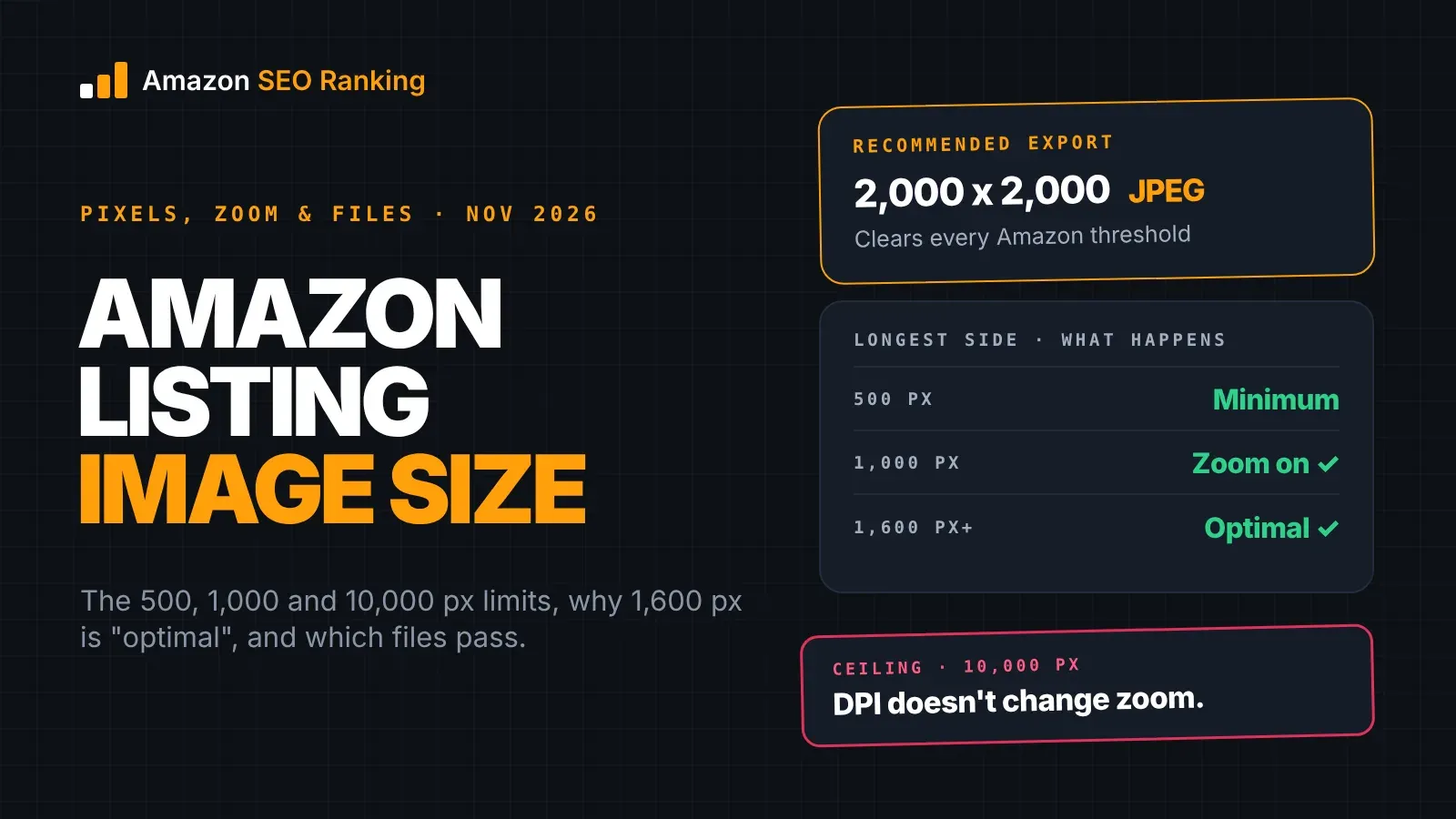
The Amazon listing image size that clears every rule is 2,000 x 2,000 pixels, saved as a JPEG. Amazon accepts images from 500 to 10,000 pixels on the longest side, turns on zoom at 1,000 pixels, and its staff call 1,600 pixels or more optimal.
Those numbers apply to every image in the gallery, main image included. What decides whether zoom looks sharp is how many of those pixels land on the product itself.
This guide covers each threshold and the Amazon page it comes from, the file specs (format, dpi, color mode and naming), how fill and aspect ratio change the pixels shoppers zoom into, and the sizes for A+ and Brand Story images, which follow their own rules.
Key Takeaways (TL;DR)
- Amazon measures the longest side of the image. Width and height don't need to match.
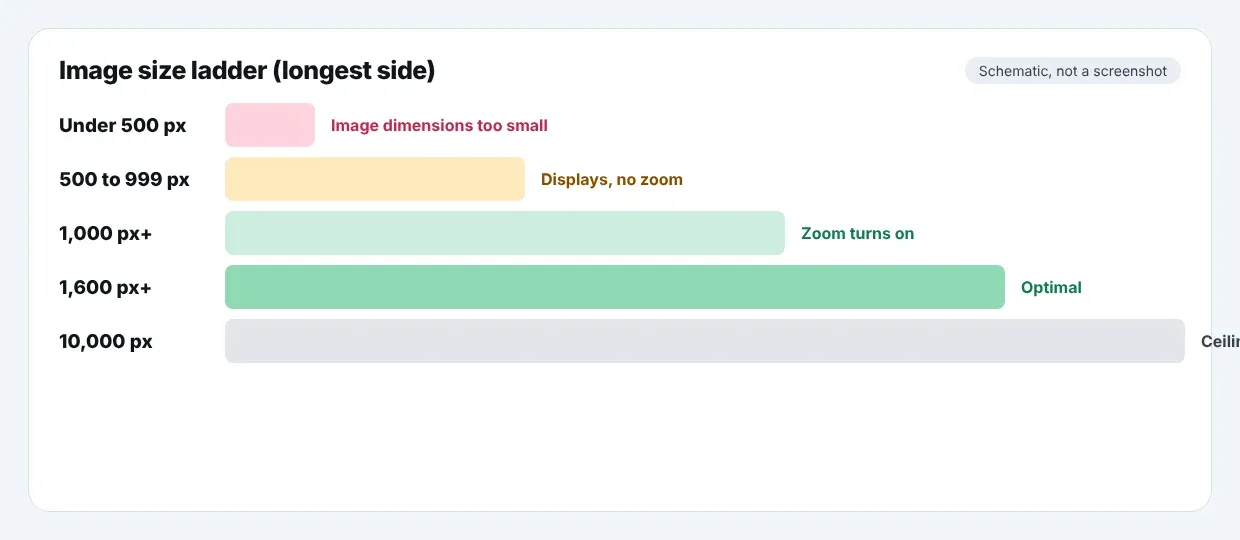
- Under 500 px, the image won't publish. From 500 to 999 px it displays without zoom.
- 1,000 px on the longest side turns zoom on. Amazon staff call 1,600 px or more optimal.
- The ceiling is 10,000 px on the longest side.
- Export at 2,000 x 2,000: at 85% fill, the product spans about 1,700 px, so zoom has real detail to show.
- JPEG is Amazon's preferred format. TIFF, PNG and non-animated GIF are accepted too.
- DPI is metadata. A 1,000 px image at 72 dpi and at 300 dpi zooms the same way.
- A+ Content and Brand Story images have fixed module sizes and don't follow the gallery rules.
Amazon Listing Image Size: at a Glance
Every row below is measured on the image's longest side and applies to the main image and all secondary images.
| Longest side | What happens on Amazon | Source |
|---|---|---|
| Under 500 px | Image doesn't publish; Seller Central flags "Image dimensions too small" | Amazon Image issues help page |
| 500 to 999 px | Image displays, zoom stays off | Amazon Image issues help page |
| 1,000 px or more | Zoom turns on | Amazon Technical image file requirements |
| 1,600 px or more | Called "optimal" by Amazon staff in 2026 | Amazon Seller Forums, 2026 photography standards |
| 2,000 x 2,000 px | Our recommended export: clears every threshold with room to crop | Arithmetic below |
| Over 10,000 px | Rejected | Amazon Technical image file requirements |
What Size Should Amazon Product Images Be?
Amazon product images should be at least 1,000 pixels on the longest side, and 1,600 pixels or more if you want the zoom view to hold detail. Amazon's Technical image file requirements page says images of 1,000 pixels or larger turn on zoom, and caps files at 10,000 pixels. Amazon's own Listings Lounge post on the Seller Forums adds that zoom has been shown to enhance sales.
For a new shoot, 2,000 x 2,000 pixels is a safe default. It sits above every Amazon threshold, below the ceiling by a wide margin, and leaves room to crop a tall or wide product without falling under 1,600 px. A 3,000 px export works too if your camera produces sharp detail at that size. Going larger than the camera's real resolution adds file weight, not detail.
How Amazon Measures Image Size
Amazon checks one number: the length of the longest side, in pixels. A 900 x 1,200 image counts as 1,200 px, so it passes the 1,000 px zoom threshold even though it's only 900 px wide. A 1,200 x 900 landscape image counts the same way.
DPI doesn't enter the calculation. Amazon's technical page asks for at least 72 dpi, but dpi is a print setting stored in the file. Changing a 1,000 px image from 72 to 300 dpi leaves it at 1,000 px, and shoppers see the same zoom. If an image is too small, the fix is more pixels from the original file, not a dpi change.
Amazon Image Size Requirements: the Four Pixel Thresholds
Amazon's image size requirements come down to four numbers. Two are hard limits, one switches on a feature, and one is a recommendation.
500 px: the minimum
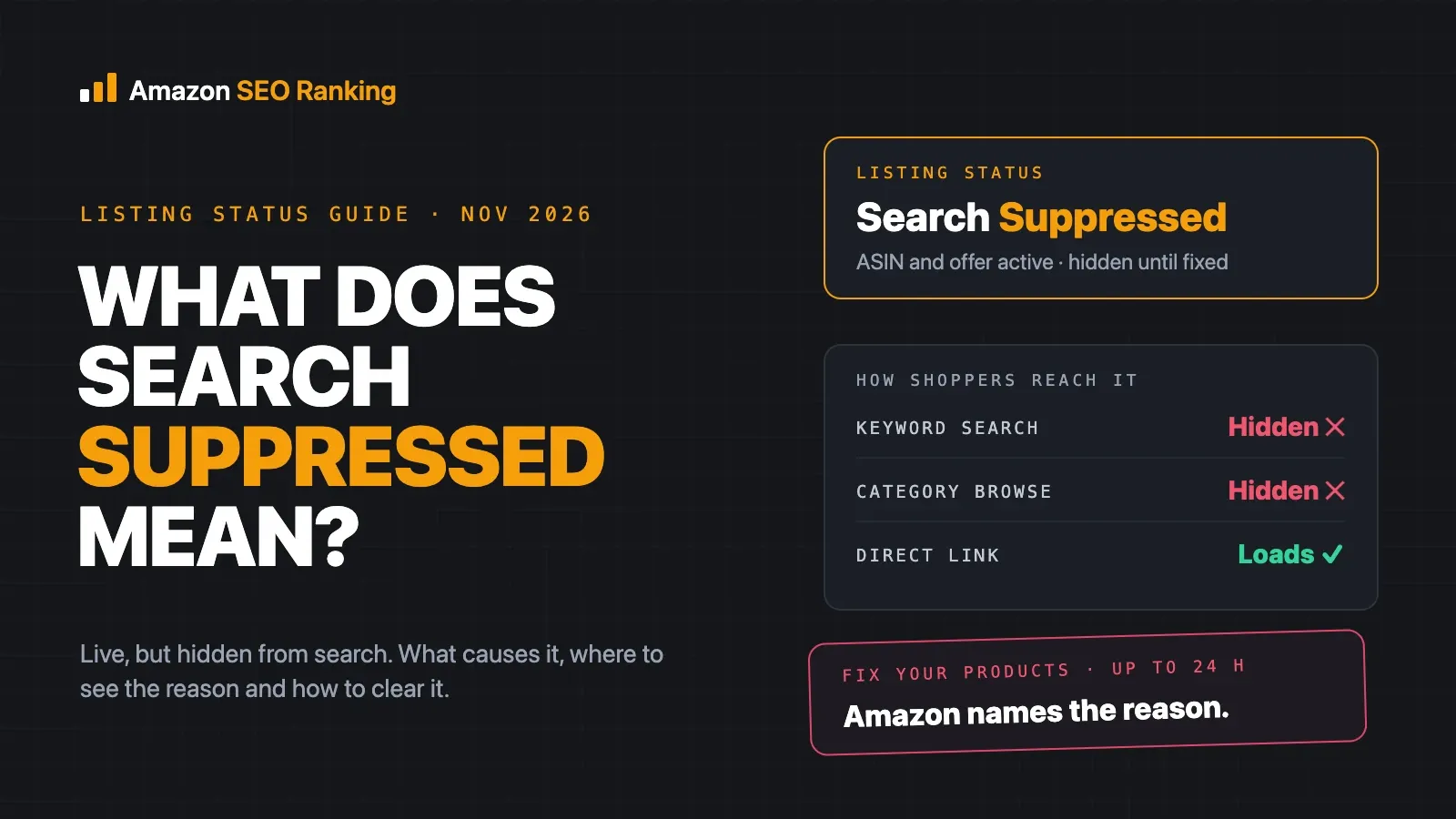
Below 500 px on the longest side, Amazon's Image issues page lists the failure as "Image dimensions too small". On the main image, that can leave the listing without a valid main image, which suppresses it from search.
An image between 500 and 999 px is accepted. It shows on the detail page, but shoppers can't hover or pinch to see more.
1,000 px: where zoom turns on
At 1,000 px or more, the detail page offers zoom on desktop and mobile. Amazon's staff list the same figure in their Product image requirements and best practices post, alongside the white background rule for main images.
This is the number to treat as the real minimum for any listing you plan to keep. Amazon's Listings Lounge post also recommends at least six images and one video per product, and every one of those images should clear 1,000 px.
1,600 px: Amazon's "optimal"
For 2026, Amazon staff published Product Photography Standards: What's New in 2026, which lists 1,000 px as the minimum for zoom and 1,600 px or more as optimal. Zoom works the same way at both sizes. The difference is how much detail is there when the shopper zooms in.
For products where texture, stitching, labels or ports matter to the buyer, 1,600 px is the floor worth working to.
10,000 px: the ceiling
Amazon's technical page says files can't exceed 10,000 pixels on the longest side. Sellers hit this mostly with stitched panoramas or with raw exports from high-resolution cameras, where a 50-megapixel frame can run past 8,000 px. Downscale to 2,000 to 3,000 px before upload.
Amazon Product Image Size Requirements for Files
Pixel dimensions are one part of the spec. Format, color mode and file name decide whether the upload goes through.
| Spec | Amazon's requirement | What to do |
|---|---|---|
| Format | JPEG preferred; TIFF, PNG and non-animated GIF accepted | Export JPEG at high quality |
| Resolution | 72 dpi or more | Leave at 72 or 300; it doesn't change zoom |
| Color mode | RGB or CMYK | Use RGB, which is what screens display |
| Quality | Clear, no pixelation or jagged edges | Don't upscale a small original |
| File name (bulk upload) | Product identifier, variant code, extension | e.g. B000123456.MAIN.jpg |
The format list comes from Amazon staff's Listings Lounge summary on Seller Forums UK. Animated GIFs aren't supported in the gallery.
Use RGB even though CMYK is accepted. CMYK is a print color space, and converting to it can shift colors on screen, which matters on a listing where the color shown is a reason people return products.
File naming for bulk uploads
If you upload through Seller Central's bulk image tool, the file name tells Amazon which ASIN and which slot the image belongs to. Amazon's guidance, quoted on the Seller Forums, is ASIN plus variant code plus extension, such as B000123456.MAIN.jpg. Names with the extension doubled, like B000123456.MAIN.jpg.jpg, are rejected.
MAIN is the main image. Secondary images use codes such as PT01, PT02 and onward. Uploading one image at a time in the listing editor doesn't need this naming.
Amazon Main Image Size and the 85% Fill Rule
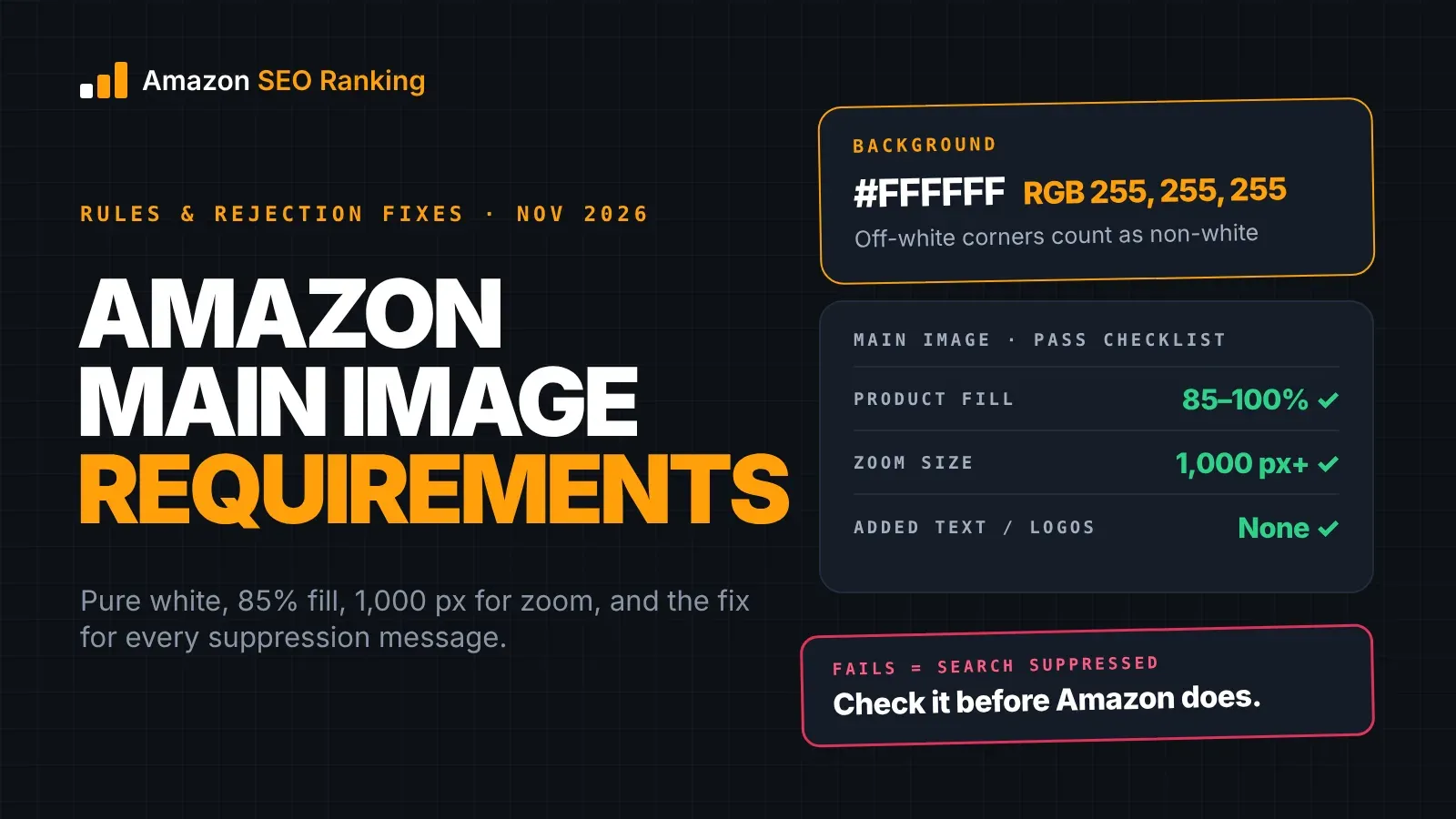
The Amazon main image size follows the same pixel limits as every other image. What it adds is the fill rule: Amazon's 2026 standards ask the product to fill 85 to 100% of the frame on a pure white background. That rule sets how many pixels are on the product, which is what zoom actually shows.
This is what 85% fill leaves on the product at common export sizes:
| Canvas (longest side) | Product length at 85% fill | Zoom detail |
|---|---|---|
| 1,000 px | 850 px | Zoom works; fine detail is soft |
| 1,600 px | 1,360 px | Amazon's "optimal" canvas |
| 2,000 px | 1,700 px | Room to crop and still clear 1,600 px |
| 3,000 px | 2,550 px | For products sold on close detail |
The padding problem
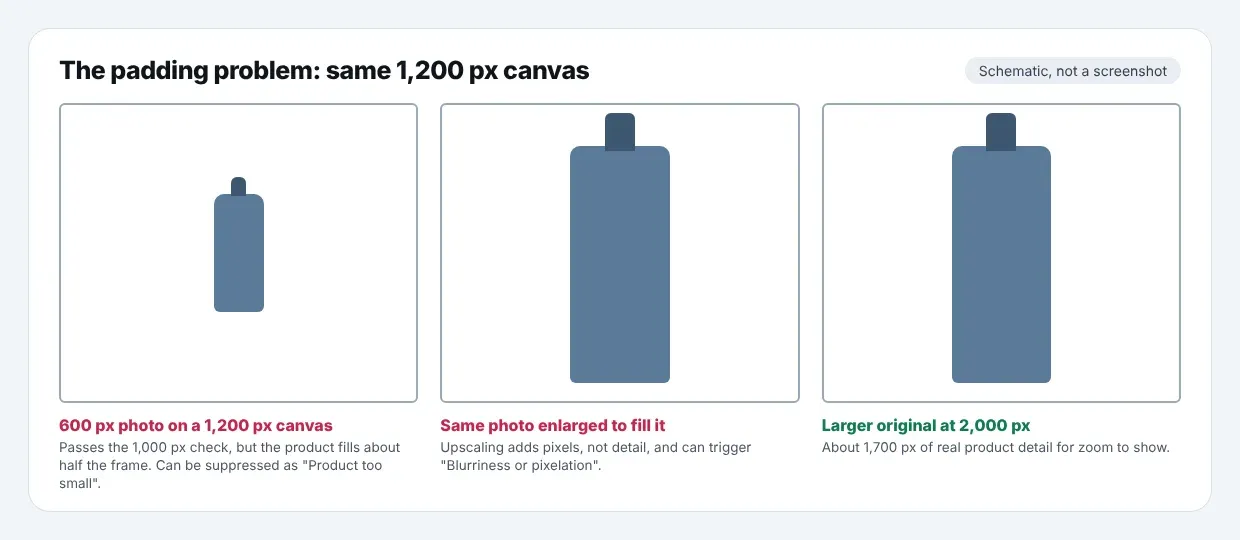
A common shortcut is placing a small product photo on a large white canvas to pass the 1,000 px check. A 600 px photo on a 1,200 px canvas passes the size threshold, but the product fills half the frame, so it can be suppressed for "Product too small", and the zoom view shows a 600 px photo stretched across the screen.
Enlarging the photo to fill the canvas swaps one problem for another. Upscaling adds pixels without adding detail, and Amazon's Image issues page lists "Blurriness or pixelation" as a suppression reason. The only fix is a larger original. The full background, fill and framing rules are in our guide to Amazon main image requirements.
Do Amazon Images Have to Be Square?
Amazon images don't have to be square. The technical requirements set a minimum and maximum for the longest side and don't specify an aspect ratio, so a 1,500 x 2,000 portrait image is valid.
Most sellers still export square, for a practical reason. On a square canvas, the 85% fill rule works the same whichever way the product runs. A tall bottle spans 85% of the height and leaves white at the sides; a wide keyboard spans 85% of the width and leaves white above and below. With a non-square canvas, you're matching the canvas to each product's shape, which is extra work across a catalog with mixed product types.
If you do use portrait or landscape images for secondary slots, keep the longest side at 1,600 px or more and preview them in the gallery on mobile before you publish.
Amazon Listing Image Size Numbers That Don't Match Amazon's Pages
Search results for Amazon image sizes carry several numbers that don't appear on Amazon's help pages. Some 2026 articles state that Amazon raised the minimum to 1,600, 2,000 or 3,000 pixels. As of November 2026, Amazon's Technical image file requirements page still says 1,000 px turns on zoom, and Amazon staff's 2026 photography post still lists 1,000 px as the minimum for zoom with 1,600 px as optimal.
Amazon's own staff haven't been consistent either. A Seller Forums post by Winston_Amazon lists "at least 1600 pixels" for high-resolution zoom, and a seller replying in the same thread says another Amazon contact recommended 2,000 x 2,000. Both fit inside the help page's rule: 1,000 px is where zoom starts, and anything above it gives zoom more to work with.
File size is the other number that varies. One Amazon staff post lists a maximum of "10GB", which reads as a typo, and we couldn't find a megabyte limit on Amazon's public help pages. A 2,000 px JPEG at high quality usually lands in the low single-digit megabytes, well clear of any limit sellers report.
When two sources disagree, the help page in your own Seller Central account is the one Amazon enforces.
Image Sizes for A+ Content and Brand Story
A+ Content and Brand Story images sit lower on the detail page and use fixed module sizes. They don't follow the 500 to 10,000 px gallery rule.
| Image | Size | Where it's covered |
|---|---|---|
| A+ full-width header (Basic) | 970 x 600 px | Our Amazon A+ Content guide |
| A+ image with text overlay (Basic) | 970 x 300 px | Amazon A+ Content guide |
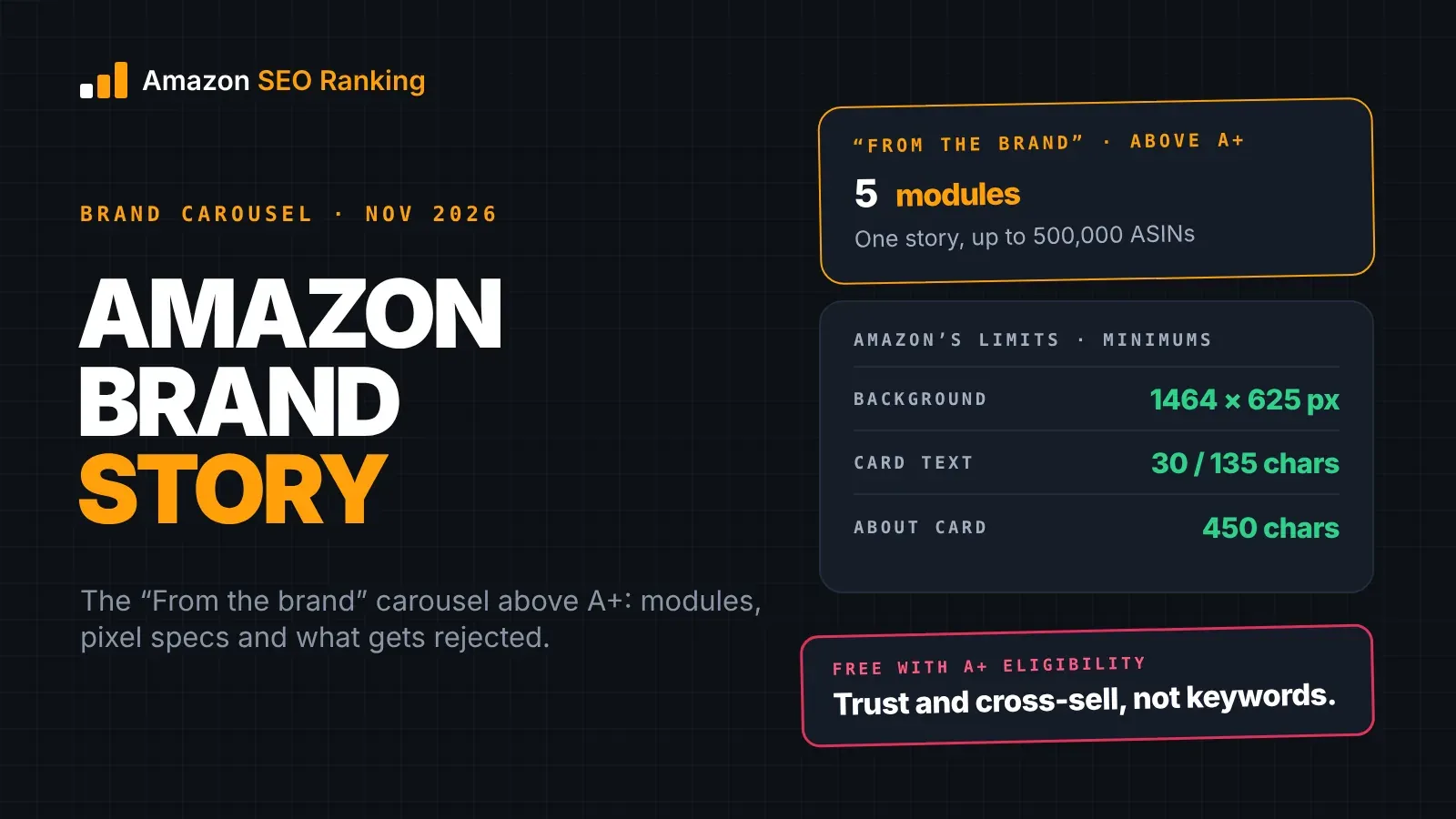
| Brand Story background, desktop | 1,464 x 625 px minimum | Our guide to Amazon Brand Story |
| Brand Story background, mobile | 463 x 625 px minimum | Amazon Brand Story guide |
The A+ Content Manager shows the required size next to each slot. If it differs from the table, follow the editor, since Amazon sets module sizes per module type and can change them.
Amazon SEO Ranking drafts four A+ modules from your live listing, each with a headline, body copy and an image concept, plus a Brand Story, on every plan including Free. The image concepts give your designer a brief for each module before anyone opens a canvas at 970 x 600.
How to Export an Image at the Right Size
The steps below take a shot from the camera to an upload-ready file. They apply to the main image and the secondary images.
- 1. Start from the largest original you have. A camera file or a 3D render at full resolution, not a copy downloaded from a live listing or a messaging app, which are often compressed.
- 2. Set a 2,000 x 2,000 px canvas. Use 3,000 px if the product sells on fine detail and the original supports it.
- 3. Place the product at 85% or more of the longest side. On a 2,000 px canvas, that's at least 1,700 px. For the main image, set the background to pure white, RGB 255, 255, 255.
- 4. Export as JPEG in RGB. Use high quality to avoid compression artifacts around edges, which show up in zoom.
- 5. Check the dimensions in the file's properties. Confirm the longest side reads 2,000 px and not a smaller size from an export preset.
- 6. Name the file for bulk upload if you use the bulk tool, such as B000123456.MAIN.jpg or B000123456.PT01.jpg.
After upload, open the live listing and hover over the main image. If the zoom pane appears and the detail is sharp, the size worked.
Checking Image Size Across a Live Catalog
Size problems on live listings rarely come from new uploads. They come from older images uploaded before a reshoot, a supplier's images on a shared ASIN, or a variation child whose image was never replaced. Checking each image means opening every listing, on every marketplace you sell in, and hovering over every gallery slot.
Amazon SEO Ranking's free audit pulls the live listing from the marketplace you choose and scores it against 12 published criteria. Its Images & Video criterion checks the gallery against a 7-image threshold, so short galleries show up first. On Pro, Agency and Enterprise, the AI Vision Image Audit reads the main image and flags blurry or awkwardly cropped shots, a non-white background, a product that doesn't fill roughly 85% of the frame, and added text or logos. It doesn't measure pixel dimensions, so check the longest side of the file at export, as in the steps above.
Galleries can also differ by marketplace. Amazon lets brand owners upload country-specific images in all Amazon stores through the Country-Specific Upload tool in Image Manager, so the same ASIN can show a reshot 2,000 px gallery on amazon.com and an older 800 px one on amazon.de. The audit pulls each storefront's live page separately, which is how a gallery that's short or soft in one country shows up.
For catalogs, Bulk Optimization runs the audit across up to 100 ASINs per run on Pro or 500 on Agency. On the Agency plan, white-label PDF reports put the listings with short galleries or blurry main images in front of the client under your own brand, with a methodology section showing how each one was scored. Our walkthrough on how to audit an Amazon listing for SEO covers the rest of the listing once the images pass. If a reshoot is on the table, our guide on Amazon images and CTR shows how to test whether a new main image earns more clicks.
Everything You Need to Know About Amazon Listing Image Size
| Topic | What to know | Number |
|---|---|---|
| How size is measured | Longest side, in pixels | Width or height, whichever is larger |
| Minimum | Smallest image that publishes | 500 px |
| Zoom | Turns on at this size | 1,000 px |
| Optimal | Amazon staff's 2026 recommendation | 1,600 px or more |
| Maximum | Largest image accepted | 10,000 px |
| Recommended export | Clears every threshold | 2,000 x 2,000 px |
| Product pixels at 85% fill | What zoom actually shows | 1,700 px on a 2,000 px canvas |
| Aspect ratio | Not set by Amazon | Square is the common choice |
| DPI | Doesn't affect zoom | 72 dpi or more |
| Format | JPEG preferred | TIFF, PNG, non-animated GIF accepted |
| Color mode | RGB or CMYK accepted | Use RGB |
| Bulk file name | ASIN, variant code, extension | B000123456.MAIN.jpg |
| A+ header | Fixed module size | 970 x 600 px |
| Brand Story background | Fixed module size | 1,464 x 625 px desktop |
Check Your Listing Gallery on Every Marketplace
Amazon SEO Ranking audits the live listing at the moment you run it, against 12 criteria published in full on the site, so you can see what each one checks before you trust the score. It runs on 23 Amazon storefronts, each scored on its own live page, because a gallery fixed on amazon.com says nothing about the same ASIN on amazon.de. And it starts free: 3 full audits a month, no credit card required, where most seller suites ask for a card or a trial first.
It's built for sellers who are reshooting or re-uploading a gallery, and for agencies who need to find the client listings with short galleries or blurry main images before the client does. Pro costs $79 a month with a 7-day free trial and adds the AI Vision Image Audit on main images. If it isn't worth it, every charge has a 14-day money-back guarantee.
FAQ
What size should Amazon product images be?
Amazon product images should be at least 1,000 pixels on the longest side, because that's where Amazon turns on zoom. Amazon staff call 1,600 pixels or more optimal in their 2026 photography standards. A 2,000 x 2,000 pixel JPEG clears every threshold and leaves the product about 1,700 pixels long at 85% fill. Amazon accepts images up to 10,000 pixels on the longest side.
What is the minimum image size for Amazon?
The minimum image size for Amazon is 500 pixels on the longest side. Images below that fail with the "Image dimensions too small" message in Seller Central. Images from 500 to 999 pixels display but don't support zoom. For any listing you plan to keep, treat 1,000 pixels as the working minimum.
What is the maximum image size on Amazon?
The maximum image size on Amazon is 10,000 pixels on the longest side, per Amazon's Technical image file requirements page. Files above that are rejected at upload. Raw exports from high-resolution cameras and stitched panoramas are the files most likely to pass it. Downscaling to 2,000 to 3,000 pixels keeps full zoom detail with a smaller file.
Do Amazon product images have to be square?
Amazon product images don't have to be square, because Amazon's technical requirements set only the longest side, from 500 to 10,000 pixels. A 1,500 x 2,000 pixel portrait image is valid. Most sellers use a square canvas anyway, since the 85% fill rule for main images then works the same for tall and wide products. Secondary images in portrait or landscape are fine if the longest side is 1,600 pixels or more.
What DPI should Amazon images be?
Amazon images should be at least 72 dpi, according to Amazon's Technical image file requirements page. DPI is a print setting stored in the file and doesn't change the pixel count, so a 1,000 pixel image zooms the same at 72 or 300 dpi. If an image is too small for zoom, raising the dpi won't fix it. You need a file with more pixels on the longest side.
Why is zoom not working on my Amazon listing images?
Zoom not working on Amazon listing images almost always means the image is under 1,000 pixels on its longest side. Check the file's dimensions, not its dpi, and re-export from the original at 1,600 pixels or more. If the file is over 1,000 pixels but zoom looks blurry, the image was likely upscaled or the product fills only part of the frame. Upload a new file and hover over the live image to confirm.
What file format should Amazon product images be?
Amazon product images should be JPEG, which is Amazon's preferred format. Amazon also accepts TIFF, PNG and non-animated GIF files. Use RGB color mode, since CMYK is accepted but is a print color space that can shift colors on screen. For bulk uploads, name the file with the ASIN, variant code and extension, such as B000123456.MAIN.jpg.
Do I need to reshoot images that are already 1,000 pixels?
You don't need to reshoot images that are already 1,000 pixels if the product fills 85% or more of the frame and the zoom view is sharp. At 1,000 pixels with 85% fill, the product spans about 850 pixels, which is enough for simple products. Reshoot at 1,600 to 2,000 pixels when shoppers buy on close detail, such as fabric, stitching, labels or connectors. Start with the main image, since it's the one shown in search results.
Run a free audit on the listing you're re-uploading, or start a 7-day Pro trial to check main images across a catalog.
Run a free audit on the listing you're re-uploading