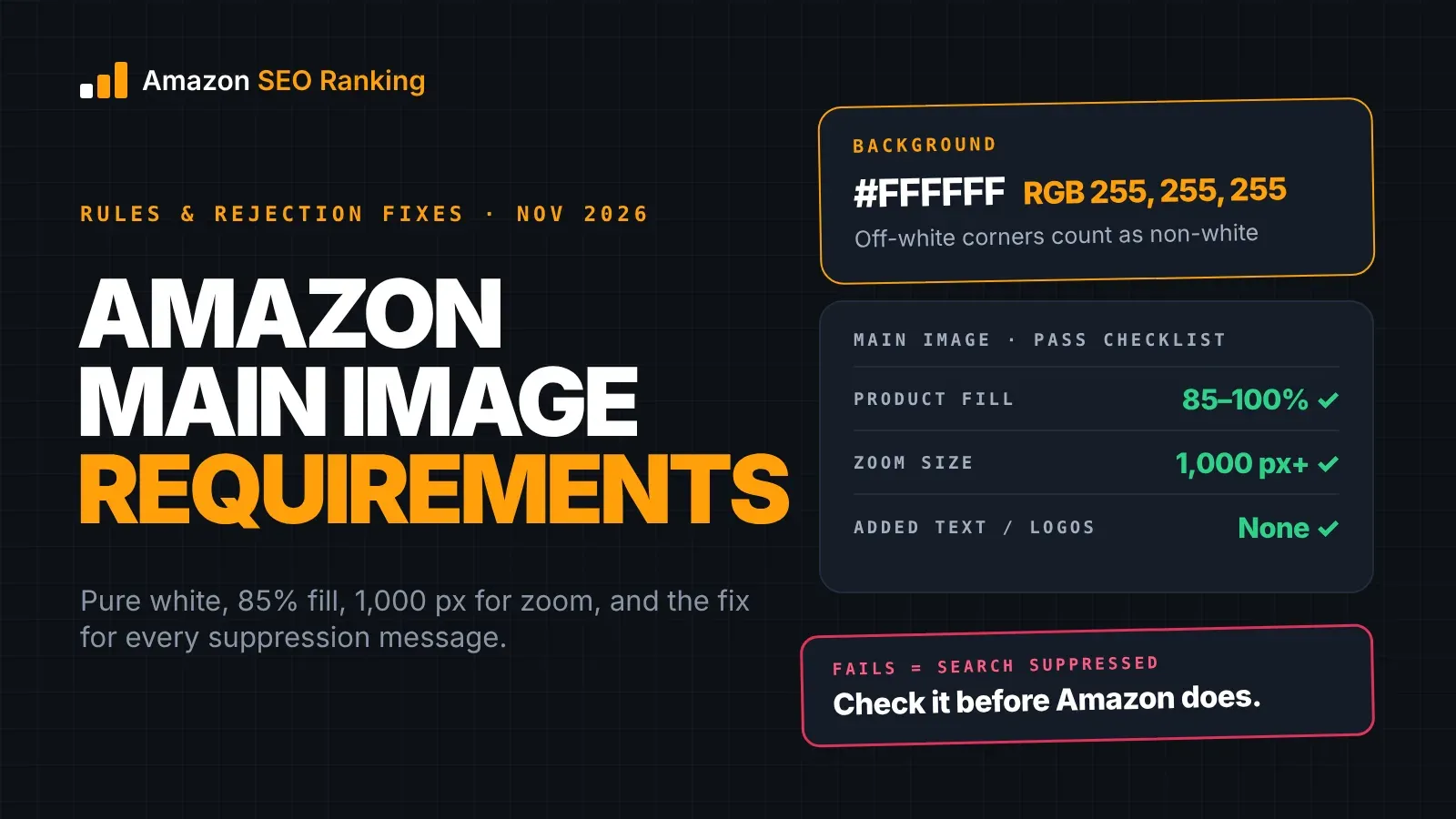
Amazon main image requirements come down to five rules: a pure white background (RGB 255, 255, 255), the product filling 85% or more of the frame, the whole product in view, nothing in the shot that isn't in the box, and no added text, logos or badges. On top of that, the file needs at least 1,000 pixels on its longest side for zoom to work.
Break one of these and Amazon can suppress the listing, which hides it from search until you upload a compliant image. Since 28 September 2026, Seller Central also checks two of the rules while you create a listing one product at a time.
This guide covers each rule as Amazon states it, the exceptions by category, the suppression message you get for each failure and the fix that clears it. It's written for sellers about to upload or replace a main image, and for agencies checking a client catalog before Amazon flags it.
Key Takeaways (TL;DR)
- The background must be pure white, RGB 255, 255, 255. Off-white, light grey or a shadow that reaches the edge counts as non-white.
- Amazon staff describe the target fill as 85 to 100% of the frame, with the entire product visible and nothing cropped.
- Show only what the buyer receives. Props, extra items, packaging and tags are suppression reasons, with packaging allowed for consumables and collectibles.
- No added text, graphics, logos, watermarks or Amazon badges on the main image. They belong on secondary images.
- Human models are allowed on the main image for adult apparel only, standing, in a single view.
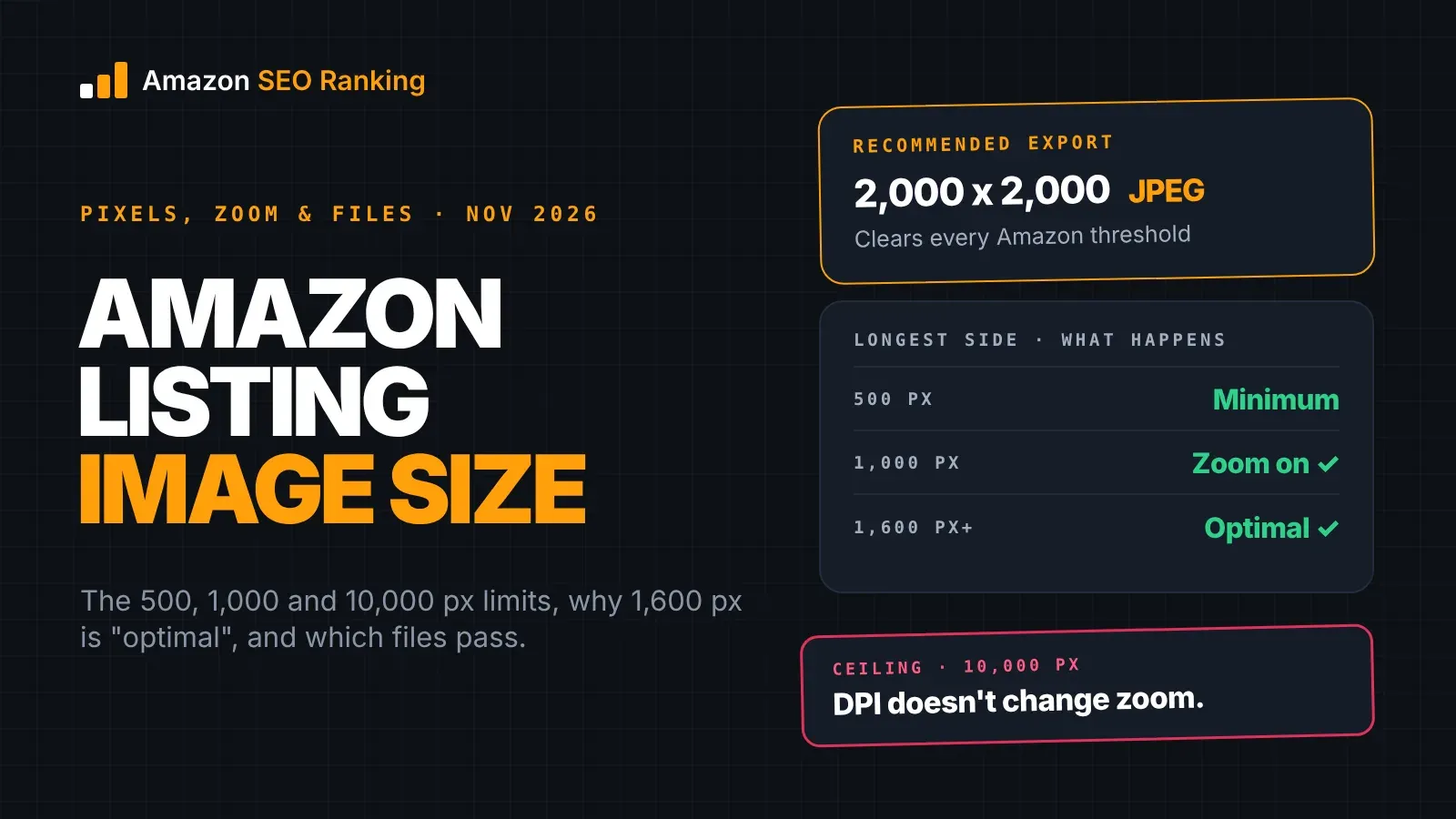
- Images display from 500 px on the longest side and zoom from 1,000 px. Amazon staff call 1,600 px or more optimal.
- One-by-one listing creation now flags non-white backgrounds and added text or logos with an "Issue detected" error before you submit.
Amazon Main Image Requirements: at a Glance
Each rule below maps to a suppression reason on Amazon's Image issues help page. That's the name you'll see in Seller Central if the image fails.
| Rule | What Amazon requires | Suppression reason if it fails |
|---|---|---|
| Background | Pure white, RGB 255, 255, 255 | Non-white background |
| Fill | Product fills 85% or more of the frame | Product too small |
| Whole product | Entire product in frame, nothing cut off | Cropped product |
| Only what ships | No props or items not included in the purchase | Propping, Additional items |
| Added graphics | No text, logos, graphics, watermarks or badges | Text, logo, graphics or watermarks; Prohibited badging |
| Packaging | Product out of its packaging, tags removed (consumables and collectibles excepted) | Product not outside of packaging |
| Models | Adult apparel only, standing | Human model; Model in non-standing position |
| Sharpness | In focus, not pixelated | Blurriness or pixelation |
| Size | 500 px minimum, 1,000 px for zoom | Image dimensions too small |
The Amazon Main Image Guidelines, Rule by Rule
Amazon's rules for the main image come from three places: the Product image requirements page in Seller Central, the Image issues page that lists suppression reasons, and posts by Amazon staff on the Seller Forums. They agree on the core rules. Where one source adds detail the others don't, the detail is noted below.
Pure white background
The background must be pure white, RGB 255, 255, 255. Amazon's staff guide on the Seller Forums lists it first, alongside professional quality, well-lit and in-focus photography.
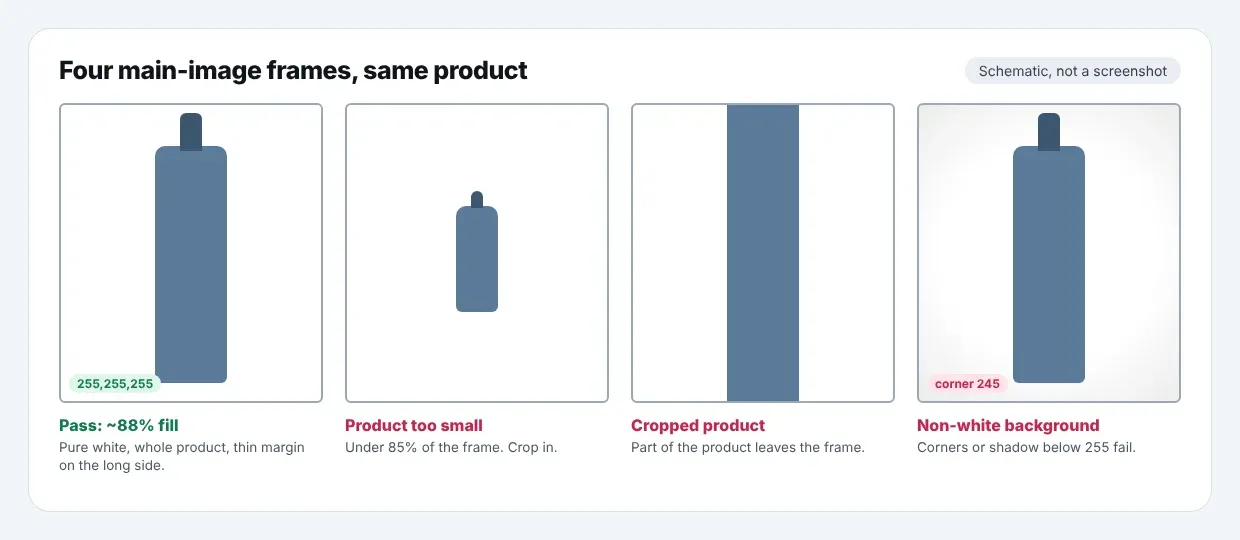
A photo taken on a white sweep usually comes out a few points below 255 at the corners, and that fails. The next section covers how to get every pixel to 255.
The product fills 85% of the frame
Amazon's 2026 photography standards post asks sellers to fill 85-100% of the image frame with the product. A practical way to measure it is on the product's longest side: a tall bottle spans the frame top to bottom and leaves white at the sides.
Too much white space triggers "Product too small". Cropping so tight that part of the product leaves the frame triggers "Cropped product", which is the opposite failure. Aim for a thin white margin on the long side.
The whole product, and nothing else
The main image shows the entire product, one unit or one set as sold, with no cropping or sectioning. It also shows only what's included in the purchase. A coffee grinder pictured next to a bag of beans it doesn't come with breaks the rule, even if the beans make the grinder easier to understand.
This rule also covers multiple views. Amazon's 2026 post lists multiple views in the main image among the common mistakes, so a front and back shot side by side goes in the gallery, not the main slot.
No added text, logos or badges
Added text, graphics, logos, watermarks and promotional messages are not allowed on the main image. Text and logos printed on the product or its label are part of the product and can appear.
Amazon's own badges are a separate failure. The Image issues page lists Prohibited badging, which covers marks like Amazon's Choice or Best Seller placed on the image.
Packaging, models and mannequins
Products shown in their packaging, or with brand or swing tags attached, are generally suppressed. Amazon's 2026 post makes an exception for consumables and collectibles, where the package is what the buyer sees on the shelf.
Human models are allowed on the main image for adult apparel. The Image issues page applies the "Human model" reason to other product types, including Softlines such as kids, baby, shoes, luggage, watches and jewelry. Mannequins, hangers and seated or kneeling models are separate suppression reasons.
Amazon Main Image Requirements: White Background in Practice
A background that looks white on screen often isn't 255 in every pixel, and Amazon checks the pixels.
Where off-white comes from
Studio lighting falls off toward the edges of a sweep, so corners drop to values like 245 or 250. Background removal tools can leave a faint grey halo around the product. A drop shadow that runs to the edge of the canvas turns part of the background grey. Each of these reads as "Non-white background".
One Amazon moderator answering a suppressed seller on the forums explained that the rule exists to keep one consistent look across search and product detail pages. A grey corner breaks that look on a white search page, which is why the check is strict.
How to fix it
Set the background to 255 in an editor rather than relying on the camera. In Photoshop or a free editor, use a Levels or Curves adjustment on the background, or select it and fill with #FFFFFF. Then sample the four corners and the edges next to the product with an eyedropper. All of them should read 255, 255, 255.
If you keep a shadow, keep it small and directly under the product, so every pixel around it stays pure white. Re-export at full quality and upload the new file.
White products on a white background
Sellers of white products often ask for an exception. On a forum thread about white vinyl decals, Amazon's reply pointed out that only your main image needs the white background. The main image still has to be on 255.
What you control is how the edges read. Light the product so its edges pick up a slight shadow or grey tone, which separates it from the background without changing the background itself. Then use secondary images on darker or lifestyle backgrounds to show the product clearly.
Amazon Product Image Requirements for the Main Image: File Specs
The file rules apply to every image, but the main image is the one search shoppers see first, so they matter most here.
| Spec | Requirement | Notes |
|---|---|---|
| Minimum size | 500 px on the longest side | Below this, Amazon flags "Image dimensions too small" |
| Zoom | 1,000 px or more on the longest side | Amazon's Image issues page says images over 1,000 px enable zoom |
| Recommended | 1,600 px or more | Called "optimal" in Amazon's 2026 standards post |
| File format | JPEG preferred; PNG, TIFF and GIF accepted | Per Amazon's 2026 standards post |
| Resolution | 72 dpi or more | Pixel dimensions matter more than dpi online |
| Color mode | RGB or CMYK | RGB avoids color shifts on screen |
| File name (bulk upload) | Product identifier plus extension | e.g. the ASIN, UPC or EAN followed by .jpg |
The file name rule only matters if you upload images in bulk. Amazon's staff guide says file names must contain the product identifier and end in .jpg, .tif or .png, which is how the upload tool matches files to listings.
Amazon Main Product Image Requirements by Category
The core rules apply everywhere. A few categories change the details, and the category style guide in Seller Central has the final word for yours.
| Category | What changes on the main image |
|---|---|
| Adult apparel | Can show a standing model, in a single view |
| Kids, baby, shoes, luggage, watches, jewelry | No human model; no mannequin or hanger |
| Consumables | Packaging can be shown, since it's what the buyer receives |
| Collectibles | Packaging can be shown |
| Products sold as a set | Show every item in the set and nothing beyond it |
Variations need attention too. Each child ASIN in a variation family has its own main image, and that image should show the exact color or size the shopper selected. Our guide to the Amazon product image requirements for the full gallery covers secondary images and variations with passing and failing examples.
Amazon Main Image Requirements 2026: What's New
The core rules in Amazon's 2026 photography post match the ones above. What's new is when Amazon checks them.
The pre-submission check
On 28 September 2026, Amazon announced a main image check for one-by-one listing creation in Seller Central, on desktop and mobile. When you upload a main image while creating a listing, Amazon checks it for two defects:
- A non-white background.
- Text, logos, graphics or watermarks.
If it finds one, the image tile shows an "Issue detected" error. You can fix the image, upload a different one, or acknowledge the defect and submit, in which case the listing may be suppressed after review.
What the check doesn't cover
The check runs on two of the nine rules in the table above. Fill, cropping, props, packaging, models and resolution aren't part of it, so an image can pass at upload and still be suppressed for "Product too small" later.
It also runs at creation, one product at a time. Listings that are already live, and images uploaded through flat files or the bulk image tool, sit outside the scope of the announcement. Those are the listings worth checking on a schedule.
Common Main Image Rejections and How to Fix Each
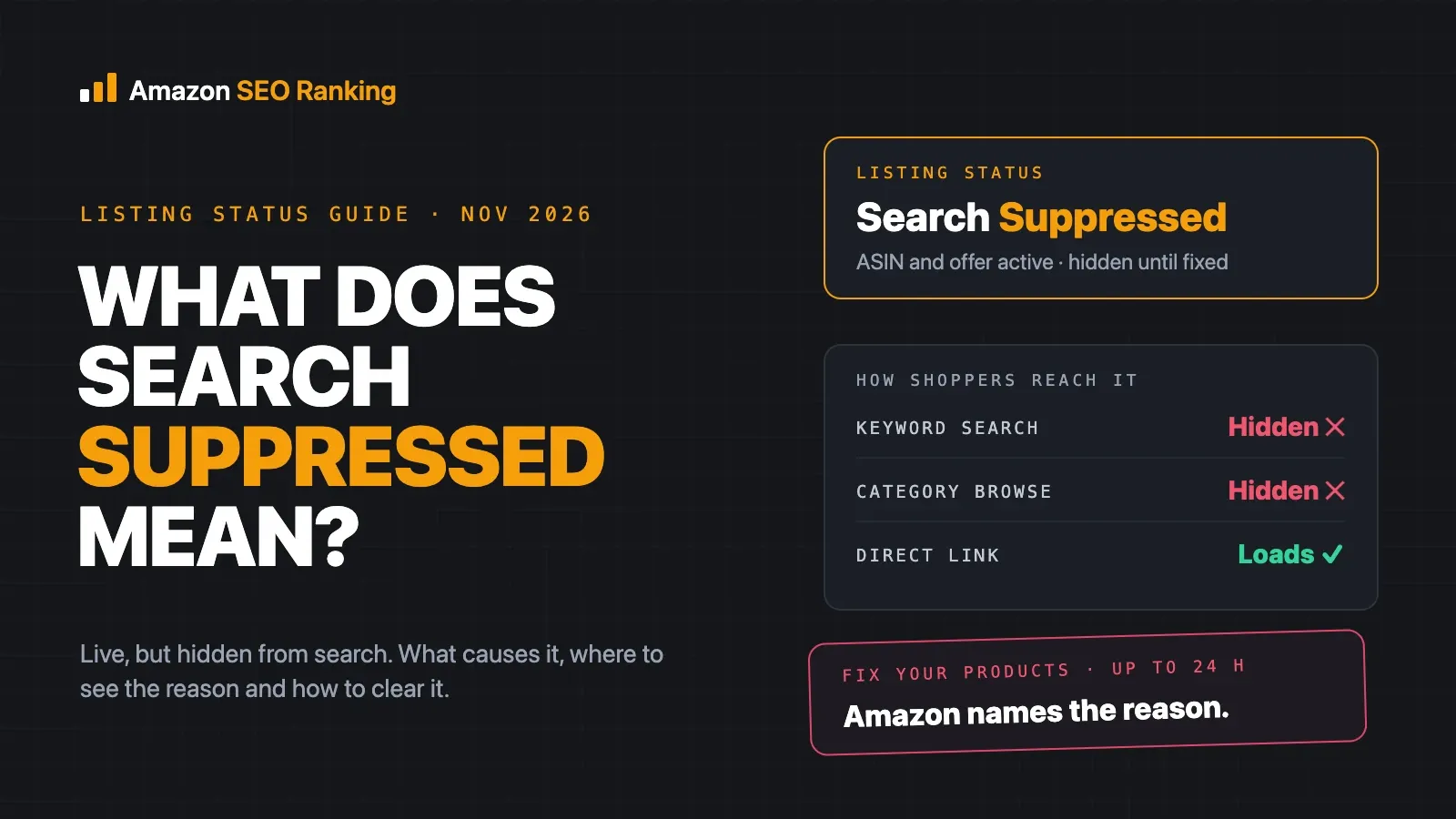
When a main image fails, the listing shows as "Search Suppressed" in Seller Central, and the message names the rule. These are the reasons on Amazon's Image issues page, with the fix for each.
| Suppression reason | What usually triggers it | Fix |
|---|---|---|
| Non-white background | Corners below 255, grey halo from background removal, shadow reaching the edge | Set background pixels to 255; keep any shadow small and under the product |
| Text, logo, graphics or watermarks | Callouts, "new" stickers, brand logo floating beside the product | Move them to a secondary image |
| Prohibited badging | Amazon's Choice, Best Seller or similar marks on the image | Remove the badge |
| Image missing | No image in the MAIN slot | Upload a compliant main image |
| Additional items | Accessories or extra units not in the box | Show only what ships |
| Propping | Props inside, around or covering the product | Photograph the product alone |
| Cropped product | Part of the product cut off by the frame | Leave a thin white margin |
| Product too small | Too much white space around the product | Crop to 85% or more fill |
| Product not outside of packaging | Box, bag or tags visible (outside consumables and collectibles) | Unbox and remove tags |
| Blurriness or pixelation | Out-of-focus shot, or a small image enlarged | Use a sharp original of 1,000 px or more |
| Human model | Model shown for a product type that doesn't allow one | Show the product alone |
| Mannequin or hanger | Any part of a mannequin or hanger visible | Lay flat, use a ghost-mannequin edit, or a standing model for adult apparel |
| Model in non-standing position | Adult apparel model sitting, kneeling or lying down | Use a standing model |
| Image dimensions too small | Under 500 px on the longest side | Re-export at 1,000 px or more |
Upload a new file rather than the same one with a new name. After the fix, check the listing in Seller Central until the suppression clears. If you sell on more than one Amazon marketplace, check the listing on each one. A main image fixed on amazon.com tells you nothing about the listing on amazon.de or amazon.co.jp.
A suppressed main image takes the listing out of search for every keyword at once. Our guide to fixing an Amazon listing that's search suppressed covers the other common causes, such as missing attributes and title length, if the image wasn't the problem.
How to Check Your Amazon Main Image Before You Upload
Run these five checks on every new main image. Each takes a minute or two with a free editor, so the cost is low for one image and adds up fast across a catalog.
- 1. Sample the background. Use an eyedropper on the four corners and the edges next to the product. Every reading should be 255, 255, 255.
- 2. Measure the fill. Compare the product's longest side with the canvas side. On a 2,000 px canvas, the product should span at least 1,700 px.
- 3. Check the edges of the product. Nothing should touch or leave the frame.
- 4. Compare the shot with the box contents. Remove anything the buyer doesn't receive, and any tag or packaging outside the consumables and collectibles exception.
- 5. Confirm the size. At least 1,000 px on the longest side, ideally 1,600 px or more, saved as JPEG.
For live listings and catalogs
The five checks are per image, per marketplace. A brand with 200 ASINs on three Amazon storefronts has 600 main images to sample, and the job starts again whenever an image changes on a live listing. Live listings are also where images drift out of compliance. On a shared ASIN, another seller's or the brand's image can replace yours, and sellers on Amazon's forums report compliant uploads that don't appear on the listing. Checking the live page is the only way to see what shoppers see.
The free Amazon listing audit pulls the live listing from the marketplace you choose and scores it against 12 published criteria. Its Images & Video criterion checks the gallery against a 7-image threshold. On Pro, Agency and Enterprise, the AI Vision Image Audit looks at the main image itself and flags a non-white background, a product that doesn't fill roughly 85% of the frame, added text, logos or watermarks, props or people, and blurry or awkwardly cropped shots, each marked high severity on the main image.
Agencies can run the audit across up to 500 ASINs per run with Bulk Optimization on the Agency plan, which turns a catalog-wide image check into one job instead of hundreds of manual page visits. The Agency plan's white-label PDF reports then put the at-risk listings in front of the client under your own brand, with a methodology section that shows how each listing was scored.
Our walkthrough on how to audit an Amazon listing for SEO covers the rest of the listing once the images pass.
What You Can Still Change on a Compliant Main Image
The rules fix the background and ban add-ons. They leave the angle, the crop, how many units you show and whether the product appears ready to use, all of which change how the image reads at thumbnail size.
A water bottle with a flip-up bowl can be shot with the bowl open, showing the feature shoppers search for, and still pass every rule. A multipack can show every unit, provided the count matches the title and bullets. To see which angle the listings around yours use, the Amazon competitor analysis tool audits your listing and up to two rivals side by side, at one audit per listing.
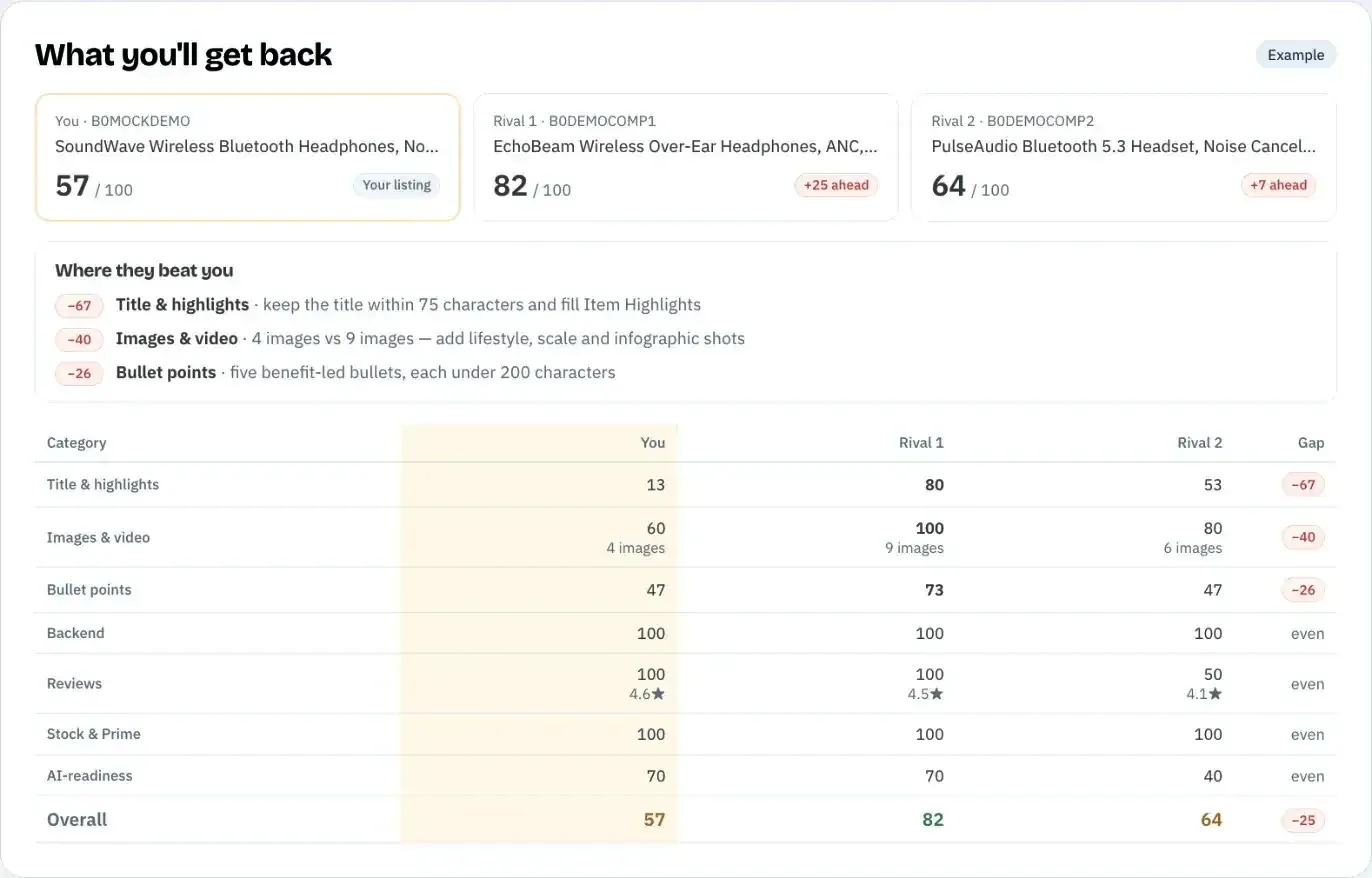
Our guide on Amazon images and CTR covers how to measure whether a new main image earns more clicks, and how to test one without guessing.
A compliant image that looks bigger than the product, or shows a finish it doesn't have, can still cost you. Shoppers who get something different from the photo return it or leave a "not as described" review. Our list of Amazon listing SEO mistakes includes image and copy mismatches among the 13 that cost rank.
Everything You Need to Know About Amazon Main Image Requirements
| Topic | What to know | Rule or number |
|---|---|---|
| Background | Pure white in every pixel | RGB 255, 255, 255 |
| Fill | Product's longest side fills the frame | 85-100% |
| Framing | Whole product, single view | No cropping, no multiple views |
| Contents | Only what's in the purchase | No props or extra items |
| Added graphics | None on the main image | No text, logos, watermarks, badges |
| Packaging | Out of the box, tags off | Consumables and collectibles excepted |
| Models | Adult apparel only | Standing, single view |
| Minimum size | Smallest image that displays | 500 px longest side |
| Zoom | Needed to let shoppers inspect detail | 1,000 px longest side |
| Recommended size | Amazon staff's "optimal" | 1,600 px or more |
| Format | JPEG preferred | PNG, TIFF, GIF accepted |
| 2026 change | Pre-submission check at one-by-one creation | Background and added text or logos only |
| Failure | Listing hidden from search | "Search Suppressed" with the reason named |
| Fix | Upload a new compliant file | Check each marketplace separately |
Check Your Live Main Image Before Amazon Does
Amazon SEO Ranking audits the live listing, pulled at the moment you run it, against 12 criteria that are published on the site, so you can see exactly what each one checks. The free audit scores the gallery under Images & Video. On Pro, the AI Vision Image Audit reads the main image itself for the background, fill, added text and logos, props and people, which reaches live listings and bulk-uploaded images that Amazon's pre-submission check doesn't cover. It's a visual read, so sample the background with an eyedropper before you upload a replacement.
It's built for sellers who are about to upload or replace a main image, and for agencies who need to know which client listings are at risk of suppression before the client does. The audit runs on 23 Amazon marketplaces, each scored on its own live listing.
The free plan includes 3 full audits a month with no credit card required, enough to score your listing and gallery. Pro costs $79 a month, starts with a 7-day free trial and adds the AI Vision Image Audit on the main image.
FAQ
What are Amazon's main image requirements?
Amazon's main image requirements are a pure white background (RGB 255, 255, 255), the product filling 85% or more of the frame, the entire product in view, only items included in the purchase, and no added text, logos, watermarks or badges. The image also needs to be at least 1,000 pixels on its longest side for zoom, and Amazon staff call 1,600 pixels optimal. Packaging is allowed only for consumables and collectibles, and human models only for adult apparel. A main image that breaks these rules can get the listing suppressed from search.
What size should an Amazon main image be?
An Amazon main image should be at least 1,000 pixels on its longest side, because that's the size at which Amazon enables zoom. Amazon's 2026 photography standards call 1,600 pixels or more optimal. The smallest image Amazon accepts is 500 pixels on the longest side, but it won't zoom. A 2,000 by 2,000 pixel JPEG meets every size rule Amazon lists.
Does the Amazon main image background have to be pure white?
The Amazon main image background has to be pure white, which Amazon defines as RGB 255, 255, 255. A background that looks white but reads 245 or 250 in the corners fails and can trigger a "Non-white background" suppression. Only the main image has this rule, so secondary images can use any background. Check the corners and the edges next to the product with an eyedropper before you upload.
Can an Amazon main image have a shadow?
An Amazon main image can have a small shadow under the product as long as the background around it stays pure white. Amazon's rules don't list shadows as a separate violation, but a shadow that spreads to the edge of the canvas turns those pixels grey and fails the RGB 255 background check. Keep any shadow short, soft and directly beneath the product. Sample the background after editing to confirm it still reads 255, 255, 255.
Can I put text or a logo on my Amazon main image?
You can't put added text, logos, graphics, watermarks or badges on your Amazon main image. Text and logos printed on the product or its label are part of the product and are allowed. Amazon badges such as Amazon's Choice or Best Seller fall under a separate "Prohibited badging" reason. Since September 2026, one-by-one listing creation flags added text and logos with an "Issue detected" error before you submit.
Why was my Amazon main image rejected?
Your Amazon main image was most likely rejected for one of the reasons named in the suppression message, such as a non-white background, added text or logos, the product being too small in the frame, props, packaging or a cropped product. Seller Central shows the reason on the listing's status, so start there rather than guessing. Fix that one rule, export a new file and upload it. If you sell in several marketplaces, check the image on each one.
How do I check if my Amazon main image background is RGB 255?
You check whether your Amazon main image background is RGB 255 by sampling it with an eyedropper tool in Photoshop, GIMP, Photopea or a similar editor. Sample the four corners and several points next to the product's edges, since those are where off-white shows up. Every reading should be 255, 255, 255. If any reading is lower, apply a Levels adjustment or fill the background with #FFFFFF and sample again.
Do I still need to check main images if Amazon checks them now?
You still need to check main images, because Amazon's 2026 pre-submission check covers only two defects, a non-white background and added text or logos, and only during one-by-one listing creation. It doesn't check fill, cropping, props, packaging, models or resolution. It also doesn't cover listings that are already live or images uploaded in bulk. Amazon SEO Ranking's AI Vision Image Audit on Pro reads live main images for background, fill, added text, props and people, though not pixel dimensions or packaging, which you still check by hand.
Score your live listing for free, or start a Pro trial for the image audit if you're checking main images across a catalog.
Score your live listing for free