An Amazon Brand Story is a scrolling carousel of brand cards that appears under the "From the brand" heading on a product page, above the A+ Content modules. It tells shoppers who the brand is and links them to your other products and your Brand Store. You build it once in A+ Content Manager and apply it to as many of your brand's ASINs as you like.
This guide is for brand-registered sellers and agencies who want a Brand Story that passes review on the first try and does a job on the page. It covers where Brand Story shows, the five modules with Amazon's exact pixel and character limits, the guidelines that get it rejected, how to add it to a listing, and a worked example written to those limits.
Brand Story costs nothing to publish if you already qualify for A+. The work is in the images and about 600 characters of copy, which is less than most sellers expect.
Key Takeaways (TL;DR)
- Amazon Brand Story is the "From the brand" carousel above A+ Content. It's about the brand, while A+ is about the product.
- It's free with a Professional selling plan and a brand in Brand Registry, the same entry rules as A+.
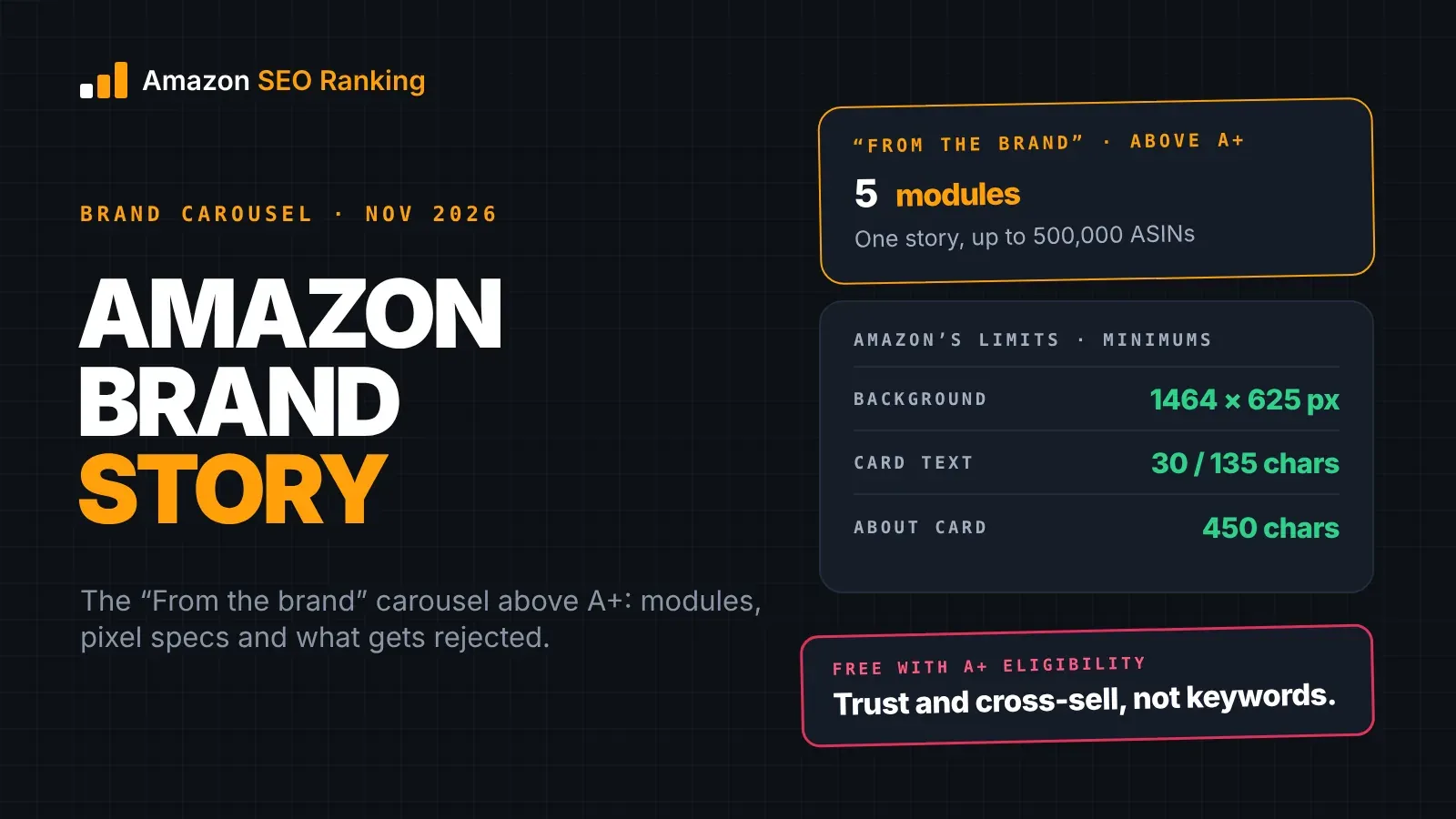
- There are five module types. The background card is required: at least 1464 x 625 px on desktop and 463 x 625 px on mobile.
- Text is short: 30-character card titles, 135-character descriptions, 450 characters in the About card.
- One Brand Story can be applied to every ASIN your brand owns, up to 500,000 ASINs by bulk upload.
- Content shows only on pages in the language you pick, so each marketplace needs its own version.
- Amazon hasn't said Brand Story text helps keyword ranking. Its job is cross-sell and trust, and it's one of the conditions for Premium A+.
Amazon Brand Story: at a Glance
| Topic | What to know | Rule or number |
|---|---|---|
| What it is | Brand carousel under "From the brand" | Separate content type from A+ |
| Where it shows | Above A+ Content on the product page | Desktop and mobile |
| Eligibility | Same as A+ | Professional plan + Brand Registry |
| Cost | Free to publish | Professional plan is $39.99/month |
| Required card | Background image with logo | 1464 x 625 px desktop, 463 x 625 px mobile |
| Optional cards | Four ASINs, single image, About, Q&A | Four module types |
| Text limits | Short by design | 30-char titles, 135-char descriptions |
| ASIN coverage | One story across the catalog | Up to 500,000 ASINs per upload |
| Language | Shows only in the language selected | One version per marketplace language |
| Review | Amazon moderation | Up to 7 business days, then up to 24 hours to appear |
| Ranking | No confirmed keyword indexing | Works through cross-sell and trust |
What Is an Amazon Brand Story?
An Amazon Brand Story is a set of cards that scroll sideways on a full-width background image, built in A+ Content Manager as its own content type. Amazon describes it as a place to share your brand story, highlight product lines, and link to other product pages or your Brand Store. In the same announcement, Amazon splits the two jobs: A+ Content carries product information, and Brand Story builds knowledge of the brand and adds cross-sell paths.
That split decides what goes where. A shopper reading the Brand Story wants to know who makes this, what else they make, and whether they can trust them. Feature claims, size charts and how-it-works images belong in the A+ modules below.
Brand Story doesn't depend on A+. Amazon's best-practice guide says it lets you show your brand and other products without reusing your A+ modules, and a listing can carry a Brand Story with no A+ at all. The same guide recommends using both.
Brand Story vs A+ Content vs Brand Store
The three get confused, partly because Brand Story lives inside A+ Content Manager.
| Brand Story | A+ Content | Brand Store | |
|---|---|---|---|
| Question it answers | Who is this brand? | Why this product? | What does the brand sell? |
| Where it is | "From the brand" on the product page | Below the bullets | Its own multi-page storefront |
| Built per | Brand, applied to many ASINs | ASIN or ASIN family | Brand |
| Built in | A+ Content Manager | A+ Content Manager | Stores builder |
| Links out | To ASINs and the Store | Limited to comparison charts | Across your catalog |
The Brand Story is the only one of the three that sits on the product page and links to the Store. That's why it matters most for brands with more than one product.
Where the Brand Story Shows on a Product Page
On desktop, the Brand Story appears in a dedicated slot headed "From the brand", which Amazon places separately from product feature content. When a listing has both, the Brand Story sits above the A+ modules, so shoppers scrolling down meet it first.
Mobile is where most shoppers see it. The carousel shrinks to the phone width and shoppers swipe through one card at a time, so the background image has to read at 463 pixels wide, and the first card does most of the work. Exact placement on the mobile page has moved over the years, so check the mobile preview in A+ Content Manager rather than trusting a screenshot from a guide.
The amazon brand story carousel, card by card
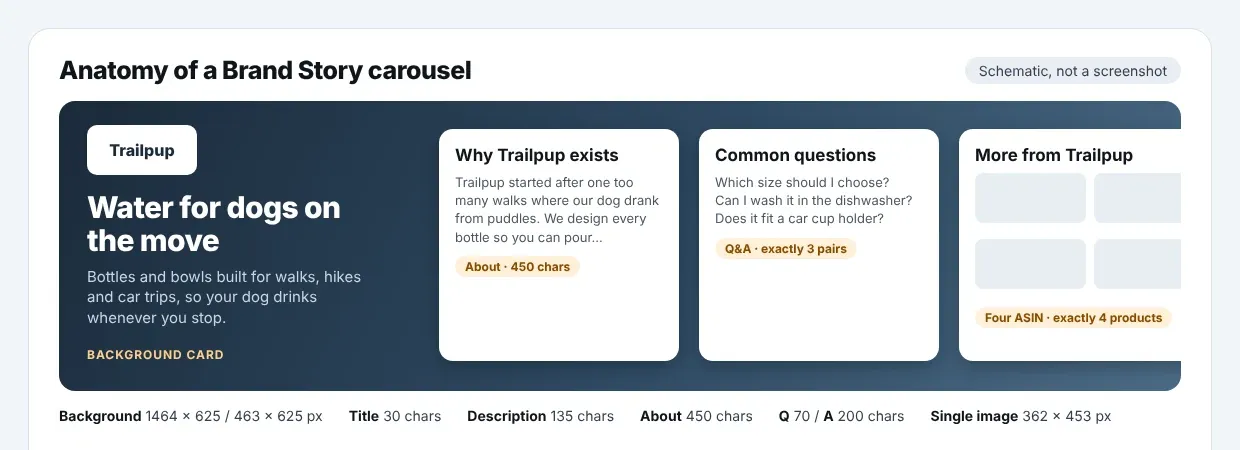
Every carousel starts with the required background card, and the other cards scroll across that same background. Amazon's API documentation states that all other Brand Story modules appear within this carousel, on top of the hero image. A card that clashes with the background looks worse than a missing card, so design the background with the cards in mind: keep the left third, where the logo and headline sit, uncluttered.
Who Can Create a Brand Story, and What It Costs
Brand Story follows the A+ entry rules. You need a Professional selling account and a Brand Representative or Reseller role on a brand enrolled in Brand Registry. Amazon lists Brand Story as one of three A+ content types and says A+ is free for sellers who meet these requirements. The Professional plan is $39.99 a month plus selling fees. Vendors build Brand Story through Vendor Central's A+ section with the same modules.
You can only apply Brand Story to products in your approved brand catalog. A reseller can't add one to another brand's ASIN.
The real cost is production: one wide background image, a logo file, a few card images and the copy. For a brand with an existing photo library, that's an afternoon of design work. Compared with A+, which needs purpose-made images for every module on every product, a Brand Story is the cheaper of the two to produce, because one version covers the catalog.
The Five Amazon Brand Story Modules
A+ Content Manager offers five module types for Brand Story. The names below are what you'll see in Amazon's API documentation; the editor in Seller Central labels them in plainer words.
| Module | What it shows | Required? | Best use |
|---|---|---|---|
| Background image with logo | Full-width hero image, logo, headline and short text | Yes, exactly one | Set the brand's look and one-line promise |
| Four ASIN | Four of your products with images, plus a Store link | No | Cross-sell related products |
| Single image (media asset) | One tall image with title and short text | No | Founder, workshop, product in use |
| About (logo and description) | Logo with up to 450 characters of text | No | Origin, mission, what you do differently |
| Q&A | Three brand-level questions and answers | No | Answer trust questions before they're asked |
Which modules to use first
Start with the background card and the About card. Together they answer "who is this?", which is the reason the section exists. If you sell more than four products, add the Four ASIN card next. It's the only card that sends shoppers to your other listings and to your Store from the product page, and it has to list exactly four ASINs.
The Q&A card earns its place when shoppers ask the same brand questions in reviews or Customer Questions: where it's made, whether it's tested, who's behind it. The single-image card is the most flexible and the easiest to waste. Use it for something the other cards can't show, such as the founder or the factory, rather than another product shot.
Amazon Brand Story Pixels and Character Limits
These are the minimums in Amazon's own A+ Brand Story module documentation. The Seller Central editor shows the expected size next to each slot, and when the two differ, follow the editor.
| Module | Image size (minimum) | Text limits | Item count |
|---|---|---|---|
| Background image with logo | Desktop 1464 x 625 px; mobile 463 x 625 px | Title 30 chars; description 135 chars over max 3 rows | One per Brand Story |
| Four ASIN | Product image 166 x 182 px each | Title 30 chars; Brand Store ID up to 100 chars | Exactly 4 ASINs |
| Single image | 362 x 453 px | Title 30 chars; description 135 chars | One image |
| About | Logo 315 x 145 px | Title 30 chars; text 450 chars over max 10 rows | One logo |
| Q&A | No image | Question 70 chars; answer 200 chars over max 3 rows | Exactly 3 pairs |
Two practical notes. The background needs two separate files, one desktop and one mobile, because a 1464-pixel banner cropped to 463 pixels loses most of what's on it. And the logo sits on a white card in the About module, so a transparent PNG avoids a visible white box around it.
Third-party guides list different numbers, including larger backgrounds, four Q&A pairs and longer answers. Some describe older editor versions. The table above is what Amazon's current API documentation accepts, which makes it the safest set to design to.
Amazon Brand Story Guidelines: What Gets Rejected
Brand Story goes through the same moderation as A+. Amazon's best-practice guide asks you to substantiate claims, avoid buzzwords, and leave out guarantee or warranty information. The A+ design guide's list of prohibited content applies too, per Amazon's A+ Content design guide:
- Prices, promotions, discounts or shipping details
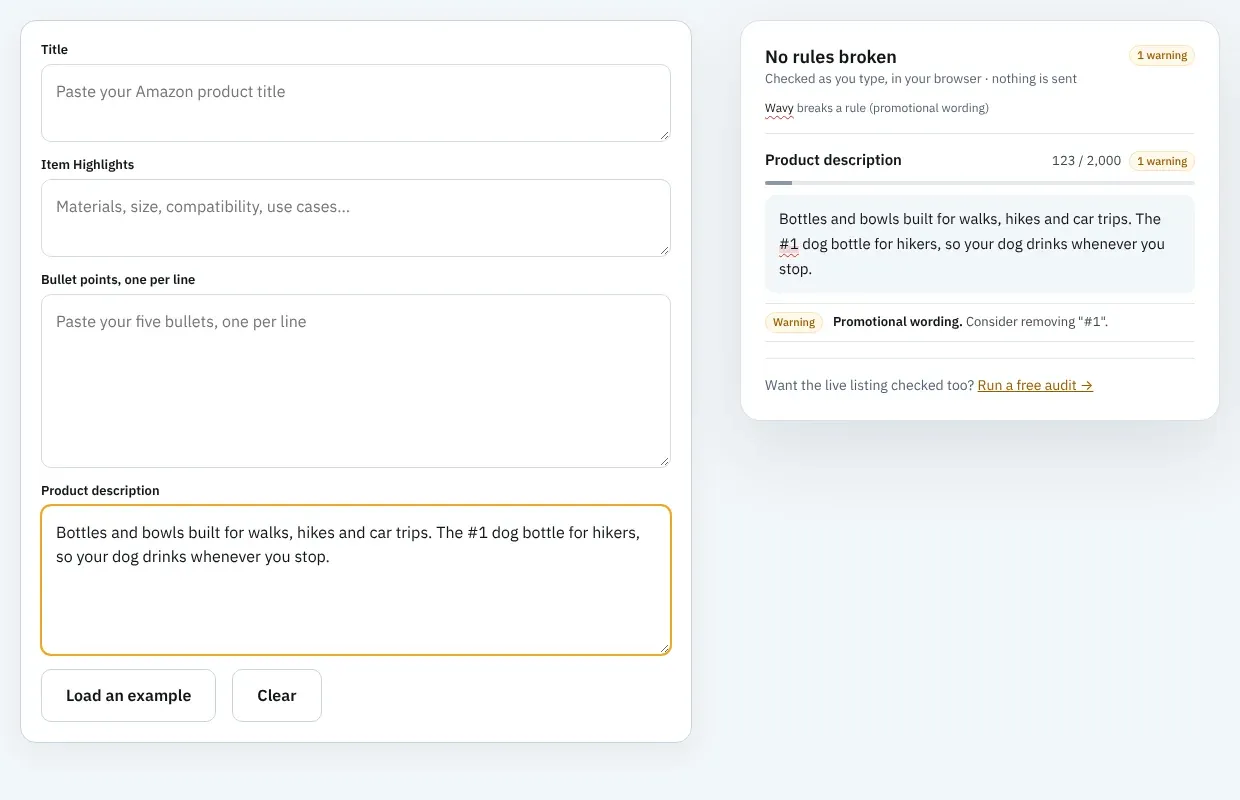
- "Best-selling", "#1" or "top-rated" claims
- Warranty or guarantee wording
- Links, QR codes, email addresses or directions to other websites
- References to competitors or comparisons with them
- Awards or endorsements without the awarding body and year
- Low-resolution or animated images
- Images or text you don't have the rights to
Brand Story creates two traps of its own. Founder stories drift into health or performance claims ("we started this brand to help people sleep better" reads as a sleep claim in some categories). And the Q&A card invites answers like "Yes, every product comes with a lifetime guarantee", which breaks the warranty rule in one line.
Read each card against the list before submitting. If you want a quick first pass on the text, paste it into the description box of the free Amazon character limit checker, which flags promotional wording, contact details and health claims with no account. It won't check the 30- and 135-character card limits, so count those in the editor.
How to Add a Brand Story to an Amazon Listing
These steps follow Amazon's best-practice guide for Seller Central:
- Step 1: Open A+ Content Manager. Go to Advertising, then A+ Content Manager, and start new content.
- Step 2: Choose Brand Story. Pick it instead of Basic (Enhanced Product Description) or Premium.
- Step 3: Name it and pick a language. The name is internal. The language is required, and the content only displays on pages in that language.
- Step 4: Build the background card. Upload the desktop and mobile images and add the logo, headline and short text.
- Step 5: Add modules. Type the text, and add images by drag-and-drop or from your Asset Library. Save drafts as you go.
- Step 6: Preview on desktop and mobile. Check every card at phone width.
- Step 7: Apply ASINs. Search your catalog and check the boxes. Above 1,000 ASINs, use bulk upload with a .csv or .xls file, up to 500,000 ASINs.
- Step 8: Submit for review. Amazon says review can take up to seven business days, longer at busy times, and approved content can take up to 24 hours to appear.
A rejection sends you back to the start of the review clock, with another wait of up to seven business days. Fixing guideline problems before submitting saves more time than any other step.
Keep it on every ASIN
When you launch a new product, apply the Brand Story to it as well. A Brand Story that covers half the catalog looks inconsistent to shoppers who click between your products, and it can block Premium A+. When Amazon opened Premium A+ to sellers, its announcement listed an A+ Brand Story published across your ASIN catalog as one of the conditions, alongside a minimum number of approved A+ projects. Our Amazon A+ Content guide covers the rest of Premium eligibility.
One version per marketplace language
Because content displays only in its selected language, a Brand Story written in English for amazon.com won't appear on amazon.de. Brands selling across Europe need a German, French, Italian and Spanish version, each submitted and reviewed on its own. Translate the text from the start for each market instead of reusing English copy, since shoppers on amazon.de search and read in German.
Does Amazon Brand Story Help SEO?
There's no evidence that it helps keyword ranking directly. Amazon hasn't said that Brand Story or A+ text is indexed for search. In June 2026, PPC Land reported that the only official word on record is a Seller Forums reply about image alt text helping in search results, and that Amazon has been replacing seller-written alt text in A+ and Brand Story with AI-generated descriptions since 2025.
So keep every keyword you need in the fields Amazon does index: the title, Item Highlights, bullets and the 249-byte backend search terms. Our guide on how to rank for keywords on Amazon covers which fields count.
Where it does help
Brand Story works on what happens after the click. A shopper who wasn't sure about an unknown brand gets an answer, and one who landed on the wrong size or color finds the right product in the Four ASIN card without going back to search. Both turn into orders on your ASINs rather than a competitor's, and Amazon ranks matching products partly on sales history.
On Alexa for Shopping (Amazon merged Rufus and Alexa+ into it in May 2026), Amazon hasn't said whether the assistant reads Brand Story text. Our guide to Amazon Rufus and COSMO SEO covers what it's known to read. If the assistant does read it, a Q&A card with plain answers about origin and testing is the easiest content to quote. If it doesn't, those facts should be in your bullets anyway. A free Amazon SEO Ranking audit checks that part: two of its 12 criteria score AI-Readiness, including whether your copy states facts an assistant can quote, such as dimensions, materials and compatibility.
How to Write the Copy for Each Card
The limits are tight enough that every word has to carry a fact. A 135-character description is about two short sentences. Write for that, rather than writing a paragraph and cutting it.
Background card. The headline (30 characters) says what the brand is for, in the shopper's terms. The description says who it's for or what makes it different. Skip the brand name in the headline, since the logo is already on the card.
About card. You have 450 characters, about 70 words. Cover three things in order: why the brand exists, what it does that others in the category don't, and one fact that proves it (a material, a test, a place of manufacture). If the proof isn't in your listing or spec table, check it before it goes into the Brand Story.
Q&A card. Pick three questions shoppers already ask. Look in your reviews, Customer Questions and support inbox. Answer each in one or two sentences under 200 characters, with a fact in each answer.
Four ASIN card. Choose four products that a shopper on any of your listings might want next: a different size, an accessory, a refill. The title can be as plain as "More from Trailpup".
Match the facts to the rest of the listing
A Brand Story that says "made in Portugal" on a product whose spec table says "imported" makes shoppers doubt both. The same goes for counts and materials mentioned in the About card. Fix the facts in the title, bullets and spec table first, then write the Brand Story from them. Amazon SEO Ranking publishes its 12 audit criteria and their weights, so you can see which of those fields fails and why before you write a word of the Brand Story. Our list of Amazon listing SEO mistakes covers the mismatches that cost sales most often.
Amazon Brand Story Examples: A Worked Example
Take a fictional brand, Trailpup, which sells dog water bottles in three sizes plus a collapsible bowl and a travel kit. It's in Brand Registry and has no Brand Story yet. Here's a full carousel written to Amazon's limits.
Step 1: Background card
| Field | Copy | Length |
|---|---|---|
| Headline | Water for dogs on the move | 26 / 30 |
| Description | Bottles and bowls built for walks, hikes and car trips, so your dog drinks whenever you stop. | 93 / 135 |
| Desktop image | Owner and dog on a trail, open space on the left third | 1464 x 625 px |
| Mobile image | Same scene, cropped to the dog drinking | 463 x 625 px |
Step 2: About card
Title: Why Trailpup exists (19 / 30)
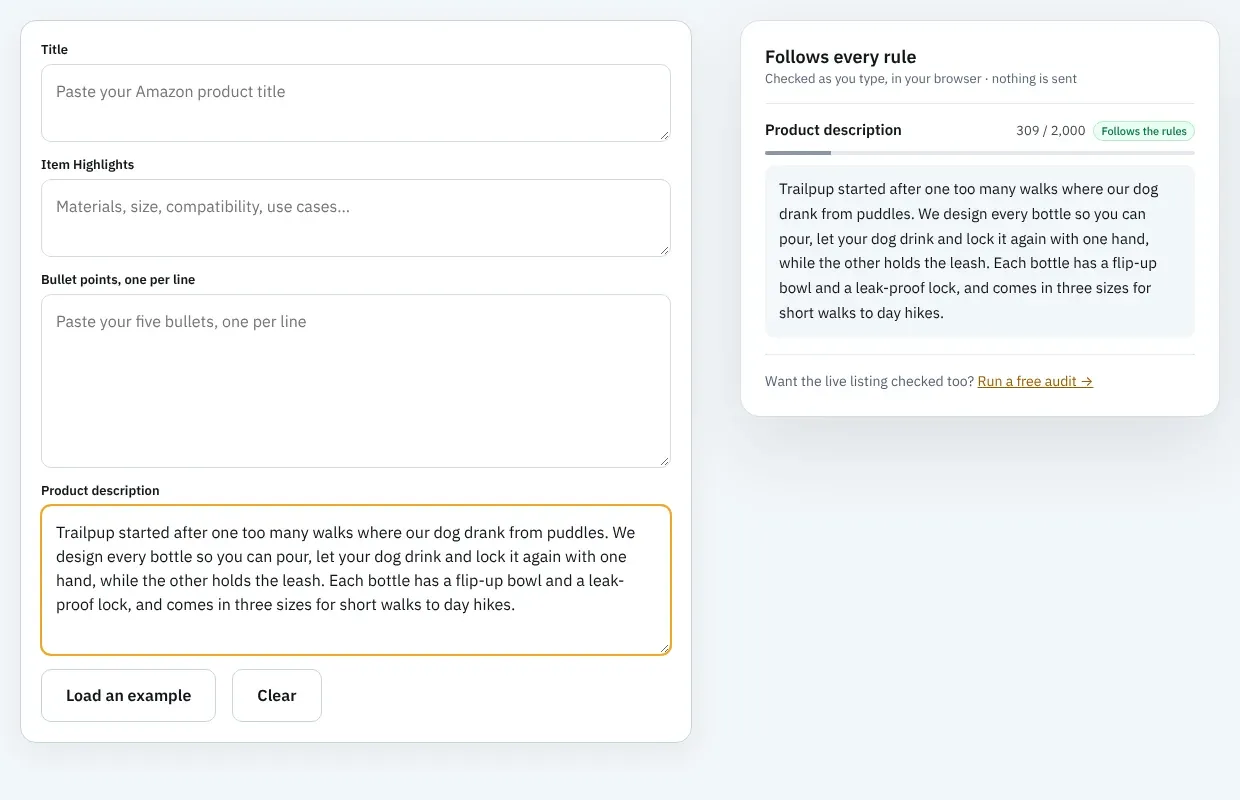
Text: "Trailpup started after one too many walks where our dog drank from puddles. We design every bottle so you can pour, let your dog drink and lock it again with one hand, while the other holds the leash. Each bottle has a flip-up bowl and a leak-proof lock, and comes in three sizes for short walks to day hikes." (309 / 450)
Every fact in the text (flip-up bowl, lock, three sizes) is already in the listings' bullets. Nothing about BPA testing appears, because the brand has no test report to back it.
Step 3: Q&A card
| Question | Answer |
|---|---|
| Which size should I choose? (27) | The 12 oz bottle suits short walks, 20 oz covers about an hour, and 32 oz is for long hikes or two dogs. (104) |
| Can I wash it in the dishwasher? (32) | The bottle body goes on the top rack. Wash the bowl and lock by hand so the seal lasts. (87) |
| Does it fit a car cup holder? (29) | The 12 oz and 20 oz bottles fit standard cup holders. The 32 oz bottle is wider and rides in a door pocket. (107) |
Step 4: Four ASIN card and a check
The card is titled "More from Trailpup" (18 / 30) and shows the 12 oz, 20 oz and 32 oz bottles and the travel kit, with the Brand Store ID filled in so it links to the Store. The collapsible bowl misses out because the card takes exactly four ASINs, and the travel kit already includes it.
The first draft of the background description said "the #1 dog bottle for hikers". That breaks the best-selling rule, so it was rewritten before submitting. The Brand Story then went on all five ASINs in one project, with a separate German version for amazon.de.
Everything You Need to Know About Amazon Brand Story
| Topic | What to know | Rule or number |
|---|---|---|
| Definition | Brand carousel under "From the brand" | Built in A+ Content Manager |
| Purpose | Brand trust and cross-sell | A+ covers the product |
| Eligibility | Professional plan, Brand Registry role | Brand-owned ASINs only |
| Cost | Free to publish | Production is the real cost |
| Modules | Background, Four ASIN, single image, About, Q&A | Background is required |
| Background image | Two files | 1464 x 625 px and 463 x 625 px minimum |
| Other images | Card and logo sizes | 362 x 453, 315 x 145, 166 x 182 px |
| Text | Short fields | 30, 135, 450, 70 and 200 characters |
| Q&A | Brand-level questions | Exactly 3 pairs |
| Cross-sell | Four ASIN card with Store link | Exactly 4 ASINs |
| ASINs | One story across the catalog | Bulk upload above 1,000, max 500,000 |
| Language | Displays only in its language | One version per marketplace |
| Review | Moderation | Up to 7 business days, 24 hours to go live |
| Rejections | Prices, promos, claims, warranties, links, competitors | Same rules as A+ |
| SEO | No confirmed keyword indexing | Keep keywords in title, bullets, backend |
| Premium A+ | Brand Story across catalog is a condition | Check the banner in your account |
Draft Your Brand Story From a Live Listing
Amazon SEO Ranking writes a Brand Story draft from your public product page, so you don't need Seller Central access to start. That helps agencies scoping a new client and anyone who wants copy in hand before opening A+ Content Manager. Paste an ASIN into the AI Amazon listing generator, run the rewrite, and one more click returns a 60-to-100-word Brand Story along with four A+ module drafts with image directions. Trim the draft into the About card's 450 characters and the background card's 135, and you have most of the carousel's text.
The draft is written from your listing's own copy, so fix that copy first. Every audit scores the live listing against 12 published criteria, and flags pack sizes and unit counts that disagree across the title, Item Highlights, bullets, description and spec table. The rewrite works from the spec table and is checked in code for health claims and unsupported claims before you see it. The audit scores the listing copy, not the Brand Story itself, so check the carousel against the limits and guidelines above before you submit it. Brand Story drafts are self-serve on every plan, Free included, where some seller suites offer A+ only as a managed service, and they use no audit quota (the rewrite you run first uses 1 audit). The audit and rewrite cover 23 Amazon storefronts, and the rewrite comes back in each storefront's language. Draft each language version of the Brand Story from the listing in that storefront.
It's built for brand-registered sellers and agencies who want the listing copy, A+ and Brand Story to state the same facts, and who'd rather check that in a tool than by hand across a catalog. It's trusted by eRetail Search specialists at Nestlé and eCommerce SEO agencies such as Reach AI.
The free plan includes 3 audits a month with the AI rewrite, A+ and Brand Story drafts, no credit card required. Run a free Amazon listing audit on the listing you're adding a Brand Story to this week, or compare Pro and Agency pricing if you're preparing a catalog for Premium A+.
FAQ
What is an Amazon Brand Story?
An Amazon Brand Story is a scrolling carousel of brand cards shown under the "From the brand" heading on a product page, above A+ Content. It tells shoppers who the brand is and can link to four of your other products and your Brand Store. Brand owners build it once in A+ Content Manager from five module types and apply it to any of their brand's ASINs. It's free for sellers with a Professional plan and a brand in Brand Registry.
Is Amazon Brand Story free?
Amazon Brand Story is free to publish for sellers who qualify for A+ Content. That means a Professional selling plan, which costs $39.99 a month plus selling fees, and a Brand Representative or Reseller role on a brand enrolled in Brand Registry. Amazon charges nothing extra for creating or applying the Brand Story. The cost is producing the background image, logo, card images and copy.
What size is the Amazon Brand Story background image?
The Amazon Brand Story background image must be at least 1464 x 625 pixels on desktop and 463 x 625 pixels on mobile, uploaded as two separate files. These are the minimums in Amazon's A+ Brand Story module documentation. The single-image card needs at least 362 x 453 pixels, the About logo 315 x 145 pixels, and each Four ASIN product image 166 x 182 pixels. If the Seller Central editor shows a different size next to a slot, follow the editor.
How do I add a brand story to my Amazon listing?
To add a brand story to your Amazon listing, open A+ Content Manager under Advertising in Seller Central, start new content and choose Brand Story. Name it, select the language, build the required background card, add any other modules, and preview on desktop and mobile. Then apply it to your ASINs, by checkbox or by bulk upload of up to 500,000 ASINs, and submit it for review. Amazon says review takes up to seven business days and approved content appears within 24 hours.
What is the difference between Brand Story and A+ Content?
The difference between Brand Story and A+ Content is that Brand Story describes the brand while A+ Content describes the product. Brand Story sits under "From the brand" above A+, uses one story across many ASINs, and can link to your other products and Brand Store. A+ Content sits below the bullets, is built per product, and uses up to 5 modules on Basic or 7 on Premium. Both are built in A+ Content Manager and follow the same review rules.
Does Amazon Brand Story help SEO?
Amazon Brand Story helps SEO only indirectly, through sales, because Amazon hasn't confirmed that Brand Story text is indexed for keyword search. Amazon has also been replacing seller-written alt text in A+ and Brand Story with AI-generated descriptions since 2025, according to PPC Land. The Brand Story's Four ASIN card keeps shoppers inside your catalog, and orders on your ASINs feed the sales history Amazon ranks on. Put the keywords you need in the title, bullets and backend search terms.
Can I have a Brand Story without A+ Content?
You can have a Brand Story without A+ Content, because Brand Story is a separate content type with its own modules in A+ Content Manager. Amazon's best-practice guide says it lets you show your brand and other products without reusing A+ modules. A listing with a Brand Story and no A+ shows the carousel above the plain product description. Amazon still recommends using both for the most presence on the page.
Is a Brand Story worth it if I only sell one product?
A Brand Story is worth it for a one-product brand when shoppers hesitate over buying from a brand they don't know, because the About and Q&A cards answer that hesitation in up to 1,260 characters. You lose the Four ASIN card, which needs exactly four products, so the cross-sell benefit doesn't apply yet. The other reason is Premium A+, which Amazon tied to a Brand Story published across your catalog. For a single product, that condition takes one approved Brand Story, though Amazon also requires a minimum number of approved A+ projects, reported as 15 in 12 months.
Paste your ASIN and get a Brand Story draft from your live listing. Free, no card required.
Draft my Brand Story free