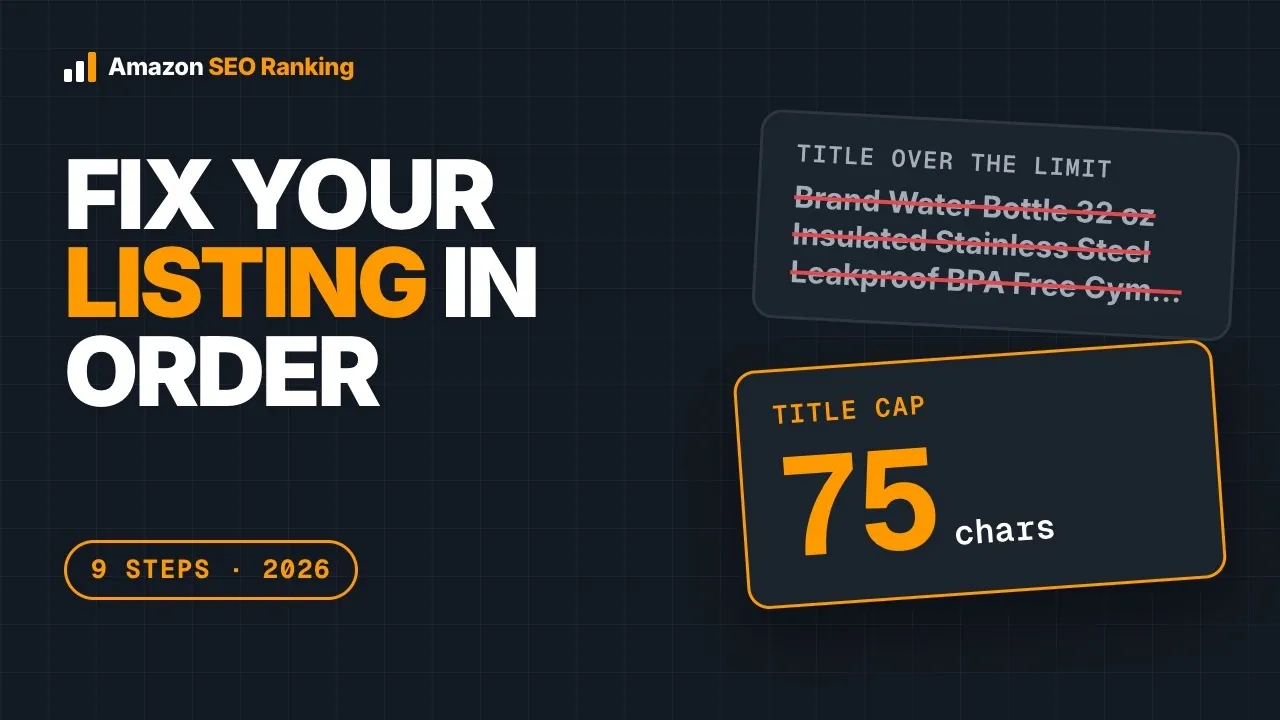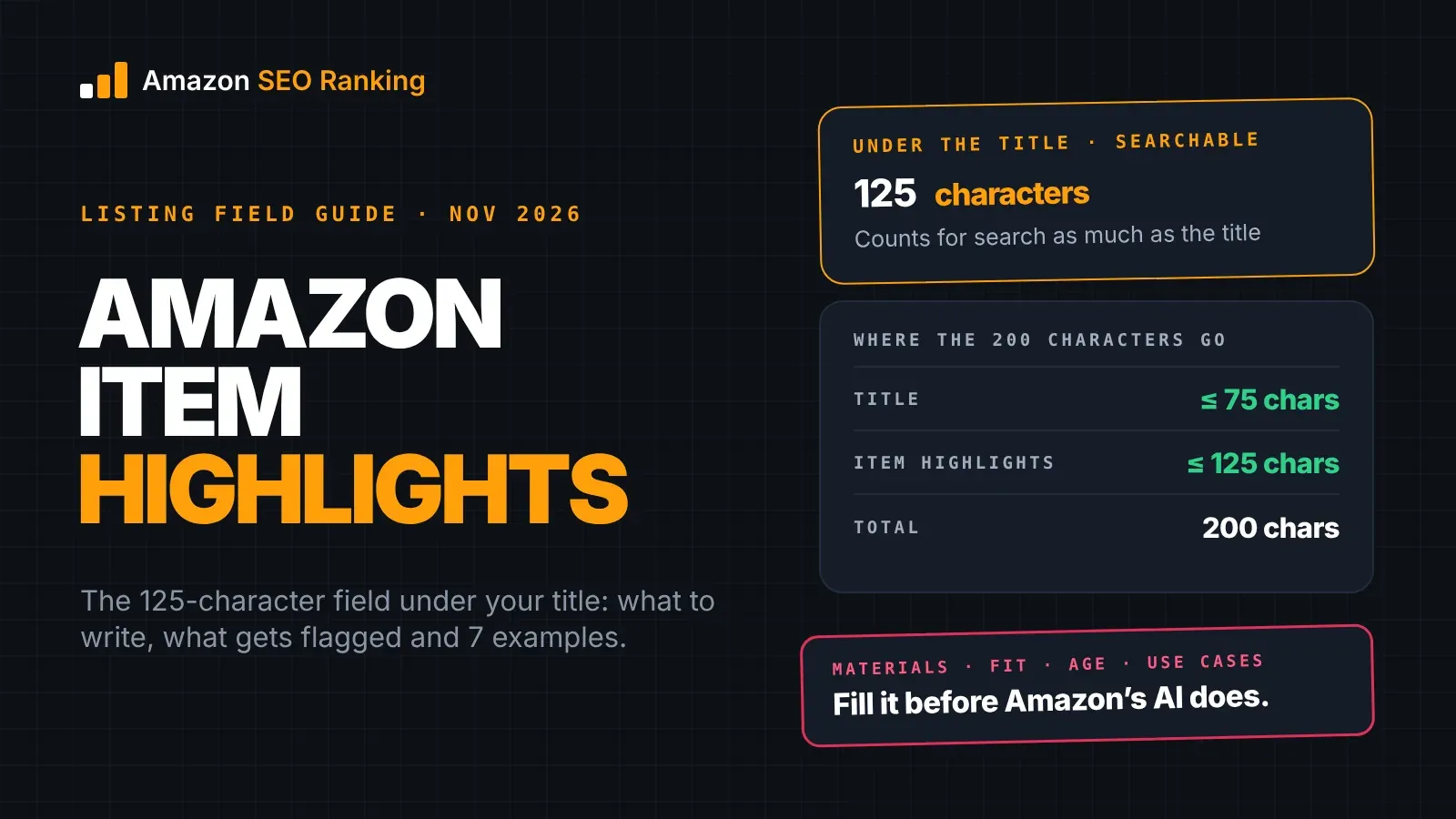
Amazon item highlights are a listing field of up to 125 characters that shows directly under your product title, in search results and on the product page. Amazon added it alongside the 75-character title limit that took effect on July 27, 2026, as the place for materials, use cases, compatibility and age ranges. It's searchable, and Amazon says it counts for search as much as the title does.
Most of the detail that used to sit at the end of a 200-character title now belongs here. If you don't write it, Amazon's AI will: titles still over 75 characters are being updated to Amazon's own version, title and Item Highlights together, written from whatever your listing already says. That version keeps what the AI judges relevant, which isn't always the detail shoppers compare on, and it can carry wording a policy check would flag.
This guide covers what the field is, the limit, what to write and what gets flagged, seven Item Highlights examples by category (each checked for length, repeats and claims), a worked fix, and how to review Amazon's AI version before it goes live. It's written for sellers, brand teams and agencies with live listings.
Key Takeaways (TL;DR)
- Item Highlights is a 125-character field, spaces included, shown under the title on desktop and mobile.
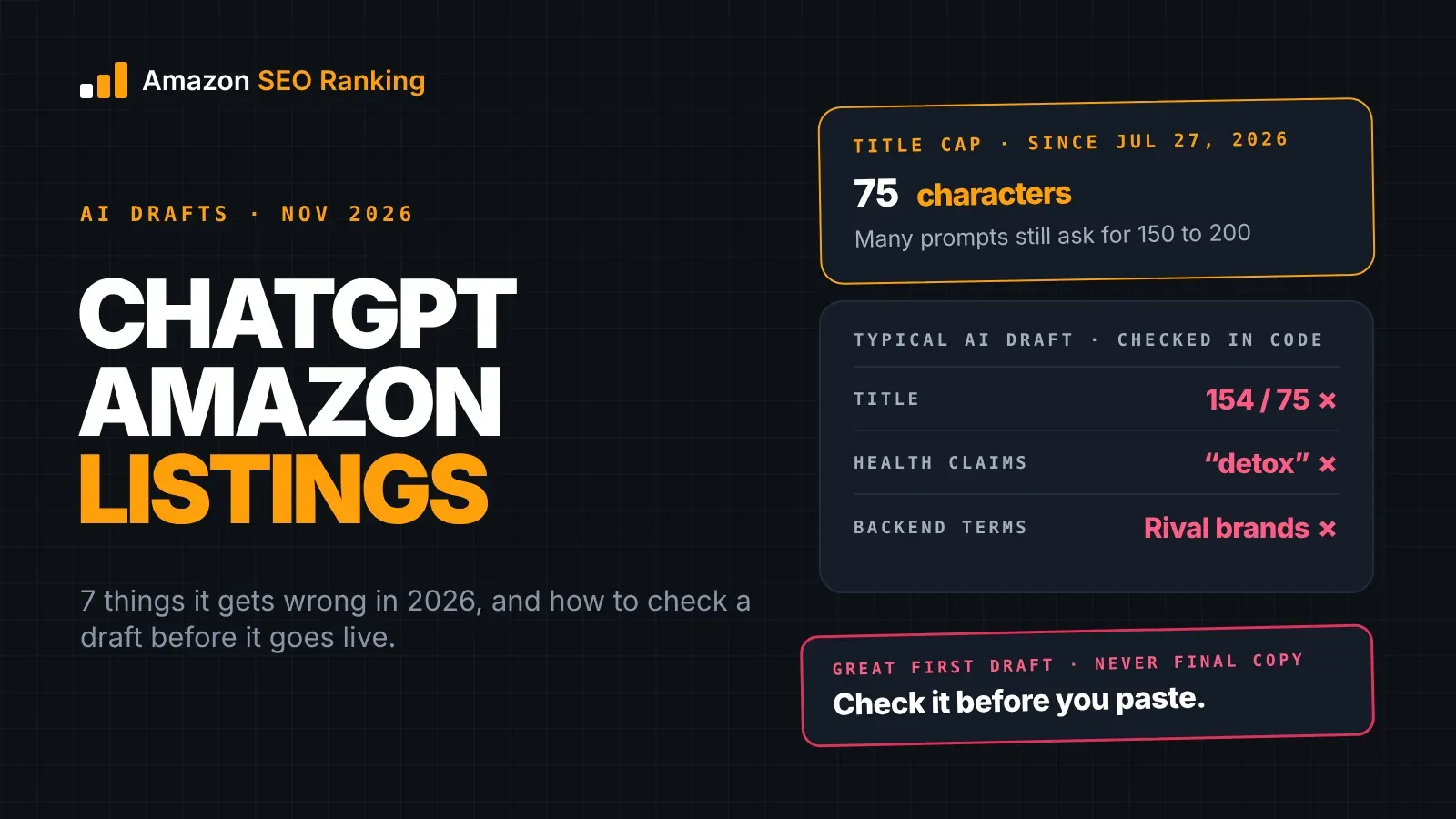
- It arrived with the 75-character title limit on July 27, 2026. Title plus Item Highlights still gives you 200 characters.
- Amazon says Item name and Item Highlights are both inputs for search, and neither is prioritized over the other.
- Use it for materials, use cases, compatibility, age ranges and comparison details. Keep your brand and the most important variation attributes in the title.
- Leave out "best", "#1", "free", ALL CAPS and exclamation marks. They get flagged as promotional.
- Don't repeat title keywords. A word already in the title is already indexed, so the repeat costs characters. The exception is a repeat that adds detail, such as model numbers after "iPhone".
- If you don't fill the field, Amazon's AI writes it from your existing content. Brand owners get 14 days to review that version.
- Every claim in the field should match your spec table. "BPA-free" with no attribute behind it is an unsupported claim.
Amazon Item Highlights: at a Glance
| Question | Answer |
|---|---|
| What is it? | A listing field shown under the product title |
| Limit | 125 characters, spaces included |
| Live since | July 27, 2026, with the 75-character title rule |
| Shown where | Search results and the product page, desktop and mobile (same layout since August 10, 2026) |
| Searchable? | Yes. Amazon says it counts equally with the title |
| What goes in it | Materials, use cases, compatibility, age ranges, comparison details |
| What stays in the title | Brand, product type, the most important variation attributes |
| What gets flagged | "Best", "#1", "free", ALL CAPS, "!!!", unsupported claims |
| Who fills it if you don't | Amazon's AI, from your existing listing content |
| Bulk updates | Category Listings report, uploaded through List Your Products |
What Are Item Highlights on Amazon?
Item Highlights is a short line of supporting detail that sits under the product name. Amazon's own description is that it provides an additional 125 characters for sharing materials or recommended use cases that help customers compare options, and that the content is searchable and visible with titles.
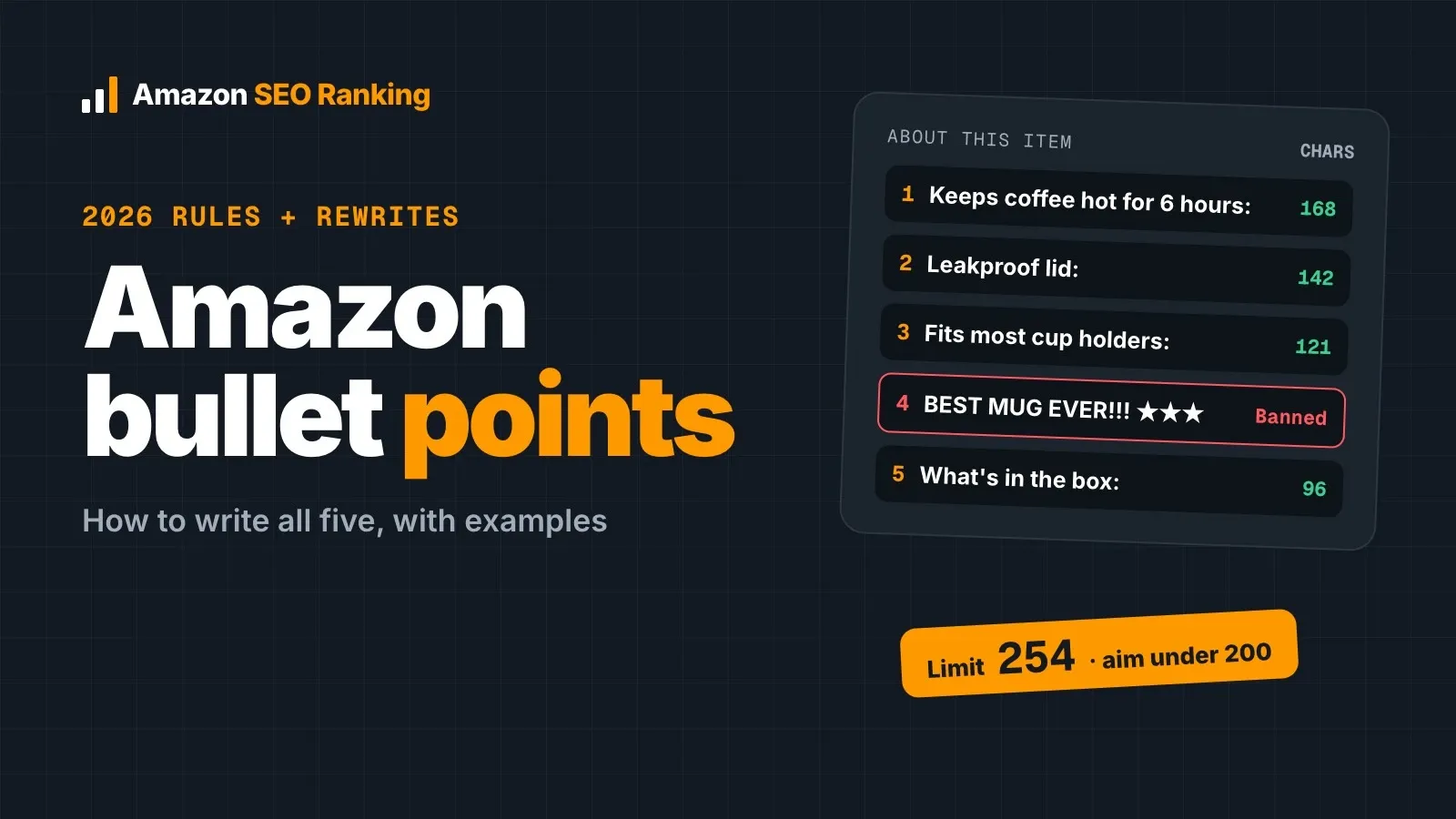
It's a separate field from your five bullet points. Bullets live further down the product page and can run up to 255 characters each. Item Highlights is one line, and it appears where shoppers are still deciding which result to click.
If you searched item highlights Amazon after seeing the field appear in Manage All Inventory, that's the field: Amazon labels it Item Highlights on the edit page and in the Category Listings report, next to Item name.
Where Item Highlights show up
Amazon displays the field under the Item name in search results and on the product detail page. In its answers to seller questions, Amazon confirmed that from August 10, 2026, Item Highlights appear beneath the Item name on both desktop and mobile with the same layout.
How much of it a shopper sees depends on the screen. Amazon says the number of visible characters varies with screen size and display settings, so put the detail that matters most at the start of the line, where every device shows it.
Why Amazon added the field
Amazon tied the 75-character title limit to how titles display on mobile. Long titles were cut off on phones, and the end of the title, where sellers stacked secondary keywords, was the part shoppers never saw.
Item Highlights gives that detail its own place. The total doesn't shrink: Amazon's Q&A says you still have 200 characters, split between Item name (75) and Item highlights (125). What changed is that each part now has a job, and a shopper can read both.
The Amazon Item Highlights 125-Character Limit
The Amazon Item Highlights limit is 125 characters, spaces and punctuation included. Amazon's listing tools follow the new limits automatically: 75 characters for titles and 125 for Item Highlights.
There's no minimum. Our own guideline is 90 to 120 characters, which leaves room for four or five comma-separated details without padding. Amazon's own example in the announcement runs 88 characters: "Keeps drinks cold 24 hours, hot 12 hours. Ideal for gym, office, and outdoor adventures."
| Field | Limit | Counted in |
|---|---|---|
| Title (Item name) | 75, all categories except media | Characters, spaces included |
| Item Highlights | 125 | Characters, spaces included |
| Bullet points | Up to 255 each | Characters |
| Backend search terms | Under 250 bytes in most marketplaces | Bytes |
Count before you paste. Some sellers have reported upload errors on the field, including "100476: This attribute 'Item Highlight' is currently unsupported", and a line that's over the limit adds a second problem to debug. Amazon SEO Ranking's free Amazon listing requirements and character limits checker counts the field as you type and strikes through everything past character 125, with no account.
What to Put in Item Highlights and What to Leave Out
The field has one job: tell a shopper, in one line, the details that help them choose your product over the one next to it. Amazon frames it as the place for materials and recommended use cases that help customers compare options. Compatibility and age ranges fit the same job, since they're the details shoppers check before they click.
What belongs there
Write the details a shopper uses to compare, in the order they'd check them:
- the material or main component (stainless steel, merino wool blend, porcelain);
- a spec that settles a question (15W charging, fits 18 x 18 inch inserts);
- compatibility, with model names (iPhone 16, 15 and 14);
- the age range for toys and baby products;
- two or three use cases (hiking, office, road trips).
Write them as comma-separated phrases. Full sentences spend characters on words like "this" and "is" that carry nothing. Keep your brand and the most important variation attributes (size, color, pack count) in the title, which is what Amazon recommends. Move the less important variation attributes to Item Highlights only when the title runs out of room.
What gets flagged
The same content rules that apply to titles apply here. Promotional words ("best", "#1", "perfect", "free", "bonus gift"), ALL CAPS words, runs of exclamation marks and decorative symbols all read as advertising, and Amazon's policy checks treat them that way.
Claims are the second risk. Anything that sounds like a fact, such as BPA-free, organic, waterproof or leak-proof, should match an attribute in your spec table or something you can prove. Sellers on the Seller Forums have reported AI-generated copy flagged as promotional, so the same care applies to the lines Amazon writes for you.
Item Highlights vs Title, Bullets and Backend Search Terms
Each field holds a different kind of phrase. The table shows where a detail goes once you've decided it's worth including.
| Field | Shopper sees it | Job | Example content |
|---|---|---|---|
| Title | Yes, first | Say what the product is | Brand, product type, main keyword, size or color |
| Item Highlights | Yes, under the title | Help a shopper compare | Material, compatibility, age range, use cases |
| Bullets | Yes, on the product page | Explain features in depth | One benefit and the spec that proves it, per bullet |
| Backend search terms | No | Catch searches the visible copy misses | Synonyms, misspellings, other-language terms |
The rule that ties them together: one copy of each keyword is enough. Amazon indexes the words in each field, so a word in your title doesn't need repeating in Item Highlights or the backend. Short words like "and" or "for" don't count, and a repeat that adds detail (model numbers, a size range) earns its place. Spend the rest of Item Highlights on terms the title doesn't hold, and our guide to Amazon search terms covers the backend side of the same check.
Bullets still matter. Item Highlights gives a shopper the facts at a glance, and the bullets give the reasons behind them. A safety warning, a care instruction or a feature that needs a full sentence belongs in a bullet.
Amazon Item Highlights Examples by Category
These Amazon Item Highlights examples use fictional brands. On 16 November 2026 we ran each pair through the checks Amazon SEO Ranking runs on every AI rewrite: a character count in code, the claim check against the product's facts, and the AI policy scan (on Pro and Agency). We also checked each highlight against its title for repeated keywords.
| Category | Title (characters) | Item Highlights (characters) |
|---|---|---|
| Kitchen | Ridgeway Ceramic Pour Over Coffee Dripper, 1-4 Cup, White (57) | Porcelain cone, fits #2 paper filters, wide base for mugs and carafes, for home, office and camping (99) |
| Toys | Brightbloc Magnetic Tiles Building Set, 120 Pieces, Rainbow (59) | Ages 3+, ABS plastic with rounded edges, storage bin included, for STEM play at home or in the classroom (104) |
| Electronics | Voltera 3-in-1 Wireless Charging Stand for iPhone and AirPods, Black (68) | Compatible with iPhone 16, 15 and 14 and Apple Watch, 15W output, magnetic alignment, aluminum body, folds flat for travel (122) |
| Apparel | Kestrel Merino Wool Running Socks, Men's, 3 Pairs, Grey, Size L (63) | Nylon and spandex for stretch, moisture-wicking, flat toe seams, cushioned heel, for trail, gym and everyday wear (113) |
| Beauty | Calmwell Daily Moisturizing Face Cream, Fragrance-Free, 1.7 oz (62) | With hyaluronic acid and ceramides, for dry and sensitive skin, non-greasy finish, use morning and night (104) |
| Home | Linwood Linen Throw Pillow Covers, Set of 2, 18 x 18 Inch, Oatmeal (66) | Cotton blend with hidden zipper, machine washable, fits standard square inserts, for sofa, bed or reading chair (111) |
| Pet | Trailpup Insulated Dog Water Bottle with Bowl, Spill-Resistant, 20 oz, Blue (75) | Stainless steel, one-hand pour and refill, fits car cup holders and backpack pockets, for hiking, walks and road trips (118) |
All seven pass the length checks, and five passed the AI scan with no flags. Two got a note worth knowing about, and neither was about the highlight's wording.
The magnetic tiles were flagged because a listing for a magnetic toy aimed at ages 3+ needs a magnet safety warning and a toy-safety compliance reference. The charging stand got a low-severity note to add magnet safety information. In both cases the fix goes in the bullets or description, since a warning needs a full sentence and 125 characters can't hold it alongside the comparison details.
A few patterns show up across the set. Each highlight opens with the material or the deciding spec, because the start of the line shows on every screen. Six of the seven repeat no title keyword at all. The charging stand repeats "iPhone" on purpose, because the model numbers tell a shopper something the title can't. And the use cases come last, as the part a shopper can afford to see cut off.
How to Write Item Highlights in 5 Steps
Five steps take one listing from an empty field to a checked line. On a catalog, steps 1 and 5 are the ones to run in bulk.
Step 1: Start from the live title
Copy the title as it appears on Amazon now, along with your spec table and bullets. If the title is still over 75 characters, fix it first, because Amazon updates over-limit titles to its own AI version and that changes which words are already covered.
A free Amazon listing audit does this step for you. It scores the live listing on 12 equally weighted criteria, with every pass rule published, and three of them cover the title and Item Highlights. Each failed criterion comes back as a fix with its points and a link to the rewrite, so you see why the title or highlight lost points before you change a word. Then write down the words the title already holds: they're off limits for Item Highlights.
Step 2: List the details shoppers compare on
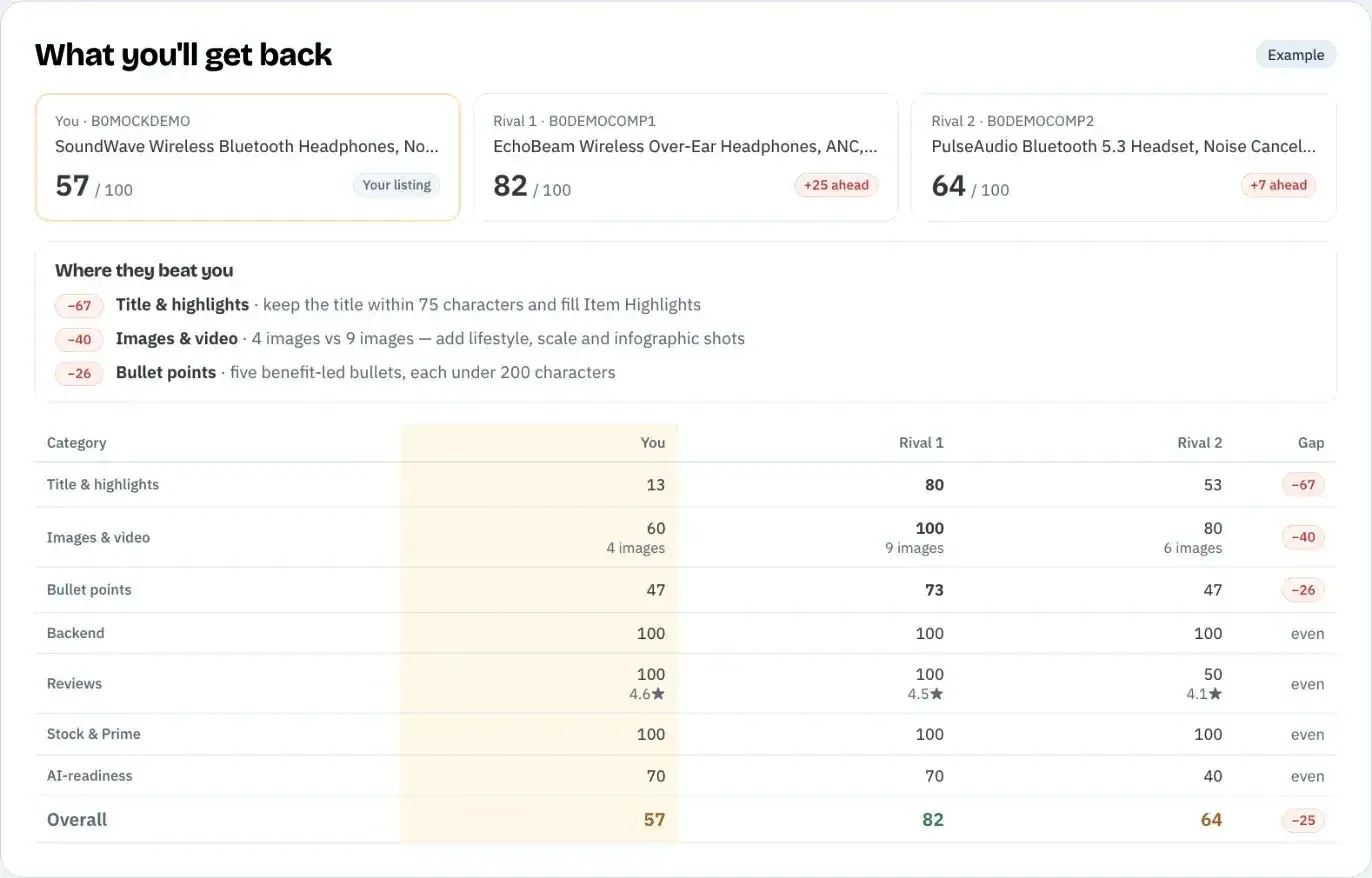
Look at the listings beating you and at your own customer questions. Note the details shoppers ask about or filter by: material, size fit, compatibility, age, use. Reviews help because buyers name the product in their own words. Competitor Compare, on every plan including Free, runs the same 12-criteria audit on your listing and up to two rivals, and shows the three categories where they beat you most, with the figures behind each gap.
Then check each candidate against search demand. A detail shoppers type into Amazon search earns its place twice, once as information and once as a keyword. The Amazon keyword research tool gives estimated Amazon search volume for up to 1,000 phrases at once (a free account sees the first 3 results of each search), and our guide to keywords for Amazon listing fields shows which kind of phrase belongs in which field.
Step 3: Order by what decides the click
Put the detail that settles the comparison first. For a charger that's compatibility; for socks it's the material; for a toy it's the age range. Use cases go last.
Order matters because Amazon says the number of visible characters varies with screen size and display settings. Whatever is cut, it's the end of the line, so the end is where the least important detail goes.
Step 4: Write it as phrases, then cut
Write comma-separated phrases with no full stop needed at the end. Drop filler words such as "this product is", "great for" and "designed to". If the line runs past 125, cut the weakest use case before you touch a spec.
Read it once as a shopper would. If a phrase would make sense on any product in the category ("high quality", "durable design"), it isn't helping you compare, so replace it with a number or a material.
Step 5: Check length and claims before you save
Paste the title and Item Highlights into the free Character Limit Checker, which counts both fields as you type and flags promotional wording, ALL CAPS, decorative symbols and health claims, with no account. Then confirm every factual claim in the line matches an attribute in your spec table. Amazon SEO Ranking runs that claim check on every audit and AI rewrite, comparing the copy with the listing's spec table and your brand fact sheet.
After saving, test indexing: search Amazon for your ASIN plus a phrase that appears only in Item Highlights. If your product comes back, the phrase is counting. If you want to score the new copy before it goes live, Amazon SEO Ranking's draft audit takes a pasted title and Item Highlights and scores them against the live listing's images, rating and Prime status, using one audit.
Worked Example: Fixing a 135-Character Item Highlight
Here's a highlight with the mistakes we see most, for the fictional Trailpup dog water bottle:
BEST Dog Water Bottle for Walks!!! Insulated Dog Water Bottle, Leak Proof, FREE Bonus Gift Bowl, Perfect Gift for Dog Lovers, #1 Seller
At 135 characters it's 10 over the limit, which the free Character Limit Checker shows the moment you paste it. The AI policy scan (Pro and Agency) found six more problems on 16 November 2026. The last column shows which ones the free checker's style rules also cover.
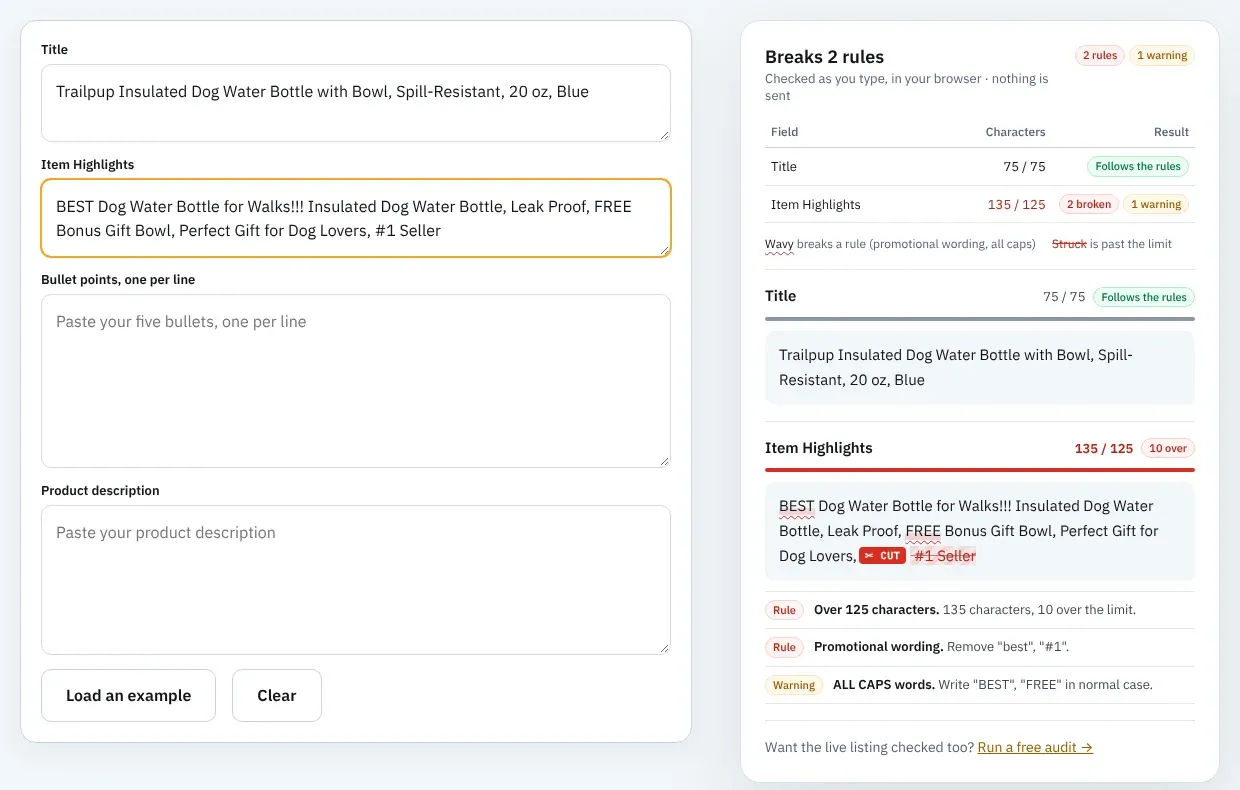
| Problem | Words | Severity (AI scan) | Free checker rule |
|---|---|---|---|
| Unsupported ranking claim | #1 Seller | High | Promotional wording |
| ALL CAPS superlative | BEST | Medium | ALL CAPS, promotional wording |
| Promotional wording | FREE Bonus Gift | Medium | ALL CAPS, promotional wording |
| Excessive punctuation | !!! | Low | AI scan only |
| Absolute performance claim | Leak Proof (also in the title) | Low | AI scan only |
| Subjective superlative | Perfect Gift | Low | Promotional wording |
It also repeats title words: "Dog Water Bottle" twice, plus "Insulated", "Bowl" and a third "Dog". That's 48 characters spent on words Amazon has already indexed from the title.
The first rewrite was 110 characters and passed the AI scan, but two problems were left:
Stainless steel, BPA-free fold-out bowl, one-hand pour, fits car cup holders, for hiking, walks and road trips
The claim check flagged "BPA-free" because it wasn't in the spec table. If it's true, add it to the product attributes; if nobody has tested it, it comes out. And "bowl" was already in the title. With both fixed, the final line is 118 characters and passes every check:
Stainless steel, one-hand pour and refill, fits car cup holders and backpack pockets, for hiking, walks and road trips
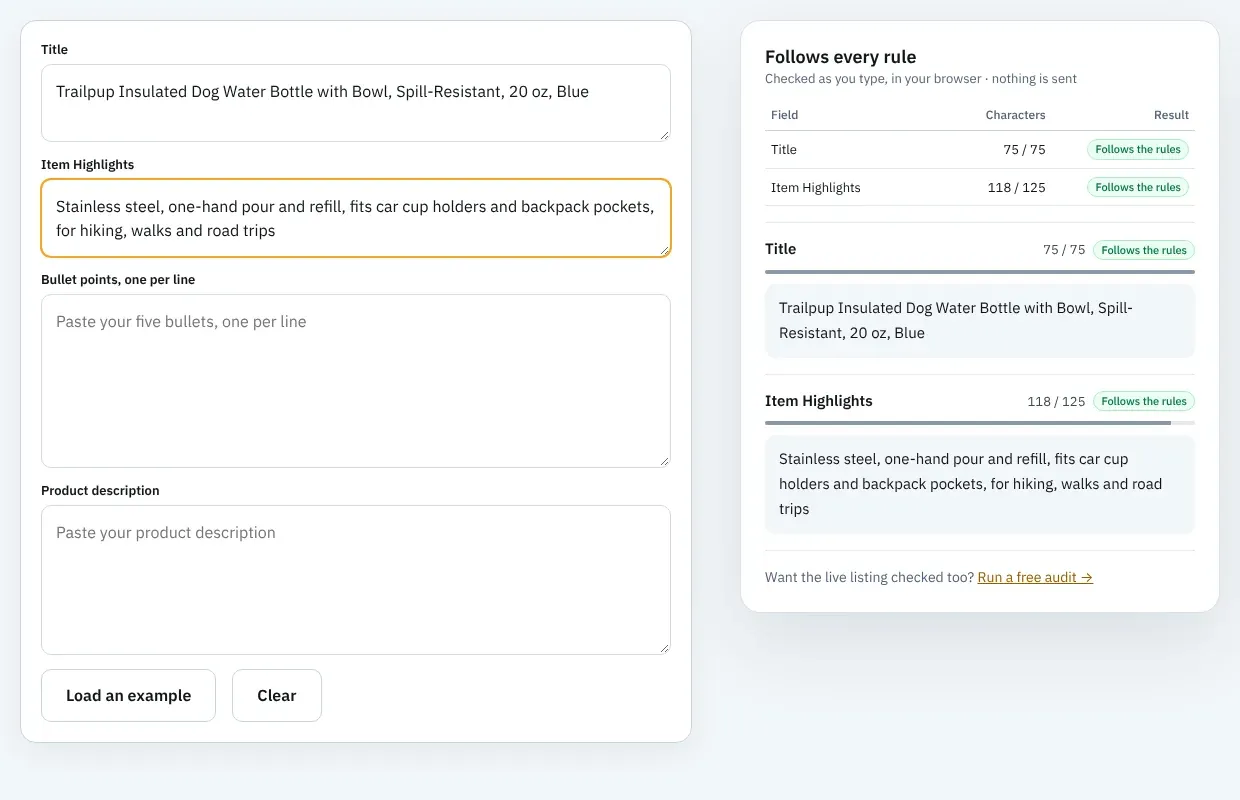
The title changed too: "Leak-Proof" became "Spill-Resistant", which brought it to exactly 75 characters. Between them, the two fields now carry the material, the bowl, the capacity, two fit details and three use cases, with no keyword used twice.
Adding and Updating Item Highlights in Seller Central
You can edit the field on one listing at a time or across a catalog. Either way, the change can be reviewed before it goes live.
On one listing
Go to Manage All Inventory, find the listing and choose Edit from the drop-down. Amazon's instructions say to click "View enhancements" on the left of the page to see its suggested title and Item Highlights, which you can edit before submitting.
You can change the field again at any time from the same page. Amazon's Q&A also notes sellers can override AI updates through Manage All Inventory or List Your Products.
In bulk
For more than a handful of listings, download the Category Listings report. Amazon says it comes prefilled with your existing data, with Item highlights next to Item name. Edit both columns, upload the file through List Your Products, and updates typically process within eight hours.
Writing the lines is the slow part on a catalog. Amazon SEO Ranking's Amazon bulk listing tool audits and rewrites up to 100 ASINs per run on Pro and 500 on Agency, including a title and Item Highlights for each, with a claim check column that flags risky claims and count mismatches in every draft.
Reviewing Amazon's AI recommendations
Amazon began recommending changes on non-compliant listings on July 27, 2026, and titles still over 75 characters are updated to its AI version gradually. Brand owners get 14 days to review, edit or approve the AI title and Item Highlights in Review Listings Changes before they're applied. The listing stays active throughout.
Treat the AI line as a first draft. It works from your existing content, so it keeps what it judges relevant, which may not be the details with the most search demand or the strongest comparison value. Check it the same way you'd check your own: length, repeats from the title, promotional wording and claims your spec table doesn't support. For brand eCommerce teams approving changes across a portfolio, those 14 days are the only point where a wrong claim can be stopped before shoppers see it.
The fastest review compares Amazon's version with a draft that was checked before you saw it. Amazon SEO Ranking's Amazon listing rewriter writes Item Highlights up to 125 characters from the same live listing, but it treats the spec table and your brand fact sheet (approved facts and banned claims) as the source of truth. Every rewrite is checked in code for the 125-character limit, pack-count mismatches and unsupported claims before it's shown, and you can score it as a draft against the live listing before it goes live. Teams who work in Claude can run the same checks through the Claude connector on Pro and Agency. Our guide to Amazon product title optimization covers the title half of the same decision.
Item Highlights Across Marketplaces
Each Amazon marketplace holds its own copy of the listing in its own language, and that includes Item Highlights. A US highlight pasted into amazon.de matches almost nothing German shoppers type.
Write and check each storefront separately. German and French phrases tend to run longer than English, so a line that fits at 110 characters in English can go over 125 once translated. Amazon SEO Ranking's audit covers 23 Amazon storefronts, and its rewrites come back in the marketplace's language (12 languages, Belgium in French), each held to the same 125-character limit.
Everything You Need to Know About Amazon Item Highlights
| Topic | What to know | Rule or number |
|---|---|---|
| Definition | A line of comparison detail under the title | Shown in search results and on the product page |
| Limit | Spaces and punctuation count | 125 characters |
| Launch | Arrived with the title cap | July 27, 2026 |
| Display | Same layout on desktop and mobile | Since August 10, 2026 |
| Search | Indexed, equal weight to the title | Per Amazon's Q&A |
| Total space | Title plus Item Highlights | 75 + 125 = 200 characters |
| Brand | Keep it in the title | Amazon's recommendation |
| Variation attributes | Most important ones in the title | Overflow to Item Highlights |
| Content | Material, specs, compatibility, age, use cases | Comma-separated phrases |
| Avoid | Promotional words, ALL CAPS, "!!!", unsupported claims | Same rules as titles |
| Repeats | Title words are already indexed | Use each word once |
| AI recommendations | Amazon fills or rewrites the field | Brand owners get 14 days to review |
| Bulk edits | Category Listings report | Processes within about 8 hours |
| Marketplaces | One field per storefront, in its language | Check each one |
Check Your Item Highlights Before You Save
Amazon SEO Ranking audits a live listing against 12 published criteria, three of them on the title and Item Highlights, and rewrites whatever fails. Every rewrite is grounded in the listing's spec table and your brand fact sheet, then checked in code for Amazon's 75 and 125-character limits, pack-count mismatches and claims your product data doesn't back, like the "BPA-free" in the example above. You can score the new title and Item Highlights as a draft before they go live.
It's built for sellers, brand teams and agencies with live listings that Amazon's July title change left with an empty or AI-written Item Highlights field, especially anyone reviewing Amazon's AI changes across a portfolio, selling one ASIN in several storefronts or updating a catalog in bulk. It's trusted by eRetail Search specialists at Nestlé and eCommerce SEO agencies such as Reach AI.
Titles still over 75 characters are being rewritten by Amazon's AI now, along with their Item Highlights. The free plan includes 3 full audits a month with no credit card required, and the free character limit checker needs no account at all. Run your free Amazon listing audit on the listing you're fixing, or see Pro and Agency pricing for a catalog: monthly Pro is $79 with a 7-day free trial and a 14-day money-back guarantee.
FAQ
What are Item Highlights on Amazon?
Item Highlights on Amazon are a listing field of up to 125 characters that shows directly under the product title in search results and on the product page. Amazon introduced the field with the 75-character title limit on July 27, 2026. It's meant for materials, use cases, compatibility and age ranges that help shoppers compare products. The content is searchable, and Amazon says it counts equally with the title for search.
What is the Amazon Item Highlights character limit?
The Amazon Item Highlights character limit is 125 characters, with spaces and punctuation included. Together with the 75-character title, that gives a listing 200 visible characters, the same total most categories allowed in titles before July 27, 2026. Amazon's own listing tools follow the 125-character limit automatically. Amazon's example highlight in its announcement runs 88 characters, enough for two specs and a list of use cases.
Are Amazon Item Highlights searchable?
Amazon Item Highlights are searchable, and Amazon states that Item name and Item Highlights are both inputs for search with neither prioritized over the other. A keyword moved from an old long title into Item Highlights keeps its search value. You can confirm a phrase is indexed by searching Amazon for your ASIN plus a phrase that appears only in Item Highlights. If your product appears, the phrase is counting.
Do Item Highlights replace bullet points on Amazon?
Item Highlights do not replace bullet points on Amazon, because they're a separate field with a separate job. Item Highlights is one 125-character line under the title, while you still have five bullets of up to 255 characters each further down the page. Use Item Highlights for quick comparison details and bullets for full explanations. Safety warnings and care instructions belong in the bullets, since they need full sentences.
Where do I add Item Highlights in Seller Central?
You add Item Highlights in Seller Central from Manage All Inventory: find the listing, choose Edit from the drop-down and look for the Item Highlights field. Clicking "View enhancements" on the left of the edit page shows Amazon's suggested title and Item Highlights, which you can change before submitting. Brand owners also see pending AI changes in Review Listings Changes. You can edit the field again at any time.
Can I update Amazon Item Highlights in bulk?
You can update Amazon Item Highlights in bulk with the Category Listings report, which Amazon prefills with your existing data and an Item Highlights column next to Item name. Edit the column, upload the file through List Your Products, and Amazon says updates typically process within eight hours. Some sellers have reported an "attribute currently unsupported" error (100476) when uploading the field.
Should the brand name go in the title or in Item Highlights?
The brand name should go in the title, which is Amazon's own recommendation for the Item name field. Amazon also recommends keeping the most important variation attributes, such as size, color or pack count, in the title. Material, compatibility, age range and use cases can move to Item Highlights. A typical split is brand, product type, main keyword and one variation attribute in 75 characters, and the comparison details in 125.
Can I accept Amazon's AI-generated Item Highlights as they are?
You can accept Amazon's AI-generated Item Highlights, but you should read each one first, because the AI writes from your existing listing content and may drop the details shoppers filter by. Sellers on the Seller Forums have also reported AI-generated copy being flagged as promotional. Brand owners get 14 days to review, edit or approve each change before it goes live. Comparing it with a draft checked against your spec table, such as Amazon SEO Ranking's draft audit, shows which version keeps your facts and scores higher.
Paste your ASIN and see the rewrite, checked against Amazon's limits. Free, no card required.
Check my Item Highlights free