Amazon bullet points are the five lines under “About this item” on a product page. Amazon indexes them for search, and shoppers use them to decide whether the product fits before they scroll any further.
For the hard limits (five bullets, each under 255 characters) and a checker that flags ALL CAPS headers, emoji and restricted claims as you type, see Amazon listing requirements.
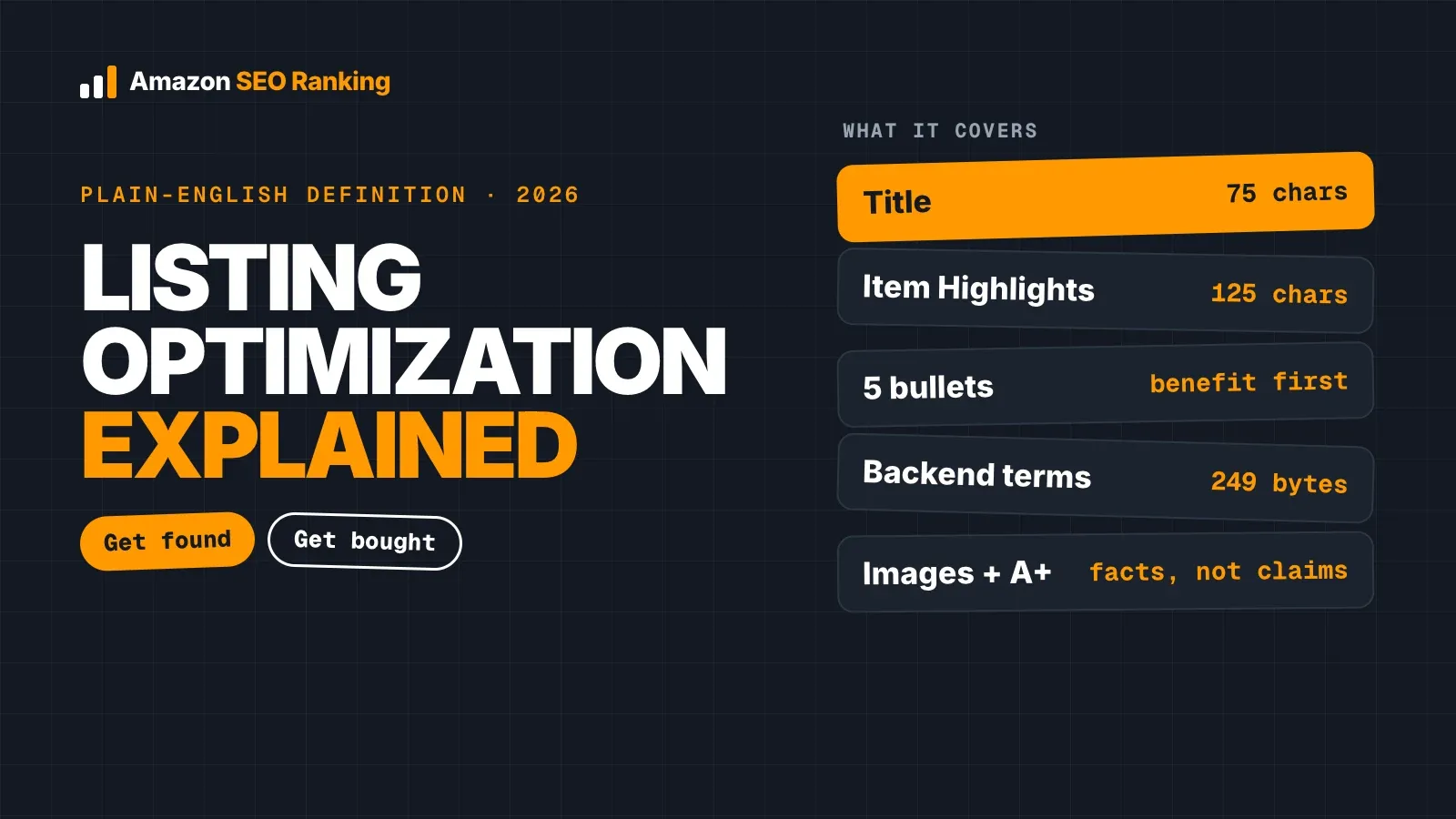
The rules for writing them changed twice in two years. In August 2024 Amazon standardized the format and banned emojis, ALL CAPS-style decoration and refund promises. On July 27, 2026, product titles dropped to 75 characters, so some of what used to live in the title now has to land in Item Highlights or the bullets.
This guide covers the current Amazon bullet points guidelines, what each of the five bullets should do, and before-and-after rewrites you can copy the structure of.
Key Takeaways (TL;DR)
- Length: each bullet must be more than 10 and fewer than 255 characters. We recommend staying under 200 so there's room under stricter category style guides.
- Format: a short header, a colon, then a sentence fragment. Sentence case, no end punctuation, semicolons between phrases.
- Banned: emojis, symbols like ™ and ®, “N/A” placeholders, refund guarantees, shipping or seller info, and claims like eco-friendly or anti-bacterial.
- Give each of the five bullets a different job. Lead with the buying reason, then the differentiator, fit, proof and what's in the box.
- Use keywords the title and Item Highlights didn't cover. Repeating the title's phrase five times adds length and nothing else.
- Check numbers across fields. A pack count that disagrees between title, bullets and spec table is the fastest way to earn “not as described” returns.
Amazon Bullet Points: at a Glance
| Topic | Rule or recommendation | Source |
|---|---|---|
| Number of bullets | Up to 5 for sellers (vendors get up to 10); at least 3 | Amazon Seller Central |
| Length per bullet | More than 10, fewer than 255 characters | Amazon Seller Central |
| Working target | Under 200 characters | Amazon SEO Ranking audit rubric |
| Structure | Header + colon + sentence fragment, no end punctuation | Amazon Seller Central |
| Numbers | One to nine in words; a space between digit and unit (60 ml) | Amazon Seller Central |
| Banned | Emojis, ™ ® © € £ ¥, N/A or TBD, refund guarantees, contact or shipping info | Amazon Seller Central |
| Restricted claims | Eco-friendly, anti-microbial, anti-bacterial, unverified comparisons, awards without date and body | Amazon Seller Central |
| Keywords | Natural language; add terms the title and Item Highlights don't cover | Amazon Seller Central |
| What happens if you break the rules | Bullets removed or rewritten, with Amazon AI suggesting replacements | Amazon (Aug 2024 update) |
What Amazon Bullet Points Are and Why They Matter
Amazon calls them feature bullets. On desktop they sit beside the main image, under the price and variations. On mobile they appear further down the page, and you can't optimize the two layouts separately.
They do two jobs at once. Amazon indexes the words in them, so a relevant term in a bullet helps your listing show for that search. And shoppers scan them to answer the questions that stop a purchase: will it fit, what's in the box, what's it made of.
Sellers get up to five bullets. Vendors can use up to ten. Amazon asks for at least three.
Amazon Bullet Points Guidelines for 2026
The current Amazon bullet points guidelines come from the product bullet point requirements page in Seller Central, which took effect on August 15, 2024. Amazon said bullets that break them can be removed or rewritten, and it uses generative AI to flag non-compliant copy and suggest a replacement for you to review.
Format rules
- Start with a capital letter.
- Write a sentence fragment with no end punctuation.
- Open with a short header followed by a colon, then the detail.
- Separate phrases inside one bullet with semicolons.
- Write numbers one to nine as words, except in names, model numbers and measurements.
- Put a space between a number and its unit: 60 ml, 16 in.
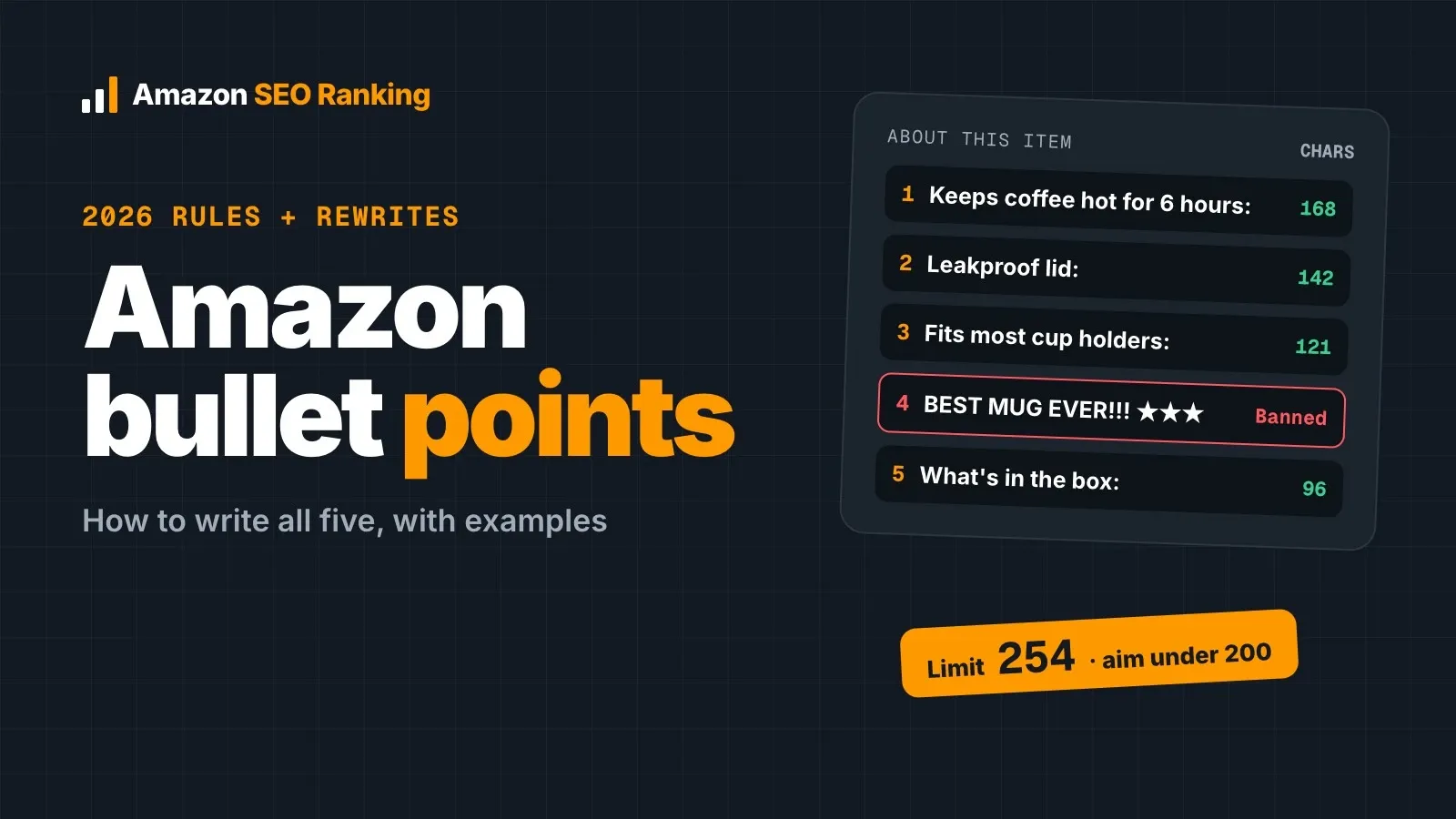
- Keep each bullet between 11 and 254 characters.
Amazon's own example header uses normal capitalization. ALL CAPS headers are still common on listings written before 2024, so check your oldest listings first.
Content rules
Amazon removes or edits bullets that contain:
- emojis, and special characters such as ™, ®, ©, €, £, ¥, ± and …
- placeholders: N/A, TBD, “not applicable”, “copy pending”, or the ASIN itself
- restricted claims such as eco-friendly, anti-microbial, anti-bacterial, made from bamboo or contains soy
- refund guarantees (“full refund”, “if not satisfied, send it back”)
- company information, links or contact details
- shipping information
- repeated information: each bullet has to say something new
The same page tells sellers to avoid subjective, performance or comparative claims unless the packaging backs them up, to never name a competitor brand, and to cite the date and awarding body for any award.
A manufacturer warranty is still allowed when it applies to the product. “Two-year manufacturer warranty” states a fact. “Love it or your money back” is a refund guarantee, and it's banned.
Amazon Bullet Points Character Limit: 254, 200 or 150?
The official Amazon bullet points character limit is fewer than 255 characters per bullet, so 254 is the ceiling. Older guides quote 500 characters (the pre-2024 practice) or 200–250 for all five combined. Both are out of date.
We use 200 as the pass line in our audit, for two reasons:
- Some category style guides set a lower recommendation. Amazon advises 150 characters for certain categories.
- Shoppers scan the first few words. A 250-character bullet rarely carries more decision-relevant information than a 150-character one.
Count with a tool rather than by eye. Every space, semicolon and unit counts, and AI writing tools are unreliable at counting their own characters.
How to Write Amazon Bullet Points: One Job per Bullet
The best way to learn how to write Amazon bullet points is to stop treating them as five slots for adjectives. Give each bullet one question to answer. The order below works for most physical products; swap bullets 1 and 3 when fit or compatibility decides the sale (phone cases, replacement parts, bedding).
| Bullet | Question it answers | Example header |
|---|---|---|
| 1 | Why should I care? | Keeps coffee hot for 6 hours |
| 2 | Why this one over the others? | 18/8 stainless steel lid, no plastic contact |
| 3 | Will it fit or work for me? | Fits most car cup holders |
| 4 | How do I know the claim is true? | Tested to 100 drop cycles |
| 5 | What exactly do I get? | In the box |
A few rules make each bullet work.
Lead with the outcome, then the spec. “Keeps coffee hot for 6 hours: Double-wall vacuum insulation” answers the shopper's question first. “Double-wall vacuum insulation” makes them translate it.
Use numbers you can prove. “1,500 W heating element” is checkable. “Most powerful kettle on Amazon” is a comparative claim Amazon tells you to avoid.
Answer the review complaints. Read your 1–3 star reviews and your competitors'. If buyers keep saying a product runs small, put the exact dimensions in a bullet before someone else complains.
Drop brand storytelling. Amazon's guidance says bullets should describe the product, not the brand's marketing story. A+ Content and the Brand Story module exist for that.
Where Keywords Go: Title, Item Highlights, Bullets, Backend
Since July 27, 2026, non-media titles are capped at 75 characters, and a new searchable Item Highlights field adds 125 characters under the title. That changed where keywords should live.
| Field | Limit | Visible in search results? | What belongs there |
|---|---|---|---|
| Title | 75 characters | Yes | Brand, product, the one attribute that earns the click |
| Item Highlights | 125 characters | Yes | Materials, size, pack count, main use case |
| Bullet points | 5 × 254 characters | No, detail page only | Benefits, fit, proof, contents, secondary search terms |
| Backend search terms | 249 bytes | No, hidden | Synonyms, misspellings, other languages |
The practical rule: a phrase already in the title or Item Highlights doesn't need to appear again in a bullet unless it helps the shopper (a compatibility model number, for example). Use the bullets for terms that describe real attributes: materials, use cases, sizes, who it's for.
Pull those terms from real search data, such as Brand Analytics, your Sponsored Products search term report, or an Amazon keyword research tool with actual Amazon volumes. Our guide to Amazon keywords for listings covers the field-by-field split in more detail, and the Amazon backend search terms guide covers the hidden field.
Amazon Bullet Points Examples: Before and After
Here are Amazon bullet points examples for a fictional freeze-dried strawberry snack sold in boxes of eight packets. The “before” set combines the most common rule breaks into one listing.
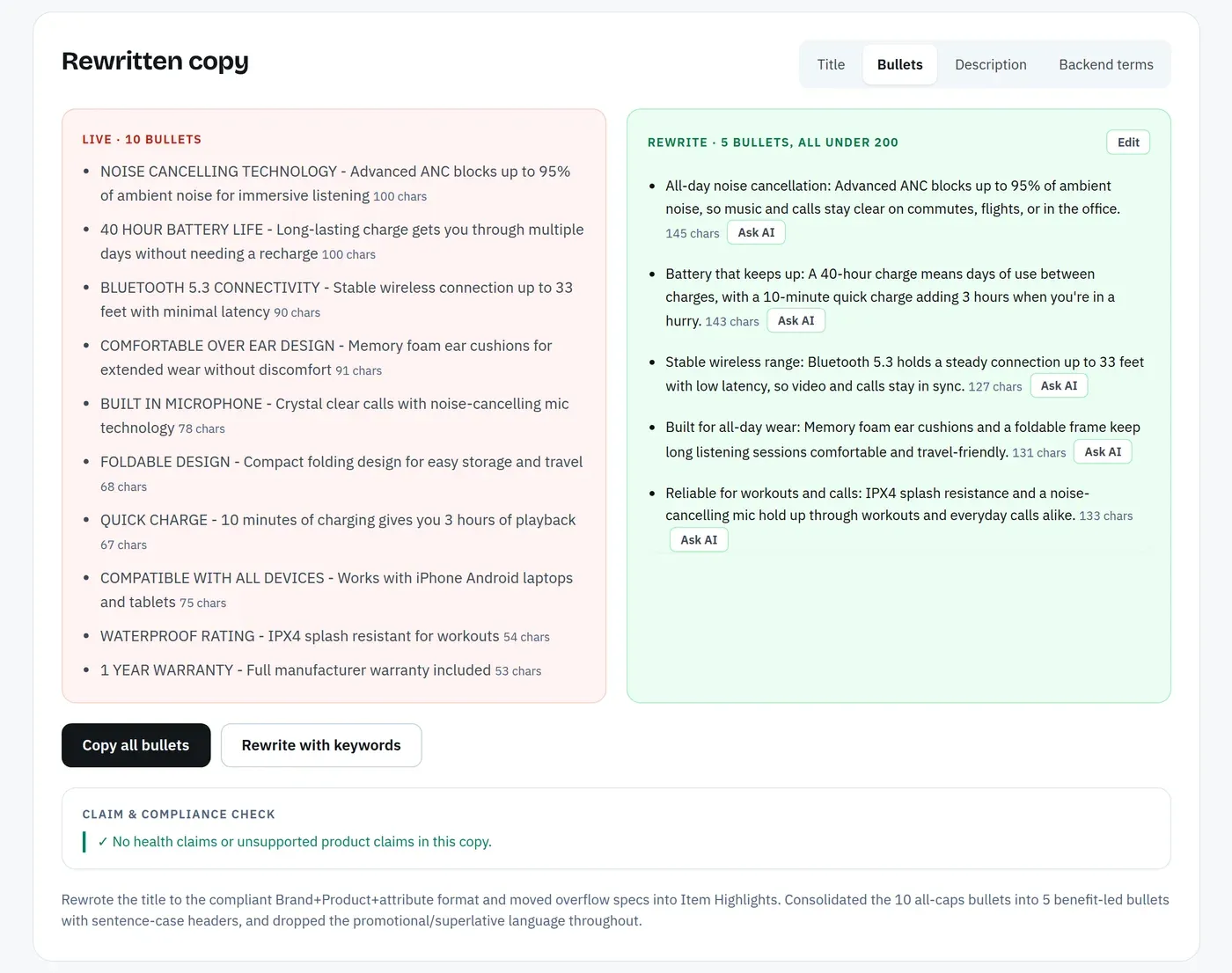
Before
- PREMIUM QUALITY: Our delicious strawberry snacks are the BEST healthy treat for kids and adults!! 🍓
- DETOX & WEIGHT LOSS: Packed with protein and vitamins to support your diet goals
- VALUE PACK: 20 packets so you never run out
- ECO-FRIENDLY PACKAGING: Better for the planet
- 100% SATISFACTION GUARANTEE: Not happy? Full refund, no questions asked
That's nine problems in five lines: ALL CAPS headers, an emoji, end punctuation, a subjective superlative, health claims (detox, weight loss), an unsupported product claim (protein, on fruit), a pack count that contradicts the box (20 vs 8), a restricted phrase (eco-friendly) and a refund guarantee.
After
- Whole-fruit crunch: Freeze-dried strawberry slices with no added sugar; strawberries are the only ingredient
- Lunchbox size: Eight 0.35 oz packets per box; each packet is one serving and fits a standard snack pocket
- No fridge needed: Shelf stable until opened; reseal or finish the packet within two days for the best crunch
- Allergen information: Packed in a facility that does not process peanuts or tree nuts, as printed on the box
- In the box: Eight single-serve packets in one cardboard outer box
Every bullet is under 120 characters, uses a sentence-case header, and states facts that appear on the pack. Before publishing anything like this, check each fact against the real label. The rewrite is only as safe as the product data behind it. To check whether a rewrite actually scores better before it goes live, paste it into a draft audit, which scores unpublished copy against your live listing's images, rating and Prime status.
A second, shorter example for a product where fit decides the sale, a fitted sheet:
- Before: DEEP POCKETS – Fits ALL mattresses perfectly!!
- After: Fits mattresses up to 16 in deep: Elastic runs around the full edge so corners stay on during the night
Writing Bullets Rufus Can Answer From
Rufus, Amazon's shopping assistant, answers questions such as “is this dishwasher safe?” or “will this fit a 14-inch mattress?”, and listing copy is one of the places it draws answers from. A bullet that states the answer plainly gives it something to quote. A bullet full of adjectives gives it nothing.
Two habits help. Write at least one bullet as the direct answer to your most common pre-purchase question, with the number in it. And keep units explicit (16 in, 500 ml, 2.4 GHz) so there's no ambiguity to resolve. Our post on Amazon AI search with COSMO and Rufus goes further into how AI shopping search reads a listing.
The Consistency Check Most Guides Skip
None of the top-ranking guides we reviewed mention cross-field consistency, and it causes some of the most expensive bullet mistakes.
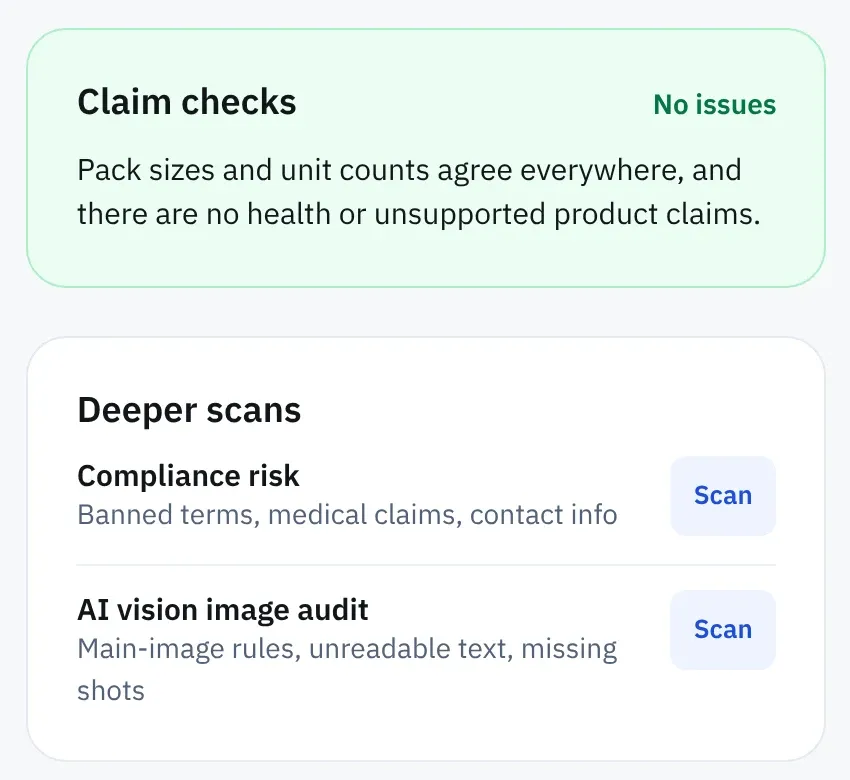
Amazon shows your title, Item Highlights, bullets, description and the spec table (unit count, item form, flavor, material) on the same page. When a bullet says “20 packets”, the title says “8 Packets” and the spec table says “8.0 Count”, the shopper believes whichever number they read first. If it's the wrong one, you get a “not as described” return.
This happens most often after a pack-size change or when an AI tool rewrites bullets without seeing the spec table. Before you publish, check these four things across every field:
- ☐ pack count and unit count
- ☐ size and weight, with the same unit
- ☐ flavor, color or variant name
- ☐ material and certifications
Amazon SEO Ranking runs this check on every audit, free and without an AI call. It compares pack counts, unit counts and product claims across the title, Item Highlights, bullets, description and spec table, and flags any field that disagrees.
Amazon Bullet Points Best Practices: 9 Mistakes to Avoid
These Amazon bullet points best practices come from the rules above and the mistakes in the before example.
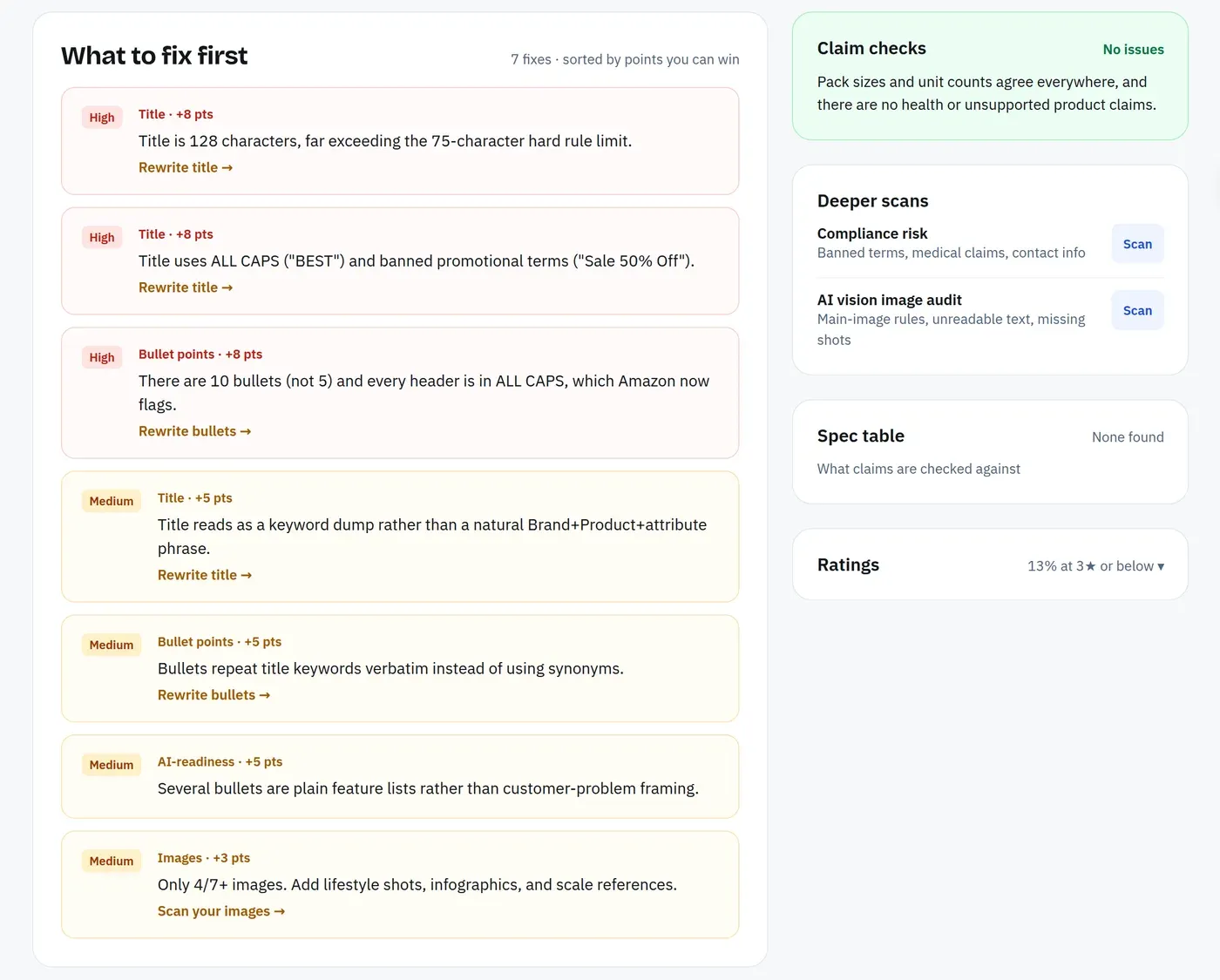
- ALL CAPS headers. Amazon's example uses normal capitalization. Rewrite “DURABLE DESIGN” as “Durable design”. Agencies can find every affected ASIN in a client catalog with one Bulk Optimization run (up to 500 ASINs on the Agency plan).
- Emojis and ™ symbols. Both are on the banned list. Your brand name can appear without the ®.
- Repeating the title. The words are already indexed. Use the space for a new term or a new fact.
- Health or performance claims you can't support. Detox, immunity, “clinically proven” without a cited study. These can also trigger a policy review on top of a rewrite.
- Refund or satisfaction guarantees. Banned since August 2024.
- Shipping or seller details. “Ships from the USA” or “family-owned since 1998” don't belong in bullets.
- Mismatched numbers. Covered above. Check pack counts against the spec table every time the product or the copy changes.
- Ten bullets' worth of text in five. Over 254 characters gets cut or rejected; over 200 usually means two ideas are sharing one bullet.
- Pasting AI copy unchecked. General AI tools write fluent bullets, invent claims and miscount characters. Check length, claims and numbers before anything goes live. If you write listings with Claude, the Amazon SEO Ranking connector lets it call these checks directly, so the workflow doesn't rely on the model counting its own characters.
Bullets on Other Marketplaces
The same rules apply on amazon.de, amazon.co.uk and amazon.co.jp, but the copy has to be written for each market. A translated US bullet often runs longer in German, uses imperial units where shoppers expect metric, and misses the terms people search with locally.
If you sell one product in several storefronts, audit each marketplace version separately. The score, and the fixes, are often different. Amazon SEO Ranking audits listings on 23 Amazon storefronts and writes rewrites in 12 languages, defaulting to each marketplace's language.
Everything You Need to Know About Amazon Bullet Points
| Question | Answer |
|---|---|
| What they are | Up to five feature bullets under “About this item” (ten for vendors), indexed for search |
| Minimum | Three bullets |
| Length | 11–254 characters each; aim for under 200 |
| Header style | Sentence-case header, colon, then a fragment with no end punctuation |
| Biggest rule change | August 15, 2024: emojis, symbols, refund guarantees and contact info banned |
| Related change | July 27, 2026: titles capped at 75 characters, Item Highlights adds 125 searchable characters |
| Order | Buying reason, differentiator, fit, proof, contents |
| Keywords | New terms only; don't repeat the title |
| Most-missed check | Pack counts and sizes matching the title and spec table |
| AI-written copy | Fine as a draft; check length, claims and numbers before publishing |
| Penalty for breaking rules | Bullets removed or rewritten by Amazon, with possible listing review |
Check Your Bullets Before Amazon Rewrites Them
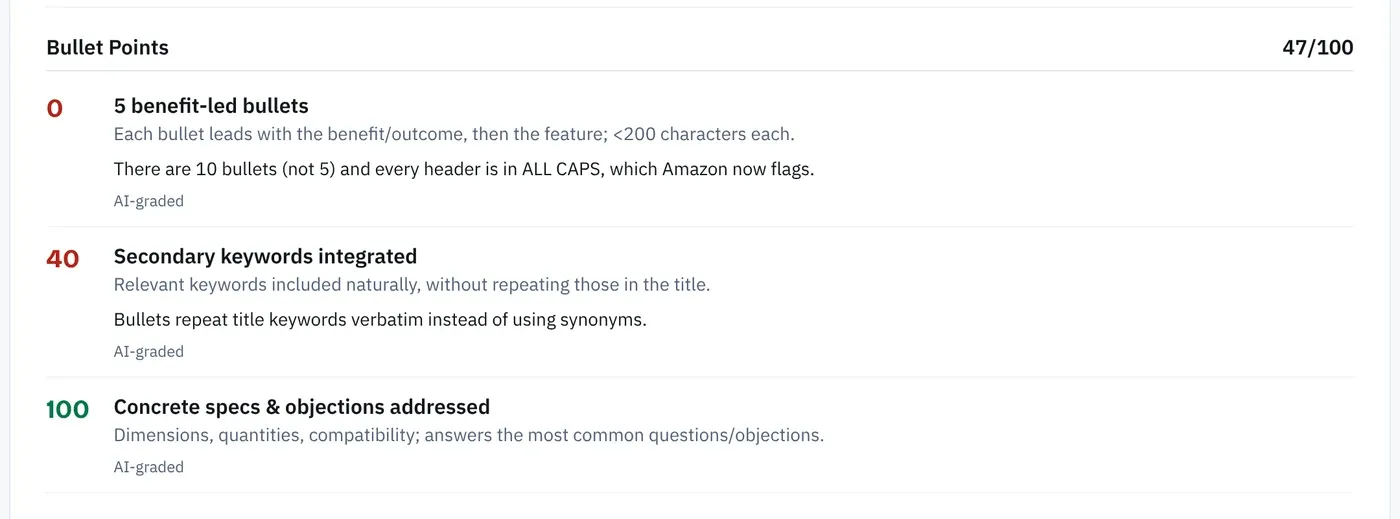
Amazon SEO Ranking scores a live listing against a published 12-criteria audit rubric, three of which cover bullet points, and shows exactly which rule each bullet fails. No other listing tool we've compared publishes how its score is calculated.
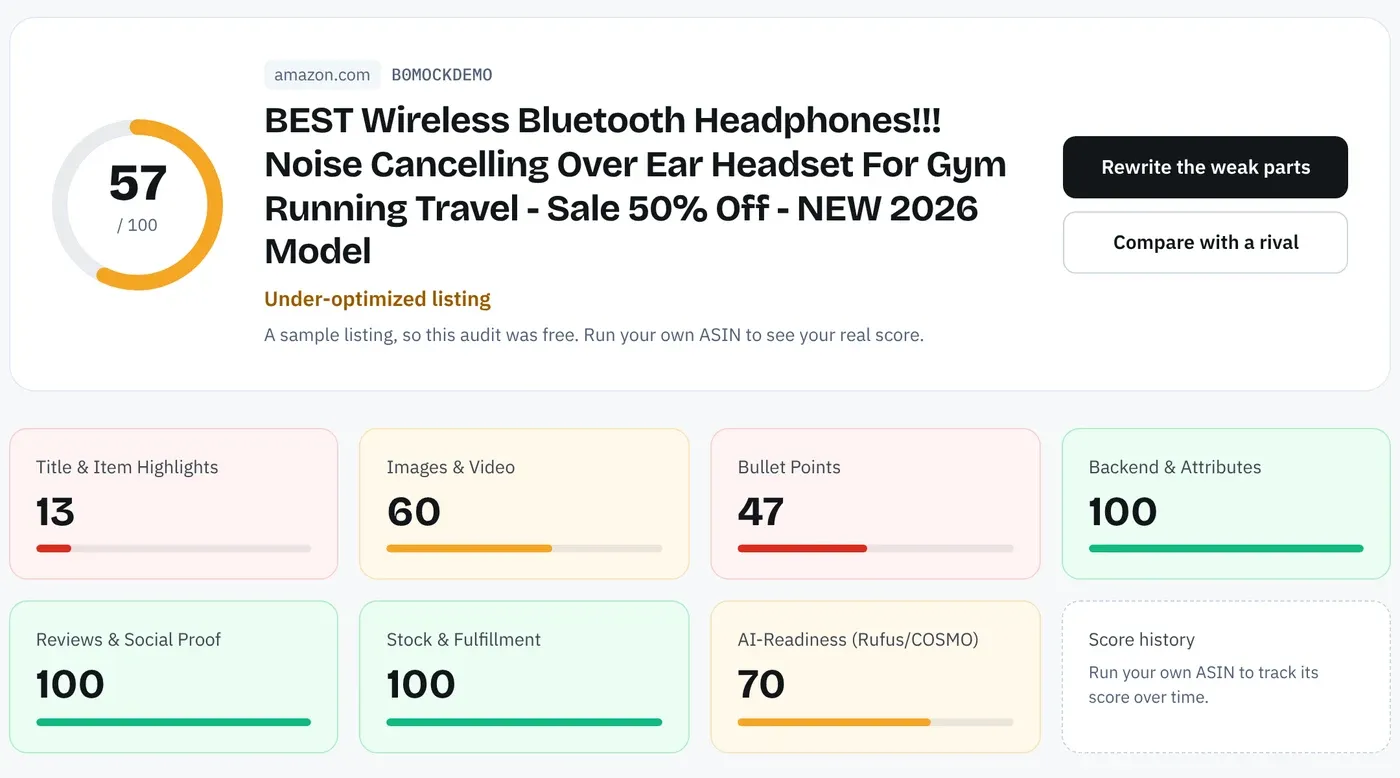
When a bullet fails, the AI Copy Rewriter writes five replacements under 200 characters each, built from your listing's own spec table and your brand fact sheet. Every rewrite is checked in code for health claims, unsupported claims and pack counts that disagree with the title, and you can score it as a draft before it goes live.
It's built for sellers about to update or launch a listing, sellers copying one listing across several Amazon storefronts, and agencies cleaning up client catalogs (up to 500 ASINs per run on the Agency plan).
FAQ
How many bullet points can you have on Amazon?
You can have up to five bullet points on Amazon as a seller, and vendors can use up to ten. Amazon's requirements also ask for at least three. Five is the right number when you have five distinct facts to share, since each bullet must add unique information. A sixth idea belongs in the description or A+ Content.
What is the character limit for Amazon bullet points?
The character limit for Amazon bullet points is more than 10 and fewer than 255 characters per bullet, so 254 is the maximum. Some category style guides recommend 150 characters. Our audit flags bullets at 200 characters or more, which keeps five bullets near the roughly 1,000-byte total AMALYTIX found was indexed in its tests. Spaces and punctuation all count toward the limit.
Should Amazon bullet point headers be in all caps?
Amazon bullet point headers should not be in all caps. Amazon's current guidance shows a sentence-case header followed by a colon, such as “Battery life: Up to 40 hours between charges”. ALL CAPS headers were common before the August 2024 update and now count as non-compliant formatting. Rewriting them is one of the fastest fixes on an older listing.
Do Amazon bullet points help SEO?
Amazon bullet points help SEO because Amazon indexes the words in them for search. They work best for secondary terms the 75-character title and 125-character Item Highlights can't fit, such as materials, sizes and use cases. Repeating the title's main phrase in every bullet adds no extra indexing. A keyword in a bullet makes a listing eligible for a search; sales and conversion decide where it ranks.
What is the 3 bullet points rule on Amazon?
The 3 bullet points rule on Amazon is the minimum: Amazon's August 2024 requirements ask every listing to include at least three bullet points. Listings with fewer can be flagged as incomplete. Three is a floor, and most products have enough real information for all five.
What are bullet points in Amazon?
Bullet points in Amazon are the short feature lines shown under “About this item” on a product page. On desktop they sit next to the main image, and on mobile they appear lower on the page. Sellers get five, each up to 254 characters, and Amazon indexes them for search. They are separate from Item Highlights, the 125-character field added under the title in July 2026.
Why are my Amazon bullet points not showing?
Amazon bullet points usually don't show because a rule violation got them removed, a change hasn't processed yet, or another contributor's data won for that ASIN. Check the version saved in Seller Central first, then review it for emojis, symbols, ALL CAPS, refund promises and bullets over 254 characters. Give a change at least a day to process before editing it again. If correct copy still doesn't show after a few days, open a Seller Support case with the ASIN and screenshots.
Can't I just use ChatGPT to write Amazon bullet points?
You can use ChatGPT to draft Amazon bullet points, but you need to check the output before publishing. General AI tools don't see your live listing or spec table, so they can invent claims (“protein” on a fruit snack) or state the wrong pack count. They also miscount characters, which matters with a 254-character ceiling. Run any AI draft through a length, claim and consistency check, then compare it against the product label. Amazon SEO Ranking's rewrites are built from your listing's spec table and brand fact sheet, and Pro and Agency users can run the same checks inside Claude through its connector.
The free plan gives you three full audits a month, with no card. Paste an ASIN and see which of your five bullets Amazon would flag.
Run free audit