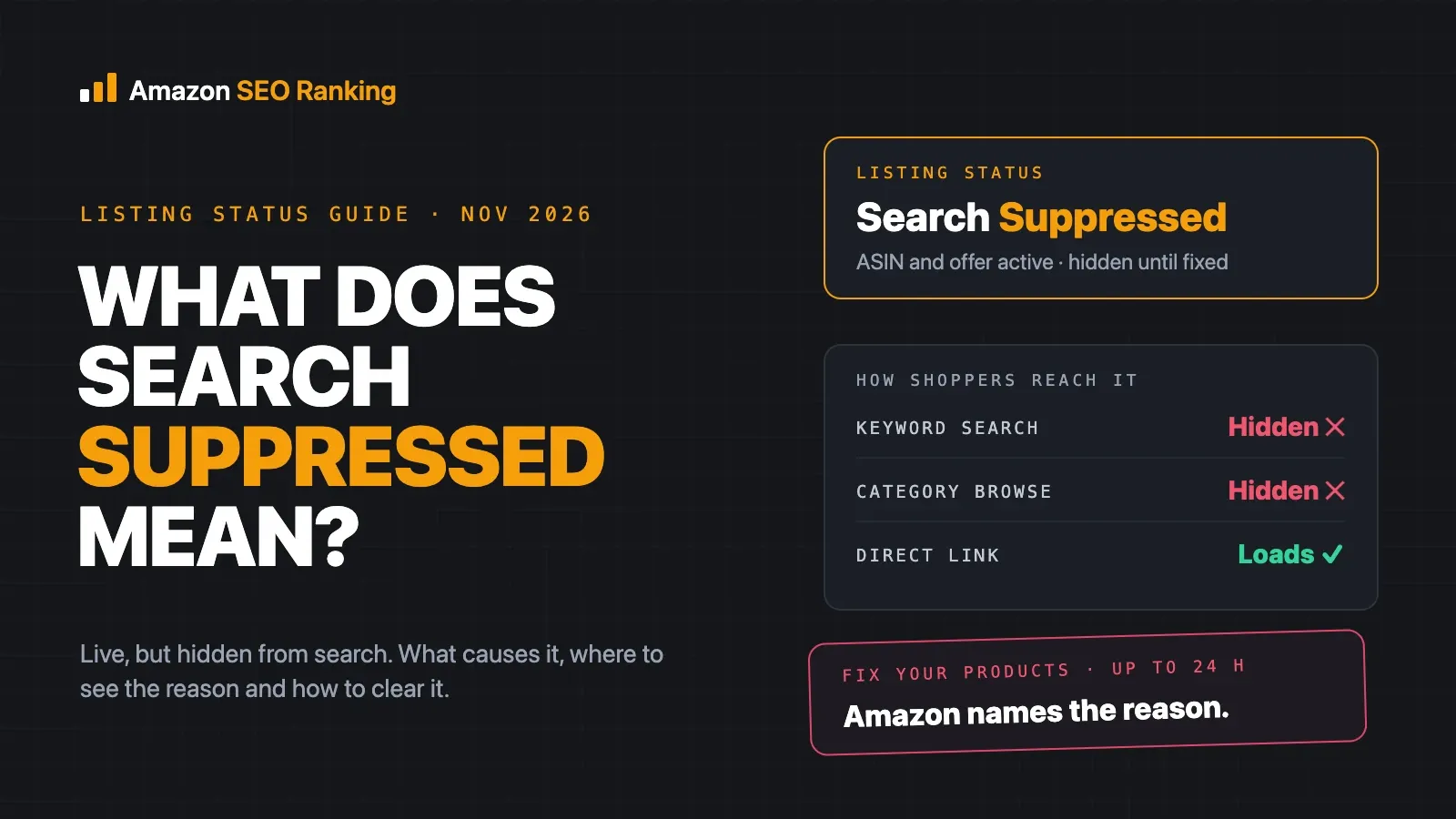
What does search suppressed mean on Amazon? It means Amazon has taken a listing out of search and browse results because the detail page fails one of its listing quality rules. The ASIN still exists and your offer is still active, but shoppers typing a keyword won't find it until you fix the problem Amazon flagged.
Most suppressions come from a short list of causes: a missing or non-compliant main image, a missing required attribute, a title that breaks the title rules, a price Amazon thinks is an error, or a policy issue. Seller Central names the reason for each listing on the Fix Your Products page, and most fixes take minutes once you know where to look.
This guide is for sellers who've seen the "Search Suppressed" status on a listing, and for agencies checking client catalogs. It covers what the status means, how it differs from inactive and suspended listings, what changed in 2026, and the steps Amazon's own staff give to clear it.
Key Takeaways (TL;DR)
- Search suppressed means the listing is active but hidden from search and browse results until you fix a quality issue.
- Amazon names the reason. Go to Inventory > Manage All Inventory > Search suppressed and inactive listings to open Fix Your Products.
- The usual causes are image problems, missing attributes, title violations, pricing flags (which usually show as inactive) and policy issues.
- Most of those reasons are rule checks you can run on a live listing before Amazon does.
- In variation families, each child ASIN has to meet the requirements on its own.
- Amazon staff say fixes can take up to 24 hours to show. After that, open a case with the ASIN, reason and batch ID.
- Since 27 July 2026, titles over 75 characters get rewritten by Amazon's AI instead of suppressed. Other title rule breaks can still suppress a listing.
- Every Amazon storefront has its own copy of the listing, so a fix on amazon.com doesn't clear amazon.de.
What Does Search Suppressed Mean on Amazon: at a Glance
The table below sums up the status in one view. Each row is covered in more detail further down.
| Question | Short answer |
|---|---|
| What it means | The listing is hidden from search and browse because it fails a listing quality rule |
| Is the offer still live? | Yes. The ASIN and inventory stay active |
| Can shoppers still buy it? | Only through a direct link to the detail page |
| Where to see the reason | Manage All Inventory > Search suppressed and inactive listings > Fix Your Products |
| Most common causes | Images, missing attributes, title violations, pricing errors, policy issues |
| How long a fix takes to show | Up to 24 hours, per Amazon staff |
| If it's still suppressed | Open a case with the ASIN, reason, steps taken and batch ID |
| 2026 changes | Titles over 75 characters are rewritten, not suppressed; main images checked at creation |
What Does Search Suppressed Mean on Amazon, Exactly?
Amazon describes suppressed listings as products it has removed from site search for quality reasons, which won't surface in customer searches until the seller acts. In a Seller Forums post on search suppression, Amazon staff member Cooper_Amazon put it as Amazon hiding listings from search and browse when the detail page doesn't meet its standards.
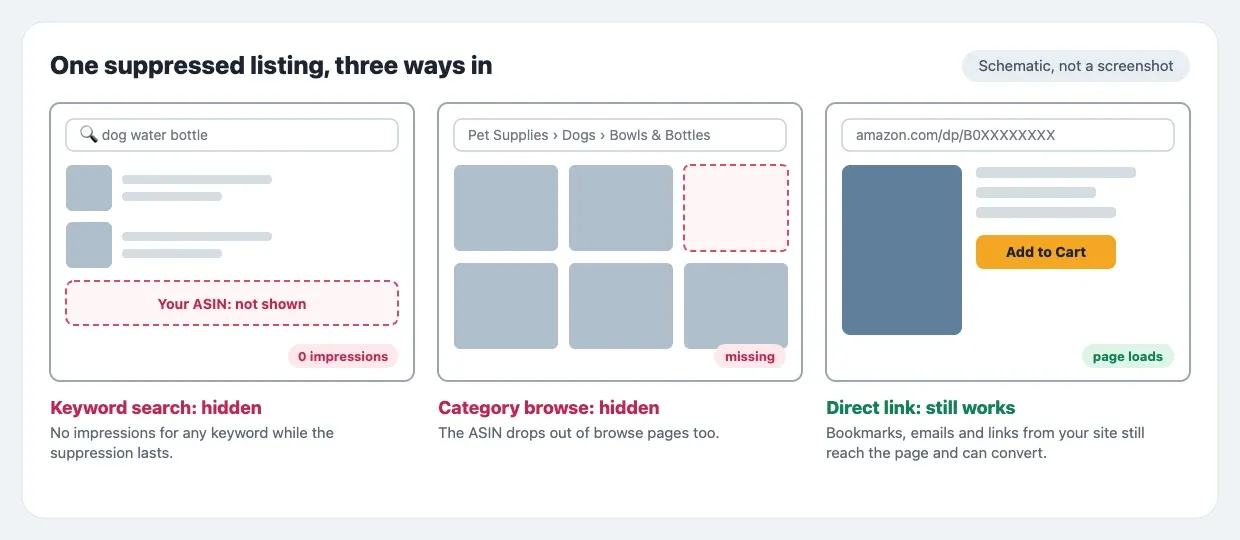
So the listing is still in your inventory. The ASIN keeps its reviews, its Best Sellers Rank history and its detail page URL. What it loses is every route a shopper uses to find it without the link: keyword search and category browse pages.
What still works while a listing is suppressed
A shopper who already has the URL, a bookmark or a link from your own site or email can still reach the page. That's why some sellers only notice suppression when organic orders drop while orders from external links keep coming.
Your stock, FBA inventory and offer price are untouched. Nothing is deleted, and you don't need to recreate the listing. Clearing the flagged issue puts it back into search.
What you lose
A suppressed ASIN gets no search impressions for any keyword. The only orders left are the ones from direct links, for as long as the suppression lasts.
Search Suppressed Meaning vs Inactive, Blocked and Suspended
Seller Central groups several statuses on the same page, and they need different fixes. The search suppressed meaning is narrow: the problem is the listing's content or data, and the fix is an edit.
| Status | What the shopper sees | Usual cause | Usual fix |
|---|---|---|---|
| Search suppressed | Nothing in search; page works by direct link | Content or data fails a quality rule | Edit the flagged field or image |
| Inactive (out of stock) | "Currently unavailable" | No sellable inventory | Restock or update quantity |
| Inactive (pricing) | Offer not available | Price flagged as a possible error | Correct the price or confirm it |
| Inactive (approval or policy) | Offer not available | Category approval, safety or compliance issue | Submit documents or appeal through Account Health |
| Buy Box suppressed | Page shows, no Buy Box | Price or offer competitiveness | Adjust the offer |
| Account suspended | All listings unavailable | Account-level performance or policy issue | Plan of action with Account Health |
The practical test is the reason text on Fix Your Products. If it names a field, an image or a title rule, you're dealing with search suppression and you can usually fix it yourself in a few minutes.
Why Amazon Suppresses a Listing From Search
Amazon staff ran a poll on the Seller Forums asking sellers why their listings were suppressed. The answer options give a fair map of the causes: missing images or image quality issues, incomplete product information, title length or keyword violations, pricing errors and policy or compliance violations.
Main image problems
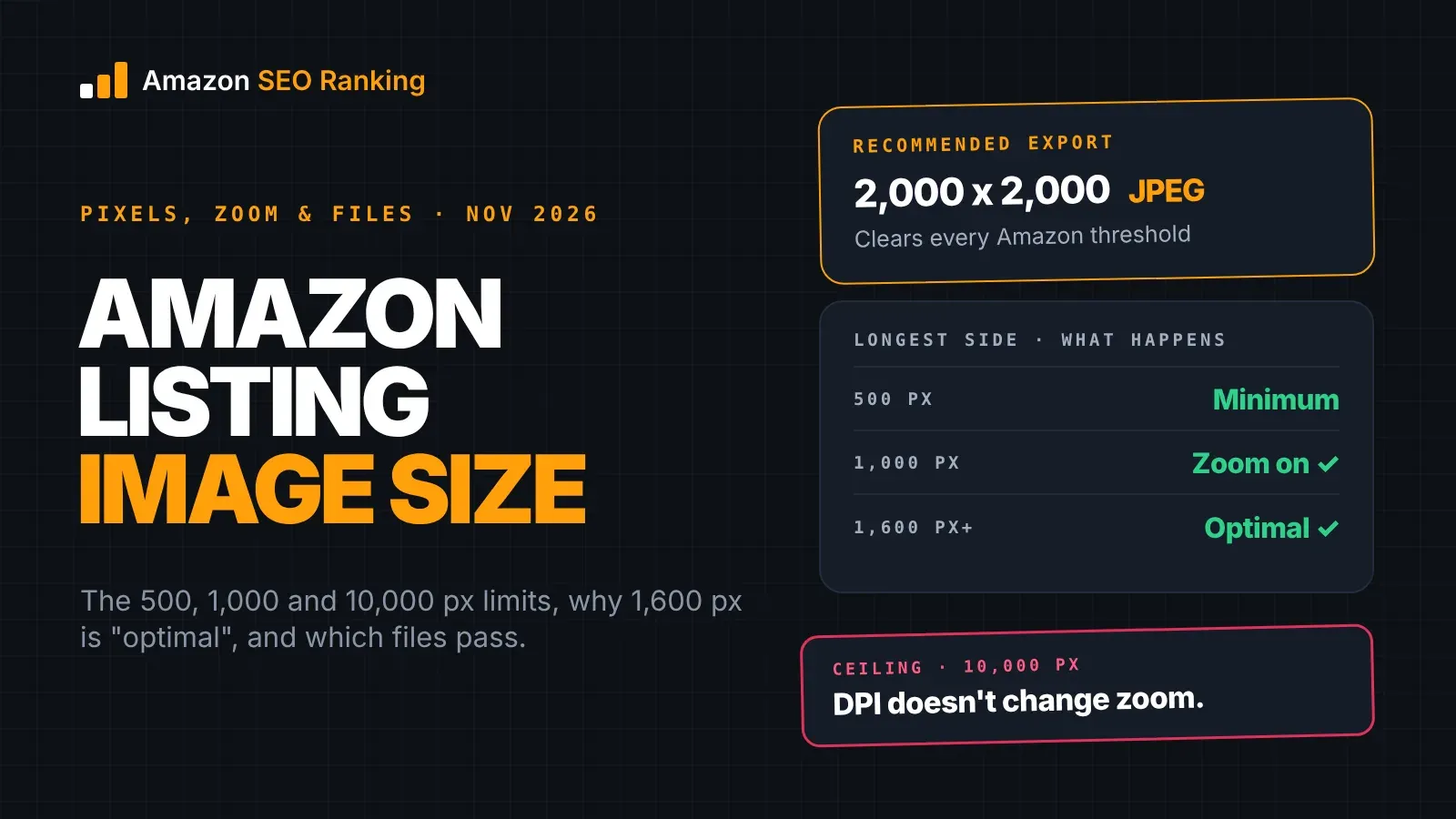
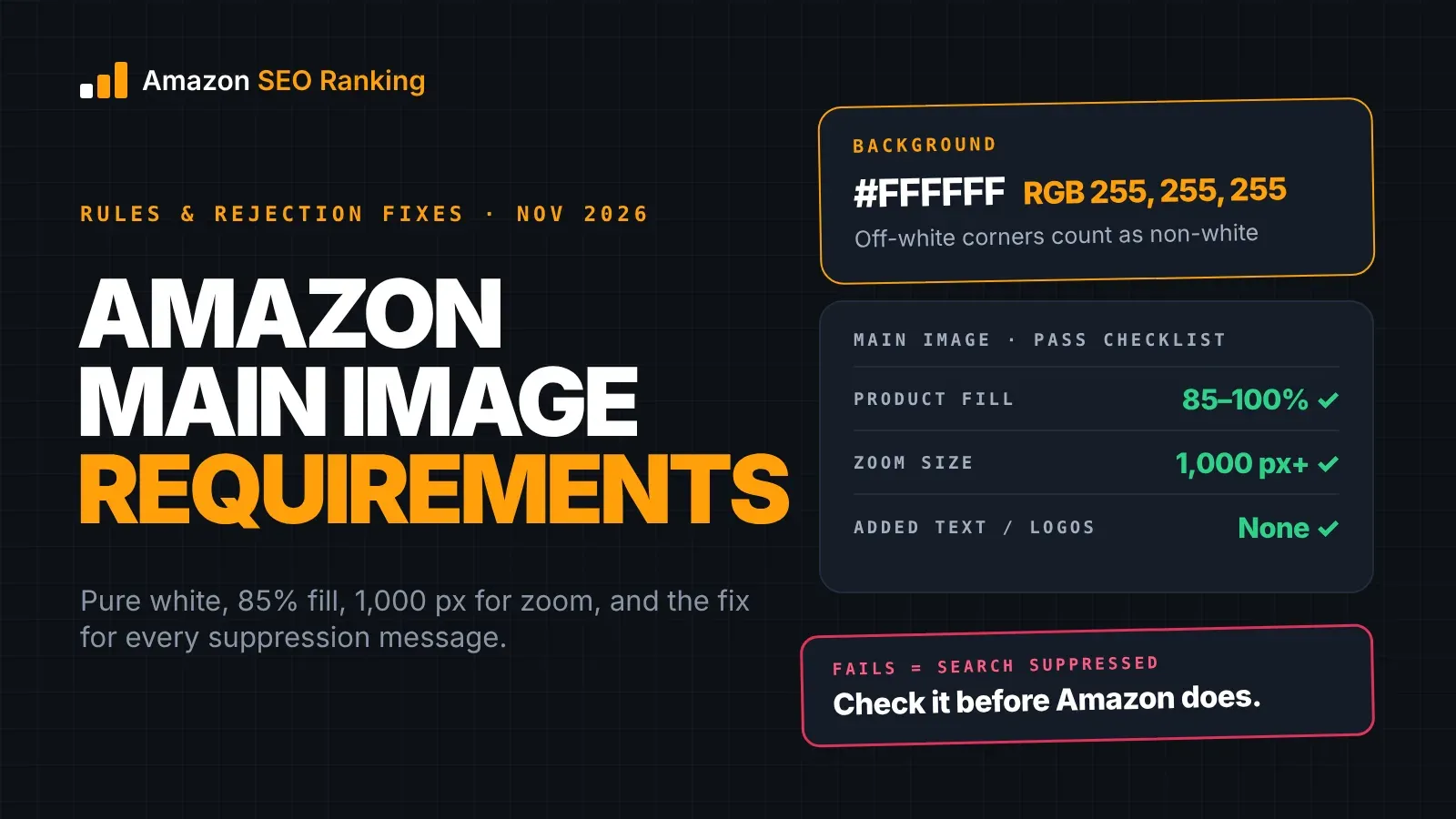
Image issues come first on that list, and Amazon checks the main image more strictly than any other image. A background that isn't pure white (RGB 255, 255, 255), added text or logos, a product that fills too little of the frame, props, packaging or a missing main image can each suppress the listing. Our guide to Amazon main image requirements maps every image rule to the suppression reason Seller Central shows.
Missing or invalid attributes
Each category has fields Amazon treats as required for search. Cooper_Amazon's post lists examples by category:
| Category | Fields that commonly trigger suppression when missing |
|---|---|
| Shoes | Department, size, color (on child listings) |
| Jewelry | Department; material, metal, gem or pearl type; UPC for major brands |
| Watches and luggage | Department |
| Consumables (grocery, beauty, pets, health) | Unit count and unit count type |
| All variations | Every child SKU must meet its category's requirements |
The last row catches many sellers out. A parent listing can look complete while one size or color is suppressed because its child record is missing a field, and only that variation disappears from search.
Title rule violations
Amazon's product title requirements, in force since January 2025, list promotional phrases such as "free shipping", decorative special characters and non-readable characters such as HTML among the things a title can't contain. A title that breaks these rules can still be suppressed.
Length works differently since July 2026, which the next section covers.
Pricing errors
Amazon flags prices that look far above or below what it expects for the product. A misplaced decimal, a currency mix-up on a non-US storefront or a feed that pushes a test price can all trigger it. These listings usually show as inactive with a pricing reason, and the fix is to correct the price or confirm it's intentional.
Policy and compliance issues
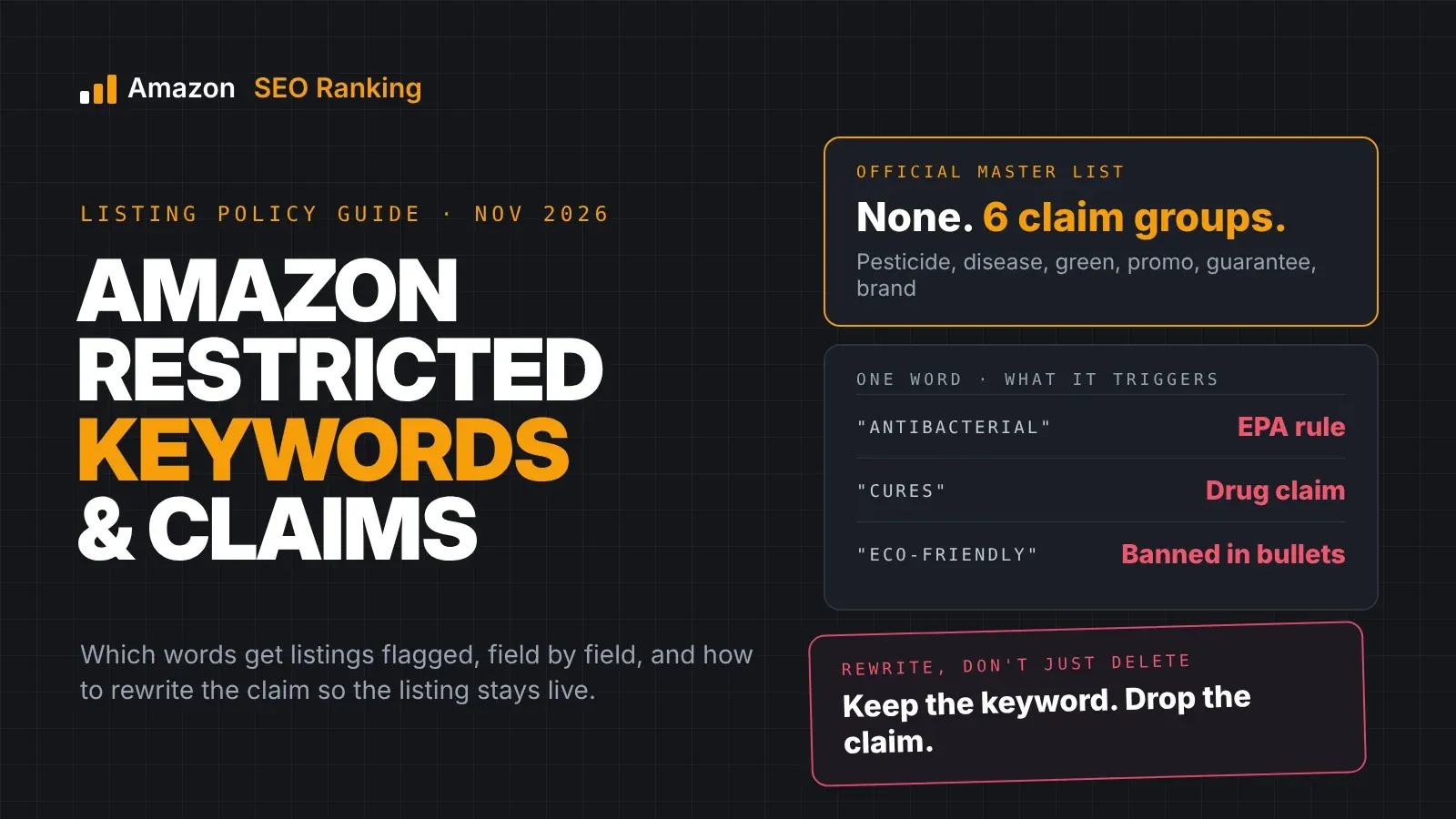
Restricted product claims, missing safety documents and category approvals fall here. These are slower to clear because the fix is a document or an appeal, and they often sit under Account Health as well as on Fix Your Products.
What Changed for Suppressed Listings in 2026
Two Amazon changes this year moved where suppression comes from. Many guides on this topic predate both.
Long titles are rewritten, not suppressed
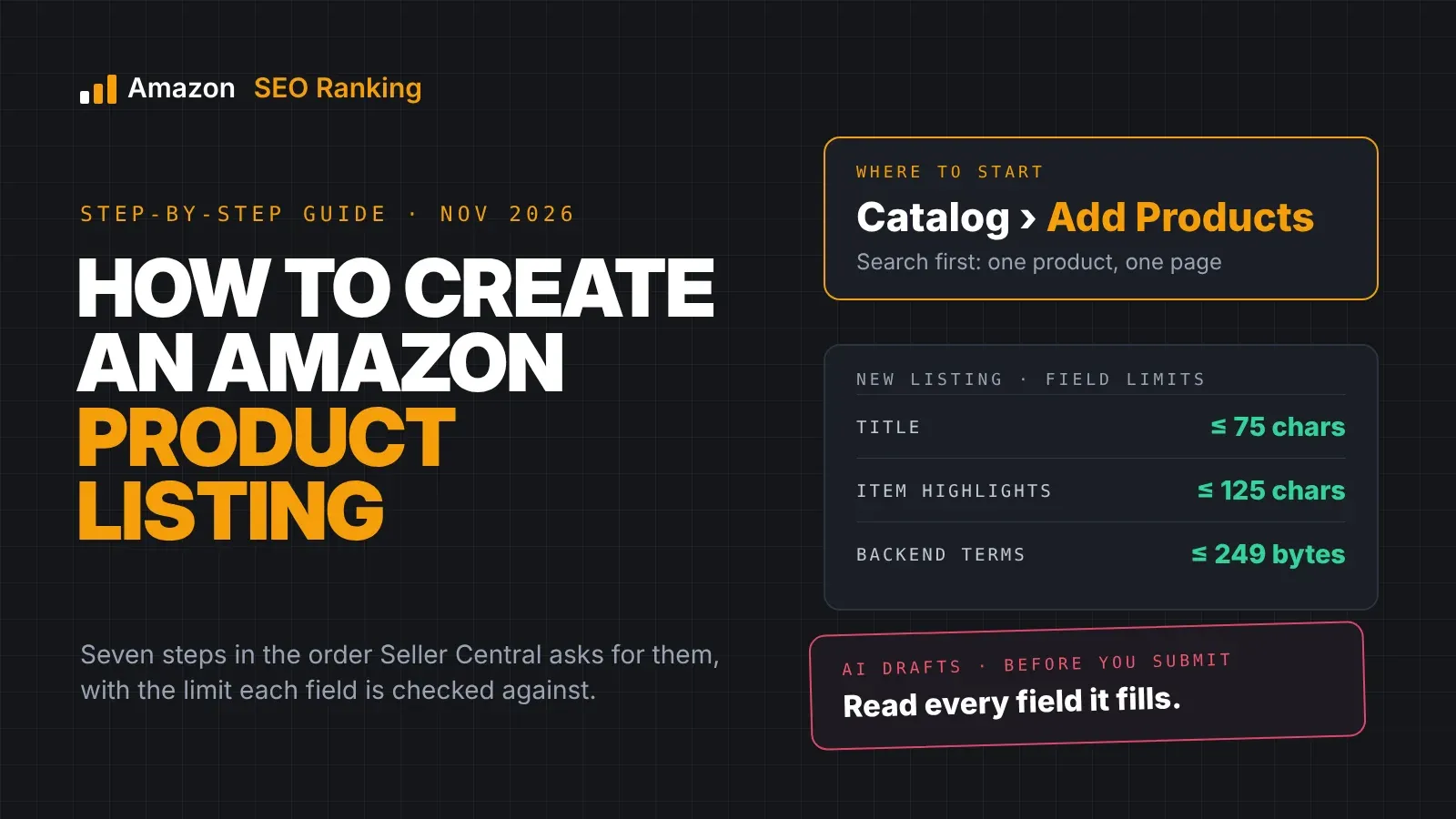
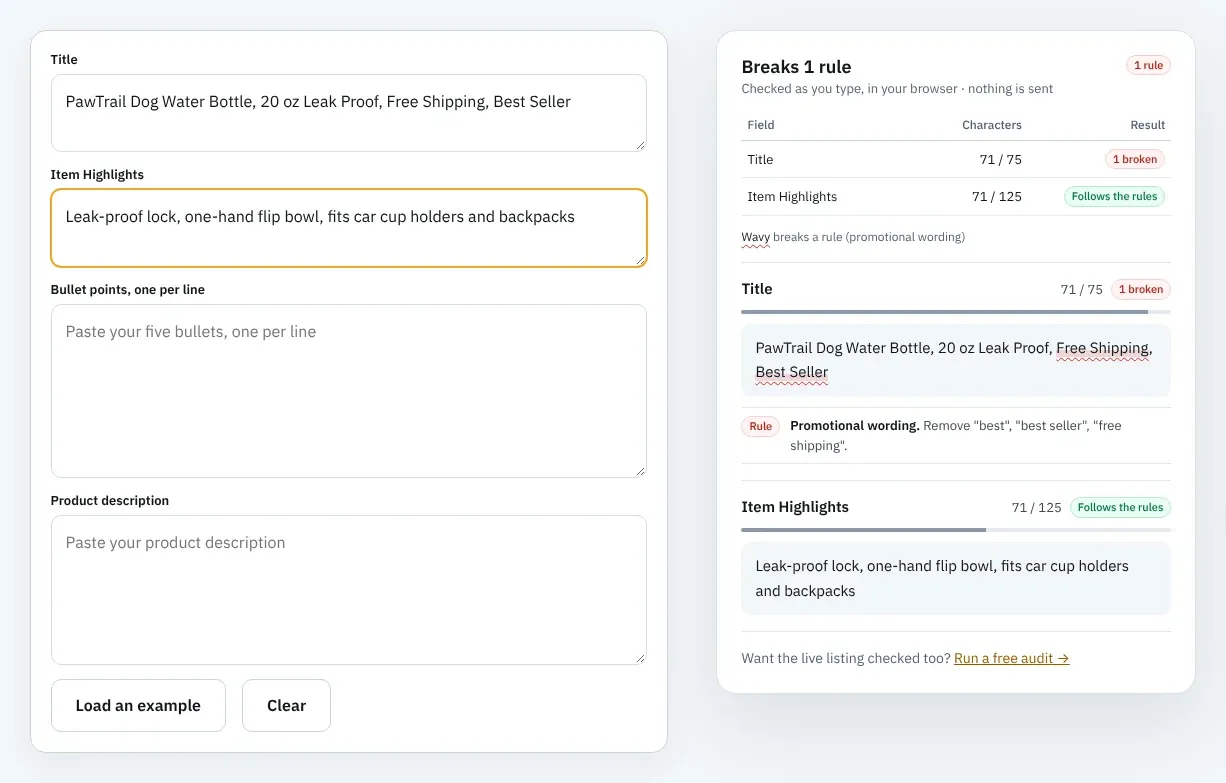
From January 2025, most categories had a 200-character title limit, and a longer title could be suppressed. On 10 June 2026 Amazon announced a stricter rule: titles in all categories except media must be 75 characters or fewer, including spaces, enforced from 27 July. Detail that no longer fits goes in Item Highlights, a new field of up to 125 characters.
Titles over 75 characters aren't suppressed under the new rule. Amazon replaces them with its own AI-written title, gradually, and the listing stays in search. Brand owners get 14 days to review the suggestion. Our Amazon product title optimization guide covers how to review those rewrites, and the Amazon Item Highlights guide covers what to move into the new field.
The content rules didn't go away. A short title with a promotional phrase or a banned character is still a suppression risk, and so is Item Highlights copy that breaks the same rules.
Main images are checked before you submit
On 28 September 2026, Amazon added a check to one-by-one listing creation in Seller Central. When you upload a main image, it looks for a non-white background and for added text, logos or watermarks, and shows an "Issue detected" error before you submit.
The check covers two image rules, at creation only. Live listings, flat-file uploads and the bulk image tool sit outside it, so suppression from image problems on existing listings is still possible.
How to Find Search Suppressed Listings in Seller Central
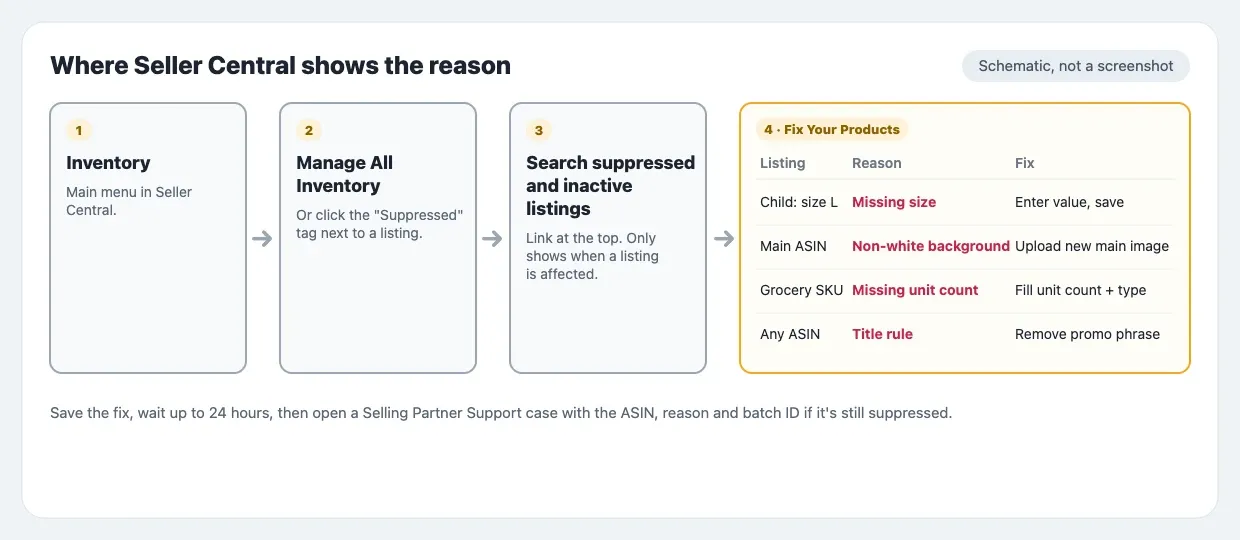
Amazon staff give the same route in both forum posts cited above:
- Go to Inventory > Manage All Inventory.
- Click Search suppressed and inactive listings at the top. The link only appears when at least one listing is affected.
- The Fix Your Products page opens with the reason and suggested fix for each ASIN.
You can also click the "Suppressed" status tag next to any listing in Manage All Inventory to jump to that ASIN's issue.
Checking a large catalog
For more than a handful of ASINs, download the suppressed listings report from the same page and sort it by reason. Fixing every "missing unit count" in one flat file is faster than opening 40 listings one by one.
Run the check in every storefront you sell in. Each marketplace has its own listing data, and a field filled on amazon.com can be empty on amazon.co.uk.
How to Fix a Search Suppressed Listing
The fix depends on the reason, but the process from Cooper_Amazon's post covers most cases. Our search suppressed fix guide goes through the fix for each reason Amazon shows.
- Read the reason on Fix Your Products. Don't guess, because "suppressed" alone tells you nothing about which field is at fault.
- Enter the missing value in the Issue(s) to fix column, or pick it from the dropdown, and save. This works for most attribute gaps.
- Or edit the full listing. Click Edit, go to Edit product info, fill in every highlighted field and click Save and Finish. For image issues, upload a new compliant main image.
- Wait up to 24 hours. Amazon staff say changes can take that long to appear.
- Escalate if it's still suppressed. Open a Selling Partner Support case with the ASIN, the suppression reason, the steps you took, any batch IDs, a manufacturer link as proof and screenshots.
When the field won't save
Sellers in the same thread describe fields that are greyed out or revert after saving. The fallback order they give: edit the attribute in Manage Inventory if you can, then upload a partial flat file for that ASIN and wait 24 hours, then a full file. If the full file fails, note the error code and batch ID before you contact support, since that's what the support team will ask for.
A greyed-out field often means another contributor's data is winning on that ASIN, which is common on listings with several sellers. Brand Registry gives the brand owner more control over which value shows.
Why Live Listings Drift Into Suppression
A listing that passed every rule when you published it can fail one later without you touching it. On a shared ASIN, another seller's or the brand's image can replace yours. Amazon can rewrite a title that ran over 75 characters. A category can add a required attribute your child listings don't have.
Amazon's own advice reflects this. Indy_Amazon's post tells sellers to check the Listing Quality Dashboard regularly to catch issues before they cause suppression, and to watch Performance Notifications for policy alerts. The goal is to find the rule break while the listing is still in search.
That's manageable for five ASINs on one storefront. A brand with 200 ASINs in three storefronts has 600 live listings, and each one needs checking against the current rules as it looks today, not as it looked when you last edited it. Every suppression that gets through costs search sales until the fix shows, which Amazon says can take up to 24 hours after you make it.
How to Keep Listings Out of Suppression
Most suppressions trace back to a rule that was checkable before it caused a problem. A short routine catches most of them.
- Before you upload a main image, sample the background corners for RGB 255, 255, 255 and confirm there's no added text or logo.
- Fill every required attribute on every child ASIN, not only the parent.
- Keep titles to 75 characters with no promotional phrases or decorative characters, and hold Item Highlights to the same content rules within 125 characters.
- Check prices after any feed or repricer change, especially on storefronts in another currency.
- Re-check live listings on a schedule, since images and titles can change after you last edited them.
Checking live listings at scale
The last step is where a tool saves the most time. Amazon SEO Ranking's free audit pulls the live listing from the storefront you pick, at the moment you run it, and scores it against 12 criteria published on the site, including three on the title and Item Highlights. Because each criterion is public, a failed check tells you which rule the listing breaks, the same question Fix Your Products answers after Amazon has already acted.
On Pro, two scans go further. The Compliance scan checks the copy for content-rule breaks such as promotional phrases, which can still suppress a title under 75 characters. The AI Vision Image Audit reads the main image itself and flags a non-white background, low fill, added text or logos, props and people, which covers the live listings Amazon's September check skips.
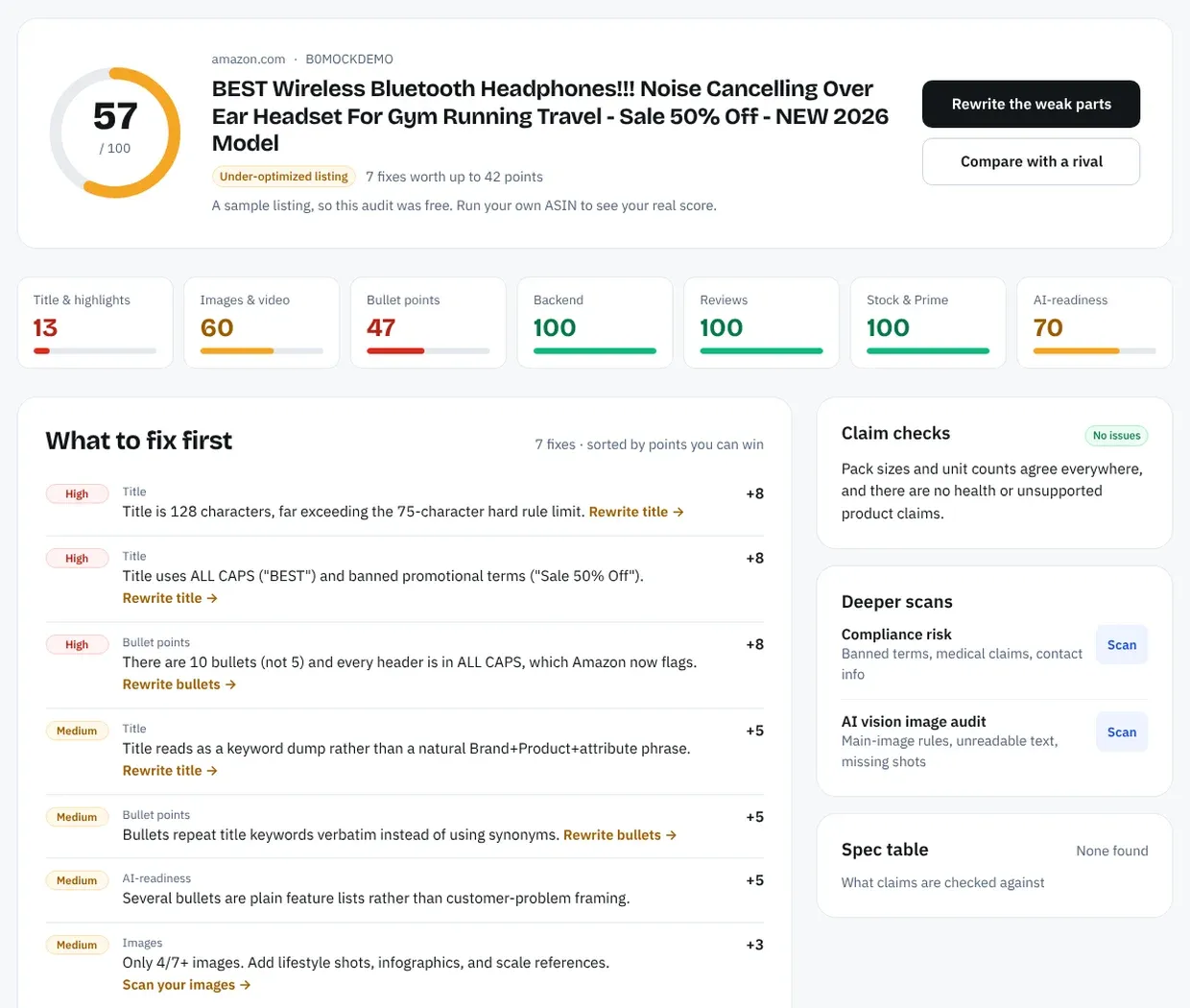
When a check fails, the rewriter drafts a fix from the listing's spec table and your brand fact sheet. Each draft is checked in code against the 75 and 125-character limits before you paste it into Seller Central. The audit flags rule breaks it can read on the page; Seller Central remains the only place that tells you a listing is actually suppressed and why.
For a step-by-step version of the full check, see how to audit an Amazon listing for SEO. Our list of Amazon listing SEO mistakes covers the errors that cost rank without suppressing a listing outright.
Everything You Need to Know About Search Suppressed Listings
| Topic | What to know | Rule or number |
|---|---|---|
| Definition | Listing hidden from search and browse for a quality issue | ASIN and offer stay active |
| Direct link | Detail page still loads | Shoppers can buy via the URL |
| Where to look | Manage All Inventory | Search suppressed and inactive listings |
| Reason | Named per ASIN | Fix Your Products page |
| Top causes | Images, attributes, titles, pricing, policy | Per Amazon's forum poll |
| Variations | Each child checked separately | One color can vanish alone |
| Title length | Over-limit titles rewritten by Amazon's AI | 75 characters since 27 July 2026 |
| Title content | Promotional phrases, special characters | Can still suppress |
| Main image | Checked at one-by-one creation | Background and added text only |
| Fix time | Changes take time to show | Up to 24 hours |
| Escalation | Selling Partner Support case | ASIN, reason, batch ID, proof |
| Marketplaces | One listing per storefront | Check each one |
| Not the same as | Inactive, Buy Box suppressed, suspended | Different causes and fixes |
Catch Listing Problems Before Amazon Suppresses Them
Amazon SEO Ranking audits the live listing, pulled when you run it, against 12 criteria that are published on the site, so you can see what each one checks. The rewriter fixes whatever fails using your own product data, and each draft is checked in code for Amazon's 75-character title and 125-character Item Highlights limits. The audit runs on 23 Amazon storefronts, each scored on its own live listing.
It's built for sellers who've had a listing suppressed and want to check the rest of the catalog, and for agencies that need to find at-risk client listings across several storefronts before the client notices a sales drop. On the Agency plan, Bulk Optimization runs up to 500 ASINs per job, and white-label PDF reports put the at-risk listings in front of the client under your own brand.
The free plan includes 3 full audits a month with no credit card required. Pro costs $79 a month, starts with a 7-day free trial and adds the Compliance scan and AI Vision Image Audit, and every charge comes with a 14-day money-back guarantee.
FAQ
What does search suppressed mean on Amazon?
Search suppressed on Amazon means the listing has been removed from search and browse results because it fails one of Amazon's listing quality rules. The ASIN, inventory and offer stay active, and the detail page still loads from a direct link. Shoppers searching by keyword won't see it until the flagged issue is fixed. Seller Central names the reason on the Fix Your Products page.
What is the search suppressed meaning in Seller Central?
The search suppressed meaning in Seller Central is a listing status that tells you a product is hidden from search because of a content or data problem. It appears in Manage All Inventory, and the "Search suppressed and inactive listings" link at the top only shows when at least one listing is affected. Clicking the status opens Fix Your Products, which lists the reason for each ASIN. The usual reasons are image issues, missing attributes, title violations, pricing errors and policy issues.
How do I fix a search suppressed listing on Amazon?
You fix a search suppressed listing on Amazon by opening Fix Your Products, reading the reason and correcting the field or image it names. Most attribute gaps can be filled in the Issue(s) to fix column, while image issues need a new compliant main image. Amazon staff say changes can take up to 24 hours to show. If the listing is still suppressed after that, open a Selling Partner Support case with the ASIN, reason, steps taken and batch ID.
How long does a suppressed listing take to come back?
A suppressed listing takes up to 24 hours to come back after you fix the issue, according to Amazon staff on the Seller Forums. Simple attribute fixes often clear sooner. If a field won't save, sellers report better results with a partial flat file for that ASIN, followed by another 24-hour wait. Policy suppressions that need documents or an appeal take longer, since they go through review.
Can customers still buy a search suppressed product?
Customers can still buy a search suppressed product if they reach the detail page through a direct link, such as a bookmark, an email or a link from your own website. The listing won't appear in keyword search or category browse pages, which is how shoppers find a product without the link. Your inventory and price stay active during suppression. This is why sales from external links can continue while organic sales stop.
Why is only one variation of my listing suppressed?
Only one variation of your listing is suppressed because Amazon checks each child ASIN against its category requirements separately. Amazon staff give examples such as shoe children missing department, size or color, and consumable children missing unit count. The parent and the other children stay in search. Check the reason for that specific child SKU on Fix Your Products and fill the missing field there.
Does a title over 75 characters get my listing suppressed?
A title over 75 characters doesn't get your listing suppressed under Amazon's rule enforced from 27 July 2026, which covers every category except media. Amazon rewrites over-limit titles with its own AI recommendation and keeps the listing in search, and brand owners get 14 days to review the change. Other title rules still apply, so promotional phrases like "free shipping" or decorative special characters can still cause suppression. Move detail that doesn't fit into the 125-character Item Highlights field.
Is a search suppressed listing the same as a suspended account?
A search suppressed listing is not the same as a suspended account, because suppression affects one listing's visibility while suspension stops all selling on the account. Suppression comes from a content or data problem on a single ASIN and is usually fixed by editing that listing. Suspension is handled through Account Health and needs a plan of action. Fixing a suppression doesn't involve an appeal unless the reason is a policy or compliance issue.
Audit your live listing for free, or see Pro and Agency pricing if you're checking a full catalog.
Audit your live listing for free