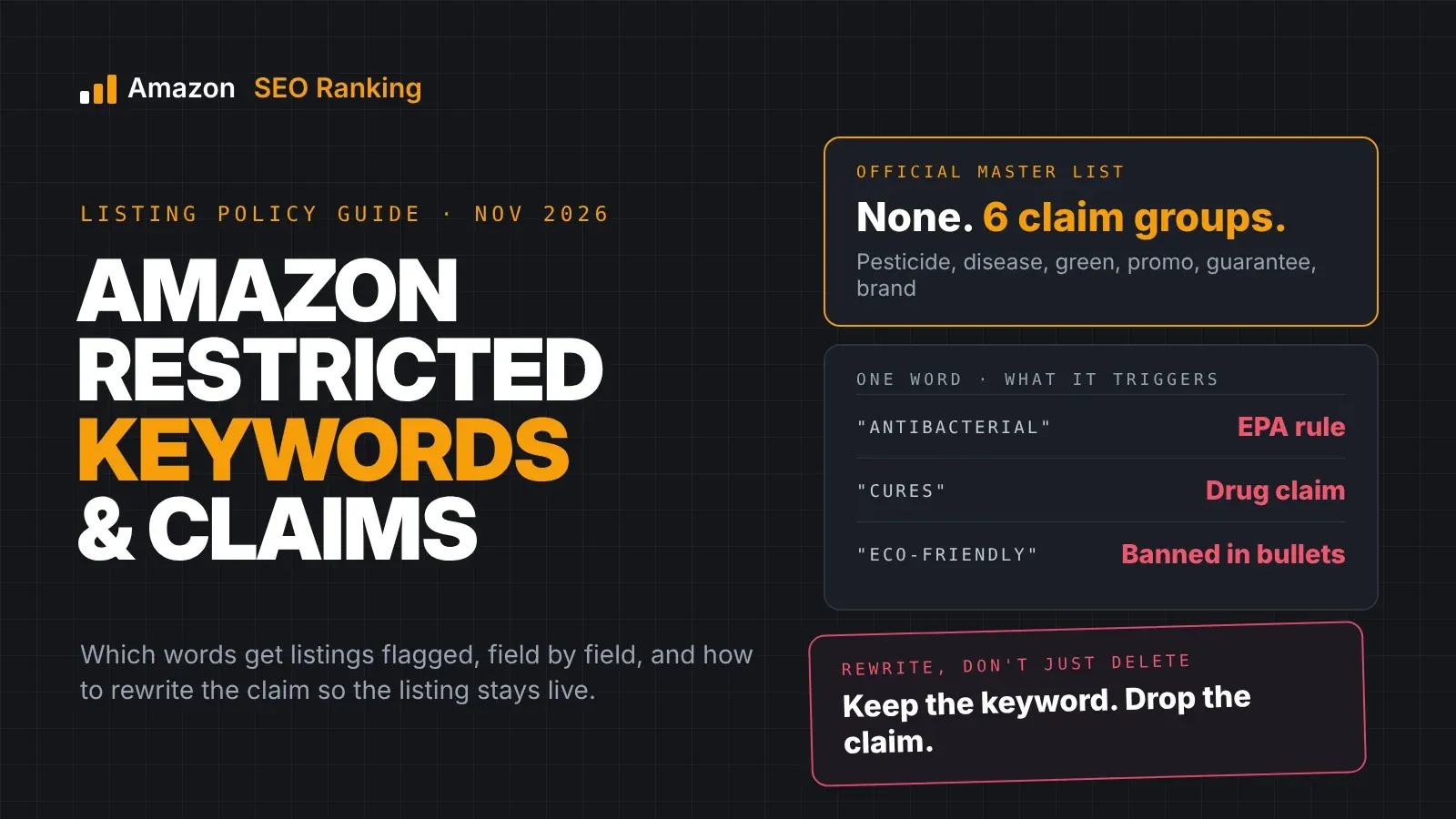
Amazon restricted keywords are words and phrases that trigger a policy check when they appear in a listing, because they imply a regulated claim, make a promise Amazon won't allow, or break a formatting rule. "Antibacterial" on a cutting board, "cures" on a supplement, "eco-friendly" in a bullet and "best seller" in the backend search terms are four common examples. Depending on the word and the field, the result ranges from a rejected edit to a blocked listing to action against the account.
Amazon doesn't publish one master list. The rules are spread across its pesticide policy, its dietary supplement and drug policies, its environmental marketing guidelines, its title and bullet point requirements, and its search terms and A+ Content guidelines. The lists you find online are sellers' collections of words that got them flagged.
This guide is for sellers and agencies who want to know which words are not allowed in Amazon listings, why each group is restricted, which field each rule applies to, and how to rewrite the claim so the listing stays live. The legal sources cited are US rules (EPA, FDA, FTC and California law). Other Amazon storefronts have their own equivalents, and each storefront keeps its own copy of your listing, so check each one separately.
Key Takeaways (TL;DR)
- No official list exists. Restricted words come from Amazon policies and the laws behind them: EPA pesticide rules, FDA claim rules and the FTC Green Guides.
- Pesticide claims such as antibacterial, antimicrobial, antifungal or anti-mold can make a sock, mattress or cutting board count as a pesticide, which needs EPA registration.
- Amazon health claims that a product can diagnose, treat, cure, mitigate or prevent a disease are reserved for approved drugs.
- Eco claims like "eco-friendly" are banned in bullets, and "biodegradable" or "compostable" on plastic needs certification under California law.
- Promotional words such as "best", "cheapest", "new", "on sale now", "free shipping" and "#1 rated" are banned in specific fields.
- The backend counts. Prohibited terms in search terms can suppress the ASIN even though shoppers never see them.
- Context decides. The same word can be fine in one product's description and a violation in another's.
Amazon Restricted Keywords: at a Glance
Each group in this table is covered in its own section below, with the Amazon policy it comes from. The last column says which groups Amazon SEO Ranking checks for you and which ones you still need to check yourself.
| Group | Example words | Rule behind it | Typical outcome | Checked by Amazon SEO Ranking? |
|---|---|---|---|---|
| Pesticide claims | antibacterial, antimicrobial, antifungal, anti-mold, disinfects, repels insects | Amazon pesticide policy (EPA rules) | Listing blocked until EPA details are added or the claim is removed | Not automatically. Add these terms to your brand fact sheet's banned claims and every rewrite avoids them |
| Disease and drug claims | cure, treat, prevent, diagnose, "FDA approved" | Dietary supplement and drug policies (FDA rules) | Listing removal, possible account action | Yes: free Character Limit Checker, audit claim checks, Pro Compliance Risk Scanner |
| Environmental claims | eco-friendly, environmentally friendly, biodegradable, compostable | Bullet point rules, environmental marketing guidelines (FTC, California law) | Bullet rejected, listing removed in California-regulated cases | Not automatically. Add them to your fact sheet's banned claims |
| Promotional and temporary words | best, cheapest, amazing, new, on sale now, free shipping, #1 rated | Title, search terms and A+ Content guidelines | Edit rejected, suppression in search terms | Promotional wording in visible copy: yes, free checker. Backend search terms: not checked |
| Guarantees and contact details | full refund, money-back guarantee, website links, phone numbers | Bullet point and A+ Content guidelines | Bullet or A+ module rejected | Contact details: free checker. Guarantees: Pro Compliance Risk Scanner |
| Brand names, ASINs, symbols | competitor brands, ASINs, ™, ®, emojis, N/A, TBD | Search terms and bullet point rules | Suppression, rejected bullets | Symbols and emojis: free checker. Brand names and ASINs in search terms: not checked |
What Counts as an Amazon Restricted Keyword?
A restricted keyword is any term that makes Amazon's systems check the listing against a policy. Some are banned outright in a field, like "best" in the backend search terms. Others are allowed only with proof, like a pesticidal claim backed by an EPA registration number, or an environmental claim that names the certification behind it.
The difference matters for the fix. A banned word gets deleted. A claim that needs proof can stay if you have the proof, and has to go if you don't.
Prohibited vs restricted
Sellers use "prohibited keywords" and "restricted keywords" interchangeably, but the policies draw a line between them. Amazon's search terms guidance calls certain terms prohibited in that field and says using them may result in ASIN suppression and action against your account. The pesticide policy, by contrast, lets a product say "antibacterial" if it has the right EPA registration.
In practice, treat any word on either kind of list as a reason to check before you publish.
Why There's No Official Amazon Prohibited Keywords List
Most restricted words are restricted because of the claim they make about the product. "Antimicrobial" is a problem on a pair of socks because, under EPA rules, a product claiming to kill microbes is a pesticide. The word itself is fine in a microbiology textbook's description.
That's why a fixed list can't cover it. Amazon writes its policies around claim types (pesticidal claims, disease claims, environmental benefit claims) and then names a few example phrases in each help page.
Where the word lists online come from
The long lists agencies publish are compiled from flags their clients hit. They're useful as a warning sign, and many include disease names and ingredient terms that only matter in health categories. A home goods seller using one as a blacklist will end up deleting words that were never a risk for their product, while missing the claim that actually gets flagged.
A better approach is to learn the six claim groups and check each listing against the ones that apply to its category.
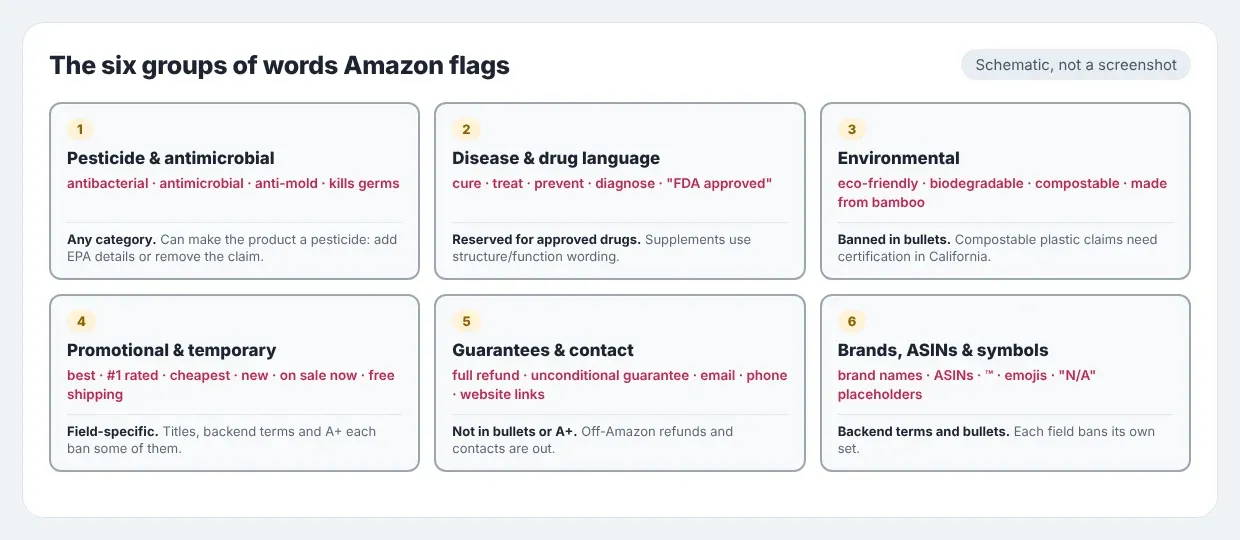
The Six Groups of Words Amazon Flags
1. Pesticide and antimicrobial claims
This group catches more sellers outside their own category than any other. In an announcement on the Seller Forums, Amazon said products that make any antimicrobial, antifungal, antibacterial, or other pesticidal claim, including products marketed to disinfect, repel insects, remove allergens or prevent bacteria, may be considered pesticides or pesticide devices. Since 6 October 2020, new pesticide listings need the Pesticide Marking attribute filled in with an EPA registration or establishment number, or an exemption.
Amazon's own examples show how wide this runs. A post on the Mexico Seller Forums lists socks or shoes that claim antimicrobial properties, a mattress that claims to be antibacterial and a car cover that claims to prevent mildew as products the policy covers.
Watch for these words in any category:
- antibacterial, antimicrobial, antifungal, antiviral, anti-mold, anti-mildew
- disinfects, sanitizes, kills germs, prevents bacteria
- repels insects, removes allergens
2. Disease claims and drug language
The FDA lets dietary supplements describe how a nutrient affects the body's normal structure or function, such as "calcium builds strong bones". It doesn't let them claim to treat disease. Supplements making structure/function claims must carry a disclaimer that the product is not intended to "diagnose, treat, cure or prevent any disease", because only a drug can legally make such a claim.
Amazon's supplement policy follows the same line. Words to check in health, beauty, grocery and pet listings include cure, treat, heal, prevent, diagnose, mitigate, any named disease, and "FDA approved" on a product that isn't. The section on Amazon health claims below goes into where the line sits.
3. Environmental claims
Amazon's bullet point requirements name eco-friendly, environmentally friendly, ecologically friendly, anti-microbial, anti-bacterial, Made from Bamboo, contains Bamboo, Made from Soy and contains Soy as prohibited phrases. The bamboo and soy phrases surprise most sellers, and Amazon's page doesn't say why they're on the list.
Amazon's Environmental Marketing Guidelines ask sellers to avoid broad environmental benefit claims and to follow both the FTC Green Guides and California's law restricting compostable and biodegradable claims on plastic products. Amazon has its own history here: in 2018 it settled with 23 California district attorneys for $1.5 million over plastic products marketed as biodegradable or compostable without the certification California requires.
4. Promotional, subjective and temporary words
These are banned in specific fields rather than everywhere. The search terms guidelines rule out temporary statements such as "new" or "on sale now" and subjective claims such as "best", "cheapest" or "amazing". Amazon's title requirements list promotional phrases such as "free shipping" among the things a title can't contain.
A+ Content has its own version. Boastful claims such as "#1 rated", "top-rated" and "best-selling" aren't allowed, nor are time-sensitive references like "best in 2026".
5. Guarantees, refunds and contact details
Bullets can't promise refunds. The same bullet point rules ban guarantee wording such as "Full refund", "If not satisfied, send it back" or "Unconditional guarantee with no limit", along with company information, website links and contact details.
Amazon's public A+ Content guidelines on KDP say guarantee information, including references to off-Amazon return or refund policies, is strictly forbidden, and so are references to off-Amazon customer service such as phone numbers or a contact email.
6. Brand names, ASINs, symbols and placeholders
Your own brand name, competitors' brand names and ASINs don't belong in the backend search terms, and neither does profanity. In bullets, Amazon bans special characters such as ™, ®, €, …, ©, emojis such as ✅ and ❌, ASIN numbers, and placeholder text like "N/A", "TBD" or "COPY PENDING".
Competitor names are the one most sellers add on purpose. Our Amazon search terms guide covers what to put in the field instead.
Which Words Are Not Allowed in Each Listing Field
The target prompt for most sellers is a simple question: which words are not allowed in Amazon listings? The honest answer depends on the field. Here's how the published rules map to each one.
| Field | Not allowed | Source |
|---|---|---|
| Title | Promotional phrases ("free shipping"), decorative special characters, HTML and other non-readable characters | Amazon product title requirements |
| Item Highlights | Treat it like the title: no promotional phrases or special characters, within 125 characters | Field added with the July 2026 title change; follow the title rules |
| Bullet points | Eco-friendly and similar phrases, anti-microbial, anti-bacterial, bamboo and soy phrases, guarantees, contact details, emojis, special characters, ASINs, placeholders | Amazon bullet point requirements |
| Description | Pesticidal, disease and unqualified environmental claims; contact details | Category policies |
| Backend search terms | Brand names (yours and others), "new", "on sale now", "best", "cheapest", "amazing", profanity, ASINs | Amazon search terms guidelines |
| A+ Content | "#1 rated", "top-rated", "best-selling", guarantees, off-Amazon contact details, time-sensitive wording | A+ Content guidelines |
Claims rules follow the product into every field. A disease claim or a pesticidal claim is a violation in the title, the bullets, the description, the backend, A+ Content and the images. Formatting rules are narrower: an emoji in a bullet breaks the bullet rules, while a "™" in your brand name field is part of the brand.
Amazon Health Claims: What's Allowed and What Isn't
Amazon health claims are where wording matters most, because the same benefit can be phrased legally or illegally. The FDA's own example of an allowed structure/function claim is "calcium builds strong bones". It also cites "fiber maintains bowel regularity" and "antioxidants maintain cell integrity" as claims describing how an ingredient maintains normal function.
A claim that the product treats or prevents a condition crosses into drug territory, even when it doesn't name a disease outright.
| Allowed form (structure/function) | Disease claim to avoid |
|---|---|
| Supports healthy joints | Relieves arthritis pain |
| Supports a healthy immune system | Prevents colds and flu |
| Helps maintain healthy cholesterol levels already in the normal range | Lowers high cholesterol |
| Supports restful sleep | Treats insomnia |
Any structure/function claim needs substantiation and the FDA disclaimer on the label. On Amazon, the listing also has to match that label.
Non-supplements carry health risk too
Health claims aren't limited to supplements. A pillow that "relieves sleep apnea", a bracelet that "reduces anxiety" and a pet chew that "cures bad breath" all describe a medical effect.
AI-written copy adds them too. A common failure with general AI rewriters is copy that puts "detox" or "protein" on a fruit product whose spec table supports neither, so every AI draft needs the same check as copy you wrote yourself.
What Changed for Restricted Claims in 2026
Two changes this year affect how restricted words are enforced.
Supplement claims have to match the label
From 31 March 2026, supplement sellers face listing deactivation if their detail pages carry misleading or unsubstantiated ingredient composition claims that don't align with the Supplement Facts panel, according to PPC Land's report on Amazon's notice. A bullet claiming "2,000 mg per serving" on a product whose panel says 1,000 mg is now an enforcement target in its own right.
That moves supplement compliance from banned words to matching numbers. Every figure in the copy needs to trace back to the label.
Part of that check can be automated. Every Amazon SEO Ranking audit flags pack sizes and unit counts that disagree across the title, Item Highlights, bullets, description and spec table, such as "8 Packets" in the title against "20 packets" in a bullet. It compares the listing with itself and its spec table; it can't read the physical Supplement Facts panel, so per-serving amounts still need a check against the label.
Titles are shorter, content rules unchanged
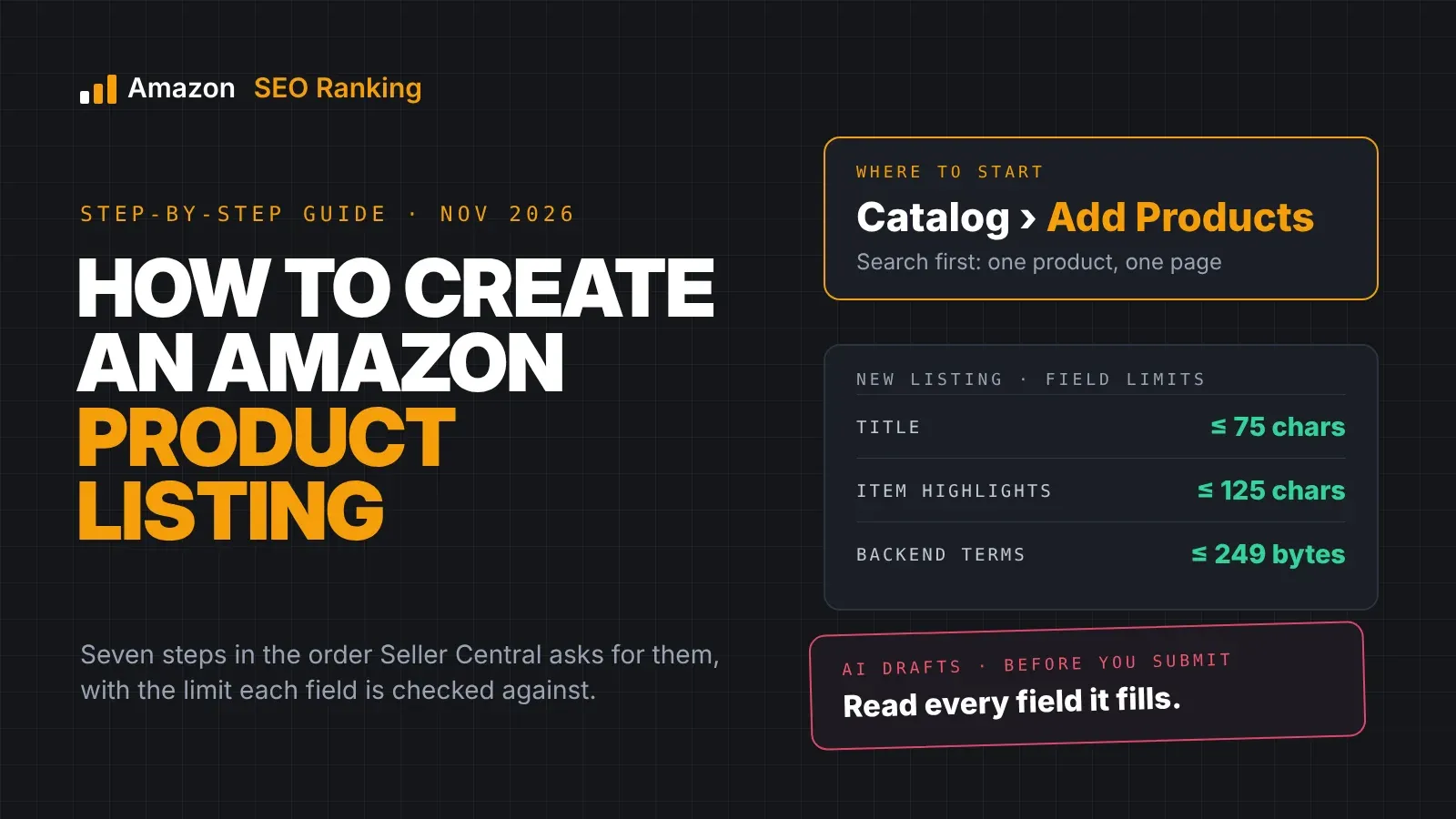
On 27 July 2026 Amazon began enforcing a 75-character title limit in every category except media, with detail moving to the new Item Highlights field. Over-length titles are rewritten by Amazon's AI instead of suppressed.
The content rules didn't change with the length. A 60-character title with "free shipping" in it still breaks the title requirements. If you're cutting a 200-character title down, the restricted words are the first thing to drop.
A rewrite like this is a good moment to check the new copy before it goes live. Amazon SEO Ranking's draft audit scores a title, Item Highlights, bullets or description that isn't published yet against the live listing, and on Pro it runs the compliance scan on the draft automatically.
What Happens When a Listing Uses a Restricted Word
The consequence depends on which rule the word breaks.
- Rejected edit. Bullets or A+ modules that break the content rules are rejected at submission, and sellers on the forums describe bullets that won't save no matter how they're rewritten until the prohibited phrase goes.
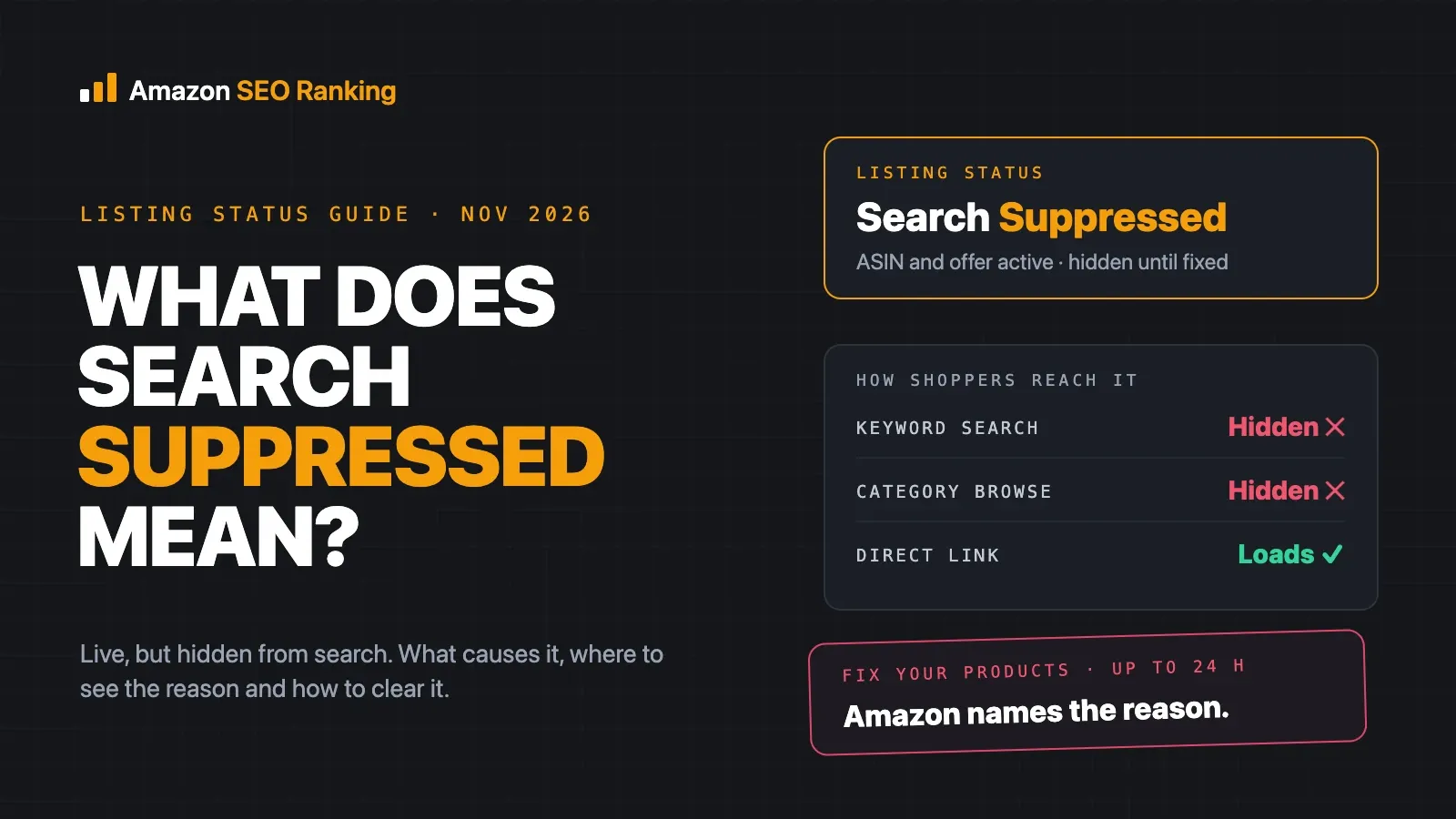
- Search suppression. The listing stays live but disappears from search until it's fixed. Our guide to what search suppressed means on Amazon covers how to find the reason in Seller Central.
- Policy block. Pesticide and supplement violations remove the listing and usually show in Account Health with a Performance Notification.
- Account action. Repeated or serious violations, such as disease claims, can lead to account-level enforcement.
Clearing a pesticide flag
Pesticide flags have a set exit. Amazon's reply on a seller thread asks for one of three things: evidence of an EPA registration or establishment number, proof of an exemption, or proof that the pesticidal claim was edited out of the listing. If your product makes no real pest-control claim, removing the wording is the fastest route.
Sellers who do sell pesticides need approval first. Amazon staff point to the Pesticide Claims and Listings course on Seller University as part of that process.
How to Rewrite a Restricted Claim
Rewriting is usually better than deleting, because the shopper still wants to know why your product is better. Swap the claim for the fact behind it, and only if the fact is true.
| Restricted wording | Rewrite (only if accurate) | Why it works |
|---|---|---|
| Antibacterial bamboo cutting board | Cutting board, 18 x 12 in, dishwasher-safe | States the product and features without a pesticidal claim |
| Eco-friendly water bottle | Made from 50% recycled stainless steel | Specific and checkable instead of a broad benefit claim |
| Cures joint pain | Supports healthy joints | Structure/function wording, needs label substantiation |
| #1 best-selling pillow | Remove | Boastful claim, no compliant version |
| 100% money-back guarantee | Remove from bullets and A+ | Guarantee wording is banned in both fields |
| New 2026 model | 2026 model, or the model number | Drops the temporary statement |
Rewriting with the claim guard
Amazon SEO Ranking's AI Copy Rewriter does this swap from the listing's own facts. Every draft is grounded in the listing's spec table and your brand fact sheet, where you can list banned claims for your category, such as "antibacterial" for a kitchen brand or "eco-friendly" for a brand without certifications. Those bans apply to every rewrite, Ask AI edit and bulk run.
Before you see a draft, it's checked in code: health claims and claims the spec table doesn't support are flagged, pack counts are compared across fields, and risky backend terms are removed automatically. Then "Score this copy as a draft" runs the new copy through the audit before you paste it into Seller Central.
Keep the search keyword, drop the claim
Shoppers search "antibacterial cutting board" and "eco-friendly water bottle", which tempts sellers to keep the phrase. The search volume doesn't change the policy. A pesticidal claim in the backend is still a pesticidal claim, and Amazon's systems read the backend too. If the term matters for traffic, you'll get better results describing the real attribute shoppers want (dishwasher-safe, recycled steel) than risking the listing.
How to Check a Listing for Restricted Keywords
A short check before every listing update catches most problems.
- Read every field, including the backend search terms and A+ Content, for the six claim groups above.
- Search the copy for the words that apply to your category: pesticide terms for home and apparel, disease terms for health and pet, eco terms for anything sold on sustainability.
- Check every number in a supplement listing against the Supplement Facts panel.
- Remove emojis, ™, ® and other special characters from bullets.
- Re-check after any AI rewrite, since general AI tools add claims like "detox" or "eco-friendly" on their own.
- Check the live listing, not your saved copy. On a shared ASIN another seller's data can win, and Amazon now rewrites over-length titles itself.
- Repeat the check on each storefront you sell in, since every marketplace keeps its own copy of the listing.
Running the check with Amazon SEO Ranking
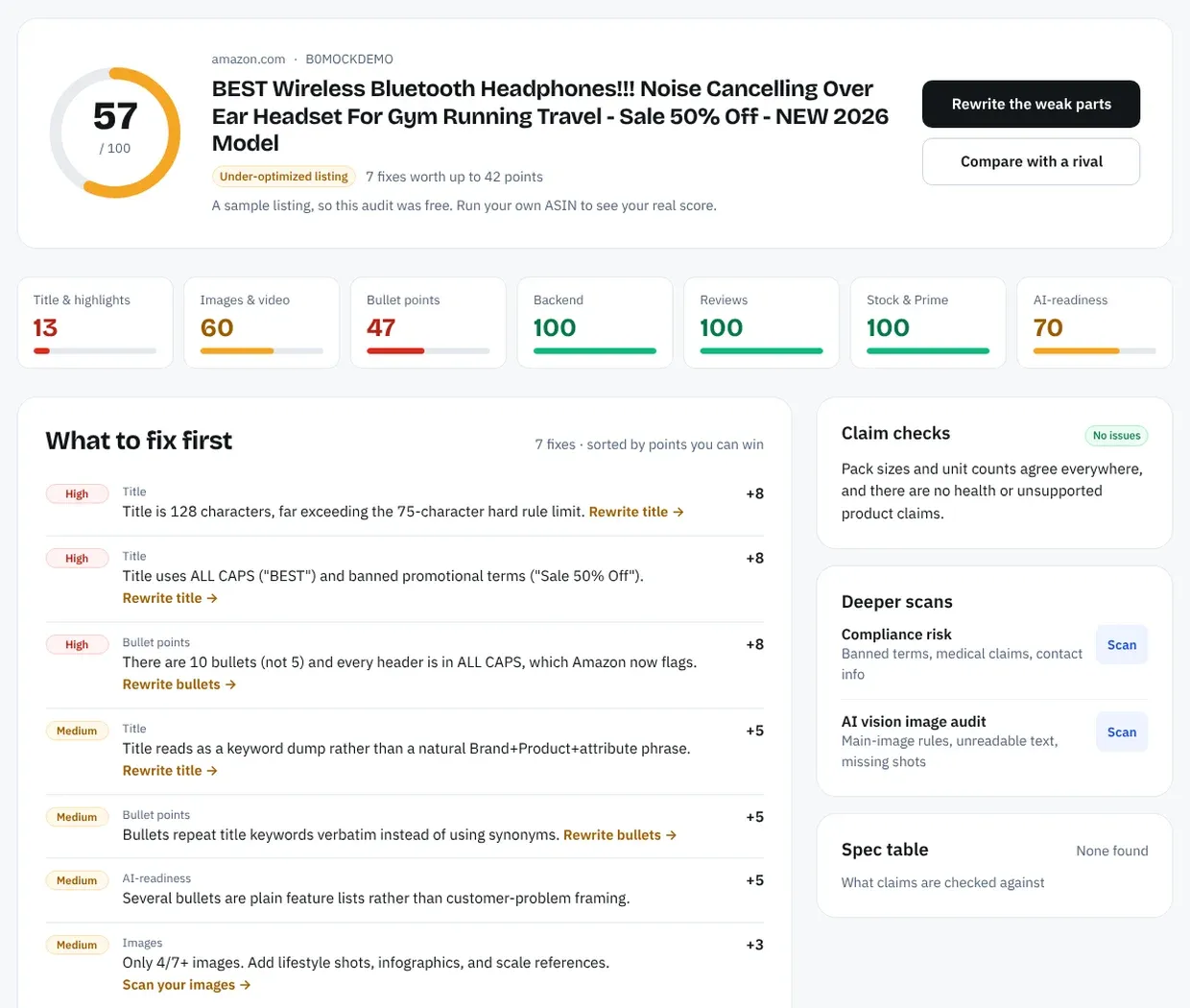
Amazon SEO Ranking covers several of these checks. The free Amazon listing requirements and character limits checker needs no account: paste a title, Item Highlights, bullets or a description, and it flags promotional wording, decorative symbols and emojis, ALL CAPS, contact details, HTML and health claims as you type. It runs in your browser and nothing is sent anywhere.
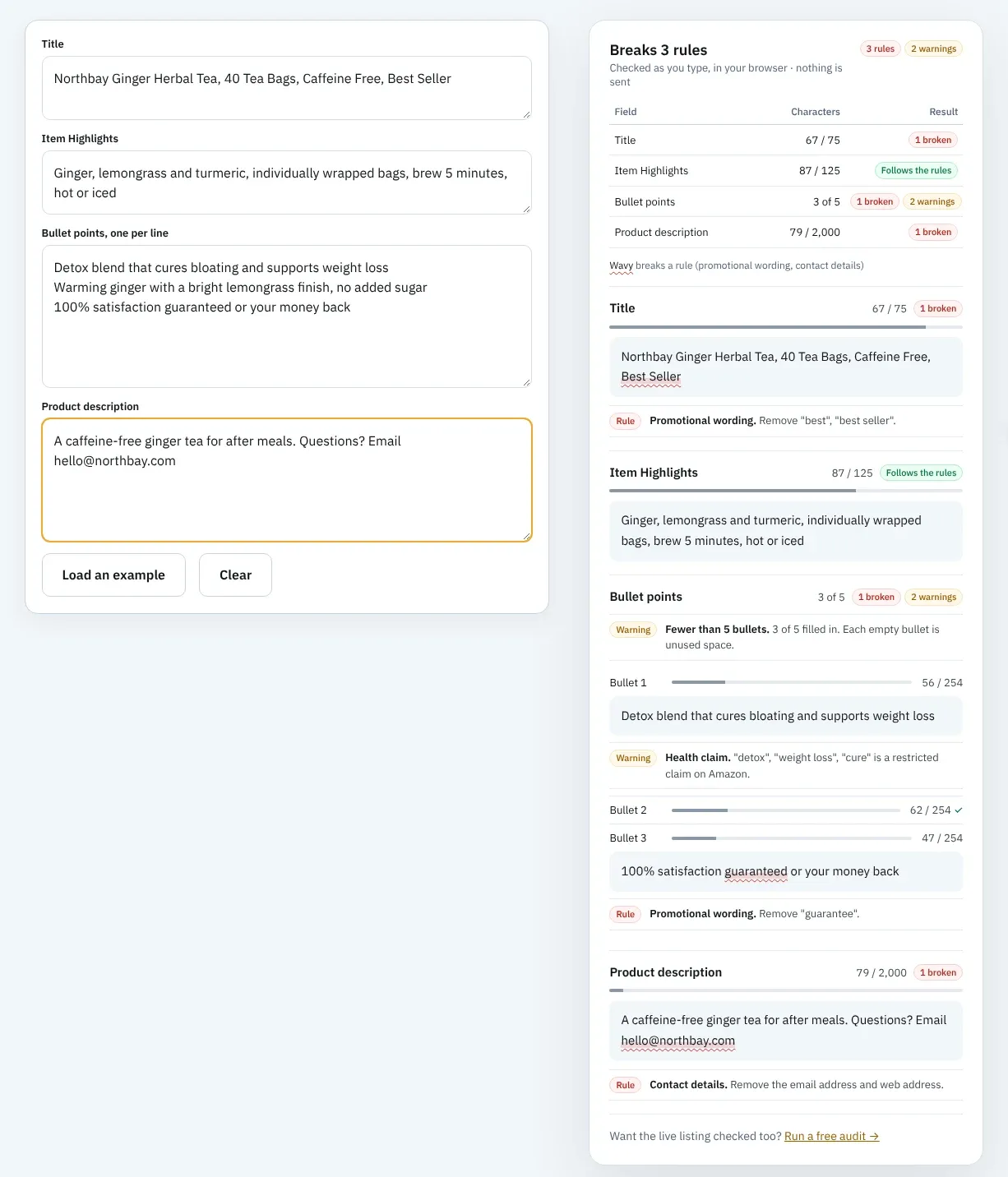
The audit goes further, and it pulls the live listing from the storefront you pick at the moment you run it. Every audit runs consistency checks with no AI call, shown in the Claim checks panel: health claims such as "detox" or "weight loss", and product claims such as "protein", "organic" or "vegan" that the listing's own spec table or your brand fact sheet doesn't support. On Pro, the Compliance Risk Scanner adds checks for medical and health claims, guarantees, review manipulation, contact information and banned formatting.
For the field invisible to shoppers, the free Amazon backend keywords checker checks the 249-byte limit and finds words already used in your title and bullets. It doesn't scan the field for brand names or banned words, so read your search terms against the list above.
These checks read the copy on the page, and Seller Central is still the only place that tells you Amazon has flagged a listing and why. For why general AI writers get claims wrong, see our post on writing a ChatGPT Amazon listing.
Everything You Need to Know About Amazon Restricted Keywords
| Topic | What to know | Rule or number |
|---|---|---|
| Official list | Amazon doesn't publish one | Rules spread across several Amazon policies |
| Pesticide claims | Antibacterial, antimicrobial, antifungal, disinfecting | EPA registration or exemption needed |
| Pesticide Marking | Required on new pesticide listings | Since 6 October 2020 |
| Disease claims | Diagnose, treat, cure, mitigate, prevent | Reserved for approved drugs |
| Structure/function claims | Allowed for supplements | FDA disclaimer and substantiation |
| Supplement ingredient claims | Must match Supplement Facts | Enforced from 31 March 2026 |
| Eco claims in bullets | Eco-friendly, environmentally friendly banned | Amazon bullet point rules |
| Biodegradable or compostable plastic | Needs California certification | 2018 Amazon settlement: $1.5 million |
| Search terms | No brands, ASINs, "best", "new" | Suppression and account action |
| Title | No promotional phrases or special characters | 75 characters since 27 July 2026 |
| A+ Content | No "#1 rated", "best-selling", guarantees | Module rejected |
| Bullets | No emojis, ™, ®, guarantees, contact details | Bullet rejected or edited |
| Context | The claim decides, not the word | Same word can pass or fail by product |
Check Your Listing Copy Before Amazon Flags It
Every Amazon SEO Ranking audit flags health claims, unsupported product claims and pack-count mismatches on your live listing in its Claim checks panel. Its AI rewrites are checked in code for the same problems before you see them, using your brand fact sheet's banned claims, and you can score the new copy as a draft before it goes live. The audit itself scores 12 equally weighted criteria in seven categories, each with its pass rule published, and the free plan runs complete audits on your own listings with no card.
It's built for sellers in categories where a single word can trigger a policy block (supplements, home and kitchen, pet, beauty), and for agencies that need to check client catalogs across several of Amazon's 23 storefronts before a flag turns into a lost listing. On the Agency plan, Bulk Optimization audits and rewrites up to 500 ASINs per run, with a Claim Check column on each AI draft, and white-label PDF reports put the findings in front of clients under your agency's name. It's trusted by eRetail Search specialists at Nestlé and eCommerce SEO services agencies such as Reach AI.
The free plan includes 3 full audits a month, no credit card required. Pro is $79 a month with a 7-day free trial and adds the Compliance Risk Scanner, and every charge has a 14-day money-back guarantee.
FAQ
What are Amazon restricted keywords?
Amazon restricted keywords are words and phrases that trigger a policy check because they imply a regulated claim, make a promise Amazon doesn't allow, or break a field's formatting rules. Common examples are "antibacterial", "cures", "eco-friendly", "best seller" and "free shipping". Some are banned outright in certain fields, while others are allowed only with proof such as an EPA registration number. Using them can lead to a rejected edit, search suppression, a blocked listing or account action.
Does Amazon publish a list of prohibited keywords?
Amazon does not publish a single list of prohibited keywords. Its rules are spread across the pesticide policy, the dietary supplement and drug policies, the environmental marketing guidelines, the bullet point and title requirements, the search terms guidelines and the A+ Content guidelines. Each names a few example phrases, such as "eco-friendly" and "Made from Bamboo" in the bullet rules. The long lists online are compiled by agencies from words that got their clients flagged.
Which words are not allowed in Amazon listings?
The words not allowed in Amazon listings depend on the field and the product. Bullets can't include "eco-friendly", "anti-bacterial", "Made from Bamboo", refund guarantees, contact details or emojis. Backend search terms can't include brand names, ASINs, "best", "cheapest", "new" or "on sale now". Titles can't include promotional phrases like "free shipping", and A+ Content can't say "#1 rated" or "best-selling".
Can I use "antibacterial" in my Amazon listing?
You can use "antibacterial" in an Amazon listing only if the product is registered as a pesticide with the EPA or qualifies for an exemption. Amazon treats any antimicrobial, antifungal, antibacterial or anti-mold claim as a pesticidal claim, even on socks, mattresses or cutting boards. Since 6 October 2020, new pesticide listings need the Pesticide Marking attribute with an EPA registration or establishment number. If the product has no real pest-control function, remove the claim.
What Amazon health claims are allowed for supplements?
The Amazon health claims allowed for supplements are structure/function claims, which describe how an ingredient supports normal body function, such as the FDA's example "calcium builds strong bones". The product needs substantiation and the FDA disclaimer stating it is not intended to diagnose, treat, cure or prevent any disease. Claims that a supplement treats, cures or prevents a disease are reserved for approved drugs. From 31 March 2026, ingredient amounts in the listing must also match the Supplement Facts panel.
Do restricted keywords in backend search terms matter?
Restricted keywords in backend search terms matter as much as visible ones, because Amazon reads the field even though shoppers don't. Amazon says prohibited terms in search terms, such as brand names, temporary statements, subjective claims, profanity and ASINs, may result in ASIN suppression and action against the account. Pesticidal and disease claims are also violations in the backend. The field has a 249-byte limit, so every restricted word also wastes space.
What happens if my Amazon listing uses a prohibited word?
If your Amazon listing uses a prohibited word, the outcome ranges from a rejected edit to a removed listing, depending on the rule it breaks. Bullet and A+ violations usually get the edit rejected. Search terms violations can suppress the ASIN from search. Pesticide and supplement violations block the listing until you add the required documents or remove the claim, and serious or repeated violations can lead to account action.
Is "eco-friendly" banned on Amazon?
"Eco-friendly" is banned in Amazon bullet points, where Amazon lists it as a prohibited phrase alongside "environmentally friendly" and "ecologically friendly". Amazon's environmental marketing guidelines also ask sellers to avoid broad environmental benefit claims in any field, in line with the FTC Green Guides. A specific, provable claim such as "made from 50% recycled steel" is the safer wording. Plastic products marketed as "biodegradable" or "compostable" need certification under California law.
Run a free Amazon listing audit on your riskiest ASIN today, or compare Pro and Agency plans to check a full catalog.
Run a free Amazon listing audit