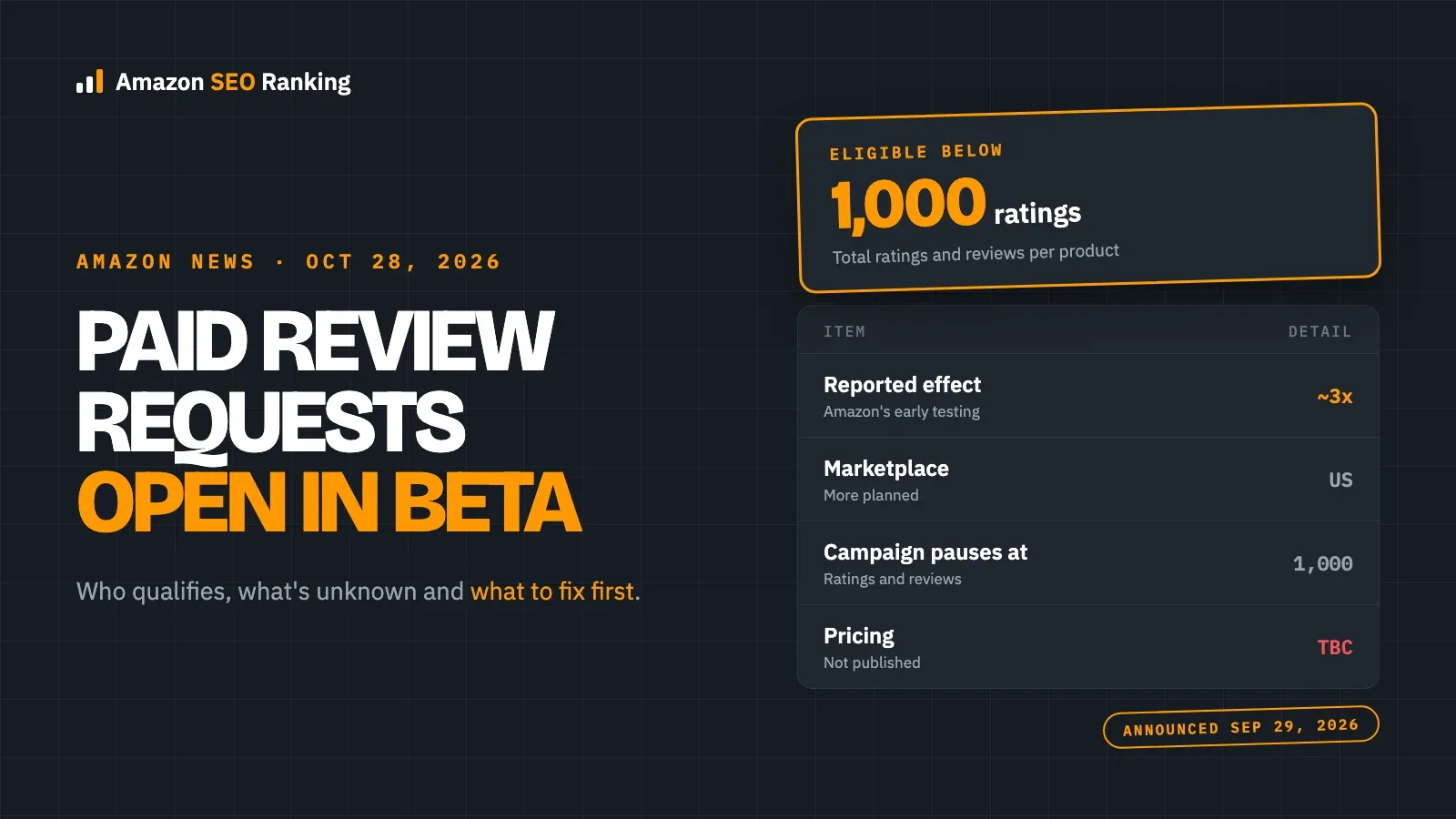
Amazon Ads' new Review Requests format opens in open beta in the United States in late October 2026, for products with fewer than 1,000 total ratings and reviews. It's a paid campaign that invites recent verified buyers to rate or review your product while they browse Amazon, and it was announced on September 29, 2026.
Amazon says that in early testing, products using Review Requests got around three times as many ratings and reviews each week. More reviews arriving faster is good news for a listing that delivers what it promises. For a listing whose title, bullets or images oversell the product, it means low stars arrive three times as fast, a month before Black Friday on November 27, 2026.
This article covers what Amazon announced, who qualifies, what Amazon hasn't said yet, and what to check on the product page before you pay for more reviews. It's for sellers and agencies with newer or low-review ASINs who are deciding whether to join the beta.
Key Takeaways (TL;DR)
- Review Requests is a paid Amazon Ads format that asks recent verified buyers to rate or review a product, opening in US open beta in late October 2026.
- Only products with fewer than 1,000 total ratings and reviews qualify, and campaigns pause automatically when a product reaches 1,000.
- Amazon reports around three times as many ratings and reviews per week in early testing, but hasn't published the sample, spend or billing model.
- Buyers can leave any rating, so the ad brings in more honest reviews, not more positive ones.
- Before you start a campaign, check that each product's title, bullets and images match what buyers receive, since that's what they'll rate.
Amazon Review Requests: at a Glance
The key facts from Amazon's two announcement pages, with the gaps marked.
| Item | What Amazon says |
|---|---|
| What it is | A paid ad that invites verified buyers to rate or review a product |
| Where buyers see it | High-traffic Amazon pages, such as the homepage |
| Who can run it | Registered sellers and vendors with an ad account in good standing and no active policy violations |
| Product limit | Fewer than 1,000 total ratings and reviews; pauses at 1,000 |
| Marketplace | United States; more marketplaces planned, no dates |
| Start | Late October 2026 (What's New page) or November 2026 (unBoxed recap) |
| Pricing | Not published; same bidding and budget controls as other campaigns |
What Amazon Announced
Amazon Ads introduced Review Requests at its unBoxed event on September 29, 2026, alongside Branded Conversations, a separate ad format for Alexa for Shopping due in the US in January 2027. Its What's New page describes the format and its eligibility rules.
For the shopper, the request is a light touch. A verified buyer sees the invitation on a busy Amazon page, taps a star rating in one click, and can add a written review with photos or video if they want. Only people who bought the product are invited, which is what separates this from off-Amazon review schemes.
In early testing, products using Review Requests received around three times as many ratings and reviews each week.
For the advertiser, eligibility is checked when you create a campaign and again while it runs. As EcomCrew reports, campaigns are set up in Amazon Ads Agent and can be managed through Amazon's Unified Campaign Management API. The same report says the closed test ran from June 3 to June 21, 2026, and compared each product with its own earlier pace, not with a control group.
Amazon didn't say how the format is billed, what a typical bid is, or how many invitations a budget buys. Its two pages also give different start dates: "late October 2026" on the What's New page and "November 2026" in the unBoxed recap.
What It Means for Your Listings
A review is the buyer's verdict on the gap between the product page and the box. Review Requests doesn't change that verdict; it collects more of them, faster. So the listing work comes before the ad spend, not after it. Our guide to how reviews and rating affect ranking explains why the average matters as much as the count.
Title and Item Highlights
A title that promises a size, pack count or compatibility the product doesn't have is the fastest route to a one-star review. Check every claim in the title against the product spec sheet. "Fits all 15-inch laptops" should become the list of models it fits, or "fits laptops up to 15.6 inches" if that's what was measured.
Bullet Points
Bullets set expectations on materials, dimensions, what's in the box and how to use the product. Reviews that say "not as described" usually point back to a bullet. Move the facts buyers misread into the first two bullets, and state limits plainly. Our bullet points guide covers order and length.
Images
Images that show the product larger, in a different color or with accessories that aren't included lead to disappointed buyers. Add a scale shot and a what's-in-the-box image if they're missing. Our post on images, click-through and sales shows what the main gallery slots should carry.
Rating Threshold and Q&A
If a product already sits below about 4.3 stars (the pass bar in our audit, not an Amazon rule), more reviews at the same rate of complaints will lock the average in. Read the last 20 critical reviews first and fix the listing cause behind them. Answer open customer questions too, since the same confusion that produces a question often produces a low rating.
What to Do Now: 5 Steps
- Export the ASINs in your catalog with fewer than 1,000 ratings and reviews; those are the only products Review Requests accepts.
- Sort them by average rating and read the recent critical reviews on anything under 4.3 stars, noting each complaint the listing could have prevented.
- Fix the title, bullets and images on those listings before starting a campaign. A free audit scores the live listing against 12 criteria, including the rating check, and lists fixes in order.
- Start with a small test budget on two or three ASINs that already convert well, and track cost per new rating once the console shows how you're billed.
- Stop any follow-up messages that steer happy buyers to review and unhappy ones to support, since that kind of review gating breaks Amazon policy whatever the ad does.
What We Don't Know Yet
- How it's billed. Amazon hasn't said whether you pay per impression, per click or per submitted review. Check the campaign setup screen in Ads Agent when the beta reaches your account.
- The exact start date. Amazon's pages say late October and November 2026. Watch the Amazon Ads console and the What's New page.
- Other marketplaces. Amazon says more are planned but gives no dates or countries.
- How the 3x figure holds up. Amazon hasn't published the sample size, categories or spend, so treat it as Amazon's own estimate until you have your own numbers.
Everything You Need to Know About Amazon Review Requests
| Topic | Summary |
|---|---|
| What changed | A new paid Amazon Ads format that invites verified buyers to rate or review a product |
| Start | US open beta in late October 2026; one Amazon page says November 2026 |
| Who's eligible | Sellers and vendors in good standing, for products under 1,000 ratings and reviews |
| Marketplaces | United States only for now |
| Reported effect | Around 3x more ratings and reviews per week in Amazon's early testing |
| What to check | That title, bullets and images match the product, and that the average is above about 4.3 stars |
| What to do | Fix listing causes of bad reviews first, then test a small budget on strong ASINs |
| Tools | Amazon Ads Agent for campaigns; a listing audit for the product page |
Check Your Listings Before You Pay for Reviews, Free
Amazon SEO Ranking doesn't run ads or request reviews. What it does is check the product page that buyers will be rating. The audit scores a live listing against a published 12-criteria rubric, including a rating check that fails below 4.3 stars, and lists every fix in order of the points it's worth. The AI Copy Rewriter rewrites the title, Item Highlights, bullets and backend terms with Amazon's field limits enforced in code, so you can correct an overselling claim without breaking a limit.
It's built for sellers choosing which ASINs to put into the beta, and for agencies checking a client catalog first: a bulk run audits up to 100 ASINs on Pro and 500 on Agency, on any of 23 Amazon storefronts.
The free plan includes 3 audits a month with no card required, enough to check your top low-review products before the beta reaches your account. For a catalog, Pro costs $79 a month and starts with a 7-day free trial.
FAQ
What are Amazon Review Requests ads?
Amazon Review Requests ads are a paid Amazon Ads format that invites recent verified buyers to rate or review a product while they browse high-traffic Amazon pages, such as the homepage. Buyers can tap a star rating in one click and add a written review with photos or video if they want. Amazon announced the format on September 29, 2026, and it opens in US open beta in late October 2026.
When do Amazon Review Requests start?
Amazon Review Requests start in open beta in the United States in late October 2026, according to Amazon Ads' What's New page. Amazon's unBoxed recap gives the launch as November 2026, so the beta may reach accounts at different times. Check the Amazon Ads console for the campaign type. Amazon says more marketplaces are planned but hasn't given dates.
Which products are eligible for Review Requests?
Products with fewer than 1,000 total ratings and reviews are eligible for Review Requests. The advertiser must be a registered seller or vendor with an Amazon Ads account in good standing and no active policy violations. Amazon checks eligibility when you create the campaign and while it runs, and pauses the campaign automatically once a product reaches 1,000 ratings and reviews.
How much do Amazon Review Requests cost?
Amazon hasn't published how Review Requests are priced. Its announcement says campaigns use the same bidding and budget controls as other Amazon Ads campaigns, but it doesn't say whether you pay per impression, per click or per submitted review. Start with a small test budget and track cost per new rating once the console shows how billing works.
Do Review Requests guarantee positive reviews?
No, Review Requests don't guarantee positive reviews. Buyers can leave any star rating or none at all, so the ad brings in more honest feedback, not better feedback. A product whose listing oversells it will collect low ratings faster. Fix the title, bullets and images so they match the product before you start a campaign.
Are Review Requests ads allowed under Amazon's review policy?
Yes, Review Requests ads are Amazon's own format, and only verified buyers are invited, so running one doesn't break Amazon's review policy. What can still break policy is your own follow-up: messages that ask satisfied buyers to review while sending unhappy buyers to support count as review gating. Keep any buyer messages neutral.
Do I need a tool to prepare listings for Review Requests?
No, you don't need a tool to prepare listings for Review Requests. You can read your recent critical reviews and compare each listing claim with the product by hand. A listing audit helps when you have many ASINs: Amazon SEO Ranking scores each live listing against 12 criteria, including a rating check, and its free plan includes 3 audits a month with no card.
Check the listings you'll put into Review Requests before more buyers rate them. Three free audits a month, no card required.
Run free audit