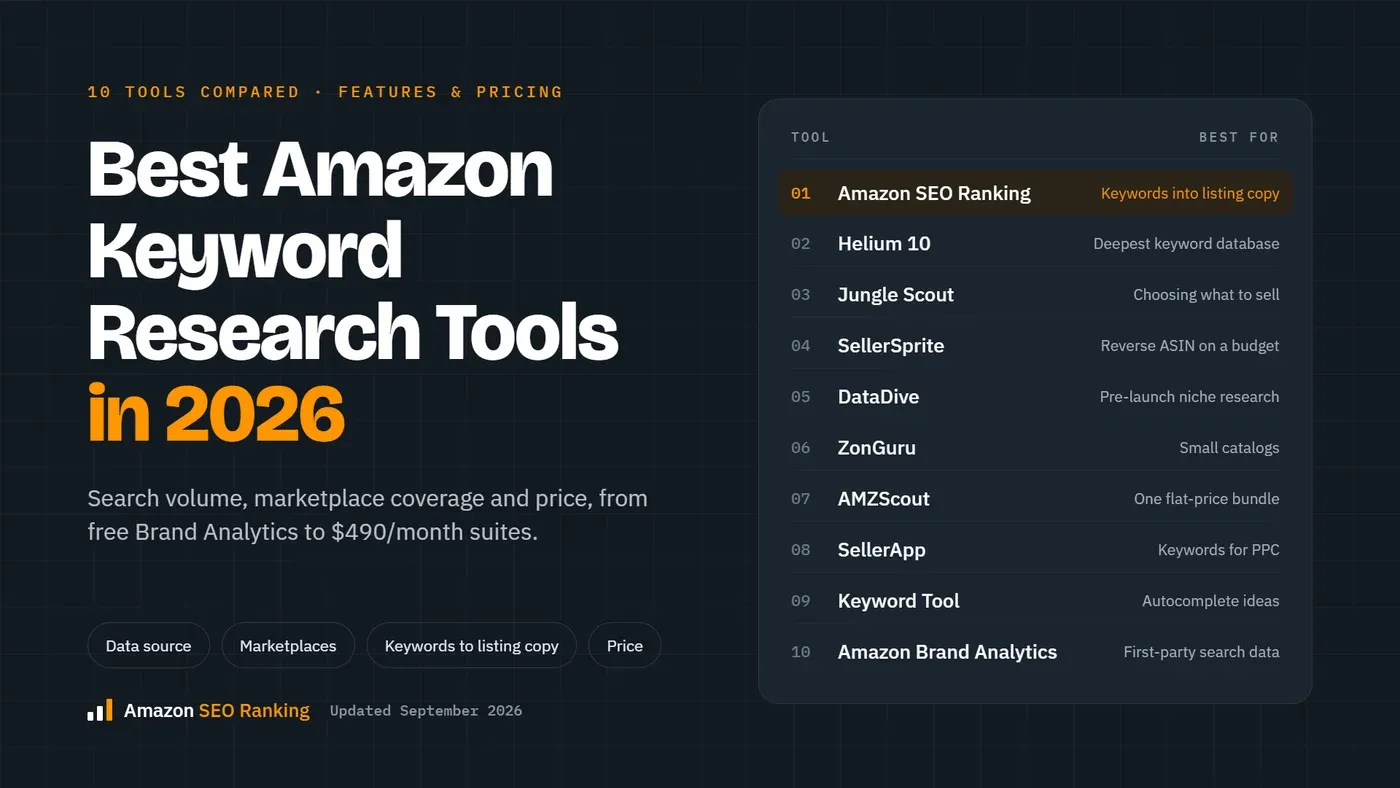
The best Amazon bulk listing tool for a catalog that's already live is Amazon SEO Ranking, because it audits up to 500 ASINs per run and rewrites the fields that fail, each row in its own marketplace's language. If you need to create hundreds of new listings, Amazon's own flat files and AI bulk upload are free and come first. If your catalog lives in Shopify or a warehouse system, LitCommerce, Sellbrite, Listing Mirror, Linnworks or Rithum move it onto Amazon and keep stock in sync.
Amazon SEO Ranking is our product, so weigh our verdict with that in mind. The other nine reviews use each vendor's published plans and features as of November 2026, and each one says what that tool does that ours doesn't.
"Bulk listing" covers three jobs. Uploading gets new SKUs into Seller Central. Syncing keeps a catalog from another channel live on Amazon. Fixing rewrites hundreds of existing listings so they meet Amazon's current rules and rank. Most sellers searching for bulk tools need the third, and most bulk tools only do the first two.
Key Takeaways (TL;DR)
- The best overall Amazon bulk listing tool: Amazon SEO Ranking. It audits up to 500 live ASINs per run against 12 published criteria and rewrites what fails from each product's spec table, with limits, claims and pack counts checked in code.
- Why you need it: Amazon cut titles to 75 characters in 2026 and rewrites the ones that break the rule. Fixing that by hand across a catalog, in every storefront you sell in, doesn't get done.
- Who it's for: agencies managing listings for several clients, sellers with large catalogs, and sellers listing the same products in several Amazon storefronts. Smaller sellers can test it free and move to Pro when they need bulk runs.
- How to choose: name the bulk job first (upload, sync or fix), then check that every row gets its own marketplace, language and keywords. Test it on a batch of 10 listings before you run the whole catalog.
- Expected price: Amazon SEO Ranking has a free plan (3 full audits a month), Pro at $79/mo (100 ASINs per bulk run) and Agency at $249/mo (500 per run). Across the market, bulk tools run from free (Amazon's flat files, with a $39.99/mo Professional selling plan) to quote-only enterprise contracts (Rithum, Linnworks).
Top Amazon Bulk Listing Tools in 2026 at a Glance
Prices are the vendors' published monthly rates in November 2026 unless marked. Several are cheaper on annual billing, and three publish no prices at all.
| Company | Best For | Key Features | Pricing |
|---|---|---|---|
| Amazon SEO Ranking | Fixing live listings across a catalog | Bulk audit and AI rewrite of up to 500 ASINs per run, per-row marketplace and keywords, claim and limit checks, white-label reports | Free (3 audits/mo), Pro $79/mo, Agency $249/mo |
| Amazon Seller Central | Creating new listings in bulk for free | Category flat files, AI bulk listing from a spreadsheet, Check My File, processing reports | Free with a Professional selling plan ($39.99/mo) |
| FlatFilePro | Bulk edits and variation fixes on existing ASINs | Visual flat file editor, API sync, version history with rollback, Reflection Engine | From $99/mo, Professional $499/mo |
| Epinium | Brands running listings and ads in several EU marketplaces | Bulk editing from a spreadsheet, AI listing suggestions, PPC automation | Quote only; free plan and 7-day trial |
| LitCommerce | Shopify and WooCommerce stores adding Amazon | Bulk listing from a store or spreadsheet, stock and price sync, GTIN exemption support | From $29/mo, 7-day free trial |
| Sellbrite | Small multichannel sellers on a budget | Listing templates, bulk edits, inventory sync across channels | Free (30 orders/mo), Pro from $29/mo |
| Listing Mirror | Brands fulfilling other channels through Amazon MCF | Bulk cross-listing by filter and tag, repricing rules, MCF order routing | From $149/mo |
| Linnworks | Mid-market sellers with warehouses and many channels | Bulk listing add-on, order and inventory management, 100+ channels | Quote only, priced by order volume |
| Rithum | Enterprise brands on hundreds of channels | Catalog and feed management, retail media, dropship network | Quote only |
| InventoryLab | FBA resellers listing on existing ASINs | Batch listing into FBA shipments, labels, Scoutify, profit tracking | From $69/mo, free trial |
What Is Amazon Bulk Listing Software?
Amazon bulk listing software is any tool that creates, edits or improves many Amazon listings in one run instead of one at a time. The input is usually a spreadsheet, a connected store catalog or a list of ASINs, and the output is listings in Seller Central or copy ready to upload there.
The tools split by job. Uploaders turn a spreadsheet into listings: Amazon's flat files and its AI bulk listing workflow, plus editors like FlatFilePro that make flat files less error-prone. Syncers copy a catalog from another system and keep stock and price matched: LitCommerce, Sellbrite, Listing Mirror, Linnworks and Rithum. Fixers read the listings you already have, find what's failing and rewrite it in bulk: Amazon SEO Ranking, and to a lesser degree Epinium's bulk editor.
Each job has a different failure mode. An uploader fails when a row is rejected, which the processing report tells you. A syncer fails when stock drifts and you oversell. A fixer fails quietly: the listing stays live with a title Amazon will rewrite, bullets that run too long, or a pack count that disagrees with the box, and nothing in Seller Central flags it.
Amazon bulk listing upload is the part most guides on bulk listing Amazon products cover. The rest of this post weighs all three jobs, with the most weight on fixing, because that's the job behind the question "what's the best tool to optimize Amazon listings in bulk?"
Why Do You Need Amazon Bulk Listing Software?
Amazon changed the rules on every listing you own this year. Titles in every category except media must now be 75 characters or fewer, spaces included, and titles still over the limit after July 27 get rewritten by Amazon's AI. A 400-ASIN catalog written for the old 200-character limit is 400 titles to rewrite, before you touch bullets or backend terms.
The other limits didn't move. Item Highlights hold 125 characters, bullets have category-specific character limits, and backend search terms stop counting after 249 bytes. Checking those by hand is slow for one listing. Across a catalog sold in amazon.com, amazon.co.uk and amazon.de, it's three versions of every listing, each in its own language.
AI has made bulk creation fast, and that moved the risk. By May 2025, Amazon said more than 900,000 sellers had used its generative AI listing tools and accepted the AI content with little to no edits approximately 90% of the time. In its bulk workflow, sellers upload a spreadsheet of sparse details and the AI writes titles, bullets and descriptions for many listings at once. When one wrong claim or pack count is accepted at that rate, it ships on every row of the file.
Cost is the last reason. On Amazon SEO Ranking's Agency plan, 500 audited and rewritten listings a month work out to about $0.50 per listing, with a person still reviewing each one.
Who Needs an Amazon Bulk Listing Tool?
Five groups get the most from bulk listing tools, and each needs a different job done first.
Agencies Managing Client Catalogs
An agency onboarding a new client inherits a catalog it didn't write. The first question is which listings are losing points and why, and the second is how fast the fixes can go out without a writer on every ASIN. Tools priced per managed listing or per SKU get expensive fast at agency volume.
Amazon SEO Ranking's Bulk Optimization audits and rewrites up to 500 ASINs per run on Agency, from one Excel file, each row with its own marketplace and target keywords. White-label PDF reports hand the audit to the client under the agency's brand, with a methodology section, and an API feeds client dashboards.
Brands With Hundreds of Live ASINs
A brand with a large catalog rarely has 400 different problems. It usually has a few mistakes copied across many listings: titles written for the old limit, one backend line pasted into every variation, ALL CAPS bullet headers from a template.
A bulk audit finds those patterns in one run. Portfolio comparison in Amazon SEO Ranking lines up every tracked listing by category, marks the weakest category across the catalog, and names the listing to use as the template for the rest. Score history and email alerts then flag a tracked listing whose score drops.
Sellers in Several Amazon Storefronts
The same ASIN carries its own title, bullets, backend line and language on amazon.com, amazon.de and amazon.co.jp, and a fix in one storefront doesn't carry over. Bulk tools that write only in English leave a translation job and a second round of checks.
Amazon SEO Ranking audits listings in 23 Amazon storefronts and writes in 12 languages, following the marketplace. In a bulk run, a German row comes back in German and a Belgian row in French. Amazon's free Build International Listings tool copies offers across storefronts, but it doesn't audit or rewrite the copy for each one.
Brand Teams Protecting Approved Claims
One unapproved claim copied across a hundred listings is a legal problem, not a typo. Search and eRetail teams at consumer-goods brands need bulk rewrites that stay inside what legal has signed off on.
Amazon SEO Ranking's brand fact sheet stores approved facts, banned claims and market rules, and applies them to every row of a bulk run. On Pro and Agency, the Compliance Risk Scanner checks each rewrite for health claims and unsupported claims before you upload. It's trusted by eRetail Search specialists at Nestlé and eCommerce SEO services agencies such as Reach AI.
Multichannel Brands and FBA Resellers
A brand whose catalog lives in Shopify, WooCommerce or a warehouse system needs that catalog listed on Amazon and kept in stock without retyping it. LitCommerce, Sellbrite, Listing Mirror, Linnworks and Rithum do this job at different sizes and prices.
Resellers have a different job again: listing offers on ASINs that already exist and turning them into FBA shipments, which InventoryLab does. Once a synced catalog is live, its Amazon copy still has to meet Amazon's rules, and that's where a bulk audit fits next to the sync tool.
Best Amazon Bulk Listing Tools: In-Depth Reviews & Comparison
The order follows one question: how much does the tool help a seller get many Amazon listings live, compliant and ranking? A tool lower on the list can still be the right pick if your job is syncing a store catalog or shipping FBA inventory.
Helium 10, Jungle Scout, SellerApp and ZonGuru aren't on this list, though they come up in most searches for Amazon listing tools. Their listing builders and analyzers work one listing at a time. You'd pay for a 30-plus-tool suite, at $129/mo for Helium 10 Platinum, and still fix the catalog row by row.
1. Amazon SEO Ranking
Overview
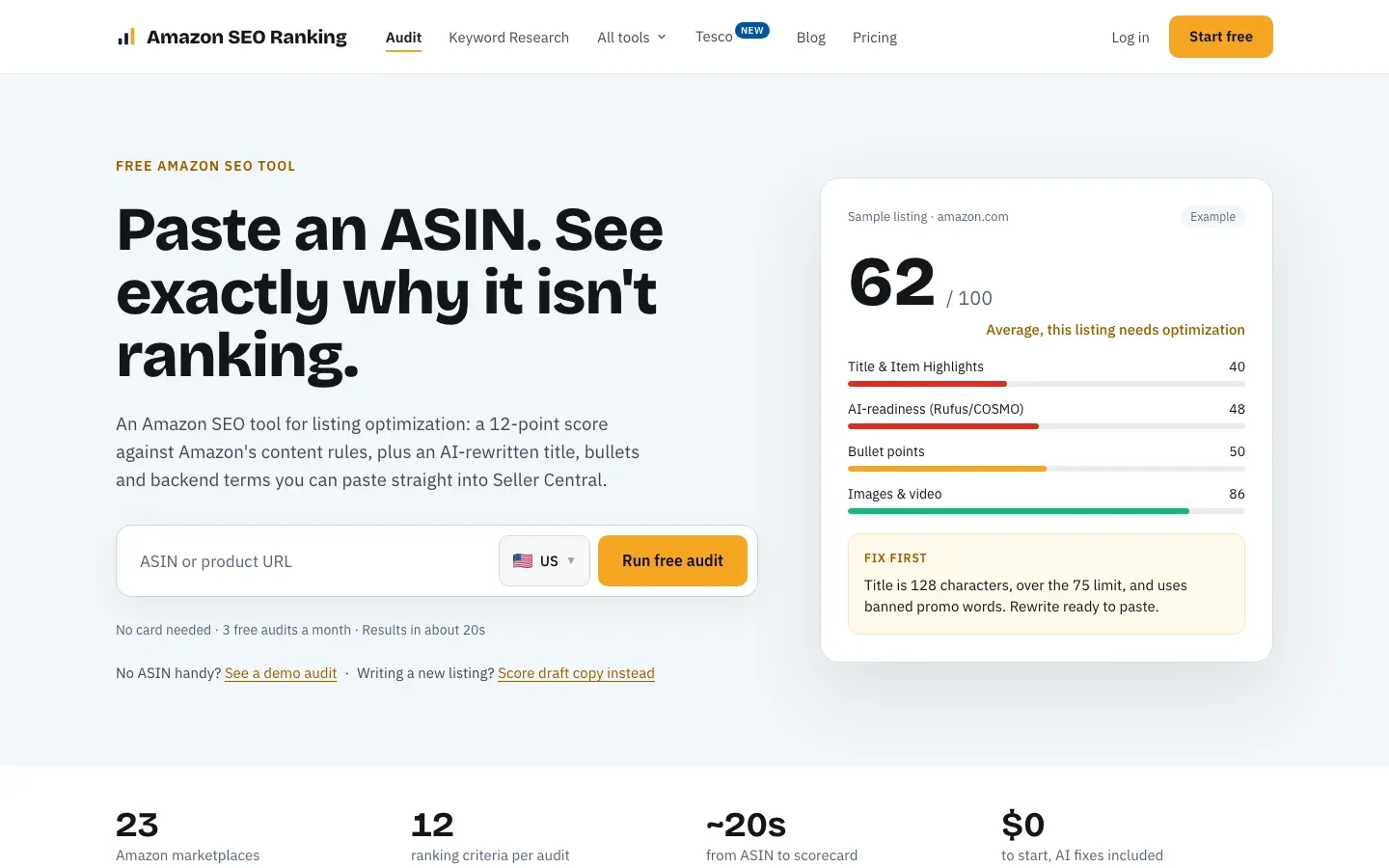
Amazon SEO Ranking is a self-serve tool that audits live Amazon listings and rewrites what fails, one at a time or in bulk. Each listing is scored 0 to 100 against 12 equally weighted criteria covering the title and Item Highlights, bullets, images and video, reviews, stock and fulfillment, and AI-readiness for Rufus and COSMO. Every criterion and its pass rule is published.
Bulk Optimization runs that audit and the AI rewrite across a catalog from one Excel file of ASINs, up to 100 per run on Pro and 500 on Agency. Each row carries its own marketplace and target keywords, and each rewrite is a full copy set: a 60 to 75 character title, Item Highlights, five bullets under 200 characters, a description and backend terms under 249 bytes. The tool reads the public product page and never changes anything on Amazon.
Ideal For
It fits teams with live catalogs that need to rank better:
- Agencies auditing and rewriting client catalogs
- Brands with hundreds of live ASINs and repeated listing mistakes
- Sellers listing the same products in several Amazon storefronts
- Brand teams that need bulk AI copy to stay inside approved claims
- Developers wiring audits into internal tools through the API
Top Features
These cut the time between "the catalog underperforms" and a file of fixes:
- Bulk audit and rewrite of up to 500 ASINs per run, each row in its own marketplace's language, across 23 storefronts and 12 languages.
- A published 12-criteria score per listing, with each fix ranked by the points it's worth, so the team starts with the changes that move the most.
- Rewrites grounded in each product's spec table and your brand fact sheet, so an 8-count box stays 8-count in the title, bullets and description.
- Claim and pack-count checks on every row, with health claims, unsupported claims and count mismatches flagged before upload.
- Portfolio comparison across tracked listings, plus score history and alerts (5 listings on Pro, 25 on Agency).
- Draft audits that score new copy against the live listing's images, rating and Prime status before anything goes live.
- White-label PDF reports, API access and the Claude connector on Agency.
Why We Stand Out?
Most bulk tools move data. Flat files upload what you typed, and sync tools copy what's in your store export, so they work from a copy of the listing that may be weeks old. Amazon SEO Ranking pulls every live listing at run time, scores it against rules you can read, and rewrites only the fields that failed. Epinium also edits copy in bulk with AI suggestions, but it doesn't publish how its listing score is calculated.
The checks after writing matter more at scale than on one listing. Length limits are counted in code because models miscount characters, and claims your spec table or fact sheet don't support are flagged on every row. A mistake caught in the file never gets copied across the catalog.
Price is the third difference. Pro at $79/mo covers 100 audits and bulk runs of 100 ASINs, and Agency at $249/mo covers 500 of each. Helium 10 Platinum costs $129/mo, and its listing tools work one listing at a time. The audit and AI rewrite are on the free plan with no card, so you can test the scoring on your own listings before paying.
Pros
- Fixes live listings in bulk, not only uploads new ones
- Each row gets its own marketplace, language and target keywords
- Rewrites checked in code for limits, claims and pack counts
- Published scoring method, with fixes ranked by points
- Free plan with full audits and AI rewrites, no credit card
Cons
- It doesn't push changes to Seller Central: you upload the rewritten copy through a flat file or your sync tool
- It works on listings with an ASIN, so creating brand-new SKUs stays with Amazon's flat files
- No inventory sync, order management or PPC
Pricing
The Free plan includes 3 full audits a month with the AI Copy Rewriter. Pro is $79/mo, with 100 audits, bulk runs of 100 ASINs, the Compliance Risk Scanner and AI Vision Image Audit, and score alerts on 5 listings. Agency is $249/mo, with 500 audits, bulk runs of 500 ASINs, alerts on 25 listings, white-label reports, API access and the Claude connector. Annual billing saves 16%. Enterprise is custom, with unlimited score monitoring.
Monthly plans start with a 7-day free trial, and every charge has a 14-day money-back guarantee.
Final Verdict
For an agency or brand whose catalog is live and underperforming, Amazon SEO Ranking is the most direct route from a list of ASINs to a file of compliant, ranked fixes. It shows the method, writes from each product's facts and checks every row before you upload. See how the Amazon bulk listing tool works on a sample catalog.
2. Amazon Seller Central (Flat Files and AI Bulk Listing)
Overview
Amazon's own bulk tools are free and already in your account. Under Catalog > Add Products via Upload, sellers download a category template, fill one row per SKU, validate it with Check My File and upload it as an Excel or tab-delimited text file. The processing report then lists the rows that failed and why.
The AI bulk workflow sits on top of this. You upload a spreadsheet with a few details per product and Amazon's AI drafts titles, bullets and descriptions for each row, which you review before the listings are created. Bulk upload needs the Professional selling plan.
Ideal For
Amazon's tools are the free baseline for creating listings at volume:
- Brands launching many new SKUs at once
- Sellers with clean product data in a spreadsheet
- Teams that want AI drafts for new listings at no extra cost
- Anyone who needs Amazon's own processing report and suppression reasons
Top Features
The features cover creation and basic updates:
- Category-specific flat files, inventory loaders and price and quantity files
- AI bulk listing from a sparse spreadsheet, with drafts to review
- Check My File validation and per-row processing reports
- PartialUpdate edits that change only the fields you fill
Why They Stand Out?
Seller Central is one of the smartest places to start because it's free and it's the only tool that writes directly to Amazon's catalog without a third-party connection. It also shows suppression reasons and missing attributes directly, with no third-party connection.
For creating hundreds of new listings, no paid tool here replaces it.
Pros
- Free with a Professional selling plan
- AI drafts titles, bullets and descriptions for many rows at once
- Per-row error reports
- Writes straight to Amazon's catalog
Cons
- Templates are strict: a changed header or a blank cell can reject a row or erase content
- The AI writes from what's in the sheet and doesn't score the result against competitors
- No search volume next to the drafts
- Fixing existing listings means exporting, editing and re-uploading the file yourself
Pricing
Free with a Seller Central account on the Professional selling plan, which costs $39.99/mo plus selling fees.
Individual sellers can't use bulk upload and have to list one product at a time.
Final Verdict
Use Seller Central for creating new listings in bulk and for anything only Amazon can see. For finding what's wrong across a live catalog, and checking what the AI wrote before it goes out, add a dedicated tool.
3. FlatFilePro
Overview
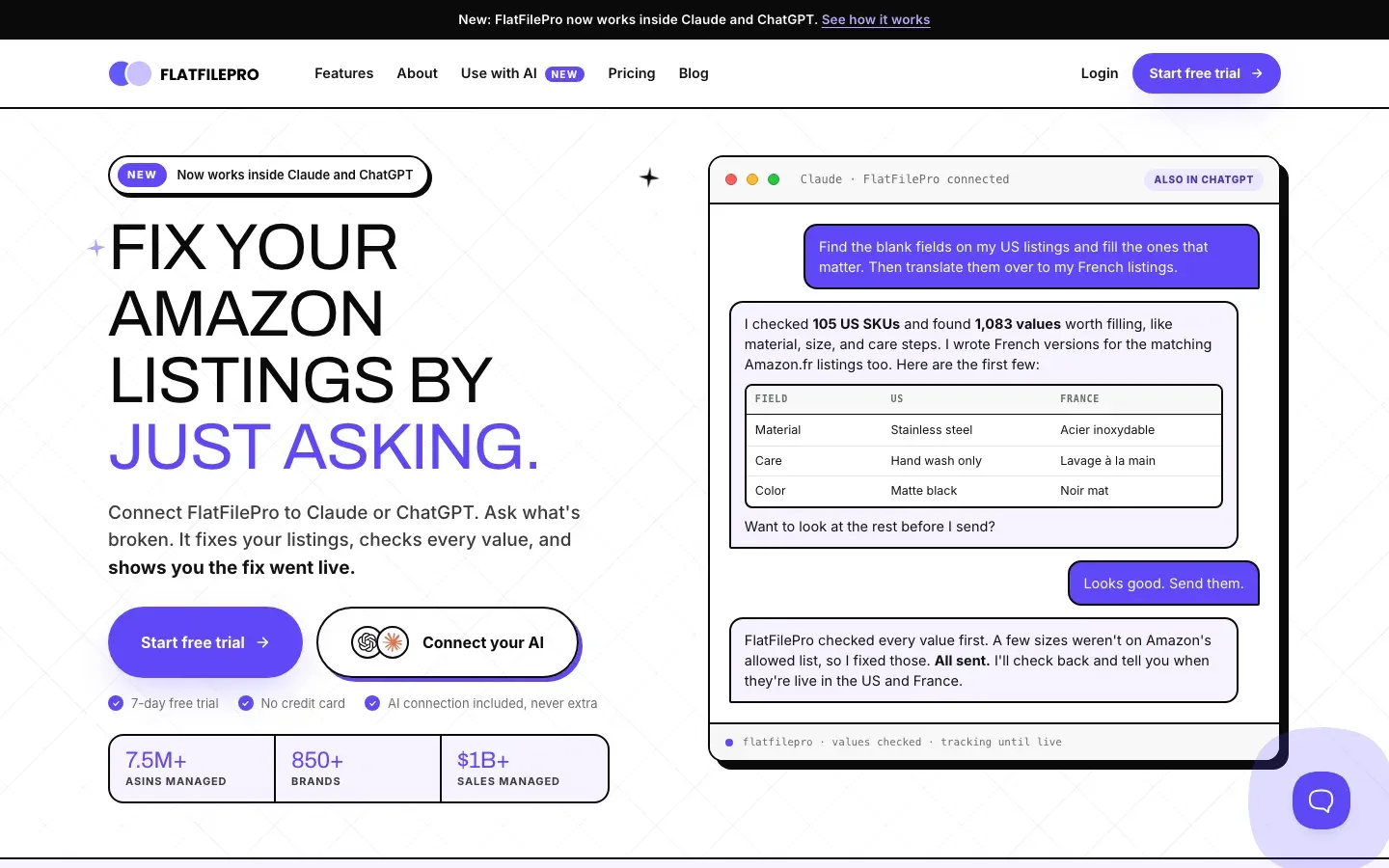
FlatFilePro is an Amazon catalog editor built for sellers who dislike Amazon's flat files. It connects to Seller Central through the API, pulls the catalog into a visual editor, and lets you change titles, bullets, images and variations across many ASINs at once.
Every change is versioned, so you can roll a bad edit back. Its Reflection Engine compares what you sent with the live Amazon page, so you can see which changes went live.
Ideal For
FlatFilePro suits sellers whose bulk work is editing what already exists:
- Large catalogs with frequent attribute and variation changes
- Brands that have lost listings to bad flat file uploads
- Teams that want version history and user permissions
- Sellers managing several accounts and marketplaces
Top Features
The features make bulk edits safer:
- Visual bulk editor connected to Seller Central
- Version history with one-click rollback
- Variation and parent-child management
- Reflection Engine that checks which changes went live
Why They Stand Out?
FlatFilePro is one of the strongest choices for a seller who needs to push bulk edits to existing ASINs without touching a flat file. Rollback alone saves a catalog when one upload goes wrong.
It handles variation restructuring better than most tools here.
Pros
- Edits live listings in bulk through the API
- Version history and rollback
- Variation management
- Shows which changes went live on Amazon
Cons
- No keyword or search volume data
- Pricing starts at $99/mo, with Professional at $499/mo
- Built for larger catalogs, so small sellers get less from it
Pricing
Plans start at $99/mo (Log & Listings: 2 marketplaces, 2 users, unlimited ASINs), with Log, Listings & Data at $499/mo (6 marketplaces, 5 users). Annual billing cuts these to $83/mo and $419/mo, and there's a 7-day free trial with no card.
Final Verdict
FlatFilePro suits sellers who know what to change and need it pushed safely to many ASINs. Pair it with an audit that tells you which listings need changing and what the new copy should say.
4. Epinium

Overview
Epinium is an Amazon tool that combines catalog management with PPC automation. Its catalog view works like a spreadsheet across accounts and marketplaces, where you can bulk edit titles, bullets, descriptions and backend terms, with AI suggestions for the copy.
Plans are set by users and connections: Guru has 1 user and 6 connections, Business 3 users and 12, and Master 6 users and 30. Each Seller Central, Vendor Central or store account uses one connection.
Ideal For
Epinium suits brands that manage listings and ads together:
- Brands selling in several European Amazon marketplaces
- Teams that want bulk copy edits and ad automation in one tool
- Agencies managing Seller and Vendor Central accounts
- Catalogs large enough to justify SKU-scaled pricing
Top Features
The features combine catalog work with ads:
- Bulk editing from a spreadsheet (Business and Master)
- AI listing suggestions and keyword discovery
- PPC automation with bid rules on higher plans
- Multi-marketplace dashboards
Why They Stand Out?
Epinium is one of the stronger choices for a brand that wants bulk copy edits and PPC in one subscription, especially across EU storefronts. The spreadsheet view makes catalog-wide edits faster than Seller Central.
It also documents Vendor Central support, which many tools here don't.
Pros
- Bulk editing across accounts and marketplaces
- Ads and catalog in one tool
- Vendor Central support
- Free trial with no card
Cons
- Pricing now goes through quotes for most plans
- Guru has no bulk tasks or smart ad campaigns
- The listing score's method isn't published
- Heavy for a small catalog or a team that doesn't run PPC
Pricing
Epinium publishes no prices; every paid plan (Guru, Business, Master) is quoted. There's also a free plan with one connection.
A free trial is available with no credit card.
Final Verdict
Epinium suits EU brands that want listings and ads managed in one place. If your bulk job is fixing copy, you pay for an ads layer you may not use, and you can't see how its suggestions are scored.
5. LitCommerce

Overview
LitCommerce is multichannel listing software. It takes a catalog from Shopify, WooCommerce, BigCommerce or a spreadsheet and lists it to Amazon, eBay, Etsy, Walmart, TikTok Shop and other channels in bulk, then keeps inventory and price in sync.
It supports listing on Amazon under a GTIN exemption, for brands without barcodes.
Ideal For
LitCommerce suits sellers whose catalog lives somewhere other than Amazon:
- Shopify and WooCommerce brands adding Amazon
- Sellers listing the same products on several marketplaces
- Small brands that need GTIN-exempt listings
- Teams that want stock synced to stop overselling
Top Features
The features handle the mechanics of getting listed:
- Bulk listing from a store or a CSV or Google Sheets file
- Inventory and price sync across channels
- GTIN exemption support for Amazon
- Templates and rule-based listing management
Why They Stand Out?
LitCommerce is one of the smartest choices for a store brand that needs its catalog on Amazon without retyping it. Stock sync across channels prevents the oversells that hurt seller metrics.
Its entry price and free trial make it cheap to test.
Pros
- Bulk listing from an existing store or spreadsheet
- Inventory and price sync
- Many channels beyond Amazon
- Low entry price with a 7-day free trial
Cons
- It moves listings; it doesn't audit or rank-check the Amazon copy
- No Amazon search volume or keyword research
- Pricing scales with listing and channel count
- Orders imported from Amazon don't include shipping or customer details, and FBA inventory isn't managed
Pricing
Plans start at $29/mo and scale with listings and channels.
There's a 7-day free trial and a discount on annual billing.
Final Verdict
LitCommerce suits store brands that need their catalog listed and synced across channels. Copy written for Shopify rarely fits Amazon's limits, so check it before or after the sync.
6. Sellbrite

Overview
Sellbrite, owned by GoDaddy since 2019, is multichannel listing and inventory software for smaller sellers. It links listings on Amazon, eBay, Etsy, Walmart and Google Shopping to one central catalog, so a change in Sellbrite updates every channel.
Listing templates let you bulk edit titles, descriptions and prices across many products.
Ideal For
Sellbrite suits small sellers starting on several channels:
- Shopify sellers adding Amazon and eBay
- Sellers with low monthly order counts
- Teams that want one catalog for every channel
- Sellers who want a free plan to start
Top Features
The features cover listing and stock basics:
- Central catalog linked to every channel
- Listing templates and bulk edits
- Multichannel inventory sync
- Order import from connected channels
Why They Stand Out?
Sellbrite is one of the easiest multichannel tools to set up, and its free plan covers up to 30 orders a month. Order-based pricing keeps the bill predictable for small sellers.
For a seller listing a few hundred products on three or four channels, it covers the basics at a low price.
Pros
- Free plan to start
- Simple setup
- One catalog for every channel
- Predictable order-based pricing
Cons
- FBA needs a $19/mo add-on, which isn't available on the free plan
- Free plans sync less often than paid ones
- No Amazon-specific copy checks or keyword data
- Fewer controls than enterprise tools for large catalogs
Pricing
The Free plan covers up to 30 orders a month. Pro plans start at $29/mo (Pro 100) and $79/mo (Pro 500), billed annually.
Power plans for high volume run from $399/mo (10K orders) to $1,699/mo (100K orders), billed annually.
Final Verdict
Sellbrite suits small multichannel sellers who want listings and stock in one place for little money. Sellers who need their Amazon copy checked will need more.
7. Listing Mirror
Overview
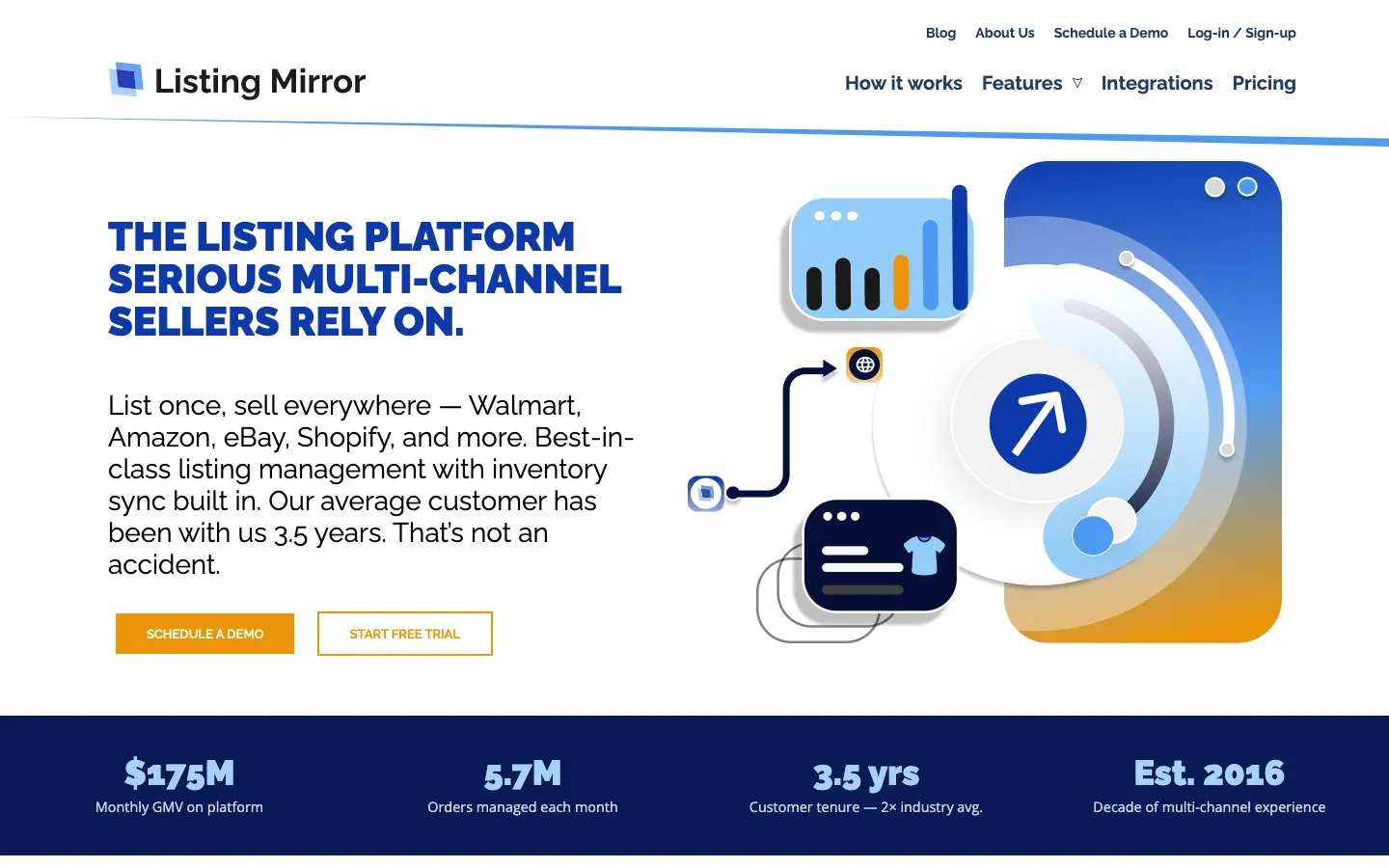
Listing Mirror is multichannel software for listing, pricing, inventory and order routing across Amazon, Walmart, eBay, Shopify and Etsy. When you connect a marketplace, it imports your active listings, and you can cross-list in bulk using filters and tags.
Its main draw for Amazon sellers is Multi-Channel Fulfillment: orders from other channels route to Amazon FBA stock automatically.
Ideal For
Listing Mirror suits brands that keep inventory at Amazon:
- FBA brands selling on Walmart, eBay and Shopify too
- Sellers who want repricing rules across channels
- Brands with multi-warehouse inventory
- Teams that cross-list a large catalog by tag
Top Features
The features tie listings to fulfillment:
- Bulk cross-listing by filter and tag
- Amazon MCF order routing
- Repricing with custom rules per channel
- Multi-warehouse inventory sync
Why They Stand Out?
Listing Mirror is one of the strongest choices for an FBA brand that wants other channels fulfilled from Amazon stock. Every plan includes the same features, so you pick by capacity, not by feature gates.
Its free trial covers 10 products for 30 days.
Pros
- Amazon MCF routing built in
- Same features on every plan
- Bulk cross-listing with filters
- Repricing included
Cons
- Starts at $149/mo, high for small sellers
- Setup takes meaningful onboarding time
- No Amazon copy checks or keyword data
- Price climbs with SKUs, channels and orders
Pricing
Plans start at $149/mo, chosen by SKUs, sales channels and billable orders. The free trial covers up to 10 products for 30 days.
Final Verdict
Listing Mirror suits FBA brands that want one inventory pool serving every channel. It gets listings across channels in bulk, but it doesn't tell you whether the Amazon copy meets the rules.
8. Linnworks
Overview
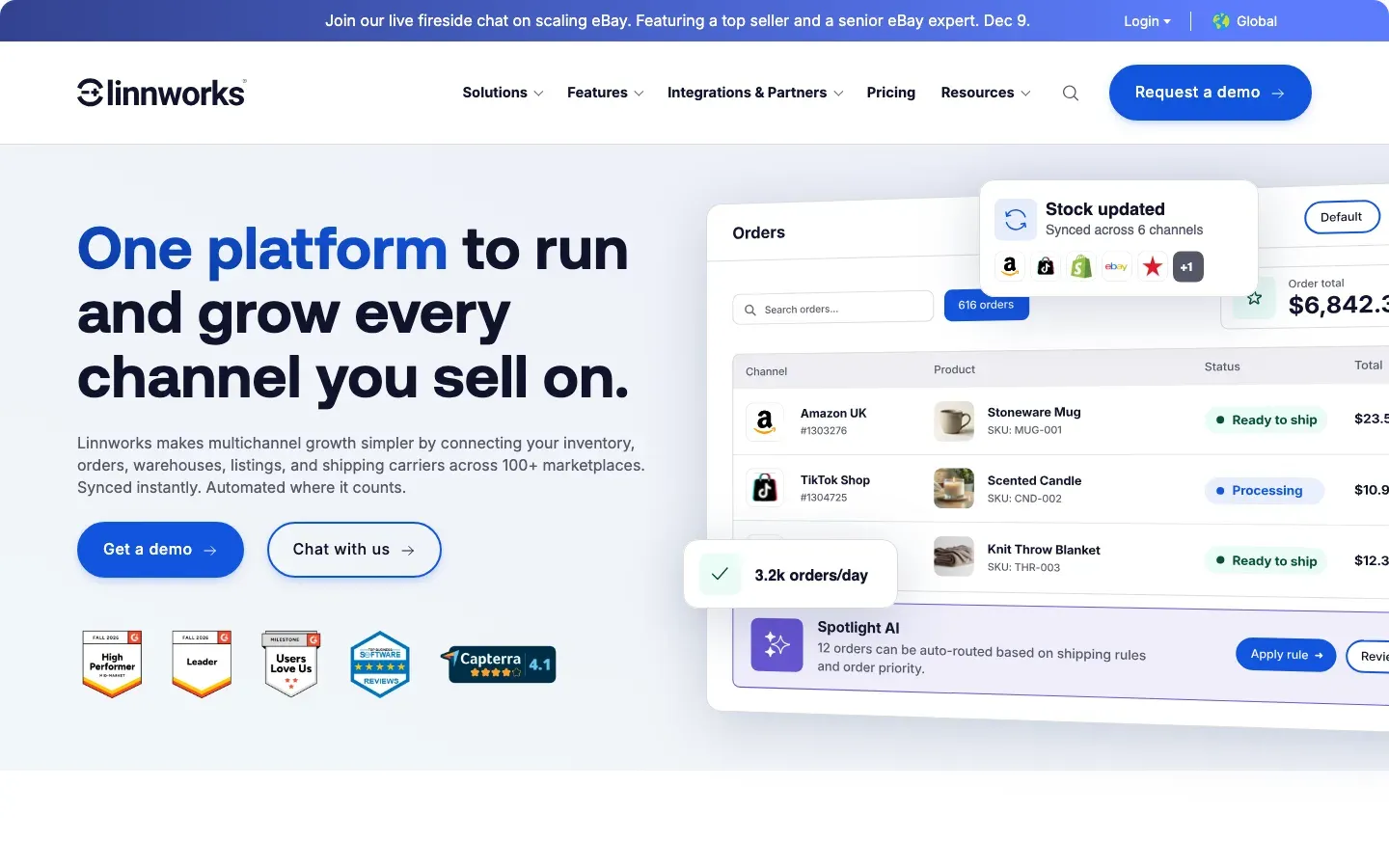
Linnworks is commerce operations software for mid-market sellers, covering orders, inventory, warehousing and listings across more than 100 channels. Its Listing module, a paid add-on, creates and edits listings in bulk across Amazon, eBay and others from one product record.
Its help center explains Amazon's 75-character title limit; it doesn't shorten titles itself, and Amazon rejects any revision sent from Linnworks with a longer title.
Ideal For
Linnworks suits sellers with operations to match their catalog:
- Mid-market sellers with their own warehouses
- Brands selling on Amazon, eBay and many other channels
- Teams that need order routing and shipping in one system
- Sellers moving off spreadsheets and several point tools
Top Features
Listings sit inside a wider operations system:
- Bulk listing to 11 channels, up to 500 products per channel at once (Listing add-on)
- Order management and routing
- Inventory and warehouse management
- Courier integrations and an open API
Why They Stand Out?
Linnworks is one of the strongest choices for a seller who wants listings, orders and warehouse stock in one system.
For high-volume sellers, replacing several tools with one can lower total cost.
Pros
- Listings, orders and stock in one system
- Wide channel coverage
- Open API
- Bulk create or update up to 500 products per channel at once
Cons
- No published prices; quotes include a one-time onboarding fee
- The Listing module costs extra
- Longer setup than lighter tools
- No copy scoring or search volume
Pricing
Quote only. Pricing is tiered by monthly orders, with add-ons for Listing, warehouse management and forecasting.
Quotes include a one-time onboarding fee, and overages apply above the monthly order limit.
Final Verdict
Linnworks suits mid-market sellers who need an operations system that also lists in bulk. It's more than most Amazon-first brands need, and it still leaves the copy itself unchecked.
9. Rithum (formerly ChannelAdvisor)

Overview
Rithum, formerly ChannelAdvisor, is enterprise commerce software for listing, feeds, retail media and dropship across hundreds of marketplaces. Large brands and retailers use it to manage catalogs on Amazon, Walmart, eBay and Google Shopping from one place.
Its Amazon tools include listing templates, feed rules and advertising management.
Ideal For
Rithum suits large organizations:
- Enterprise brands selling on dozens of channels
- Retailers running dropship and supplier networks
- Teams managing feeds and retail media together
- Brands that need managed services and account support
Top Features
The features are built for scale:
- Catalog and feed management across hundreds of channels
- Listing templates and rule-based feed transformations
- Retail media and ads management
- Dropship and supplier network
Why They Stand Out?
Rithum is one of the strongest choices for an enterprise brand that needs one system across hundreds of channels. Feed rules let a team transform a master catalog for each marketplace's format.
Few tools here cover its channel count.
Pros
- The widest channel coverage in this list
- Feed rules for each marketplace
- Ads and listings together
- Enterprise support
Cons
- Quote-only pricing aimed at large companies
- Long implementation
- Inventory management may need another system
- No Amazon-specific copy audit
Pricing
Rithum publishes no prices, and every plan is quoted.
Contracts are sized for mid-market and enterprise companies, with a services team for onboarding and ongoing support.
Final Verdict
Rithum suits enterprise brands with a large multichannel catalog and a team to run it. For an Amazon-focused brand, it's a lot of contract for a job a lighter tool does.
10. InventoryLab
Overview
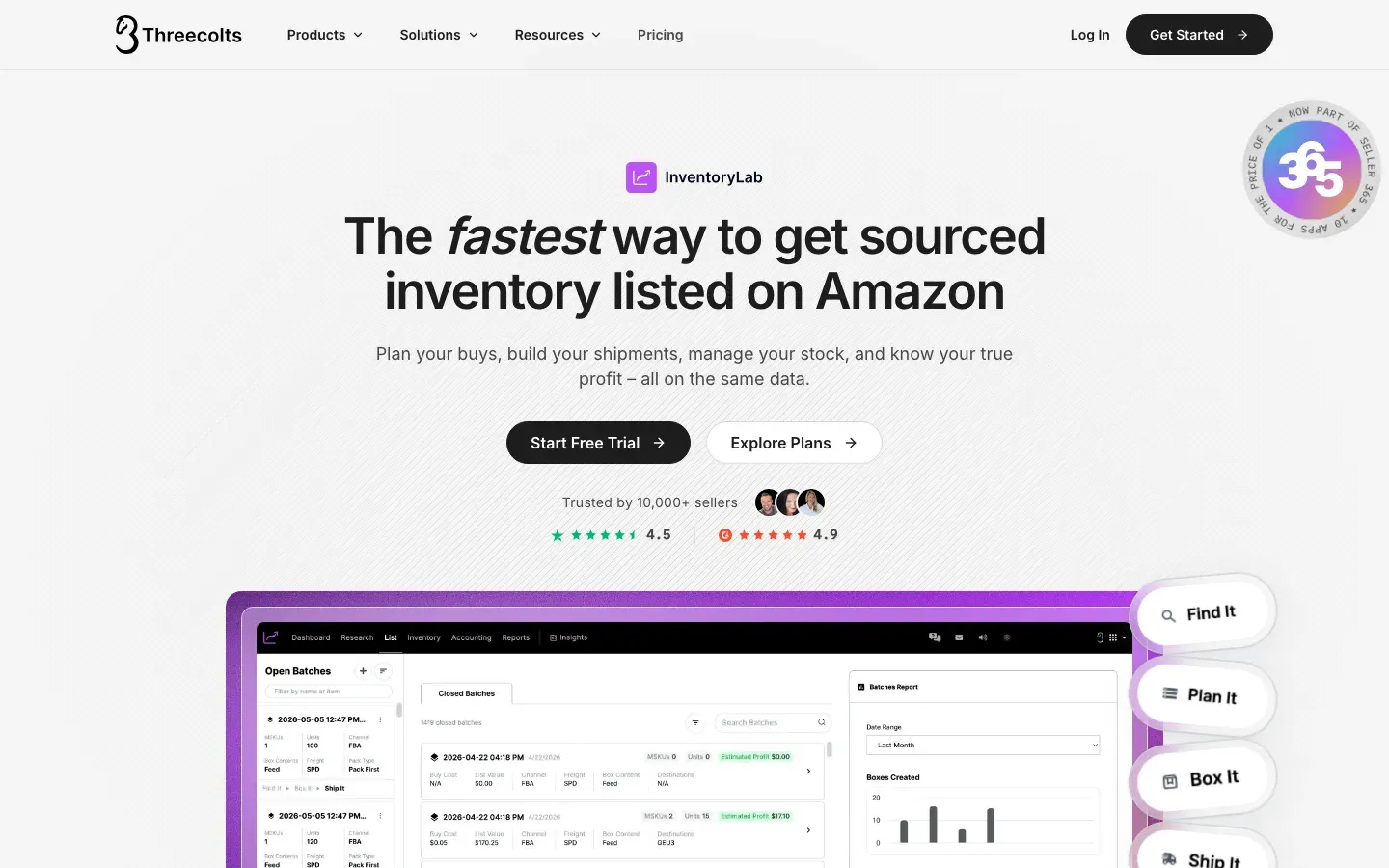
InventoryLab is listing and inventory software for FBA resellers: online and retail arbitrage and wholesale sellers. Sellers scan or search products, batch-create offers on existing ASINs, print labels and send shipments to FBA, then track cost and profit per unit.
Its Scoutify mobile app checks whether an item is worth buying before it's sourced.
Ideal For
InventoryLab suits sellers who list on ASINs that already exist:
- Retail and online arbitrage sellers
- Wholesale sellers sending mixed FBA shipments
- Sellers who want profit tracking per unit
Top Features
The features cover the reseller workflow end to end:
- Batch listing straight into FBA shipments
- Label printing and shipment building
- Scoutify mobile sourcing app
- Inventory, cost and profit accounting
Why They Stand Out?
InventoryLab is one of the strongest choices of bulk listing tool for resellers, because it turns a pile of sourced items into a labelled FBA shipment in one workflow. The accounting side shows which buys made money.
Reseller workflows like sourcing, labelling and per-unit profit are hard to copy in tools built for brands.
Pros
- Fast batch listing to FBA
- Labels and shipments in the same tool
- Mobile sourcing app
- Per-unit profit tracking
Cons
- No copy writing or listing checks
- Little use for private label brands that own their listings
- No keyword research
- No free plan
Pricing
InventoryLab starts at $69/mo.
A free trial lets you test the batch listing workflow before paying.
Final Verdict
InventoryLab suits FBA resellers who list on other brands' ASINs. Brands that own their listings and need them to rank get little from it.
How to Choose the Best Amazon Bulk Listing Tool
The best Amazon bulk listing tool for your catalog passes the seven checks below. Run them on a small batch of your own listings before you commit.
1. Name the Bulk Job First
Uploading new SKUs, syncing a store catalog and fixing live listings are different jobs, and few tools do more than one well. A Shopify brand needs a syncer. A brand launching 200 new SKUs needs Amazon's flat files. A brand whose 400 live listings don't rank needs a fixer.
Write down which job is costing you most this quarter. Most established brands find it's the third, because their listings already exist and the rules changed under them.
2. Ask Whether the Score Shows Its Method
A bulk run that returns 500 scores is only useful if you can see why each listing lost points. Without the method, you can't tell which fix is worth most, and an agency can't explain the number to a client.
Amazon SEO Ranking publishes all 12 criteria and their pass rules, each worth the same, and ranks every fix by the points it's worth. Epinium, the other tool here that scores copy, doesn't publish how its score is calculated, and the upload and sync tools don't score copy at all.
3. Check That It Reads Each Live Listing
Flat files and sync tools work from an export: the data you typed or the data in your store. That copy can be weeks old, and it can't show you the image count, rating or Prime badge shoppers see today.
Ask whether the tool pulls the live page for every ASIN in the file at run time. Amazon SEO Ranking does, so the file you get back shows which listings are losing the most points right now, and the team fixes those first.
4. Give Every Row Its Own Marketplace, Language and Keywords
A catalog sold in four storefronts is four sets of listings. A bulk run that applies one marketplace and one keyword list to every row writes amazon.de copy in English, or targets US search terms in Japan.
Look for per-row settings. In Amazon SEO Ranking's Bulk Optimization, each row has its own marketplace and target keywords, and the rewrite comes back in that marketplace's language across all 23 Amazon marketplaces.
5. Make Sure Limits and Claims Are Checked on Every Row
At bulk volume, nobody reads every title. A rewrite that breaks the 75-character limit, overruns the 249-byte backend field or adds "protein" to a fruit snack gets copied across the catalog unless the tool catches it.
Ask how limits are counted (in code, not by the model) and whether claims are checked against each product's facts. Amazon SEO Ranking flags health claims, unsupported claims and pack-count mismatches on every row. The free Character Limit Checker checks copy from any tool, with no account.
6. Make Sure a Person Reviews Every Row Before Amazon Does
Tools that push straight to Seller Central can publish a bad row to hundreds of listings before anyone reads it. Amazon's own figures show how often drafts go through unedited: sellers accept its AI listing content with little or no editing about 90% of the time.
Amazon SEO Ranking is read-only. It never changes anything on Amazon and needs no access to your seller account, so every rewrite is reviewed before you upload it. Draft audits score the new copy against the live listing first, so you see the score change before Amazon does.
7. Test on 10 Listings, Then Work Out the Cost per Listing
Start with a batch of 10 listings you know well, including one you think is fine and one you know is weak. If the tool can't tell them apart, it won't help across 500.
Then price the whole catalog. Per-SKU and per-order pricing (Listing Mirror, Linnworks) climbs as you grow, and quote-only contracts hide the number until a sales call. Amazon SEO Ranking's free plan runs 3 full audits a month with no card, and its Pro and Agency plans are flat, at about $0.79 and $0.50 per audited listing at full use.
Everything You Need to Know About Amazon Bulk Listing Tools
The ratings are our judgment for bulk listing work on Amazon, based on the published features and prices above. "Copy checks" rates how much the tool checks each listing's copy against Amazon's rules and the product's facts.
| Company | Pros | Cons | Ease of Use | Integrations | Support | Affordability | Copy Checks |
|---|---|---|---|---|---|---|---|
| Amazon SEO Ranking | Bulk audit and rewrite of live ASINs; per-row marketplace and language; limits and claims checked in code | Doesn't push to Seller Central; needs an ASIN; no inventory sync | ⭐⭐⭐⭐⭐ | ⭐⭐⭐ | ⭐⭐⭐⭐ | ⭐⭐⭐⭐⭐ | ⭐⭐⭐⭐⭐ |
| Amazon Seller Central | Free; AI bulk drafts; writes straight to Amazon | Strict templates; no scoring; fixes mean re-uploading files | ⭐⭐ | ⭐⭐ | ⭐⭐ | ⭐⭐⭐⭐⭐ | ⭐⭐ |
| FlatFilePro | API bulk edits; rollback; variation management | No published listing score; no keyword data; from $99/mo | ⭐⭐⭐⭐ | ⭐⭐⭐ | ⭐⭐⭐⭐ | ⭐⭐⭐ | ⭐⭐ |
| Epinium | Bulk edits across EU accounts; ads and catalog together; Vendor Central | Quote pricing; unpublished score; heavy for small catalogs | ⭐⭐⭐ | ⭐⭐⭐ | ⭐⭐⭐⭐ | ⭐⭐ | ⭐⭐⭐ |
| LitCommerce | Bulk listing from a store; stock sync; GTIN exemption | No copy audit; no keyword data; price scales with listings | ⭐⭐⭐⭐ | ⭐⭐⭐⭐⭐ | ⭐⭐⭐⭐ | ⭐⭐⭐⭐ | ⭐ |
| Sellbrite | Free plan; simple setup; one catalog for every channel | FBA is a paid add-on; slower sync on free; no copy checks | ⭐⭐⭐⭐⭐ | ⭐⭐⭐⭐ | ⭐⭐⭐ | ⭐⭐⭐⭐⭐ | ⭐ |
| Listing Mirror | MCF routing; same features on every plan; repricing | From $149/mo; onboarding time; no copy checks | ⭐⭐⭐ | ⭐⭐⭐⭐ | ⭐⭐⭐⭐ | ⭐⭐⭐ | ⭐ |
| Linnworks | Listings, orders and stock together; 100+ channels; open API | Quote only; Listing is an add-on; long setup | ⭐⭐ | ⭐⭐⭐⭐⭐ | ⭐⭐⭐⭐ | ⭐⭐ | ⭐⭐ |
| Rithum | Hundreds of channels; feed rules; enterprise support | Quote only; long implementation; no copy audit | ⭐⭐ | ⭐⭐⭐⭐⭐ | ⭐⭐⭐⭐ | ⭐ | ⭐⭐ |
| InventoryLab | Batch FBA listing; labels and shipments; profit tracking | No copy tools; little use for brands; no free plan | ⭐⭐⭐⭐ | ⭐⭐⭐ | ⭐⭐⭐⭐ | ⭐⭐⭐⭐ | ⭐ |
Fix Your Catalog in Bulk with Amazon SEO Ranking
If your listings are live and most of them were written before Amazon's 2026 rule changes, start with the catalog you already have. Amazon SEO Ranking audits every ASIN in your file, ranks each fix by the points it's worth, and rewrites the failed fields from each product's facts in its own marketplace's language.
Agencies get bulk runs of up to 500 ASINs at about $0.50 per listing. From November 23 to 30, a year of Pro is $348 and a year of Agency is $799.
The free plan includes 3 full audits a month with AI rewrites, and no credit card is required. Run a free Amazon listing audit on three of your weakest ASINs, then run the rest in bulk. For tools that write single listings rather than whole catalogs, see our guide to the best Amazon listing tools.
FAQ
What is the best Amazon bulk listing tool in 2026?
The best Amazon bulk listing tool in 2026 for live catalogs is Amazon SEO Ranking, because it audits up to 500 ASINs per run and rewrites what fails with limits, claims and pack counts checked on every row. For creating new listings in bulk, Amazon's own flat files and AI bulk upload are free with the $39.99/mo Professional plan. For syncing a store catalog to Amazon, LitCommerce starts at $29/mo and Sellbrite has a free plan. FBA resellers get the most from InventoryLab at $69/mo.
What should I consider when choosing Amazon bulk listing software?
When choosing Amazon bulk listing software, consider which job you need first: uploading new SKUs, syncing a catalog from another channel, or fixing live listings. Then check whether the score publishes its method, whether the tool reads each live listing, and whether every row gets its own marketplace, keywords and checks for limits and claims. Make sure a person reviews each row before it reaches Amazon. Test it on 10 of your own listings and price the whole catalog before you commit.
How does Amazon SEO Ranking differ from similar alternatives?
Amazon SEO Ranking differs from other Amazon bulk listing tools by reading each live listing, scoring it against 12 published criteria and rewriting only the fields that failed. Flat files and sync tools like LitCommerce or Listing Mirror move the copy you give them without checking it. Every Amazon SEO Ranking rewrite is checked in code for the 75-character title limit, the 249-byte backend field, claims and pack counts. It doesn't sync inventory or push changes to Seller Central, which those tools do.
How do I get started with Amazon SEO Ranking?
You get started with Amazon SEO Ranking by pasting an ASIN or Amazon URL into the free audit and choosing the marketplace. The audit takes up to about 20 seconds and returns a score with fixes ranked by points. For a catalog, upload an Excel file of ASINs to Bulk Optimization, with each row's marketplace and target keywords, on Pro or Agency. A free account includes 3 audits a month with no credit card, and no Seller Central access is needed.
How easy is it to switch to Amazon SEO Ranking?
Switching to Amazon SEO Ranking is easy because there's nothing to migrate: it reads listings from Amazon by ASIN. You can keep your flat files or sync tool for uploading and use Amazon SEO Ranking to decide what the copy should say. A bulk run takes one Excel file of up to 100 ASINs on Pro or 500 on Agency. Monthly plans start with a 7-day free trial, and every charge has a 14-day money-back guarantee.
Does Amazon SEO Ranking upload changes to Seller Central?
Amazon SEO Ranking does not upload changes to Seller Central; it reads the public listing and gives you rewritten copy to upload yourself. That keeps a person reviewing every row before Amazon sees it, and it means the tool needs no access to your seller account. You can paste fixes into Seller Central, add them to a flat file, or pass them to a sync tool like Linnworks or FlatFilePro. Draft audits let you score the new copy before you upload it.
How do I do a bulk listing on Amazon?
You do a bulk listing on Amazon by going to Catalog > Add Products via Upload in Seller Central, downloading your category's template, and filling one row per SKU. Validate the file with Check My File, upload it as an Excel or tab-delimited text file, and read the processing report for rejected rows. Bulk upload needs the Professional selling plan at $39.99/mo. Test with a batch of 10 products before uploading the full catalog, and export your current listings first so a blank cell can't erase content.
How do I fix Amazon listing errors in bulk?
You fix Amazon listing errors in bulk by sorting them into upload errors and copy errors, because each needs a different tool. Upload errors (rejected rows, missing attributes, suppressed listings) show in Seller Central's processing report and are fixed by correcting the file and re-uploading only the failed rows. Copy errors, like titles over 75 characters, cut-off bullets and backend terms over 249 bytes, don't trigger any report. Amazon SEO Ranking's Bulk Optimization finds those across up to 500 ASINs per run and rewrites them.
Audit and rewrite your catalog from one file of ASINs. Three free audits a month, no card required.
Run free audit