To find Amazon keywords that sell, you need to answer three questions about every term: how many Amazon shoppers search it each month, how hard the current page one is to break into, and whether it describes your product. This guide shows how to do Amazon keyword research in seven steps, with live numbers from one product so you can see what real data looks like before you run your own.
The example product is an insulated water bottle. Every search volume below comes from Amazon SEO Ranking's keyword tools, pulled on October 10, 2026.
Key Takeaways (TL;DR)
- Start from the product. The best Amazon keywords come from how shoppers describe what you sell, so write 3–5 seed terms, then expand each one.
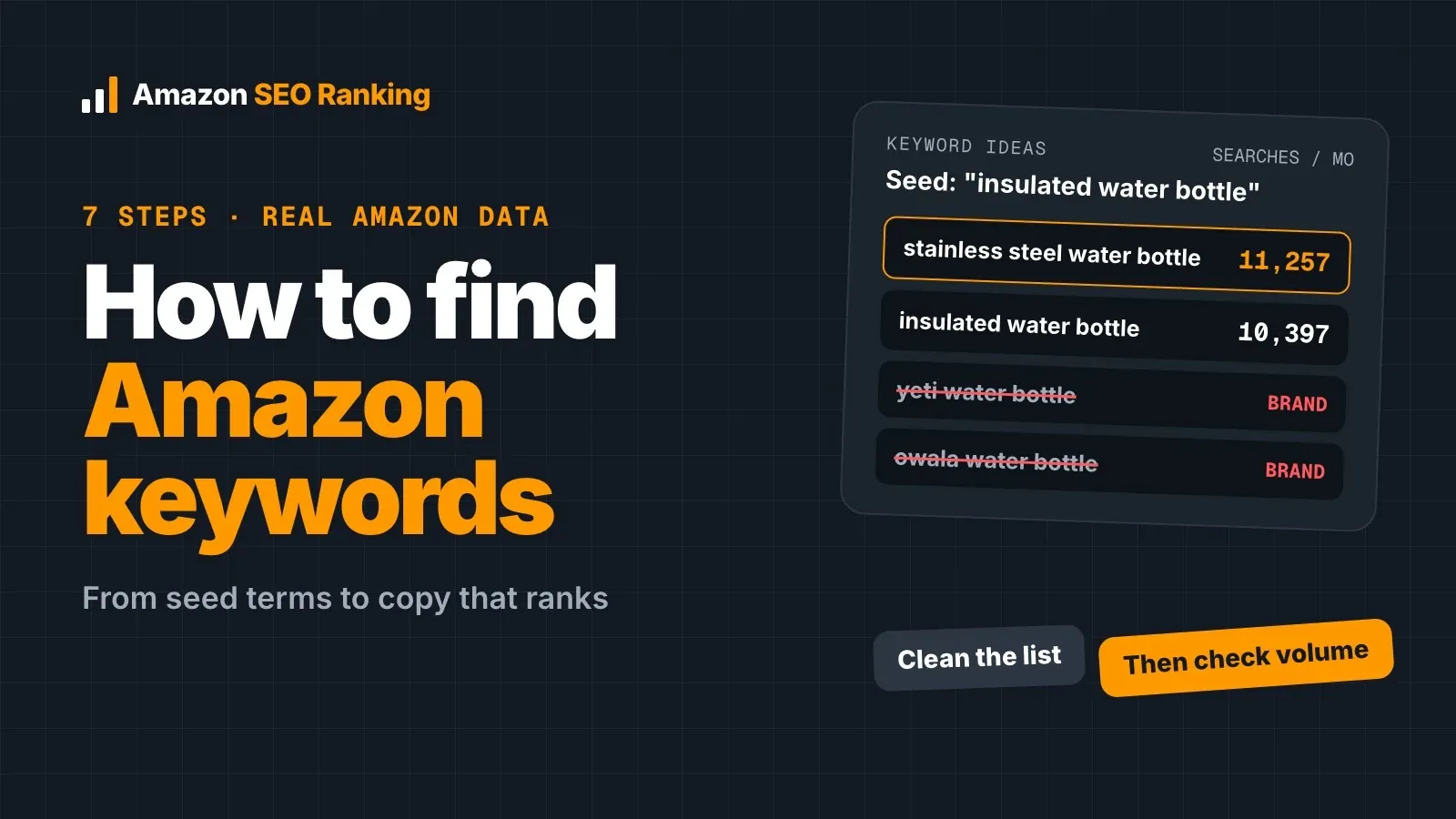
- In our test, the top 12 related ideas for "insulated water bottle" included 4 competitor brand names (Yeti, Owala, Hydro Flask, Ello) and 4 terms about drinking water rather than bottles. Clean the list before you look at volume.
- The obvious term isn't always the biggest: "stainless steel water bottle" (≈11,257 searches a month) out-searched "insulated water bottle" (≈10,397) on amazon.com.
- Marketplaces differ. "Metal water bottle" has about 20% of the head term's volume in the US and 57% in the UK, so the right secondary keyword changes by country.
- Primary keyword early in the title, secondary keywords in Item Highlights and bullets, synonyms in backend search terms under 249 bytes.
- Score the new copy before it goes live, then re-check volumes every quarter.
Find Amazon Keywords: at a Glance
| Step | What you do | Where the data comes from | What you end up with |
|---|---|---|---|
| 1. Seed terms | Describe the product the way a shopper would | Your product, spec table and reviews | 3–5 seed terms |
| 2. Expand | Turn each seed into related searches | A keyword ideas tool or Amazon autocomplete | 50–300 raw ideas |
| 3. Clean | Drop off-topic, branded and wrong-variant terms | Your judgement, plus a relevance filter | A shortlist that describes your product |
| 4. Volume | Check monthly Amazon searches per marketplace | Amazon search volume estimates | A ranked shortlist |
| 5. Competition | Compare page one's reviews and badges with yours | Top organic results for each term | A primary keyword you can rank for |
| 6. Competitors | See what rival listings already rank for | Reverse ASIN lookup and keyword gap | Terms you were missing |
| 7. Map and check | Place each term in the right field, then score the draft | Your listing fields and an audit | Copy that's checked before it ships |
What Is Amazon Keyword Research?
What is Amazon keyword research? It's the process of finding the exact phrases Amazon shoppers type into the search bar for a product like yours, measuring how often each one is searched, and deciding where each one goes in your listing.
Amazon matches a search to listings whose text and attributes contain the shopper's words. A phrase that appears nowhere in your title, bullets, backend search terms or attributes gives Amazon little reason to show your product for it.
It differs from Google keyword research in two ways. Intent on Amazon is almost always to buy: someone typing "insulated water bottle 24 oz" is picking a size. And Google's volumes don't transfer, because Google Keyword Planner counts Google searches, made by a different crowd using different phrasing.
Why Amazon Keywords Matter More in 2026
Amazon reported that more than 300 million customers used Rufus, its AI shopping assistant, during 2025, and credited it with nearly $12 billion in incremental annualized sales (Amazon's Q4 2025 results, as reported by PPC Land).
Rufus answers questions like "which bottle keeps water cold in a hot car?" by reading your listing's text and attributes. Search-bar keywords still decide where you rank on the results page. Rufus adds a second requirement: the bullets carrying your secondary keywords also need to answer the questions shoppers ask in full sentences. We cover that in more detail in how Rufus and COSMO rank Amazon listings.
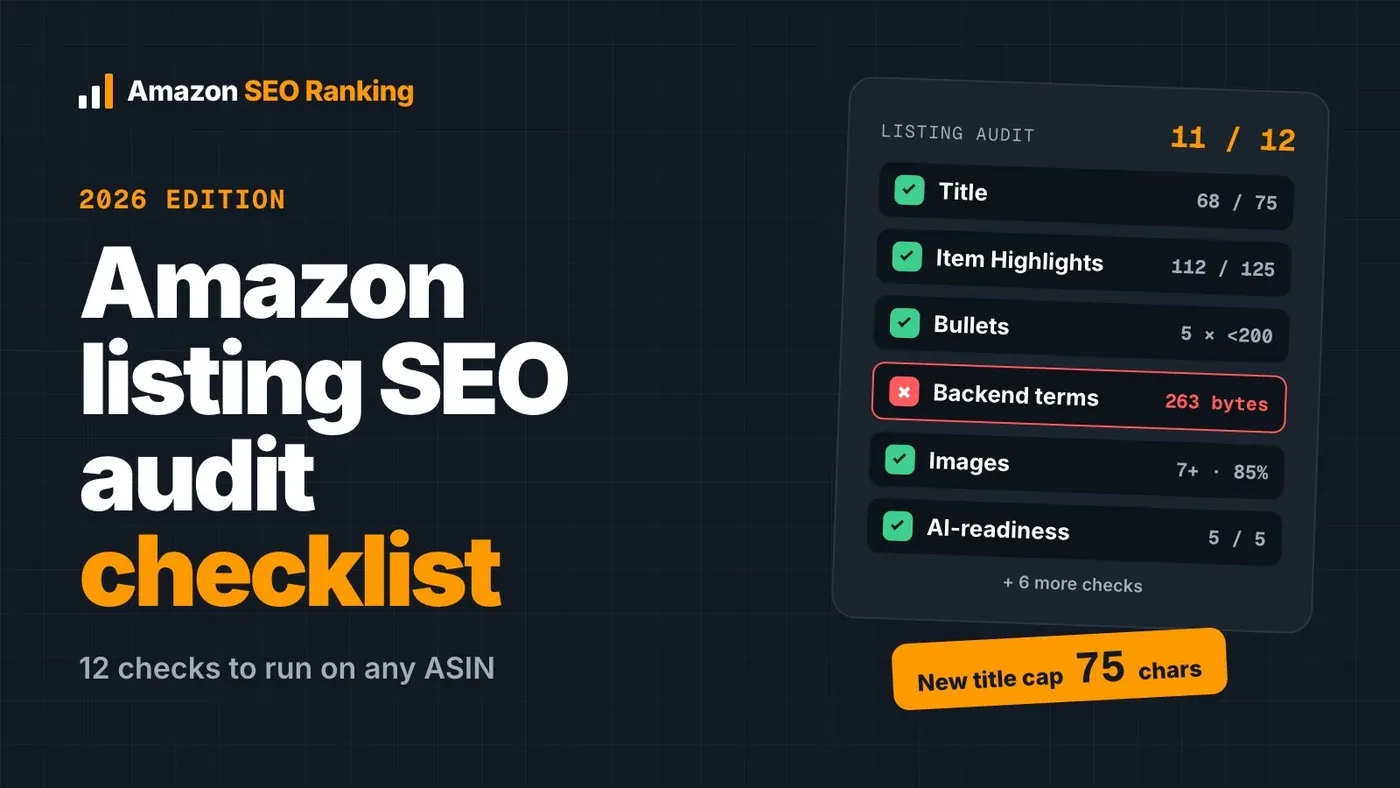
Our listing audit scores this directly: 2 of its 12 criteria check AI-readiness for Rufus and COSMO, so you can see whether your bullets answer shopper questions before Rufus has to.
How to Find Amazon Keywords in 7 Steps
If you've been wondering how to find keywords for Amazon listing copy without guessing, this is the order we use. Each step narrows the list, so don't skip ahead to volume.
Step 1: Write 3–5 Seed Terms From the Product Itself
A seed term is the shortest phrase a shopper would type to find your product. Pull them from four places:
- what the product is ("insulated water bottle");
- what it's made of ("stainless steel water bottle", "metal water bottle");
- the spec table (capacity, lid type, size);
- your reviews, where customers describe the product in their own words.
For our example, the seeds were: insulated water bottle, stainless steel water bottle, metal water bottle and thermos water bottle.
Resist starting from a tool's "top keywords in category" list. It hands you whatever is big in the category, whether or not it matches what you sell.
Step 2: Expand Each Seed Into Related Amazon Searches
Next, turn each seed into the longer phrases shoppers actually type. Amazon's own autocomplete is the free option: type the seed into the search bar, add a letter (a, b, c…) or a word like "for", and note the suggestions. It costs nothing, but it shows no volume.
A keyword ideas tool does the same at scale and attaches a volume to each idea. In Amazon SEO Ranking's Keyword ideas tab (Pro), one seed returns up to about 300 related searches, graded as Close match, Related or All. Our seed "insulated water bottle" returned 24 close matches and 64 related ideas on amazon.com.
For a deeper walkthrough of this step alone, see our Amazon keyword generator guide.
Step 3: Clean the List Before You Look at Volume
This is the step most guides skip, and it's where most wasted keywords come from. Here are the 12 highest-volume ideas our expansion returned:
| Related idea (US) | Est. monthly searches | Keep? | Why |
|---|---|---|---|
| water | ≈685,429 | Drop | Drinking water, not a bottle |
| water bottle | ≈93,574 | Keep (broad) | Relevant, but page one will be crowded |
| spring water | ≈18,139 | Drop | Drinking water |
| yeti water bottle | ≈14,025 | Drop | Competitor brand |
| owala water bottle 24 oz | ≈11,107 | Drop | Competitor brand |
| insulated water bottle | ≈10,397 | Keep | Describes the product exactly |
| water bottles 24 pack | ≈9,312 | Drop | Bottled water multipacks |
| water gallon | ≈8,415 | Drop | Drinking water |
| hydro flask water bottle | ≈6,320 | Drop | Competitor brand |
| ello water bottle | ≈5,572 | Drop | Competitor brand |
| water bottle with straw | ≈4,001 | Keep if true | Only if your lid has a straw |
| kids water bottle | ≈3,852 | Keep if true | Only if it's sized for kids |
Two-thirds of the top 12 are unusable for an unbranded insulated bottle. Sorting by volume and pasting the top 20 into a listing would have filled it with someone else's brand names and searches for bottled water.
Three filters cover most of the cleanup. Drop anything that describes a different product. Drop competitor brand names, because Amazon's search terms policy doesn't allow other brands' names in your keywords. And drop variants you don't sell: "insulated water bottle 64 oz" is worth having only if you sell a 64 oz bottle.
Step 4: Check Real Amazon Search Volume for Each Marketplace
Now check monthly Amazon search volume for the shortlist. These are our five seed and variant terms on amazon.com:
| Keyword (amazon.com) | Est. monthly searches |
|---|---|
| stainless steel water bottle | ≈11,257 |
| insulated water bottle | ≈10,397 |
| metal water bottle | ≈2,131 |
| thermos water bottle | ≈2,057 |
| vacuum insulated water bottle | ≈74 |
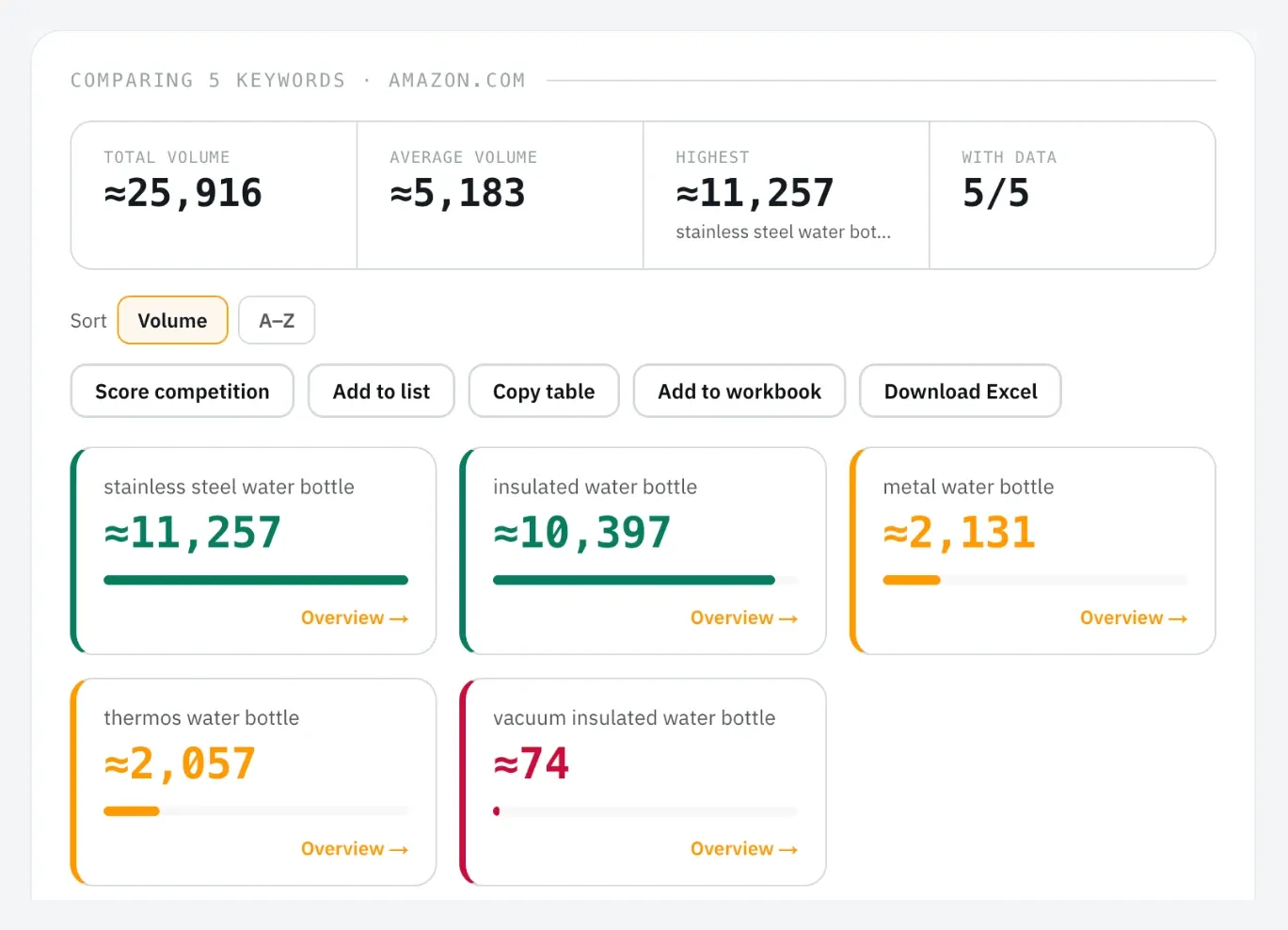
Most sellers would assume "insulated" is the main term for this product. The data puts "stainless steel" slightly ahead, which is the kind of call you can't make from intuition.
Read the numbers as estimates. Amazon reports modelled ranges, and lower volumes come in steps (37, 74, 112, 149 and so on), so many long-tail terms share the same figure. A gap of 10,397 vs 11,257 means "about the same demand", while 10,397 vs 74 is a real difference.
Our Search volume tool (Pro) takes up to 1,000 keywords per check across 16 Amazon marketplaces; free accounts see the first 3 rows of each result.
Step 5: Weigh Competition Before You Pick a Primary Keyword
Volume tells you how big the prize is. Competition tells you what it costs to win it.
For each candidate primary keyword, look at page one: how many reviews the top organic listings have, and how many carry Amazon's Choice or Best Seller badges. Our competition score (Pro) turns those two signals into a 0–100 number (0–25 Easy, 26–50 Moderate, 51–75 Hard, 76–100 Very Hard) and shows the listings behind it, so you can check the reasoning.
If page one for "water bottle" is full of listings with tens of thousands of reviews and yours has 40, the broad term won't move for you yet. A more specific primary, such as "insulated water bottle 24 oz" (≈74) or "insulated water bottle for kids" (≈149) if it fits your product, can get you ranking and selling first. Our guide to Amazon long-tail keywords covers that trade-off.
Step 6: See Which Keywords Your Competitors Already Rank For
Take the three to five listings that rank for your primary keyword and see what else they rank for. That's a reverse ASIN lookup: paste a competitor's ASIN and get the searches it appears in.
With several competitors, a keyword gap view saves time. In Amazon SEO Ranking (Agency plan) you can compare up to 20 ASINs, filter to "Your gaps", set a minimum volume and exclude brand words, so the list only shows unbranded terms your rivals rank for and you don't.
Brand-new listings rank for nothing yet. For those, our Competitors tab (Pro) falls back to the top organic results for a phrase taken from your title, and labels them as found by search. These advanced tools currently cover the US, Egypt, Saudi Arabia and UAE marketplaces.
Step 7: Turn the List Into Copy, Then Score It Before Publishing
A keyword list pays off only once it's in the listing, in the right field, without breaking Amazon's rules. The next two sections show which term goes where. Writing the copy by hand means checking four things before it goes live:
- backend search terms under 249 bytes, with no words repeated from the visible copy;
- no competitor brand names anywhere;
- every claim backed by the spec table (if the spec says 24 hours cold, the bullet shouldn't say 48);
- pack counts and sizes that match across title, bullets and spec table.
In Amazon SEO Ranking, you enter your primary as the target keyword and your shortlist as secondary keywords, and the AI rewriter places them: the target early in the title, the rest across Item Highlights, bullets and description. A coverage check shows where each one landed. The rewrite treats your listing's spec table and your brand fact sheet (approved facts, banned claims) as the source of truth, flags health and unsupported claims, and strips risky backend terms. The rewriter is on every plan, including Free, and the pack-count and claim consistency checks run free on every audit.
Then score it. "Score this copy as a draft" sends the rewrite, with your edits, into a draft audit: the same 12 published criteria as a live audit, measured against your live images, rating and Prime status, with the score before and after. It uses 1 audit, and nothing changes on Amazon until you paste the copy into Seller Central.
How to Choose Keywords for Amazon: Primary, Secondary, Backend
Choosing keywords for Amazon comes down to giving each shortlisted term a role. A good term for one field can be a poor one for another.
Your primary keyword is the highest-volume term that describes the product exactly and that your review count can compete for. For our bottle, that's either "stainless steel water bottle" or "insulated water bottle". Pick one for the title and use the other in Item Highlights.
Secondary keywords each add a meaning the primary doesn't cover: a use (gym, school, hiking), a feature (straw lid, leak-proof), a size (24 oz). A workable range is 5–10, each with its own bullet or phrase.
Backend search terms hold the synonyms, alternate names and common misspellings that would read badly in visible copy, such as "thermos" or "flask".
That's the short answer to how to find the best keywords for Amazon: keep the ones that pass all three tests from the steps above. They describe your product, Amazon shoppers search them, and page one is beatable for a listing at your stage.
How to Use Amazon Keywords in Your Listing
Here's where each type of keyword belongs. Our guide to Amazon keywords for listings goes field by field in more depth.
| Field | Limit | What goes there |
|---|---|---|
| Title | Up to 75 characters in our audit; check your category's rules | Brand, primary keyword in the first few words, one key attribute |
| Item Highlights | Up to 125 characters | Your second-biggest term and the main buying reason |
| Bullet points | 5 bullets, each under 200 characters | One secondary keyword per bullet, written as an answer to a shopper question |
| Description and A+ | Varies by format | Supporting phrases and use cases |
| Backend search terms | Under 249 bytes | Synonyms, alternate names, misspellings; no brand names, no repeats |
Two details catch sellers out. The backend limit is in bytes, not characters: an English letter is 1 byte, a German "ü" is 2 and a Japanese character is 3, so 249 bytes on amazon.co.jp holds roughly 83 Japanese characters. And repeating a word across fields doesn't add ranking weight, so a backend word that already appears in your title wastes bytes. Our Amazon backend search terms guide and Amazon title character limit guide cover both rules in full.
Do Amazon Keywords Change by Marketplace?
Yes, and the differences are bigger than most sellers expect. Here are the same five terms on amazon.co.uk:
| Keyword | amazon.com | amazon.co.uk | Share of head term (US) | Share of head term (UK) |
|---|---|---|---|---|
| stainless steel water bottle | ≈11,257 | ≈2,206 | 108% | 126% |
| insulated water bottle | ≈10,397 | ≈1,757 | 100% | 100% |
| metal water bottle | ≈2,131 | ≈1,009 | 20% | 57% |
| thermos water bottle | ≈2,057 | ≈149 | 20% | 8% |
| vacuum insulated water bottle | ≈74 | ≈37 | 1% | 2% |
On amazon.com, "metal" and "thermos" are roughly level secondary keywords. On amazon.co.uk, "metal water bottle" carries more than half the head term's demand and "thermos" almost disappears. A US-researched listing copied to the UK would spend a bullet on the weaker term.
For non-English storefronts, run the research again in the local language. A translated English keyword list misses how German or Japanese shoppers phrase the same search, and the byte limit shrinks with every accented or non-Latin character.
What our tools cover, so you know before you start: the Search volume tool works on 16 Amazon marketplaces, including the UK, Germany, France, Italy and Spain. Keyword ideas, "What I rank for", Competitors and Keyword gap currently cover the US, Egypt, Saudi Arabia and UAE only. The listing audit and AI rewriter work on all 20 Amazon storefronts and write in 12 languages, so you can check that the same listing scores differently on amazon.com and amazon.de, and see which fixes each one needs.
How to Find Keywords on Amazon for Free
You can get a long way before paying for any tool:
- Amazon autocomplete. Type a seed into the search bar and note the suggestions. No volume, but every suggestion is a real search.
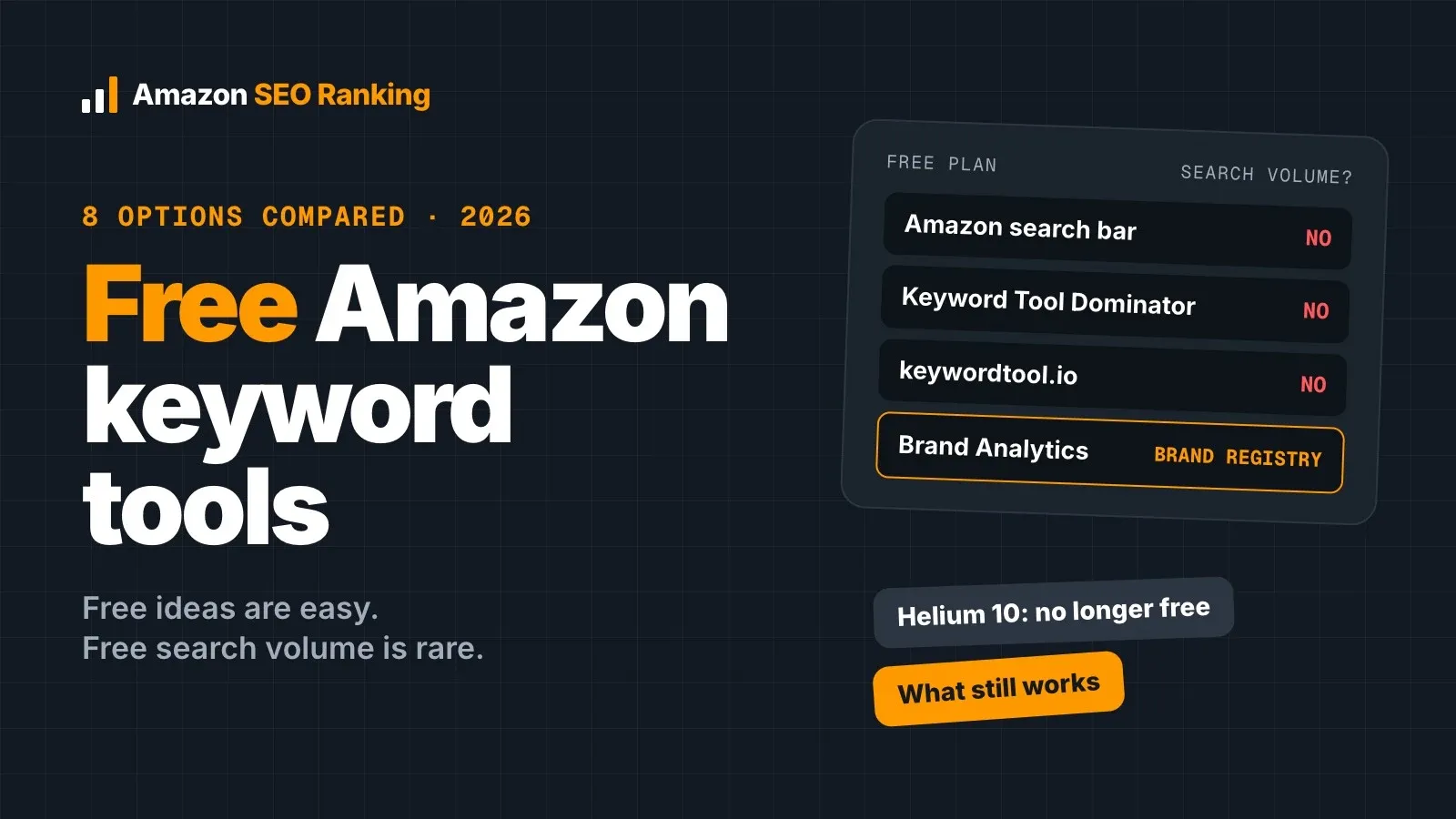
- Brand Analytics, if you're enrolled in Brand Registry. The Search Query Performance and Top Search Terms dashboards show Amazon's own data on what shoppers search and click.
- The search term report from a Sponsored Products automatic campaign lists the queries that triggered your ad and which ones converted. It costs ad spend, and it shows you buyer behaviour no volume tool can.
- Your reviews and the questions shoppers ask on your listing, for the words customers use.
- Our free account shows the first 3 rows of any keyword result and includes the Backend Search Terms Checker, which counts bytes for you.
The free routes are slower and give you no comparable volumes across terms. That gap is what paid tools close; we compared them in our best Amazon keyword research tools roundup.
6 Amazon Keyword Research Mistakes
- Taking the biggest term as the primary. "Water bottle" (≈93,574) is tempting, but page one decides whether that volume is reachable.
- Using Google volumes. They measure a different search engine.
- Leaving competitor brand names in the list, a policy problem that keyword tools won't flag for you.
- Repeating title words in the backend field, which spends bytes on words already indexed.
- Researching once, in one marketplace, then copying the list to every other storefront.
- Letting an AI write the copy without checking it. Generic AI rewrites add claims the product can't back ("BPA-free", "48 hours cold") or counts that contradict the spec table.
Track Rankings, Then Repeat Every Quarter
Search demand moves with seasons and trends. Save your shortlist, re-check volumes at least once a quarter, and compare monthly snapshots so you can see a term rising before competitors do. Our Saved lists keep monthly volume history for that reason, and Copy table or Add to workbook collects every keyword table into one linked spreadsheet instead of a file per tool.
Then track where you rank for the terms you chose. If a listing hasn't moved after a few weeks, the competition call in Step 5 was probably too ambitious. Our Amazon keyword rank tracking guide covers how to read that signal.
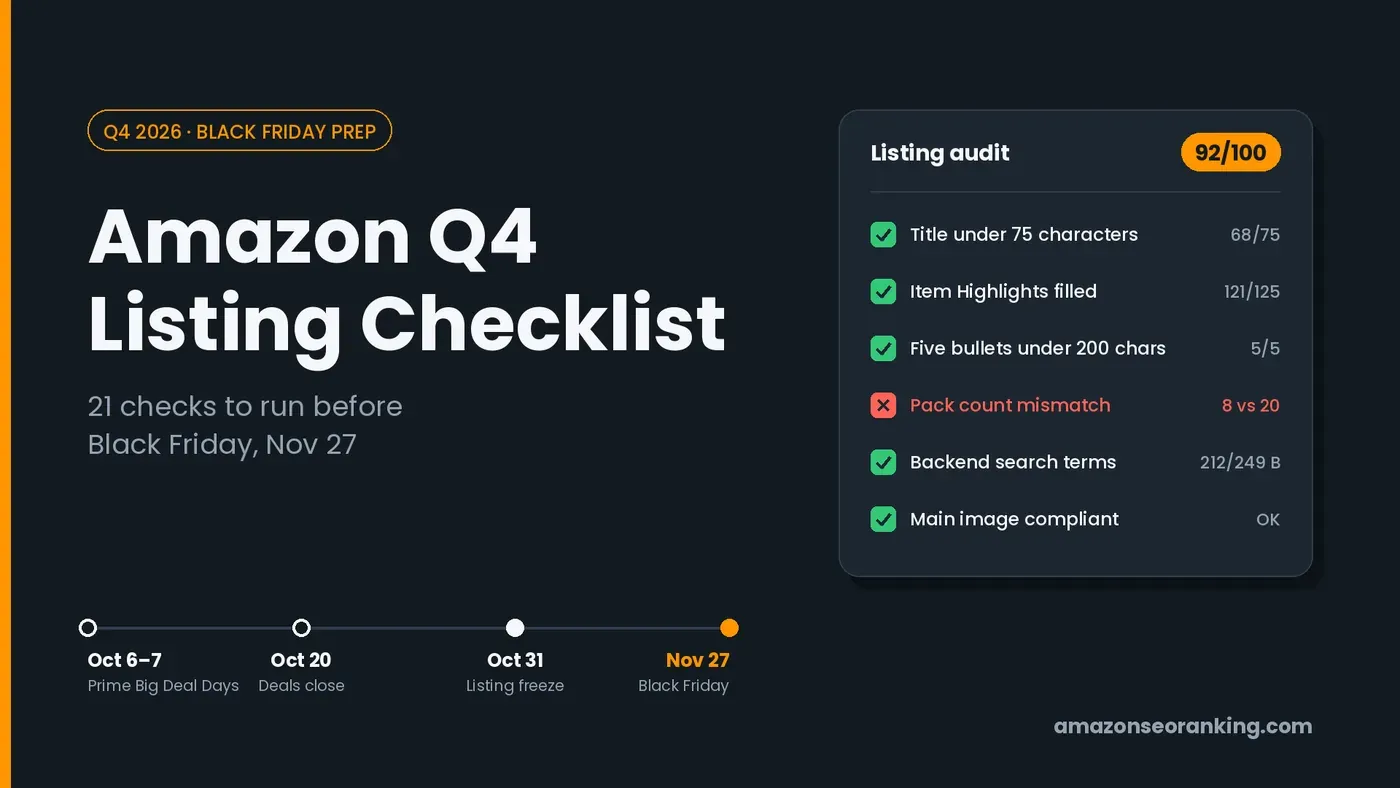
With Black Friday on November 27, 2026, listings you want ranked for Q4 need their keywords in place now. Our Amazon Q4 listing checklist lists what else to check.
Everything You Need to Know About Finding Amazon Keywords
| Topic | What to know |
|---|---|
| Definition | Finding the phrases Amazon shoppers search, measuring demand, and placing each term in the right listing field |
| Starting point | 3–5 seed terms drawn from the product, its spec table and its reviews |
| Expansion | A keyword ideas tool or autocomplete; expect 50–300 raw ideas per seed |
| Cleaning | Drop off-topic terms, competitor brands and variants you don't sell; in our test, 8 of the top 12 ideas failed |
| Volume | Use Amazon search data per marketplace; treat volumes as estimates in bands |
| Competition | Page-one review counts and badges decide whether a term is reachable |
| Competitors | Reverse ASIN lookup and keyword gap show terms rivals rank for |
| Placement | Primary in the title, secondary in Item Highlights and bullets, synonyms in backend (<249 bytes) |
| Marketplaces | Re-run research per storefront and in the local language |
| AI search | Rufus reads bullets and attributes, so write bullets that answer shopper questions |
| Upkeep | Re-check volumes quarterly and track rankings for the terms you chose |
Find Amazon Keywords and Ship the Copy in One Place
Most keyword tools stop at the list. Amazon SEO Ranking takes you from the list to copy you can paste, and checks it before it goes live:
- Keywords placed for you, with proof. Enter a target and secondary keywords, and the AI rewriter places them across title, Item Highlights, bullets and description, shows where each one landed, and keeps backend terms under 249 bytes without repeats.
- Copy that's safe to paste: every rewrite is grounded in your spec table and brand fact sheet, and claims or pack counts it can't back get flagged before you see the final draft.
- A score before you publish. The draft audit grades new copy against a published 12-criteria rubric, so you know the change helps before it reaches Amazon.
It's built for sellers about to launch or rewrite a listing before Q4, sellers on more than one of the 20 Amazon storefronts the audit covers, and agencies running keyword gap analysis and bulk rewrites of up to 500 ASINs across client catalogs.
Q4 listing changes need time to settle before Black Friday on November 27. Run a free audit on your ASIN today (3 a month, no card) to see where your title and bullets lose points and get rewritten copy. For the full keyword workflow in this guide, start the 7-day Pro trial: $79/month after that, with a 14-day money-back guarantee.
FAQ
How do I do keyword research for Amazon?
You do keyword research for Amazon by writing 3–5 seed terms from your product, expanding them into related Amazon searches, removing off-topic and branded terms, then checking Amazon search volume and page-one competition. Next, check which terms your top competitors rank for and map the winners to your title, Item Highlights, bullets and backend search terms. In our test for "insulated water bottle", 8 of the 12 highest-volume ideas had to be removed before any volume comparison made sense. Re-run it every quarter and for every marketplace you sell in.
What is Amazon keyword research?
Amazon keyword research is the process of finding the exact phrases Amazon shoppers type into the search bar, measuring how often each is searched, and deciding which listing field each one belongs in. It uses Amazon's own search data, which differs from Google's because Amazon shoppers search with intent to buy. A typical output is one primary keyword for the title, 5–10 secondary keywords for Item Highlights and bullets, and a set of synonyms for the 249-byte backend field. Amazon only shows a listing for a search when the listing's text or attributes match it, which is why the research comes before the copy.
How many keywords should an Amazon listing target?
An Amazon listing should target one primary keyword, roughly 5 to 10 secondary keywords, and as many backend synonyms as fit under 249 bytes. The primary keyword goes in the first few words of the title. Each secondary keyword works best with its own bullet or phrase, so five bullets under 200 characters hold about five of them comfortably. Backend terms should not repeat any word already visible in the listing, since repeats add no ranking weight. Adding more terms than the fields can hold naturally makes the copy harder to read without adding reach.
What are the best keywords for Amazon?
The best keywords for Amazon are terms that describe your product exactly, have measurable Amazon search volume, and sit on a page one your listing can compete with. For an insulated stainless steel bottle on amazon.com, "stainless steel water bottle" (≈11,257 monthly searches) and "insulated water bottle" (≈10,397) both qualify on relevance and volume. Branded terms such as "yeti water bottle" (≈14,025) have higher volume but can't be used, because Amazon doesn't allow other brands' names in your keywords. A new listing with few reviews often does better starting with a long-tail term and adding the head term once sales build.
How do I find keywords on Amazon for free?
You can find keywords on Amazon for free using the search bar's autocomplete, the Brand Analytics dashboards if you're enrolled in Brand Registry, and your own reviews and customer questions. Autocomplete suggestions are real searches but come with no volume. Brand Analytics' Search Query Performance and Top Search Terms dashboards show Amazon's own search and click data. A Sponsored Products automatic campaign also reveals converting search terms, though it costs ad spend. Amazon SEO Ranking's free account shows the first 3 rows of any keyword result and includes a free backend search terms byte checker.
What are the most searched keywords on Amazon?
The most searched keywords on Amazon are mostly broad category words and brand names, and brand-registered sellers can see the current ranking in Brand Analytics' Top Search Terms dashboard. In our October 2026 data for amazon.com, the single word "water" had about 685,429 estimated monthly searches, and "water bottle" about 93,574. High-volume terms like these rarely make good primary keywords for a single product, because page one is dominated by listings with tens of thousands of reviews. Our article on the most searched items on Amazon covers the category-level picture.
Can I use Google Keyword Planner for Amazon keywords?
You can use Google Keyword Planner for Amazon keyword ideas, but its volumes measure Google searches and don't reflect how often a phrase is searched on Amazon. Google searchers often research and compare, while Amazon searchers are usually ready to buy, so the two lists rank terms differently. Phrasing differs as well: Amazon queries lean on size, color and pack-count modifiers. Use Google for seed ideas if you like, then check every term against Amazon search volume before it goes into your listing.
Can't I ask ChatGPT to find my Amazon keywords?
ChatGPT can suggest Amazon keyword ideas, but it can't see Amazon's search volume, your live listing or your spec table, so it can't tell which ideas shoppers actually search or whether they're true for your product. General AI assistants also miscount characters and bytes, which matters when the backend field is capped at 249 bytes. They tend to suggest competitor brand names and claims the product can't back. If you work in Claude, Amazon SEO Ranking's Claude connector (Pro and Agency) lets it pull real Amazon keyword volume and check your copy against Amazon's limits from inside the chat.
Run a free audit on your ASIN. See where your title and bullets lose points and get rewritten copy. 3 audits a month, no card.
Run free audit