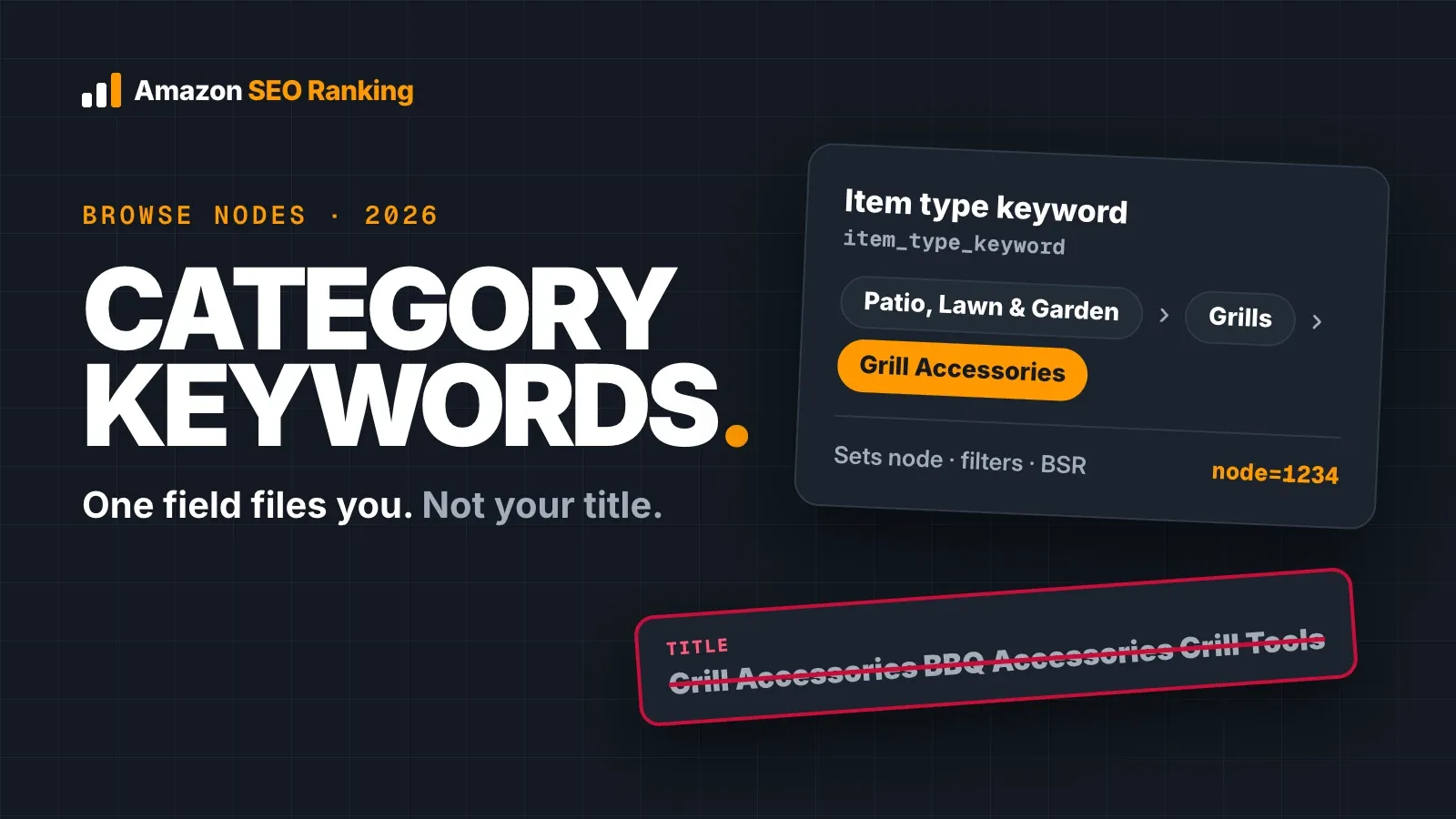
Amazon category keywords work on two levels. The item type keyword in your listing files the product into a browse node, which decides the category pages, filters and Best Sellers Rank list it appears in. Category-level search terms, such as "grill accessories", are ordinary keywords: your listing matches them only when their words sit in a field Amazon indexes.
The two get mixed up all the time. A seller fills a title with "Grill Accessories BBQ Accessories Grill Tools" to reach category shoppers, while the field that actually sets the category sits untouched in Seller Central. Both levels matter, and they're fixed in different places.
This guide covers what Amazon has published about browse nodes and item type keywords, what category placement changes and what it doesn't, how to read the Browse Tree Guide, and a worked example that moves category terms out of a stuffed title. It's written for sellers and agencies with live listings. A short section near the end covers the KDP meaning of the phrase, for authors.
Key Takeaways (TL;DR)
- A browse node is a numeric ID for one category in Amazon's store. You can open any node at amazon.com/b?node= followed by the ID.
- The item type keyword (item_type_keyword) is the field that places your product in a node. Amazon's developer docs tell sellers to pick the most specific accurate value.
- Category placement sets your category pages, filters, Best Sellers Rank lists, referral fee rate and the categories advertisers can target.
- Amazon hasn't published that a browse node limits which search queries you can rank for. Treat that claim as unproven.
- Category-level phrases ("grill accessories", ≈7,741 US searches a month) are keywords. Put their words in your Item Highlights, bullets or backend, not stacked in the title.
- Find valid nodes and item type keywords in your category's Browse Tree Guide, downloaded from Seller Central.
- KDP authors use the phrase differently: up to three categories per book format, plus seven keyword boxes.
Amazon Category Keywords: at a Glance
Each row is a different thing sellers call a "category keyword". They live in different fields and change different results.
| Term | What it is | Where it lives | What it changes |
|---|---|---|---|
| Browse node | Numeric ID of one store category | Assigned to the ASIN, listed in the Browse Tree Guide | Category pages, filters, BSR lists |
| Item type keyword | Text value that files the product, e.g. "luggage garment bags" | Product Details in Seller Central, item_type_keyword in flat files | Which node the product lands in |
| Product type | The listing template, e.g. LUGGAGE | Chosen when the listing is created | Which attributes the listing asks for |
| Category search term | A phrase shoppers type, e.g. "bbq accessories" | Your title, Item Highlights, bullets, backend | Which searches the listing can match |
| KDP category | One of up to three shelves for a book format | KDP bookshelf | Where the book is browsed and ranked |
The first two rows are set once and rarely checked again. The fourth row is copy you write and rewrite, so it's where most of your edits go.
What "Amazon Category Keywords" Means
Sellers use the phrase for three things, and most advice online only covers one. The first is the item type keyword, a backend field that tells Amazon what the product is. The second is the set of broad category search terms shoppers type when they're browsing a type of product rather than a specific one.
The third belongs to books. On Kindle Direct Publishing, "category keywords" used to mean keywords that helped place a book in extra categories, a habit from before KDP moved to direct category selection in 2023. If you publish books, skip to the KDP section; the rest of this guide is about product listings.
Keep the first two apart and most category problems become easy to diagnose. A product in the wrong node shows up on the wrong category pages and in the wrong BSR list, however good the copy is. A product in the right node can still miss category searches if none of their words appear in the listing.
How Amazon Browse Nodes Work
Amazon organizes its store as a tree. An Amazon community manager put it this way on the Seller Forums: Amazon built a product hierarchy known as the browse-tree structure, and customers click through category links until they reach the product they want. Each point in that tree is a browse node with its own ID.
You can see this from any product page. The breadcrumb above the main image is the node path, and the Best Sellers Rank line in Product Details names the categories the product ranks in. Paste a node ID after amazon.com/b?node= and Amazon opens that category page.
Amazon browse nodes belong to one marketplace
Amazon browse nodes are local. Each marketplace has its own tree, so the same product can sit under a different node ID and path on amazon.com, amazon.co.uk and amazon.de. If you sell one ASIN in several storefronts, check the category in each one rather than copying the US value.
The same goes for the Browse Tree Guide. Each marketplace has its own file, and a UK row pasted into a US flat file can file the product somewhere unrelated or fail to upload.
Broad nodes and leaf nodes
The tree runs from broad nodes (Patio, Lawn & Garden) down to leaf nodes (grill brushes). A leaf node holds fewer products, so its category pages are shorter and its BSR list has fewer competitors. The broad node above it still counts the product, but it's a much larger pool.
Shoppers reach leaf nodes through the filters on the left of a search page and through category links. A grill brush filed in the broad barbecue node still shows up there, but it's missing from the shorter grill brush page where shoppers have already narrowed down what they want.
The Amazon Item Type Keyword Sets Your Category
The Amazon item type keyword is the field that puts a product in a node. Amazon's Selling Partner API documentation says item type keywords place new ASINs in the appropriate place in the catalog graph, and it tells sellers to select the most specific accurate term. The same page notes that the accepted values match the browse paths in the Browse Tree Guide.
Amazon also reads more than that one field. The community manager's post says Amazon classifies products using the item type keyword, the description, the bullet points and other detail page elements. So a grill brush whose bullets talk mostly about grill covers gives Amazon mixed signals, even with the right item type keyword.
To move a product, you change the item type keyword. An Amazon moderator answered a UK seller that changing a product's item type keyword assigns it to a different part of the browse tree. In Seller Central, it sits under the listing's Product Details tab; in a flat file, it's the item_type_keyword column.
Item type keyword vs product type
The product type is the template you picked when creating the listing, and it decides which attributes Amazon asks for. The item type keyword sits inside that template and picks the node. Changing the product type rebuilds the attribute set, so for a category fix, the item type keyword is usually the field to edit.
Amazon's developer docs give LUGGAGE as an example product type, with values such as luggage garment bags as item type keywords inside it. One product type can hold many item type keywords, each pointing to a different node.
Do Amazon Product Categories Affect Search Ranking?
Amazon product categories affect where a listing shows up when shoppers browse, and they affect several things around search. What Amazon hasn't published is a rule that a browse node limits which search queries a product can rank for. Several seller guides state it as fact; none points to an Amazon document.
The table shows what category placement changes, with a source for each.
| What category placement changes | How | Source |
|---|---|---|
| Category pages and left-hand filters | The product appears under its node path | Amazon's browse-tree post on the Seller Forums |
| Best Sellers Rank lists | BSR is reported per category | Visible on every product page |
| Referral fee rate | Fees are set per category | Amazon's selling fees page |
| Ad category targeting | Advertisers can target whole categories, refined by brand, price or star rating | Amazon Ads |
| Search classification | Amazon reads the item type keyword, bullets and description together | Amazon's browse-tree post on the Seller Forums |
The last row is where the overlap with search comes from. A product filed in the wrong node is usually described in a way that confuses Amazon about what it is, and that hurts relevance on the searches that matter. Fix the node and the copy together rather than treating the node as a ranking setting on its own.
Category placement and Amazon's AI shopping assistant
Alexa for Shopping, which replaced Rufus in May 2026, can answer a shopper's question by comparing products. A comparison pulls the same structured fields from each product, so a misfiled listing with mismatched attributes shows its gaps side by side. Our post on Amazon Rufus and COSMO SEO covers what Amazon has published about how its assistant reads a listing.
Two of the 12 criteria in Amazon SEO Ranking's audit score this as AI-Readiness: whether the copy uses the words shoppers use to describe a need, and whether it states facts an assistant can quote. Clear category placement and clear copy do the same job from two sides.
Amazon Category Ranking: How Best Sellers Rank Uses Your Node
Amazon category ranking usually means Best Sellers Rank. Amazon's seller guide says Best Sellers Rank reflects real-time sales, and the number on your product page is your position within a category, not across all of Amazon. A product shows a rank in a top-level category and, usually, in one or more subcategories.
That's why the node matters for the Best Seller badge. Amazon's own announcement of new product types for amazon.com.be told sellers that choosing a more specific subcategory with fewer sellers may increase the chance of a bestseller label. The badge shows in search results and on the product page, where shoppers see it before they click.
A more specific node helps only when it's accurate. Filing a grill brush under a thin, unrelated node to collect a badge misleads shoppers, and Amazon's catalog team can move it back.
How to Use the Amazon Browse Tree Guide
The Amazon Browse Tree Guide (BTG) is a spreadsheet per category that lists every node in it. The community manager's post points sellers to the category-specific BTG to find the correct item type keyword or browse node. It's free and sits with the inventory file templates in Seller Central.
- Download the right file. Open the inventory file templates page in Seller Central and pick the BTG for your category and marketplace.
- Read the Instructions tab first. It explains which column to copy into your template, since that differs between marketplaces.
- Search for your product. Use Ctrl+F (Cmd+F on a Mac) for the product type, then read the Node Path column to confirm the full path.
- Pick the deepest accurate row. If there's a node for grill brushes, use it rather than a general barbecue tools node.
- Copy the value. Take the item type keyword or node ID from that row into your listing or flat file.
Seller Central's Product Classifier, in the Add a Product flow, is the quicker route for one product. The BTG is better when you're classifying a catalog, because you can filter and compare paths side by side.
How to Check and Fix Your Listing's Category
Most category problems show up as a symptom first: rank in the wrong BSR list, an odd breadcrumb, or competitors you never see on your category pages. These steps confirm the cause before you change anything.
Work through them in order. A category change can be hard to undo once it's processed, so the first three steps change nothing.
Step 1: Read your live path
Open the product page and note the breadcrumb and every category in the Best Sellers Rank line. Check each marketplace you sell in separately.
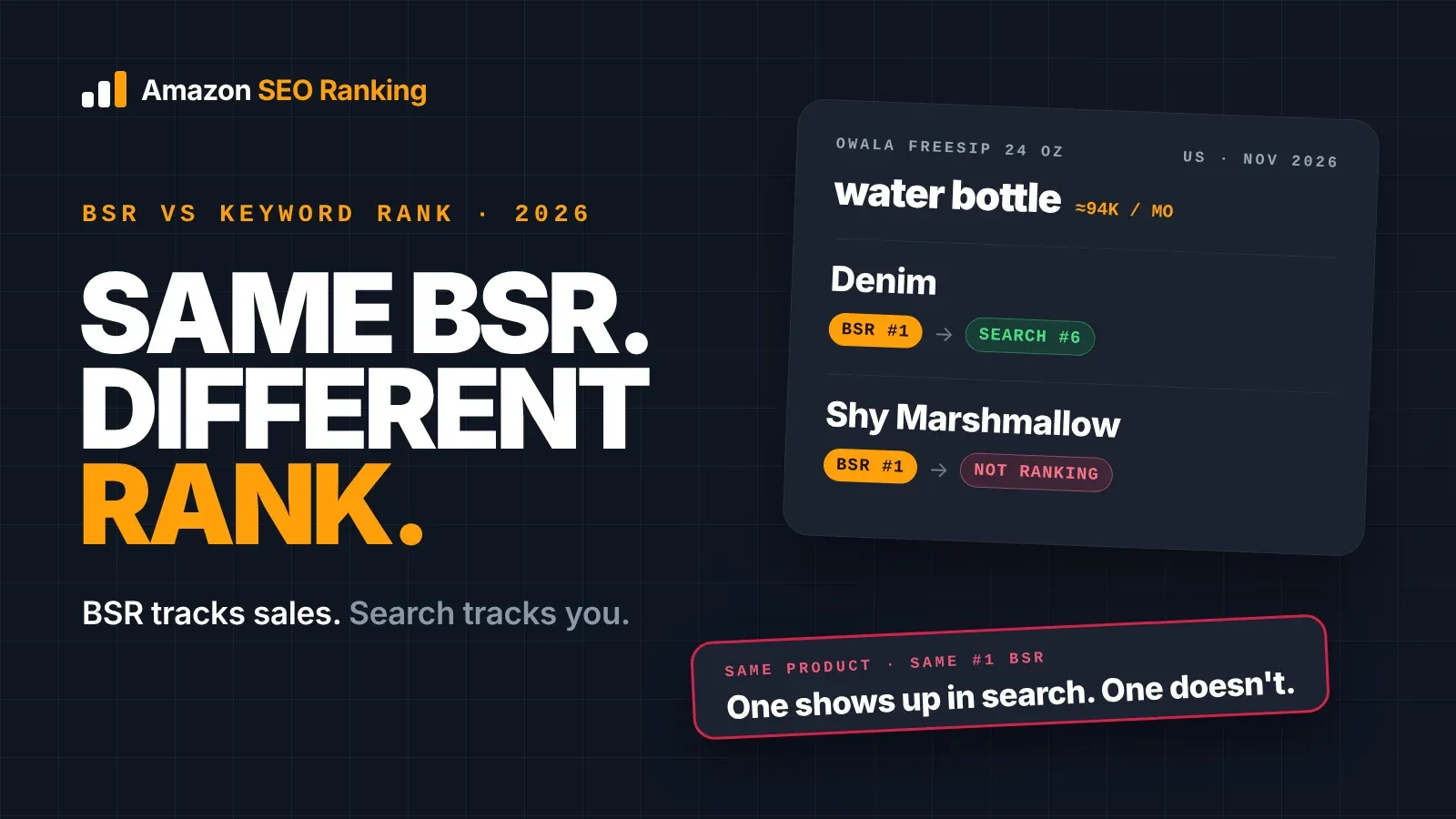
Amazon SEO Ranking's free listing audit does this step for you. Its Backend & Attributes category includes a Correct category / browse node criterion that reads the live path and grades whether it's specific and relevant. On an Owala FreeSip water bottle we audited in November 2026, it found the path ended in Insulated Beverage Containers > Thermoses and noted that a water bottles node might fit the product more precisely.
Keep a dated record of what you find. Score history keeps every audit of a listing (1 listing on Free, unlimited on Pro), so you can see whether the score moved after a change.
Step 2: Compare with page one
Search your main keyword and open five listings that sell the same product. If they share a leaf node and yours sits elsewhere, your product is probably misfiled. If they're split across two nodes, compare their BSR in each before choosing.
Look at what sells in each node. A node with five strong sellers in it tells you more than a node full of listings with no reviews.
Step 3: Check the item type keyword in Seller Central
Open the listing's Product Details tab and find the item type keyword. Compare it with the matching row in your BTG.
If the value is broader than the BTG row for your product, or describes a different product, that's the field to fix. If it already matches the deepest accurate row, the problem is more likely the copy than the category.
Step 4: Change the field, then confirm
Update the item type keyword, save, and check the breadcrumb and BSR line again once the change has processed. Also read your bullets and description: if they describe a different product type, Amazon may keep classifying the listing the old way.
Change one thing at a time. If you edit the item type keyword and rewrite the bullets on the same day, you won't know which change moved the listing.
Step 5: Open a case if it won't move
If the category won't change, the community manager's advice is to contact Selling Partner Support with the ASIN, the current browse path, the path you want and your reason. The same post warns that the new path may not be accepted if the category team considers the current one correct.
If you're an Amazon vendor rather than a seller, these Seller Central steps don't apply. Vendors suggest a category when they set up a product, and requests to change it go through Vendor Central support.
Before you open a case, it helps to see how the listings above you are filed. The Amazon competitor analysis tool runs the same 12-criteria audit on your listing and up to two rivals. If their Backend & Attributes score beats yours, the gap shows up in the comparison. Auditing a rival's ASIN on its own shows the category path the audit graded for it.
Where Category Search Terms Go in Your Copy
Category search terms are broad phrases: "grill accessories", "bbq accessories", "kitchen gadgets". Shoppers type them when they want to browse a type of product, and many of them carry real volume. They're keywords like any other, and the item type keyword doesn't make you match them.
Amazon indexes individual words across your title, Item Highlights, bullets and backend search terms. So "grill accessories" can match a listing with "grill" in the title and "accessories" in the backend. Our guide on how to rank for keywords on Amazon covers the difference between matching a search and ranking for it.
Put them by intent:
- Title: the product-type phrase that describes your item, since the title is capped at 75 characters. "Grill brush" beats "grill accessories" for a grill brush.
- Item Highlights and bullets: category words in readable sentences, where they also describe use.
- Backend search terms: the remaining category words and synonyms that appear nowhere on the page. Our guide to Amazon backend search terms covers the byte limit and what to leave out.
Category phrases are less specific than product phrases. Someone typing "grill accessories" might want tongs, covers or a thermometer. Size them with search volume, but rank them below the phrases that name your product.
Amazon SEO Ranking's rewriter is built for this split. You set one target keyword, placed early in the title, and secondary keywords worked into Item Highlights, bullets and description. A coverage check then shows where each one landed, so you can see at a glance whether "bbq accessories" made it into the copy or got dropped.
Worked Example: A Grill Brush Filed by Its Title
Take a fictional listing, the Emberline bristle free grill brush with a scraper edge, 18 inches, stainless steel. The seller wanted category traffic, so the title read:
Grill Accessories BBQ Accessories Grill Tools Grilling Gifts for Men Grill Cleaner BEST Grill Brush Emberline
The backend line read "grill accessories bbq accessories grill tools weber grill brush best grilling gifts for men". We checked both on 10 November 2026 with Amazon SEO Ranking's rule checks and the AI compliance scan, which runs on draft audits and rewrites on Pro and Agency.
| Problem | Where | What was found | Caught by |
|---|---|---|---|
| Title too long | Title | 109 characters against the 75-character limit | Character Limit Checker (free) |
| Unsupported superlative | Title | "BEST" in capitals | Character Limit Checker (free), AI scan (medium) |
| Keyword stuffing | Title | "Grill" four times, brand at the end | Character Limit Checker (free), AI scan (low) |
| Competitor trademark | Backend | "weber" is another brand's name | AI scan (high) |
| Subjective term and repeats | Backend | "best", plus words already in the title | Backend Keyword Checker (free) for repeats, AI scan (low) for "best" |
The search data explains the temptation. These are estimated monthly US Amazon searches from Amazon SEO Ranking's Amazon keyword search volume tool, the same day:
| Search phrase | Est. monthly US searches | Type |
|---|---|---|
| grill brush | ≈12,304 | Product type |
| grill accessories | ≈7,741 | Category |
| grill cleaner | ≈5,946 | Category |
| bbq accessories | ≈3,590 | Category |
| grill tools | ≈1,907 | Category |
| bbq grill brush | ≈1,683 | Product type |
| grill cleaning brush | ≈1,421 | Product type |
| bristle free grill brush | ≈523 | Product type |
| grilling gifts for men | ≈411 | Gift |
| grill brush and scraper | ≈112 | Product type |
"Grill brush" alone has more searches than any category phrase on the list. The rewrite leads with it and moves the category words lower:
- Title (71 characters): Emberline Bristle Free Grill Brush and Scraper, 18 Inch Stainless Steel
- Item Highlights (95 characters): Grill cleaning brush and BBQ tool with a scraper edge for gas, charcoal and pellet grill grates
- Backend (77 bytes): accessories cleaner barbecue bristleless wire free coil cepillo para parrilla
The rewrite passed every length check with no flags from the AI scan, and its size and material match the spec table (18 inches, stainless steel). Amazon SEO Ranking's rewrites use the spec table as the source of truth for this reason: a rewrite that drifts from the product's own facts creates "not as described" returns. Word by word, it still covers "grill accessories" (title plus backend), "bbq accessories" (Item Highlights plus backend) and "grill cleaner", and it adds a Spanish phrase for US shoppers searching in Spanish. "Grilling gifts for men" was dropped: it's a gift search, and nothing in the listing supports it. Confirm the coverage by searching Amazon for the ASIN plus each phrase once the copy is live.
In the rewriter, you'd set "grill brush" as the target keyword and the category phrases as secondary keywords, and the coverage check shows where each one landed. "Score this copy as a draft" then runs a draft audit on the new copy against the live listing's images, rating and Prime status, with a before and after score, before anything goes into Seller Central.
Then came the category itself. A title stuffed with "grill accessories" and "grill tools" says little about which leaf node the product belongs in. The last step was to check the item type keyword against the BTG row for grill brushes, so the category and the copy describe the same product. The audit's Correct category / browse node criterion then confirms whether the live path reads as specific and relevant.
Amazon Category Keywords for KDP Books
On Kindle Direct Publishing, categories and keywords are separate settings. Authors choose up to three categories for each book format and fill seven keyword boxes. The old practice of emailing KDP support for extra categories ended in 2023, when KDP moved to direct category selection.
For authors, "category keywords" now means picking the three most accurate shelves and using the keyword boxes for phrases readers type that the title and categories don't already cover. The browse-node logic above applies to books too, but the item type keyword and Browse Tree Guide steps don't: KDP shelves the book from your category choices.
Everything You Need to Know About Amazon Category Keywords
Use this table as a checklist when you review a listing's category or a teammate's flat file.
| Topic | What to know | Rule or number |
|---|---|---|
| Two meanings | Category placement vs category search terms | Fixed in different fields |
| Browse node | Numeric ID of one category | amazon.com/b?node=ID opens it |
| Marketplaces | Node IDs are local | Check each storefront |
| Item type keyword | Field that files the product in a node | Most specific accurate value |
| Other classification signals | Bullets, description, other page elements | Keep them consistent with the category |
| Product type | Listing template and its attributes | Not the usual category fix |
| Browse Tree Guide | Spreadsheet of nodes per category | Seller Central, inventory file templates |
| Category placement changes | Category pages, filters, BSR, fees, ad targeting | Documented by Amazon |
| Node limiting search queries | Claimed by sellers | Not documented by Amazon |
| Best Seller badge | Ranked within a category | More specific subcategory, if accurate |
| Category search terms | Ordinary keywords | Title, Item Highlights, bullets, backend |
| Title | Product-type phrase first | 75 characters |
| Category won't change | Case with ASIN, current and wanted path | Amazon may refuse |
| KDP | Separate categories and keywords | 3 categories per format, 7 keyword boxes |
Check Your Category and Copy Before Rank Slips
Amazon SEO Ranking audits a live listing in about 20 seconds against 12 equally weighted criteria with every pass rule published, including a Correct category / browse node criterion that grades your live category path. The AI rewrites are tied to the specific criterion a listing fails, place your target and secondary keywords with a coverage check, and are checked in code for Amazon's length limits, pack-count mismatches and unsupported claims before you see them. On Pro and Agency, the AI compliance scan catches the brand names and superlatives that crept into the grill brush example.
It's built for sellers and agencies with listings already live, especially catalogs sold across several storefronts where each marketplace has its own nodes. The audit covers 23 Amazon marketplaces, rewrites come back in each marketplace's language, and Bulk Optimization runs up to 500 ASINs per run on Agency. It's trusted by eRetail Search specialists at Nestlé and eCommerce SEO agencies such as Reach AI.
The free plan includes 3 full audits a month with no credit card required, plus the first 3 results of each Search volume check, enough to test whether your category phrases beat your product phrases. Run a free Amazon listing audit on the ASIN whose category you're unsure about, or compare Pro and Agency plans if you're checking a full catalog: Pro is $79 a month with a 7-day free trial and a 14-day money-back guarantee.
FAQ
What are Amazon category keywords?
Amazon category keywords are the terms that tie a listing to a category: the item type keyword that files it in a browse node, and the broad category phrases shoppers type, such as "grill accessories". The item type keyword decides category pages, filters and Best Sellers Rank lists. Category phrases are ordinary keywords that need their words in an indexed field. On KDP, the phrase refers to book categories and the seven keyword boxes.
How do category keywords work on Amazon?
Category keywords work on Amazon at two levels: the item type keyword places the product in a browse node, and category search terms match the listing to broad searches. Amazon's developer docs say item type keywords place new ASINs in the catalog graph and should be the most specific accurate value. Category search terms work like any keyword: a listing matches "bbq accessories" only when those words appear in its title, Item Highlights, bullets or backend terms. Fix the node in Seller Central and the phrases in your copy.
What is a browse node on Amazon?
A browse node on Amazon is the numeric ID of one category in Amazon's store tree. Adding the ID after amazon.com/b?node= opens that category page. Nodes run from broad categories down to specific leaf nodes, and IDs differ between marketplaces. Your product's node shows as the breadcrumb above the main image.
How do I find my item type keyword on Amazon?
You find your item type keyword on Amazon in the listing's Product Details tab in Seller Central, or in the item_type_keyword column of a flat file. To check that it's the right value, download your category's Browse Tree Guide and find the row for your product. Pick the deepest row that describes the product accurately. Changing that value is how you move the product to a different node.
Does the Amazon category affect search ranking?
The Amazon category affects where a product appears when shoppers browse and which Best Sellers Rank list it competes in, but Amazon hasn't published a rule that it limits which searches a product can rank for. Amazon says it classifies products from the item type keyword, bullets, description and other page elements. A misfiled product is usually described inconsistently, which can hurt relevance. Fix the node and the copy together.
How do I change my product category on Amazon?
You change your product category on Amazon by updating the item type keyword in the listing's Product Details tab or flat file. Check the breadcrumb and Best Sellers Rank line again once the change has processed. If the category won't move, contact Selling Partner Support with the ASIN, the current path, the path you want and your reason. Amazon's catalog team can decline if it considers the current path correct.
Should I put category keywords in my Amazon title?
You should put the product-type phrase in your Amazon title, not a stack of category phrases. Titles are capped at 75 characters, and in our worked example a title built from category phrases ran to 109 characters and drew a keyword-stuffing flag. Amazon indexes words across the title, Item Highlights, bullets and backend, so category words still count from those fields. "Grill brush" had ≈12,304 US searches a month, more than "grill accessories" at ≈7,741.
Is a more specific subcategory always better on Amazon?
A more specific subcategory is better on Amazon only when it describes the product accurately. Amazon has told sellers that a more specific subcategory with fewer sellers may raise the chance of a Best Seller label. A node that doesn't match the product sends you shoppers who want something else, and Amazon's catalog team can move it back. Use the deepest Browse Tree Guide row that fits what you sell.
Check your category path and copy before rank slips. Free audit, 3 a month, no card required.
Run free audit