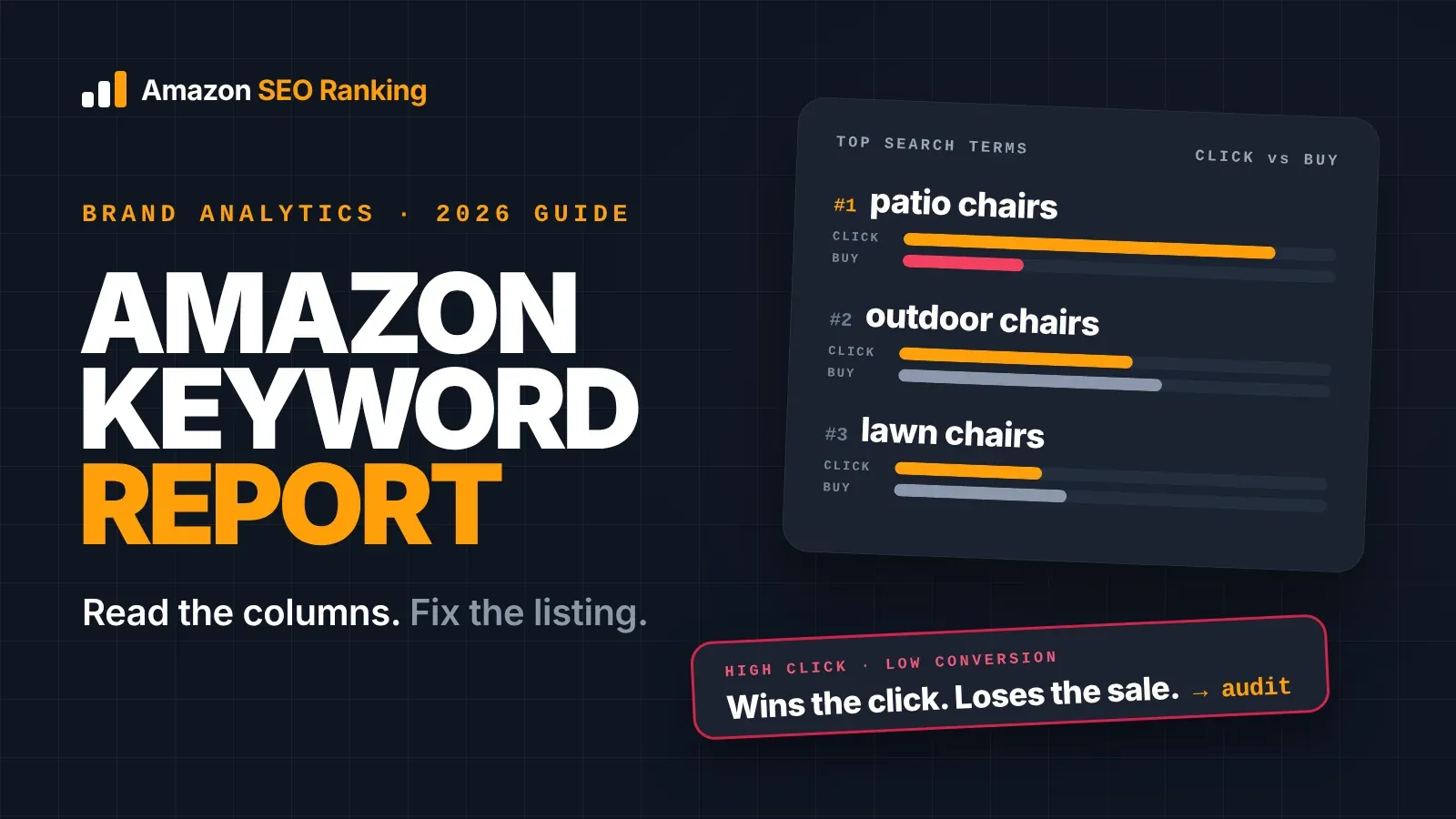
The Amazon keyword report with the most listing SEO value is the Top Search Terms report in Brand Analytics. For any search term, it shows how popular the term is (search frequency rank), the three products shoppers clicked most, and each product's share of clicks and purchases. Read it to find the terms worth a place in your title and bullets, then use the click and conversion gaps to spot which part of your listing loses the sale.
Brand Analytics is free, but only brands enrolled in Amazon Brand Registry can open it. This guide explains the columns, then shows how each one turns into a listing edit: which terms go in the title, which go to the backend field, and what a low click share says about your main image and price.
It's written for brand-registered sellers, brand eCommerce teams and agencies with live listings who want to use Brand Analytics for organic ranking as well as ads. If your brand isn't in Brand Registry yet, the section on what the report can't tell you covers the data you can still get without it.
Key Takeaways (TL;DR)
- "Amazon keyword report" can mean three different reports. For listing SEO, the one to read is Top Search Terms in Brand Analytics.
- Search frequency rank (SFR) orders terms against each other. Rank 1 is the most searched term in the marketplace for the period, and Amazon doesn't convert ranks to search counts.
- Click share is a product's share of all clicks on a term. Conversion share is its share of all purchases. The two are independent, and conversion share can be higher.
- A product with high click share and low conversion share wins attention and loses the sale. Check price, reviews and bullets.
- A product with low click share and high conversion share converts well once found. Check rank, main image and title.
- Brand Analytics data arrives a few days after each period closes, so it describes the period that just ended.
- Pair SFR with an Amazon search volume estimate before you rewrite a title, because Amazon doesn't say how many searches a rank stands for.
- The click and conversion pattern on a term tells you which part of the listing to audit first, and a draft audit tells you whether the fix works before it goes live.
Amazon Keyword Report: at a Glance
The table below sums up the report's columns and the listing decision each one feeds. The rest of the article explains each row.
| Column | What it tells you | Listing decision it feeds |
|---|---|---|
| Search term | The exact phrase shoppers typed | Which phrases to place in the title, bullets or backend |
| Search frequency rank | How popular the term is against every other term (1 = most searched) | Which terms deserve title space |
| Top clicked brands | The three brands shoppers clicked most | Who you're competing with on that term |
| Top clicked categories | Where Amazon shoppers end up for the term | Whether the term matches your category at all |
| #1 to #3 clicked ASIN and title | The three products winning the clicks | Which listings to compare yours against |
| Click share | Each product's share of all clicks on the term | How well its image, title and price attract the click |
| Conversion share | Each product's share of all purchases after the term | How well the listing closes the sale |
Which Amazon Keyword Report Do You Mean?
Sellers use "Amazon keyword report" for three different reports, and the confusion costs time. The Sponsored Products search term report lives in the advertising console and only covers queries that triggered your ads. Search Query Performance and Top Search Terms both sit in Brand Analytics, but they answer different questions.
| Report | Where it lives | What it covers | Best for |
|---|---|---|---|
| Sponsored Products search term report | Amazon Ads console | Queries that triggered your ads and got clicks | Bids, negatives, finding converting phrases you pay for |
| Search Query Performance | Brand Analytics | Queries that led shoppers to your own brand's products, with impressions, clicks, add-to-carts and purchases | Seeing where your own funnel leaks |
| Top Search Terms | Brand Analytics | The most searched terms across the marketplace and the top 3 clicked products for each | Keyword discovery and competitor research |
This guide is about the third. Top Search Terms is the only one of the three that shows terms you don't rank or advertise for yet, which makes it the most useful starting point for listing SEO. Older guides call it the "Amazon Search Terms report"; Amazon now lists it as Top Search Terms under Search Analytics.
Search Query Performance comes in later in the workflow, once you've changed a listing and want to see whether your own impressions and clicks moved.
How to Open the Amazon Brand Analytics Search Terms Report
Amazon's own Brand Analytics overview gives the path: in Seller Central, hover over Brands in the main menu and click Brand Analytics. Top Search Terms sits under the Search Analytics menu at the top of the page. If Brand Analytics doesn't appear, the account isn't enrolled in Brand Registry or your user doesn't have the brand permissions.
Amazon's guide says the dashboard can be filtered by ASIN, brand name, product category or keyword. Each view covers one marketplace at a time, so a seller on amazon.com and amazon.de reads two separate reports, in two languages. The listing work that follows is per marketplace too: Amazon SEO Ranking audits listings on 23 Amazon storefronts and writes each rewrite in that marketplace's language.
Pick the reporting range before you read
Data providers that pull the report through Amazon's API, such as Reason Automation's schema notes, describe it as updated weekly and monthly. Expect a short delay: the same notes list 24 to 48 hours of latency, and when Brand Analytics launched in Seller Central, ChannelX reported up to 72 hours after a period closes.
For listing work, read monthly data first. One week can be skewed by a promotion, a stockout or a holiday spike. Switch to weekly when you want to see whether a change you made is moving your click share.
What Each Column in the Report Means
Amazon's guide to the dashboard lists its contents: search frequency rank, top-clicked brands, top-clicked categories, and the product titles of the three top-clicked products for each term, with their click and conversion shares. Here's how to read each one.
Search frequency rank
Amazon defines search frequency rank as the numeric rank of a term's popularity compared with all other search terms in the period, as quoted in ChannelX's launch coverage. A lower number means more searches. Rank 1 is the most searched term in that marketplace for that week or month.
SFR is relative. Amazon doesn't publish how many searches a rank stands for, so a rank on its own can't tell you whether a term brings 500 searches a month or 50,000. Two terms a few hundred places apart can be close in volume or far apart, and only a volume estimate shows which.
Click share and conversion share
Click share is the number of clicks a product got after shoppers searched the term, divided by all clicks on any product for that term. Conversion share is the same calculation for purchases. Both definitions come from Amazon's launch material, as ChannelX reported it, along with one detail most sellers miss: the two shares are independent, and conversion share can be higher than click share.
The top 3 products are ordered by click share. So the #3 product can have the smallest click share of the three and still take the largest share of purchases.
Top clicked brands and categories
These two columns are the fastest relevance check in the report. If the top clicked categories for a term don't include yours, shoppers searching it want a different product, and ranking for it would bring clicks that don't convert.
The brand columns show how concentrated a term is. Three ASINs from one brand on a high-ranking term usually means a hard fight for page one; three different brands with modest click shares means the clicks are spread out.
How to Read the Amazon Keyword Report for Listing SEO in 6 Steps
The steps below answer the question most sellers start with: how do I use the Amazon Brand Analytics search terms report to improve a listing? Each step ends in a decision about a specific field.
Step 1: Build a term list for one product
Filter the report by your main keyword, then by your category, and export the result. Add the terms found by searching your own ASIN and your two closest competitors' ASINs, since the ASIN filter shows every term where that product was one of the top 3 clicked.
Keep the list to one product. A list that mixes a chair, a table and a parasol produces a title that fits none of them.
Step 2: Remove terms that don't describe your product
Delete any term whose top clicked categories aren't yours, and any term that names a competitor's brand. Delete terms describing a different style, size or material too: "adirondack chairs" is a large term in patio seating, but it brings nothing to a folding chair.
What's left is a list of terms your product can honestly match. That's the pool your title, bullets and backend field will draw from.
Step 3: Turn ranks into volume estimates
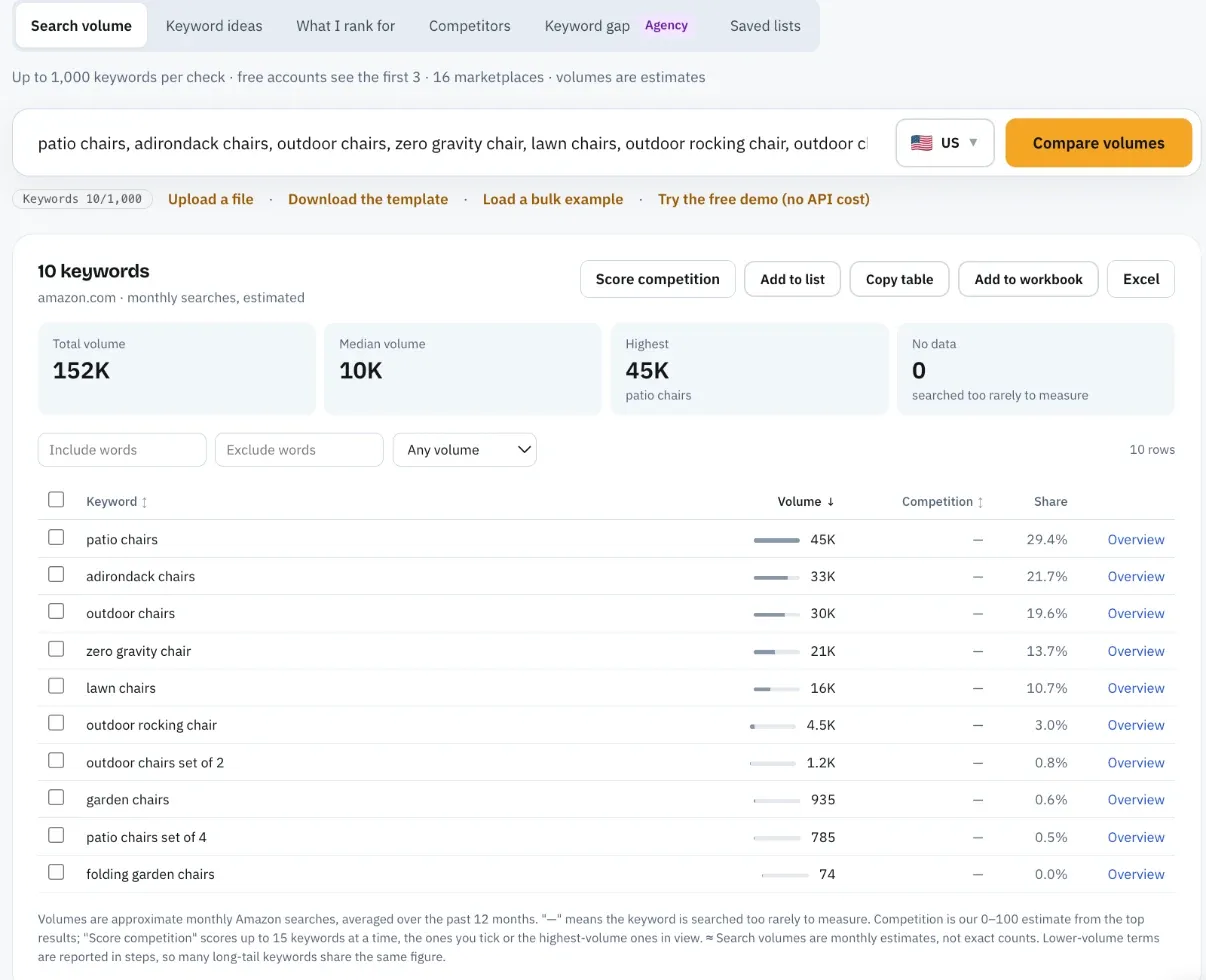
Run the remaining terms through an Amazon search volume tool. SFR tells you the order; volume tells you the size of the gaps, which is what you need to decide what earns a place in a 75-character title.
Amazon SEO Ranking's Amazon keyword search volume tool checks up to 1,000 keywords at once in 16 marketplaces, and the figures are monthly estimates. Free accounts see the first 3 results of each search, and Pro starts with a 7-day free trial.
Step 4: Read the click and conversion gaps
For each term where you or a close competitor appears in the top 3, compare click share with conversion share. The pattern points to the part of the listing that needs work.
| Pattern | What it usually means | Where to look first | Audit criteria that check it |
|---|---|---|---|
| High click share, low conversion share | The listing wins attention and loses the sale | Price, star rating, bullets, A+ content, variation choice | Bullet Points, Reviews & Social Proof, AI-Readiness |
| Low click share, high conversion share | Shoppers who click buy, but few click | Search rank, main image, title wording, review count | Images & Video, Title & Item Highlights, Reviews & Social Proof |
| High on both | The listing fits the term | Protect it: stock, price, ad coverage | Stock & Fulfillment (Prime eligibility) |
| Not in the top 3 at all | You don't rank high enough to compete yet | Title relevance, then sales velocity | Title & Item Highlights, Backend & Attributes |
Treat each pattern as a starting point. A low conversion share can also come from a stockout during the period, so check your inventory history for the same dates before rewriting bullets.
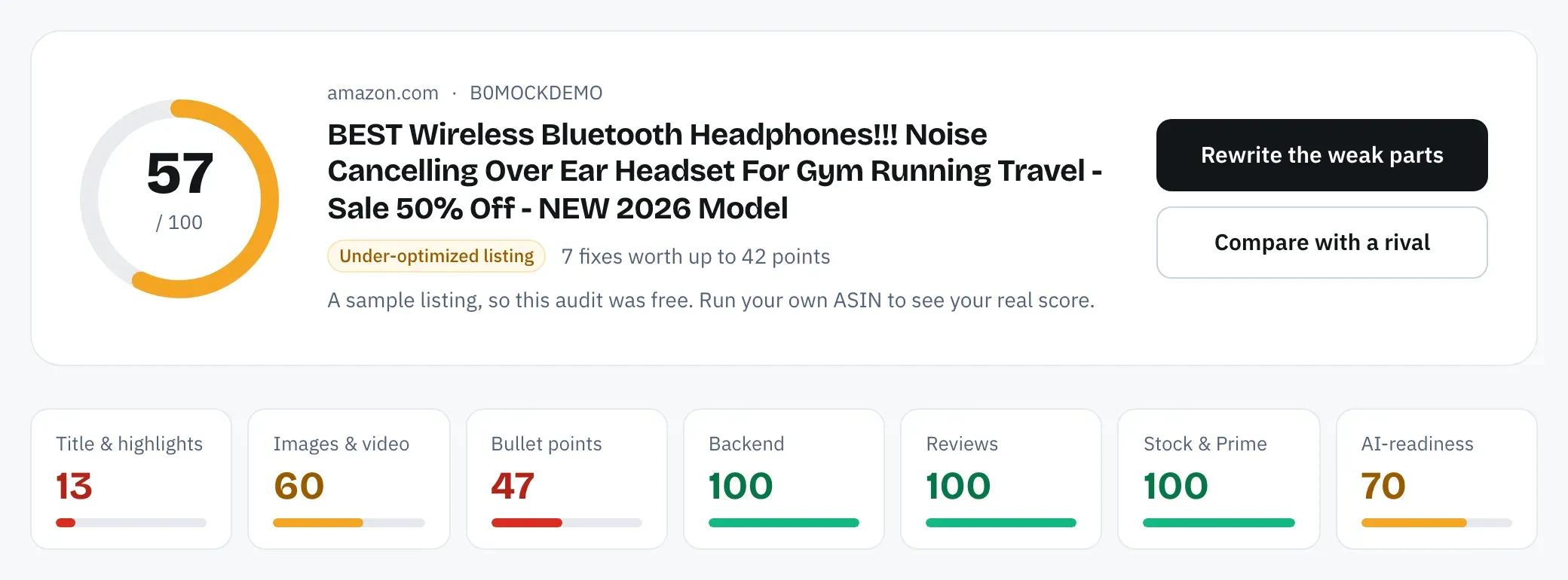
The last column is where the report hands over to an audit. Amazon SEO Ranking scores a live listing against 12 equally weighted criteria in seven categories, so a pattern in the report points to the criteria to read first, and the audit shows which of them the listing actually fails and how many points each fix is worth. Price isn't one of the criteria, so check it against the top 3 clicked products yourself.
Step 5: Route each term to a field
Your two or three highest-value relevant terms go in the title, in readable form and early. The next tier goes into Item Highlights and the bullets, inside sentences that describe a benefit. Synonyms, spelling variants and other-language terms go to the backend search terms field, where they cost bytes and no readability.
Amazon indexes the individual words from each field, so a word that's already in your title gains nothing from a second copy in the backend. Our guide to checking your Amazon search terms covers the backend side, including the 249-byte limit and what to cut.
Step 6: Check the copy, then measure in Search Query Performance
Start with the live listing. An Amazon listing quality checker scores it against 12 published criteria, so you know which fields are failing before you touch them.
Then score the new copy before it goes live. Amazon SEO Ranking's draft audit takes your rewritten title, Item Highlights, bullets or description and scores them against the live listing's images, rating and Prime status, with the before and after score side by side. It also checks the copy against Amazon's limits: a 75-character title, bullets under 255 characters (Amazon SEO Ranking holds them under 200, where mobile cuts them off) and backend terms under 249 bytes. A draft audit uses 1 audit, so the free plan's 3 a month cover a live audit and two drafts.
Once the new copy is live, give it four weeks. Watch your impressions and click share on the target terms in Search Query Performance, and your position among the top 3 clicked products in Top Search Terms.
Worked Example: From Report Terms to a Checked Title
Take a fictional brand, Ridgeway, selling a set of 2 folding acacia wood patio chairs on amazon.com. A Top Search Terms filter on chair terms in the patio category returns a long list, and after Step 2 these candidates remain alongside "adirondack chairs" and "zero gravity chair", which describe different products and get cut.
Brand Analytics shows their ranks. To size them, we ran the list through Amazon SEO Ranking's keyword volume tool (US, estimated monthly Amazon searches, 11 November 2026):
| Search term | Est. monthly US searches | Fits the product? | Where it goes |
|---|---|---|---|
| patio chairs | ≈44,767 | Yes | Title |
| adirondack chairs | ≈33,061 | No, different style | Cut |
| outdoor chairs | ≈29,845 | Yes | Title |
| zero gravity chair | ≈20,944 | No, different product | Cut |
| lawn chairs | ≈16,269 | Yes | Backend |
| outdoor rocking chair | ≈4,525 | No, doesn't rock | Cut |
| outdoor chairs set of 2 | ≈1,196 | Yes | Title (via "Set of 2") |
| garden chairs | ≈935 | Yes | Backend |
| patio chairs set of 4 | ≈785 | No, wrong pack size | Cut |
| folding garden chairs | ≈74 | Yes | Title + backend |
Two things stand out. "Garden chairs" is the phrase many sellers would reach for first, yet US shoppers search "patio chairs" roughly 48 times as often. And two of the five largest terms describe a different product entirely, which is why the relevance pass comes before the volume pass.
The resulting title and backend line:
Title: Ridgeway Folding Patio Chairs Set of 2, Acacia Wood Outdoor Chairs (66 characters)
Backend: lawn garden deck balcony porch foldable wooden yard seating backyard sillas para patio (86 bytes)
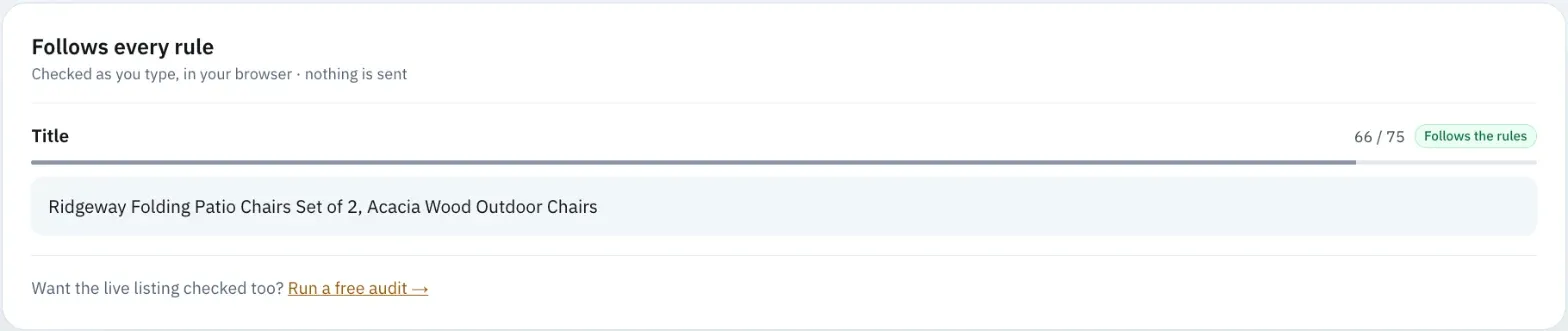
We ran both through Amazon SEO Ranking's listing copy check on 11 November 2026, including the AI policy scan available on Pro and Agency. The title came in under the 75-character limit, the backend under 249 bytes, and neither the pack-count check nor the AI scan raised a flag. "Set of 2" in the title matches the spec table's 2 pieces, which is the mismatch the check is built to catch.
Combined, the two fields cover "patio chairs", "outdoor chairs", "outdoor chairs set of 2", "lawn chairs", "garden chairs" and "folding garden chairs" without repeating a single word across fields, and 163 backend bytes stay free for the next round of research.
What the Report Can't Tell You
The report is first-party Amazon data, which makes it the most reliable demand signal a brand can get. It still has limits worth planning around.
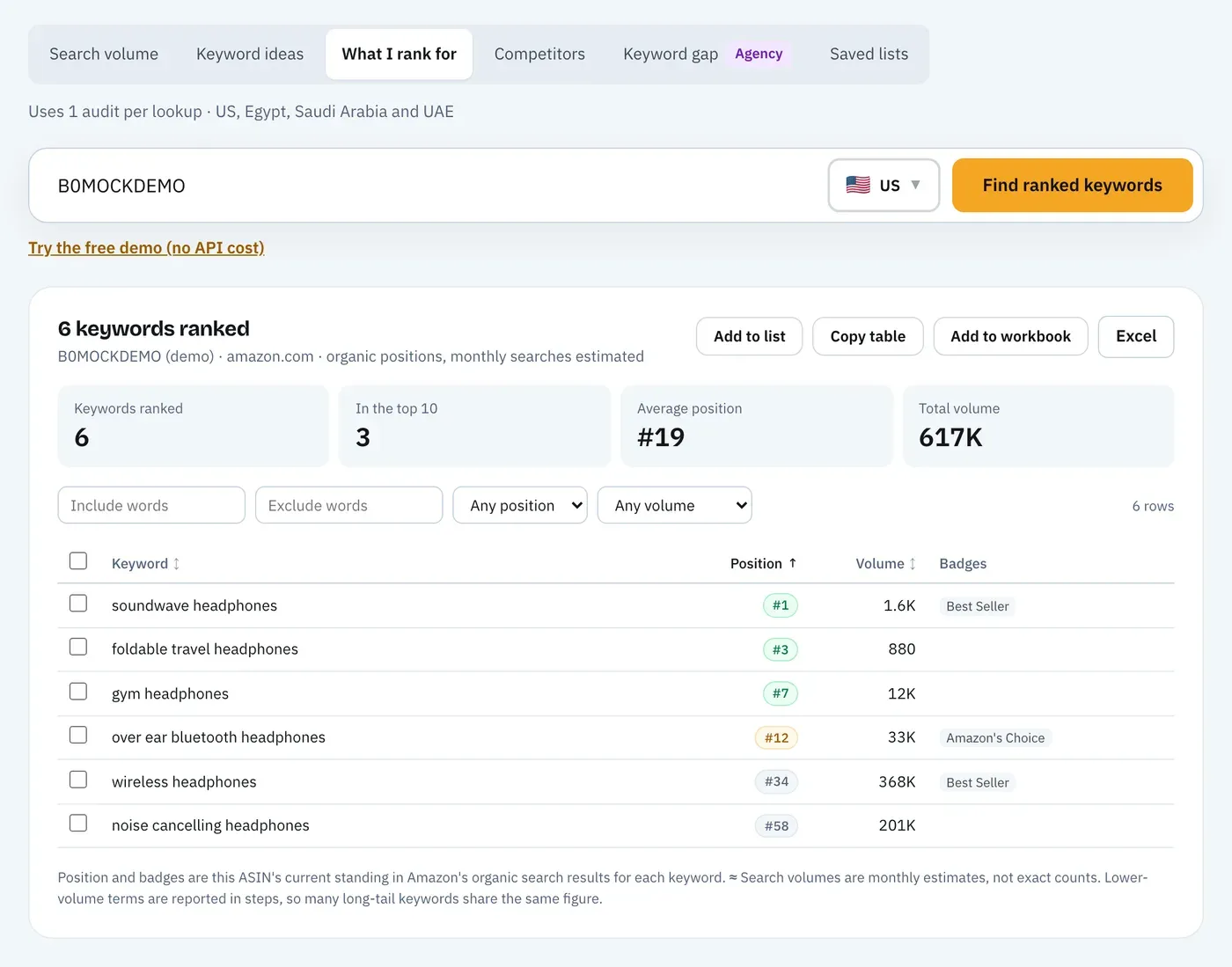
- It only names the top 3 products per term. If you're #6, you won't see your own click share here. Search Query Performance shows your brand's numbers for queries that led to your products. To see your position on every term, Amazon SEO Ranking's What I rank for (Pro) lists each keyword an ASIN ranks for with its position, and Keyword gap (Agency) lines up to 20 ASINs side by side; both cover the US, Egypt, Saudi Arabia and the UAE.
- It needs Brand Registry. Sellers without it can't open Brand Analytics at all. The same keyword tools work on any ASIN, so a seller who isn't brand-registered can still see which terms a competitor ranks for and how often shoppers search them.
- It ranks terms without counting searches. SFR needs a volume estimate beside it before you trade one title phrase for another.
- It looks backward. Data arrives days after a period closes, so a seasonal term shows up once the season has already started.
- It's per marketplace and per language. The amazon.de report tells you nothing about amazon.co.uk searches.
- It says nothing about why. A low conversion share is a fact about two numbers. Your listing, price, stock and reviews hold the reason.
- It covers typed searches. Shoppers who ask Rufus a question instead of typing a keyword leave a different trail; our guide to Amazon Rufus and COSMO SEO covers how to write listings that hold up there too.
A Weekly Routine That Takes 30 Minutes
You don't need to read the report daily. For most brands, a short weekly pass and a longer monthly one catch everything that matters.
Weekly (about 30 minutes):
- Open Top Search Terms filtered on your 10 to 20 tracked terms.
- Note any term where a new brand entered the top 3 or your click share moved by several points.
- For any term where you dropped out, check stock, price and reviews for the week before touching copy.
Monthly:
- Refresh your term list from Step 1 and re-run volumes.
- Re-audit the listings whose click or conversion share fell two months running. Score history shows whether the listing changed in that time, and score-change email alerts (5 listings on Pro, 25 on Agency) flag a drop before the next report does.
- Compare your listing with the #1 clicked ASIN on your main term, field by field.
The monthly comparison is where most fixes come from. Amazon SEO Ranking's Amazon competitor analysis tool runs the same 12-criteria audit on your listing and up to two rivals, and shows the three biggest gaps with the figures behind them, such as image count against image count.
Everything You Need to Know About the Amazon Keyword Report
Use this table as a reference when you open the report or brief a teammate.
| Topic | What to know | Rule or number |
|---|---|---|
| Which report | Top Search Terms in Brand Analytics, under Search Analytics | Separate from the Sponsored Products search term report |
| Access | Brands enrolled in Amazon Brand Registry | Seller Central: Brands, then Brand Analytics |
| Search frequency rank | Relative popularity against all terms in the period | 1 = most searched |
| Volume | Not published by Amazon | Pair SFR with a volume estimate |
| Click share | Product clicks ÷ all clicks on the term | Driven by rank, image, title, price |
| Conversion share | Product purchases ÷ all purchases after the term | Can be higher than click share |
| Top 3 products | Ordered by click share | #3 can out-sell #1 |
| Freshness | Weekly and monthly views | A few days after a period closes |
| Scope | One marketplace at a time | Read each storefront separately |
| Relevance check | Top clicked categories must match yours | Cut terms for other products |
| Field routing | Top terms in the title, synonyms in the backend | 75-character title, 249-byte backend |
| Measuring change | Search Query Performance for your own brand | Give edits about 4 weeks |
Turn Your Report Into a Better Listing
Amazon SEO Ranking audits a live listing against 12 published, equally weighted criteria and rewrites the fields that fail, with each fix tied to the criterion it fixes. Every AI rewrite is checked in code for Amazon's length limits, pack-count mismatches and unsupported claims before you see it, so the terms you pull from Brand Analytics land in copy that's safe to paste. Pro adds search volume for 16 marketplaces and What I rank for in the same account, and the draft audit scores your new copy before it goes live.
It's built for brand-registered sellers, brand eCommerce teams and agencies with listings already live, who have the Brand Analytics data and need to turn it into titles, bullets and backend lines that rank, in any of 23 Amazon storefronts. It's trusted by eRetail Search specialists at Nestlé and eCommerce SEO agencies such as Reach AI.
The free plan includes 3 full audits a month with no credit card required, and Pro starts at $79 a month with a 7-day free trial and no contract. Run a free audit on the ASIN you're researching before this week's report goes stale, or compare Free, Pro and Agency plans if you manage a catalog.
FAQ
What is the Amazon keyword report?
The Amazon keyword report most sellers mean is the Top Search Terms report in Brand Analytics, which ranks the most searched terms in a marketplace and shows the three most clicked products for each. For every term it lists search frequency rank, top clicked brands and categories, and each top product's click share and conversion share. Only brands enrolled in Amazon Brand Registry can open it. The phrase is also used for the Sponsored Products search term report, which covers only queries that triggered your ads.
How do I use the Amazon Brand Analytics search terms report?
You use the Amazon Brand Analytics search terms report by filtering it to your product's terms, removing terms for other products, sizing the rest with a search volume estimate and routing the top terms into your title and the rest into bullets and backend terms. Then compare click share with conversion share on terms where you or a competitor sit in the top 3. High click share with low conversion share points to price, reviews or bullets. Low click share with high conversion share points to rank, main image or title. Measure the result in Search Query Performance after about 4 weeks.
What is search frequency rank on Amazon?
Search frequency rank on Amazon is a term's popularity rank compared with every other search term in the marketplace for the selected period, where rank 1 is the most searched. Lower numbers mean more searches. Amazon doesn't publish how many searches a rank stands for. Pair the rank with an Amazon search volume estimate before deciding which term goes in your title.
What do click share and conversion share mean in Brand Analytics?
Click share in Brand Analytics is a product's clicks after a search term divided by all clicks on any product for that term, and conversion share is the same ratio for purchases. The two are calculated independently. Conversion share can be higher than click share, which means the product converts better than its traffic suggests. The top 3 products are ordered by click share, so the #3 product can still have the largest conversion share.
How do I get a keyword report on Amazon?
You get a keyword report on Amazon by enrolling your brand in Amazon Brand Registry, then opening Brands, Brand Analytics and Search Analytics in Seller Central to reach Top Search Terms. Advertisers can also download the Sponsored Products search term report from the Amazon Ads console, which covers queries that triggered their ads. Sellers without Brand Registry can't open Brand Analytics. They can still estimate demand with an Amazon keyword search volume tool and Amazon's autocomplete suggestions.
How do I find the top search terms on Amazon?
You find the top search terms on Amazon in the Top Search Terms dashboard of Brand Analytics, sorted by search frequency rank with rank 1 at the top. Filter by category or keyword to see the terms in your niche, or by ASIN to see every term where a product was among the top 3 clicked. Each view covers one marketplace and one period, weekly or monthly. Export it to sort and filter the full list.
How is Top Search Terms different from Search Query Performance?
Top Search Terms shows the most searched terms across the whole marketplace and the top 3 clicked products for each, while Search Query Performance shows only queries that led shoppers to your own brand's products. Search Query Performance adds your impressions, clicks, add-to-carts and purchases for each query, against the total for that query. Use Top Search Terms to find terms and competitors. Use Search Query Performance to measure whether a listing change moved your own numbers.
Is Brand Analytics enough without a keyword tool?
Brand Analytics is not enough on its own for listing SEO, because search frequency rank orders terms without telling you how many searches each one gets. A volume estimate shows the real gap: in the US, "patio chairs" gets about 48 times the Amazon searches of "garden chairs". Brand Analytics also only names the top 3 products per term, so it can't show where your listing sits if you rank lower; What I rank for shows that position in the US, Egypt, Saudi Arabia and the UAE. Amazon SEO Ranking's search volume covers 16 marketplaces, and Pro costs $79 a month with a 7-day free trial.
See which part of your listing loses the click or the sale. Free audit, 3 a month, no card required.
Run free audit